
AI Image Tools on Textideo

Free AI Clothes Remover: Replace & Edit Outfits in Seconds

An AI clothes remover lets you edit clothing in any photo without manual retouching. Upload an image, describe the garment to change, and generate a polished variation while keeping the person's face, pose, and background intact. Available on Textideo, this tool delivers fast, realistic results directly in your browser.

Try AI Clothes Remover
Trusted by 10,000+ creators · Rated 4.9/5
No credit card required · Start generating in seconds
The Challenge

The Problem: Manual Clothing Edits Take Too Long

Fashion editing is one of the most time-consuming tasks in creative workflows. Removing a jacket, replacing an outfit, or cleaning garment edges traditionally requires advanced skills in complex software and hours of manual work.

Manual Masking Takes Too Long

Isolating a garment edge by hand can take 30 minutes or more per image. For a full catalog, that means days of tedious retouching work.

Reshoots Drain Your Budget

Every new outfit variation means another photoshoot with models, studios, and stylists. The costs add up fast for e-commerce and lookbook projects.

Complex Tools Create Barriers

Professional editing software has a steep learning curve. Not every creator has the time or budget to master layers, masks, and blending modes.

Start Editing with an AI Clothes Remover on Textideo

Transform any photo with an AI clothes remover that removes outer layers, replaces outfits, and preserves every detail you want to keep. No design skills or complex software required—just upload an image, describe the change, and generate a polished result in seconds.

Try AI Clothes Remover
No credit card required · Start generating in seconds
Showcase

What Can an AI Clothes Remover Create?

An AI clothes remover adapts to many creative needs. From removing a single outer layer to replacing an entire outfit, the tool handles diverse fashion editing tasks with consistent quality.

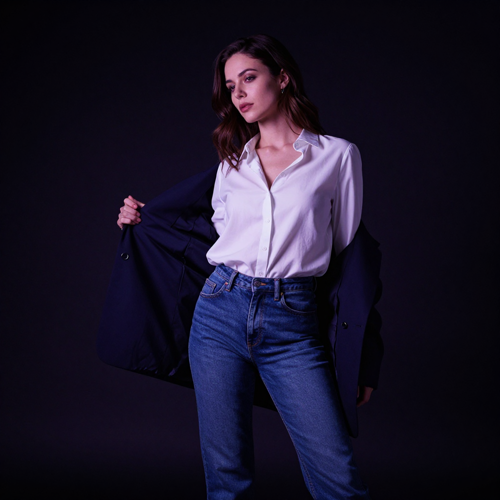
Targeted outer layer removal with an AI clothes remover showing a model removing a blazer while keeping the inner outfit

Targeted Outer Layer AI Clothes Remover

Remove a specific coat, jacket, overshirt, or cardigan while keeping the inner outfit fully visible. It isolates the garment you name and generates a lighter look without redesigning the entire composition.
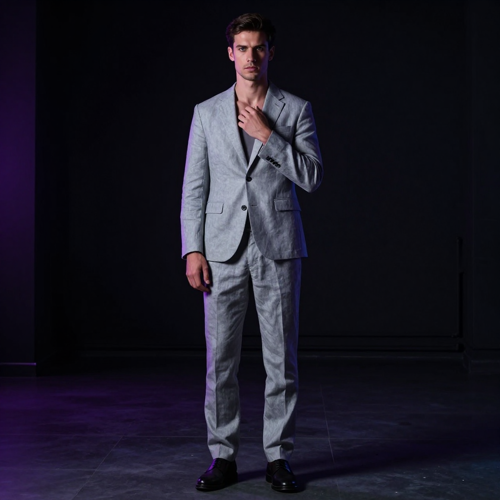
Full outfit replacement using an AI clothes remover showing a model in a different suit

Full Outfit Replacement with AI Clothes Remover

Swap one visible outfit for another by describing the new garment, color, and fabric. It renders the replacement while preserving facial identity, body pose, lighting direction, and background.

Fashion prototyping and lookbook drafts created with an AI clothes remover

Fashion Prototyping via AI Clothes Remover

Use a single photo to develop multiple wardrobe variations for campaign concepts and lookbook planning. It helps creators explore different clothing arrangements without organizing a separate photoshoot.

Why Choose Us

Why Choose an AI Clothes Remover for Fashion Editing?

Manual retouching is slow, expensive, and technically demanding. An AI clothes remover replaces hours of masking and compositing with a simple text-guided workflow.

AI Clothes Remover with Text-Guided Precision

An AI clothes remover understands natural language instructions. Simply name the garment to remove or replace, describe the desired outcome, and list the details to preserve. The AI interprets your intent and applies the edit precisely where you want it.

AI Clothes Remover Preserves Identity & Pose

Unlike generic image generators, this editor keeps the original photo as its guide. Facial features, body proportions, pose, hairstyle, lighting direction, and background all stay consistent for a natural edit.

Zero-Barrier AI Clothes Remover Workflow

No software installation, no steep learning curve. It runs entirely in the browser. Upload a photo, type your instructions, and generate. The entire process takes seconds.

Dramatic Cost & Time Savings

Traditional fashion photography requires models, studios, and post-production teams for every variation. An AI clothes remover collapses that pipeline into a single tool, generating multiple concepts from one photo in minutes.

Consistent Multi-Image Catalogs

Reuse the same model photo for multiple garments while preserving pose, lighting, and background. The result is a cohesive catalog that looks professionally shot without recurring production costs.

Safe, Consent-First Editing

A responsible editor is built for authorized, non-explicit apparel editing. Use it only on images you own or have permission to modify, for fashion, design, and creative workflows.

Features

Core Capabilities of an AI Clothes Remover

An AI clothes remover combines computer vision, generative AI, and natural language understanding into a single streamlined tool.

Intelligent Clothing Segmentation

Advanced segmentation models detect clothing boundaries with pixel-level accuracy, isolating the garment you name while preserving skin tone, shadow direction, and fabric texture.

Text-to-Edit Prompt Control

Control every edit with plain language. Tell the AI clothes remover exactly which layer to remove, what replacement to render, and which details must stay unchanged.

High-Resolution Output

Generate crisp, publication-ready images suitable for e-commerce listings, social media campaigns, and lookbook prints with refined edges and natural blending.

How It Works

How to Use an AI Clothes Remover in Three Steps

An AI clothes remover turns complex fashion editing into a simple three-step workflow. No masking, no layer panels, no design experience required.

1

Upload a Photo to the AI Clothes Remover

Open the editor and upload a well-lit photo where the garment edges are clearly visible. JPG, PNG, and WebP formats are supported.

Step 1: Upload a photo to the AI clothes remover
2

Describe the AI Clothes Remover Edit

Type a clear instruction naming the garment to remove or replace and the details to preserve. It uses your text to guide the generation.

Step 2: Describe the clothing edit with text prompts
3

Generate & Download from the AI Clothes Remover

Click generate and watch the editor produce your edited image in seconds. Compare the result, review edges and details, then download.

Step 3: Generate and download the edited image
Use Cases

Who Uses an AI Clothes Remover?

This editor serves a wide range of creative and commercial professionals, reducing production costs and speeding up iteration across every fashion-related workflow.

Fashion Designers & Stylists

Prototype garments, compare silhouettes, and plan lookbook layouts without scheduling multiple photoshoots.

E-Commerce Sellers

Generate diverse product visuals from a single shoot while keeping model pose, lighting, and brand aesthetic consistent.

Content Creators

Create before-and-after wardrobe content, seasonal transition posts, and styling tutorials faster and more flexibly.

Photographers & Retouchers

Accelerate post-production by removing outer layers, cleaning wrinkles, and refining garment edges in seconds.

Applications

Real-World Applications of an AI Clothes Remover

An AI clothes remover powers professional workflows across fashion, e-commerce, content creation, and photography.
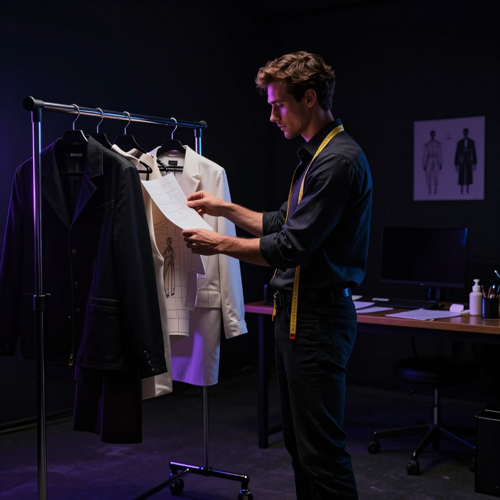
Fashion designer using an AI clothes remover for garment prototyping

Fashion Design Prototyping

Fashion designers use this editor to test how a garment reads on camera before committing to a physical sample. Preview silhouettes, proportions, and styling choices without the cost of a reshoot.
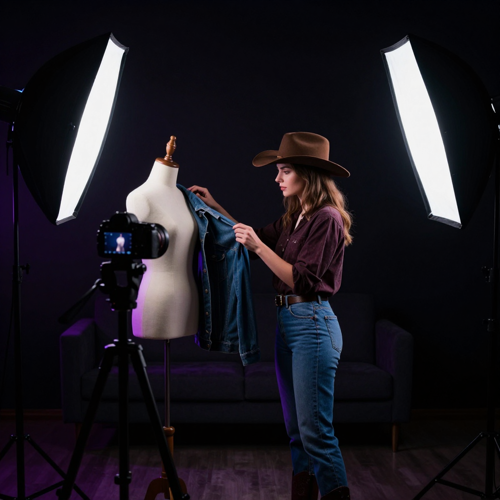
E-commerce product visuals created with an AI clothes remover

E-Commerce Product Visuals

E-commerce sellers leverage this tool to generate multiple product images from a single model photo. Replace outfits and maintain consistent pose and lighting across an entire catalog.
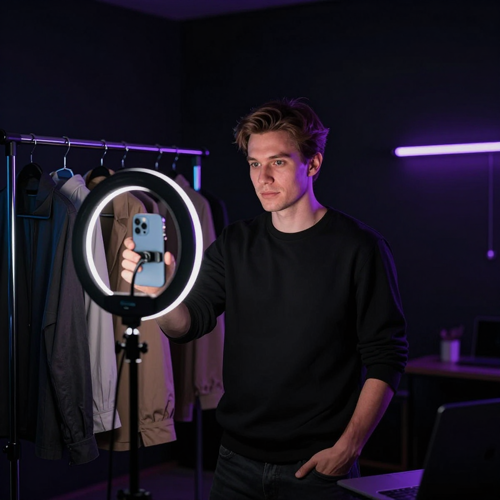
Social media content created with an AI clothes remover

Social Media Content

Content creators use this editor to produce before-and-after outfit comparisons, styling tutorials, and seasonal wardrobe transitions while keeping their identity stable.
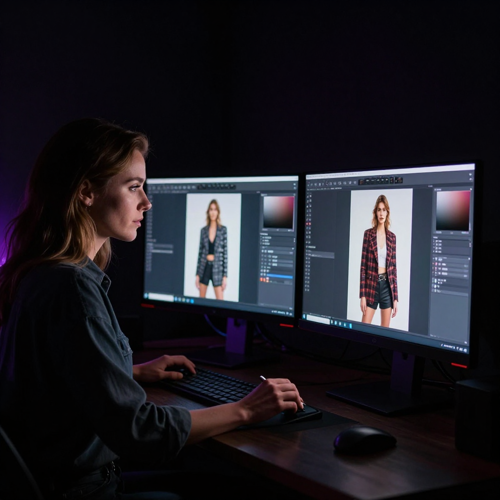
Photo retouching workflow using an AI clothes remover

Photo Retouching Workflows

Photographers integrate this tool into post-production to clean wrinkles, remove distracting accessories, and refine garment edges—what once took hours now completes in seconds.

Testimonials

What Creators Say About AI Clothes Remover

4.9
Average Rating
2.8M+
Images Edited
130+
Countries

"I wanted to explore different outfit ideas without arranging a new photo shoot for every look. With an AI clothes remover, I could try alternate jacket styles while keeping the rest of the photo consistent."

Claire Bennett
Independent Fashion Creator

"Photographing every possible clothing combination would take too much time. I used an AI clothes remover to preview different styling concepts from one image, then checked the generated details against the actual products."

Daniel Brooks
Online Boutique Owner

"I found it difficult to compare costume ideas while keeping the same character and pose. Describing one garment change at a time helped me explore variations while preserving the main details of the image."

Maya Chen
Costume Design Enthusiast
FAQ

AI Clothes Remover: Answers to Common Questions

When exploring AI-powered fashion editing, it is natural to have questions about how an AI clothes remover works, what it can and cannot do, and how to get the best results.

What is an AI clothes remover and how does it work?
This browser-based editor uses machine learning to detect clothing regions in a photo and either remove an outer layer or replace the entire outfit. Unlike manual retouching, it processes the image automatically while preserving the person's face, pose, hairstyle, and background. You simply upload a photo, describe what to change, and receive a generated variation within seconds.
Can an AI clothes remover remove just a jacket or outer layer?
Yes. This editor can target specific outer garments such as a coat, jacket, cardigan, or overshirt while keeping the inner clothing fully visible. For example, you can ask it to remove a navy blazer and keep the white shirt and denim jeans underneath. The edit stays localized to the clothing layer you name, so the rest of the image remains unchanged.
Can I replace an outfit instead of removing it?
Absolutely. Instead of only removing clothing, it supports full outfit replacement. You can describe a new garment, fabric, color, or style, and the AI will render the replacement while keeping the person's identity, pose, lighting, and background consistent. This makes the tool useful for virtual try-on previews, lookbook drafts, and seasonal campaign concepts.
Will my face, pose, and background stay the same?
The editor analyzes the source photo to preserve facial features, body proportions, pose, hairstyle, and background environment. Because the original image guides the generation, the output stays visually connected to the source portrait. For best results, use a clear, well-lit photo and explicitly list the details you want to keep in your prompt.
Is using an AI clothes remover legal?
Using this tool for legitimate, fully clothed fashion edits—such as changing an outfit, removing an outer layer, or planning a lookbook—is generally lawful when you respect local laws, obtain consent from the subject, and hold proper image rights. Laws vary by jurisdiction. Creating or distributing non-consensual intimate imagery is illegal in most regions.
Does the AI clothes remover show the real clothes underneath?
No. The editor does not reveal what is genuinely hidden beneath clothing. It generates a plausible result based on visible details in the photo and your text instructions. Hidden fabric, seams, and folds are approximations, not real reconstructions. A photo where the inner outfit is already clearly visible will produce the most accurate edit.
What makes a good AI clothes remover prompt?
A strong prompt names the garment to change, specifies the replacement or layer to remove, and lists the details to preserve. Example: "Remove the open terracotta overshirt and keep the opaque white top, trousers, face, hair, hands, pose, lighting, and background unchanged." Clear, specific language produces cleaner edges and more consistent results.
Which photo formats work best with an AI clothes remover?
This tool supports common image formats including JPG, PNG, and WebP. For the best outcome, choose a well-lit photo where the subject and garment edges are clearly visible. Cropped, blurry, or heavily obscured clothing may be harder to process cleanly.
Is there a free AI clothes remover option?
Many platforms offer a free tier with daily credits. On Textideo, you can start using this editor without a subscription and generate a limited number of edits per day. Paid plans unlock higher resolution, faster processing, and additional generation credits for professional workflows.
Can I use an AI clothes remover for e-commerce or commercial projects?
Yes. Fashion brands, online boutiques, and e-commerce teams use this editor to create multiple outfit variations from a single model photo. This reduces reshoot costs, speeds up catalog production, and keeps pose, lighting, and brand style consistent across product images. An AI clothes remover is a practical choice for modern fashion and retail workflows.

Ready to Transform Your Photos with an AI Clothes Remover?

Start editing clothing in your photos today. Upload an image, describe the change, and generate a polished result in seconds. No design skills required.

Try AI Clothes Remover
No credit card required · Start generating in seconds