
AI Belly Inflation: Turn One Photo Into a Playful Balloon Belly Animation
An AI belly inflation generator turns an uploaded photo into a playful short video with a rounded, balloon-like belly transformation. Start with one clear subject, add optional direction, and explore belly expansion as an imaginative visual joke. Advanced AI preserves the face, outfit, and setting while rendering the effect.
Try AI Belly Inflation NowThe Real Problems With Manual Belly Inflation Editing
Before AI, making a convincing belly expansion video meant hours in After Effects, manual masking, and frame-by-frame warping. Most creators gave up before they even started.
Hours of Manual Warping
Traditional workflows force you to paint masks, set pins, and animate mesh deformations frame by frame. A five-second clip could easily eat an entire afternoon.
Distorted Faces and Broken Illusions
Basic warp tools do not understand anatomy. The face, hands, and background stretch along with the belly during inflation, turning a promising prank into an obvious fake.
Missing the Trend Window
By the time you finish editing, the hashtag has cooled. Manual production is simply too slow for the breakneck pace of short-form social media and viral challenges.
Give AI Belly Inflation a Clear Creative Direction
Bring source-image guidance, a prepared transformation instruction, and optional personal direction into one workflow. Explore belly expansion through a familiar portrait, an original mascot, or a small visual story.
Keep the Subject at the Center
Start from your uploaded image, giving the scene a specific face, outfit, and environment to reference. The built-in direction asks for an expanding belly while retaining the subject's recognizable features. Keep the face unobstructed and leave room below the chest. A simple pose often makes the intended AI belly inflation animation easier to read.
Try AI Inflate EffectShape the AI Belly Inflation Style With Your Words
Use a custom AI belly inflation prompt to describe mood, visual style, and the reaction that completes your idea. Request a restrained comic moment or an exaggerated scene. Keep the description short and specific. Ask for intact clothing, one continuous shot, and a clear ending. Change one instruction between attempts so you can understand what improved.
Try AI Inflate EffectBuild a Short Story Around the Belly Expansion Reveal
A transformation becomes easier to follow when something happens before and after it. Give the tool a simple goal: a character wants breakfast, the belly rounds comically, and they move the tray aside. This turns AI belly inflation into a complete event with a readable payoff. Plan for the subject and action to be clear in a small viewing window.
Try AI Inflate EffectHow to Use AI Belly Inflation in 4 Simple Steps
Move from a still image to a short comic scene with AI belly inflation. These four steps help you plan belly expansion around one visible change, while optional personal direction shapes the interpretation.

Choose a Clear Source Photo
Upload one photo with the subject's face and torso visible. Give the tool enough space around the waist so the rounded silhouette can remain inside the frame. A simple background, even lighting, and hands away from the stomach give the AI fewer competing details. Begin with a front or three-quarter view.

Describe the Comic Moment
Add a custom belly inflation prompt to guide the scene. Tell the tool what should happen first, how the belly should expand, and what the character does afterward. Request a gentle balloon belly animation, a surprised glance, or a cheerful shrug. Keep the direction focused on one transformation instead of several unrelated events.
Generate Your Video
Review the visible generation settings, then start the process. The configured photo-to-video model interprets the source and movement instructions together. A steady camera and one clear reaction are useful starting points. Ask for normal-speed action so the effect has an observable setup and payoff.
Watch and Refine the Result
Play the entire result, checking the face, hands, clothing, background, and final silhouette. A convincing balloon belly animation needs continuity as well as a rounded shape. If the effect distracts from the character, simplify the action or use a clearer source. Refine your prompt one idea at a time.
Why Choose This AI Belly Inflation Generator?
Plenty of apps promise funny video effects, but not all deliver professional-grade output. When you choose an AI belly inflation generator on Textideo, you get a stack of technical advantages that separate polished content from cheap gimmicks.
Face-Preserving Technology
The AI uses segmentation masks to isolate the stomach region for belly inflation, leaving faces, hair, and expressions completely untouched. The result is a believable prank where only the belly changes.
Zero-Barrier Workflow
You do not need keyframes, masking, or motion tracking. Just upload a photo and type a text description. The neural networks handle physics simulation, cloth behavior, and lighting consistency automatically.
Platform-Optimized Export
AI belly inflation exports are pre-configured for TikTok, Instagram Reels, YouTube Shorts, and Snapchat Stories. Resolution, duration, and codec settings are tuned automatically so your content looks native on every feed.
Realistic Physics in Every Clip
AI belly inflation simulates skin elasticity, fat displacement, fabric tension, and shadow shifts. The physics engine calculates how different clothing types stretch and wrinkle, producing physically plausible output.
Instant Trend Response
Social trends peak and fade in hours, not days. Because the AI belly inflation generator produces clips in seconds, you can join hashtags like #AIBellyChallenge while they are still ascending.
Full Commercial Rights
AI belly inflation content created on Textideo comes with clear commercial licensing under eligible plans. Use your clips in monetized videos, sponsored posts, and paid advertisements without worrying about royalty claims.
Creative Uses for AI Belly Inflation
Use AI belly inflation to develop a small visual joke with an obvious fictional premise. Belly expansion can support character comedy, concept exploration, and short personal projects. The tool works best with one readable event at a time.
Social Reaction Clips
Plan AI belly inflation videos for social media around a glance, a pause, and a cheerful reaction. Keep the subject near the center and the story understandable without sound. Before sharing, check the full result and adjust the framing in your usual editor for the destination channel.
Original Mascot Stories
Give an original mascot a playful belly expansion moment as it carries a box or reaches for a prop. Use your character image as the starting point for the scene. Describe materials and the final action in a custom prompt, keeping the AI belly inflation effect consistent with the character's design.
Comedy Sketch Concepts
Use AI belly inflation to explore the visual beat before developing a longer sketch. A belly inflation video from a photo can reveal if the silhouette and reaction communicate the premise. Direct belly expansion as lighthearted fantasy with intact clothing and an amused character.
Playful Personal Greetings
Build a friendly celebration with AI belly inflation: a character notices the unexpected round belly, laughs, and presents a small gift. The effect works as a surprising middle beat rather than the entire message. Keep the scene friendly and readable, and use photos you have permission to transform.
Core Features of the AI Belly Inflation Engine
Behind every funny AI belly inflation clip is a serious technical stack. The generator combines computer vision, physics simulation, and generative rendering into a seamless pipeline.
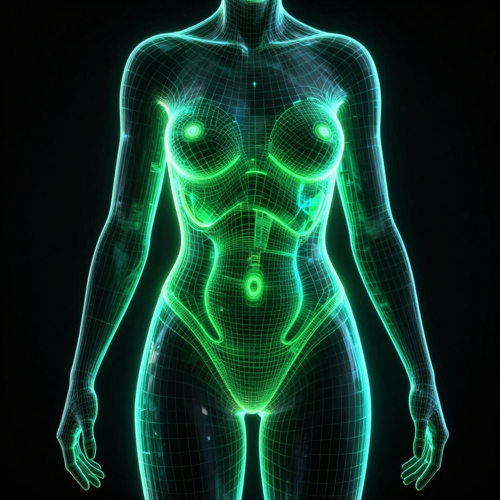
Segmentation-Driven Masking
The engine uses advanced body-segmentation models to isolate the abdominal cavity with pixel-level accuracy for AI belly inflation. Expansion applies only where it should, preserving hands, faces, backgrounds, and props automatically.
Prompt-Guided Customization
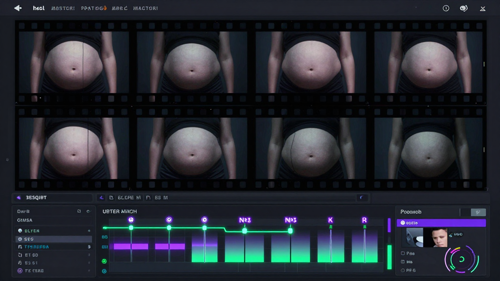
Describe the AI belly inflation effect in plain English and the AI translates your words into physics parameters. Type food baby for subtle bloating, balloon belly for extreme expansion, or nine-month bump for progressive simulation.
Batch and Sequence Export
Generate a flat-to-full AI belly inflation progression sequence in one run, exporting clips that show gradual expansion. The batch pipeline maintains consistent lighting and background across every frame.
Who Uses an AI Belly Inflation Generator?
The appeal of AI belly inflation cuts across audience sizes and content niches. From professional influencers to casual users looking for a quick laugh, the tool adapts to any creative goal.
TikTok Creators and Short-Form Influencers
For creators living by the algorithm, speed is everything. This AI belly inflation generator lets TikTokers and Reels producers turn around trend-jacking content in under a minute. The effect is visual, surprising, and requires zero setup.
Meme Makers and Comedy Sketch Writers
Comedy writers need a constant stream of fresh visual gags. AI belly inflation provides an endless well of absurd, hyper-specific body humor that feels original because it is generated from your own photos.

Casual Users and Friend-Group Pranksters
You do not need a million followers to enjoy AI belly inflation. Casual users upload selfies or group photos, apply a quick effect, and share the results in private chats. The realistic face preservation means the joke lands perfectly.
Cosplay and Anime Fan Communities
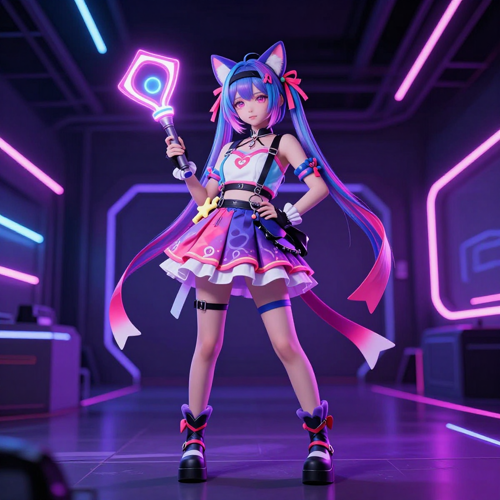
Anime and manga are filled with exaggerated body-transformation gags. Cosplayers and fan editors use AI belly inflation to bring those static frames to life with cinematic motion.
What Creators Say About AI Belly Inflation
"I like how the tool puts the source image and a simple action at the center of the idea. A belly inflation video from a photo feels easier to plan when I decide on the reaction first. The AI belly inflation effect is most appealing when the character remains cheerful and the joke reads immediately."
"The appeal for me is exploring an original mascot in motion. I prefer a balloon belly animation with a small problem and a clever resolution. AI belly inflation gives the character a playful visual challenge, while the pose and props explain what is happening."
"I find this useful as a way to think about the setup and ending together. When planning AI belly inflation videos for social media, I want a complete joke rather than a character simply changing shape. A steady composition makes the effect easier to understand."
Explore Every Style of AI Belly Inflation
Not every AI belly inflation clip needs to look the same. From subtle food-baby bloating to extreme cartoon ballooning, the AI adapts its style to match your creative vision.
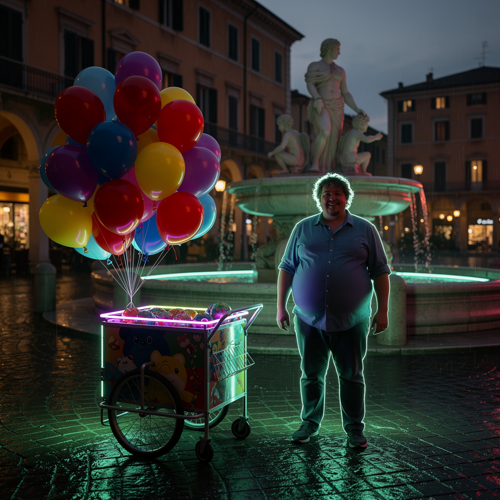
Realistic Street Performer AI Belly Inflation
A cheerful balloon vendor in a sunlit Italian piazza discovers his own belly has rounded like the balloons he sells. Perfect for holiday jokes and street-comedy skits. The realistic fabric tension, natural shadowing, and architectural backdrop make the prank feel convincingly candid.
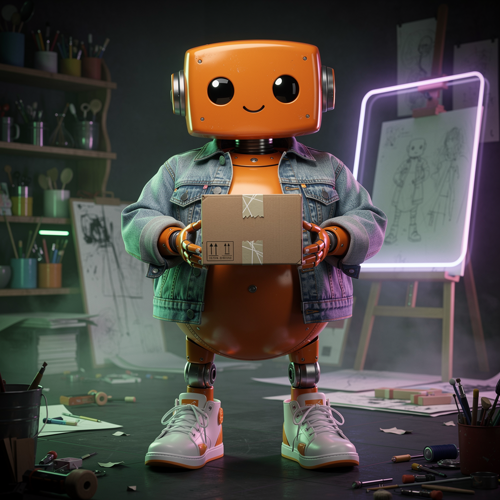
Robot Mascot AI Belly Inflation
A cute orange robot in a creative studio tries to carry a small box, only to find its fabric belly has ballooned outward comically. This mascot-friendly style blends 3D character design with playful physics, making it ideal for brand content, animated shorts, and original character storytelling.
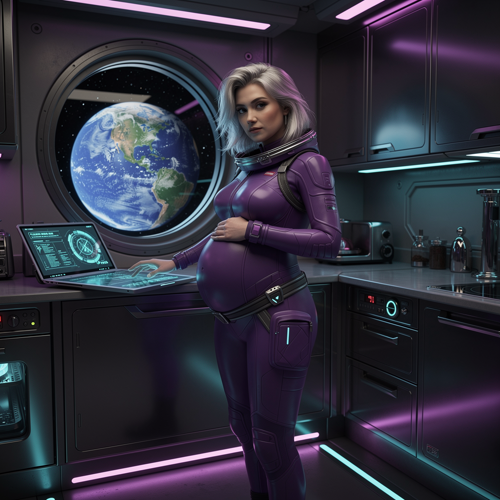
Space Station Astronaut AI Belly Inflation
A futuristic astronaut in a sleek purple suit reaches for breakfast in a spaceship kitchen, her suit developing a comically rounded belly under neon purple lighting. The sci-fi setting, cinematic framing, and zero-gravity ambiance turn belly expansion into a cinematic visual joke with endless storytelling potential.
Where AI Belly Inflation Shines: Real Scenarios
This AI belly inflation generator is not a one-trick pony. From public viral campaigns to private jokes between friends, the effect adapts to countless contexts.
Belly Inflation for Social Media Challenges
TikTok and Instagram Reels reward content that stops the scroll. AI belly inflation clips are engineered for this behavior—short, surprising, and instantly replayable. The face-preservation technology ensures the reaction shot stays crisp while the belly steals the show.
Belly Inflation for Meme and Reaction Content
Meme culture moves fast. A trending sound or hashtag can peak and fade within forty-eight hours. The AI belly inflation generator compresses production time from hours to seconds, letting meme creators strike while the iron is hot.
Belly Inflation for Private Pranks and Group Chats
Not all AI belly inflation content is for public feeds. Private groups, Discord servers, and friend-group chats love sharing personalized prank clips. Upload a group photo, apply a gentle effect to one person, and share the result.
Belly Inflation for Cosplay and Fan Edits
Cosplayers and anime fan communities use AI belly inflation to recreate exaggerated body-expansion scenes from their favorite shows. The generator supports stylized rendering modes that blend 2D anime aesthetics with 3D physical dynamics.
AI Belly Inflation: Common Questions
Practical answers about how a source photo, optional direction, and result review fit together when creating AI belly inflation content.
What is AI belly inflation and how does it work?
It is a photo-to-video effect that makes a person's stomach appear to expand like a balloon. Upload one image, add an optional direction, and the AI renders a short clip with a rounded belly transformation while keeping the face and clothing recognizable. Results vary and should be reviewed.
How long does AI belly inflation generation take?
Most AI belly inflation clips generate in under ten seconds. Exact time depends on server load, generation settings, and service availability. The tool handles motion physics, cloth behavior, and face preservation automatically.
Can beginners use an AI belly inflation generator without editing experience?
Yes. The workflow needs only a photo and a text description. The AI handles segmentation, motion, lighting consistency, and temporal coherence automatically. Zero animation or video-editing experience is required.
Can I customize the AI belly inflation motion?
Yes. Add a custom belly inflation prompt to guide the expansion style, mood, camera, and ending. For example, request a gradual balloon belly animation followed by an amused shrug. These are descriptive requests rather than guaranteed numerical controls.
Will faces and clothing stay exactly the same during AI belly inflation?
The tool asks the AI to preserve the subject's recognizable face, outfit, and setting during belly inflation. Exact identity, anatomy, and fabric continuity are not guaranteed. Review the full clip, especially where the outline grows or an arm crosses the body.
Can I make AI belly inflation videos for TikTok and Instagram?
Yes. You can plan AI belly inflation videos for social media, then review and finish the selected result for your channel. Keep the main subject clear and confirm the available aspect ratio in the generation form. Use images you are entitled to transform.
Create Playful Belly Inflation Videos in Seconds
Upload one photo, add a playful direction, and turn it into a short AI belly inflation clip with AI-powered physics and face preservation.
Try AI Belly Inflation Now