An ai person video generator turns a single clear portrait into a short clip where that person appears to speak and move, available on Textideo. Feed it one front-facing photo, add a script or a voice, and the lips, eyes, and head motion follow what you wrote. No camera, no crew, and no re-recording every time the message changes.
Rated on whether a face holds steady across the whole clip, not on a spec sheet No credit card required - no camera - no crew - one photo to start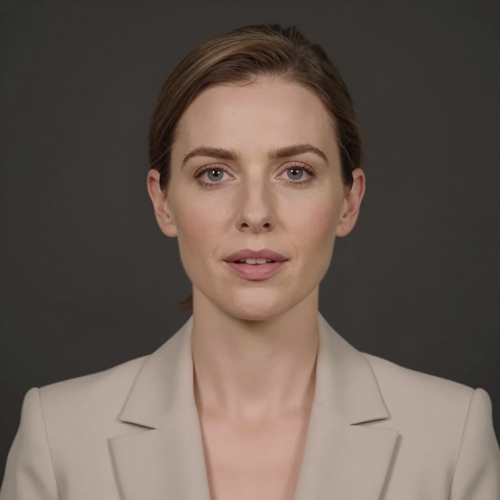
An ai person video generator stands in for a filmed talking head when the budget, schedule, or willingness to be on camera is missing. Upload a portrait and export a clip for your platform. One photo, one page, available on Textideo.
Make a Photo TalkThe button is easy; the choices before it are where a first clip goes sideways.
No timeline, no editing suite. One upload, one choice, one export; loop back to step two whenever the wording changes.
Pick a single-person photo with even light, a neutral expression, and the head and shoulders in frame. This step decides most of the result.
Type what the person should say, add audio, or give a short cue such as a nod. That drives the lips, expression, and head.
Watch the draft once, adjust a line if needed, then choose portrait or landscape framing and export.
Three things worth knowing before the first upload: what the input carries, how the face holds, and which instructions land on a first pass.
Three ordinary jobs a single portrait can carry. An ai person video generator is not tied to one style or setting: the same face fronts a status note, a walkthrough, or a greeting.

A still intro with words that change each week. The face stays familiar while the message moves on.
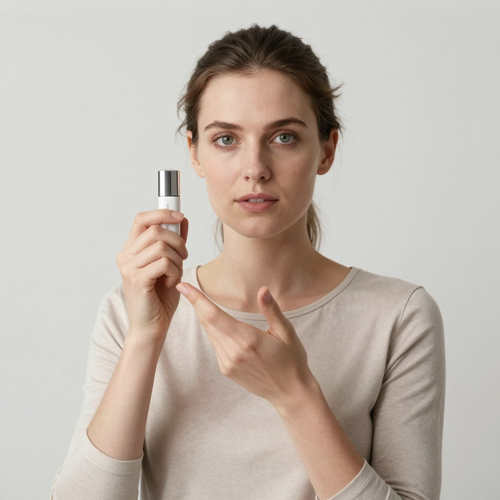
A talking person beside the item holds attention longer than a silent screen capture. Point once, name the thing, keep one claim.
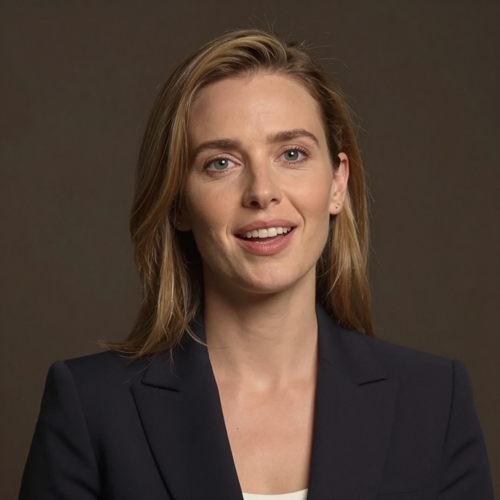
Keep the same portrait and swap the script or voice for another audience. One photo covers more than one market.
The input decides most of the outcome. Four setups cover the photo, light, framing, and words before you press generate.
These are the people who feel the gap first: anyone needing a face on camera more often than they can film one.
A weekly channel needs a face more often than a person can stand in front of a lens. One portrait covers the intro.
When the offer changes but the presenter should not, editing a script beats a studio. An ai person video generator keeps delivery consistent.
Lesson intros and updates pile up fast. One still fronts each without re-filming the same greeting.
One face carries a message in several languages when the script or voice is swapped. It suits repeatable clips.
The case for an ai person video generator is not speed alone. The face, framing, and effort stay fixed while the message changes.
Swap a booked shoot for one photo. You trade a staged scene for a clip you can redo quickly.
The same identity has to hold across a series. Review each export, since batches drift.
A new line is an edit, not a production day. That is what people underestimate.
Keep the portrait, re-export with a different script or voice. Multilingual versions suit this workflow.
A still gives the clip a face without asking anyone to perform on lens.
Generate, watch, adjust, export again. Human review is the last step.
“I stopped re-recording the same intro every week; now I edit one line and the face stays the same.”
“The first clip looked like the photo, which was the part I kept checking for.”
“We record one script and reuse the same face for each lesson update.”
Straight answers on inputs, steps, output, and the consent line around what an ai person video generator is asked to do.
It animates one still portrait into a short speaking clip. An ai person video generator is the general ability: any face, any scene. A photo plus a script, a voice, or an action cue drives the lips, expression, and head.
One front-facing, evenly lit face with a neutral expression works best. Group shots, side profiles, heavy shadows, and a covered mouth are why a first attempt gets rejected. Keep the head and shoulders in frame.
Three steps: upload one clear photo, choose a motion, a script, or a voice, then generate, review, and export. An ai person video generator keeps that on one page, available on Textideo, so a changed line is an edit, not another shoot.
Either works. A typed script gives exact words and the lips follow; a voice supplies the audio and the motion syncs to that. Short lines beat paragraphs, and the plain action cues in the examples above shape a gesture.
Use it as a weekly update, a product walkthrough, a lesson intro, a greeting in another language, or a short social post. An ai person video generator fits repeatable clips where the words change more often than the face.
The output is a short speaking moment, not a long scene. Choose portrait or landscape framing to suit the destination. An ai person video generator earns its keep on a steady face, not on a duration or resolution figure.
They overlap heavily. Strictly, an ai person video generator means the general ability to animate any real portrait, while an ai avatar video generator often implies a reusable presenter built from a stock or verified identity. For one photo and one message the workflows are nearly identical.
Use only a portrait you have the rights to and get clear permission before animating anyone else. Do not put words in a real person's mouth, impersonate them, or build misleading content. Be honest that the clip is generated. An ai person video generator is for your own material, not a borrowed identity.
Yes: change the script or the voice and re-export rather than filming again. A multilingual version keeps the same face while the words change. Review lip sync on fast speech.
Most first-attempt problems trace back to the input, not the button. A crowded group shot, a turned head, a covered mouth, or a long fast script are the usual culprits. Identity can also drift across a batch, so review each export. Start with one clean portrait and one short line, and an ai person video generator has far less to guess.
A single portrait is enough to begin. Make a Photo Talk with an ai person video generator on Textideo - no camera, no crew, no credit card required.
No credit card required - no camera - no crew - one photo to start