
The Burning Bridges AI Video Generator That Puts You in the Party
A Burning Bridges AI Video Generator turns one photo into your role in the viral chandelier-party scene—silver cup, crowd, and the hand-over-eyes scan. On Textideo, no crew or edit is needed to join the trend.
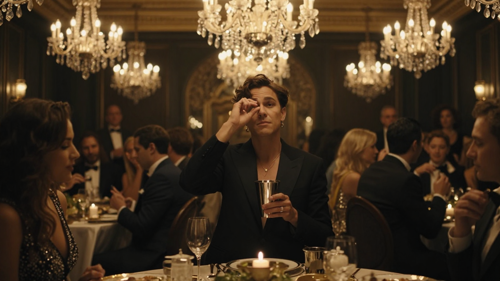
The problem
A Burning Bridges AI Video Generator removes the reasons you never made the video.
The chandelier-party trend looks like it needs a venue, a camera crew, and an edit suite. A Burning Bridges AI Video Generator takes that wall away—so the joke, not the budget, decides whether the clip gets made.
Can't shoot the party
Booking a chandelier room, lighting it, and filming a crowd is a production before a single frame feels right. Most people never start.
Edits never land
Even with footage, matching the camera moves, the silver-cup timing, and the hand-over-eyes scan takes an editor who knows the trend. Most clips miss.
Costs add up fast
Paying for a shoot, then re-rendering because the pacing was wrong, turns a small idea into a recurring bill you did not want.
Features
Everything You Need in a Burning Bridges AI Video Generator.
On Textideo, a Burning Bridges AI Video Generator helps creators, pet owners, and marketers turn one photo into the viral chandelier-party scene through a simple workflow—from one-photo character swap to a locked party template and vertical, ready-to-post output.
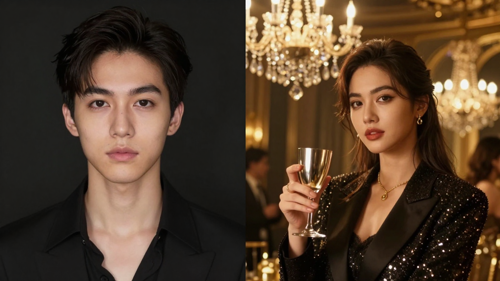
Burning Bridges AI Video Generator: One-Photo Character Replacement
A Burning Bridges AI Video Generator casts you as the lead from a single clear photo. Upload a front-facing picture, and the generator keeps your face, hair, build, and outfit while placing you in the chandelier-party scene. On Textideo, no reference video or editing is required.
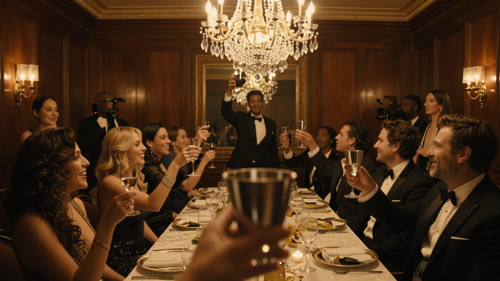
Burning Bridges AI Video Generator: The Iconic Party Scene, Locked In
A Burning Bridges AI Video Generator builds the recognizable setting for you—crystal chandeliers, a wood-paneled dining room, a lively crowd, a handheld camera, and the silver-cup, hand-over-eyes routine. On Textideo, the scene, timing, and camera moves are pre-built so the look always lands.
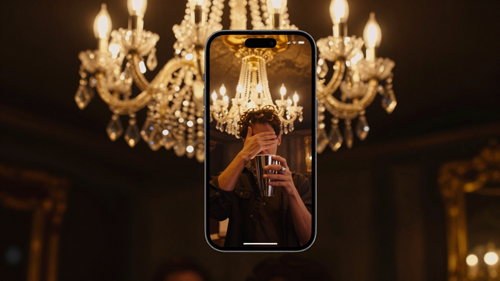
Burning Bridges AI Video Generator: Vertical, Ready to Post
A Burning Bridges AI Video Generator exports a 9:16 clip with the beat laid back, ready for TikTok, Instagram Reels, and YouTube Shorts. On Textideo, you can also put a pet in the lead—upload a clear photo of a dog or cat and watch it hold the cup.
How it works
Create Your Burning Bridges AI Video in Three Simple Steps.
Joining the viral party trend does not have to mean a film crew. With a Burning Bridges AI Video Generator on Textideo, you can turn one photo into a chandelier-party clip using an intuitive workflow.
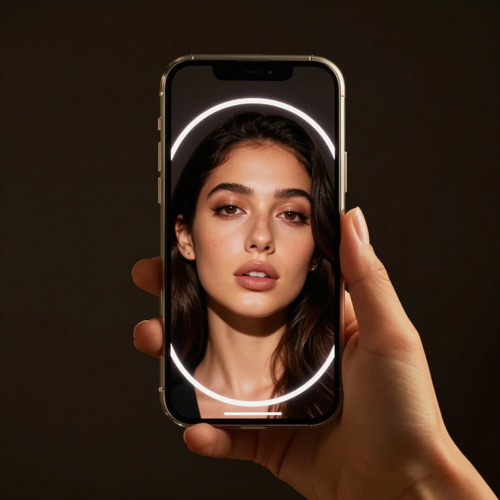
Step 1 — Upload a Photo to the Burning Bridges AI Video Generator
A Burning Bridges AI Video Generator on Textideo starts from a single front-facing photo of you, a friend, or a pet. For the best result, use a clear, well-lit picture with the face and upper body visible—no group shots, sunglasses, or heavy filters.
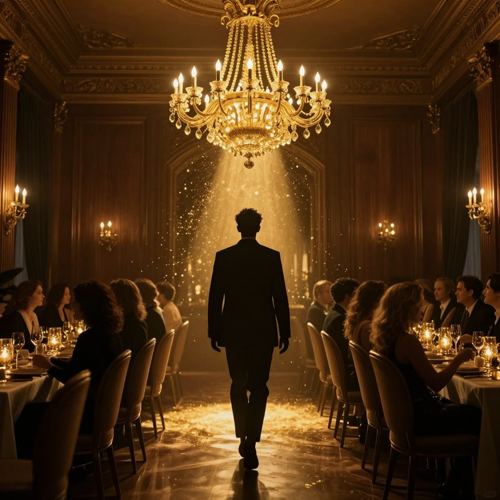
Step 2 — Pick the Party Template on the Burning Bridges AI Video Generator
On Textideo, a Burning Bridges AI Video Generator places your photo into the locked chandelier-party scene. The generator matches the choreography, camera movement, timing, and crowd reactions, so you step out of the crowd with the silver cup—no filming required.
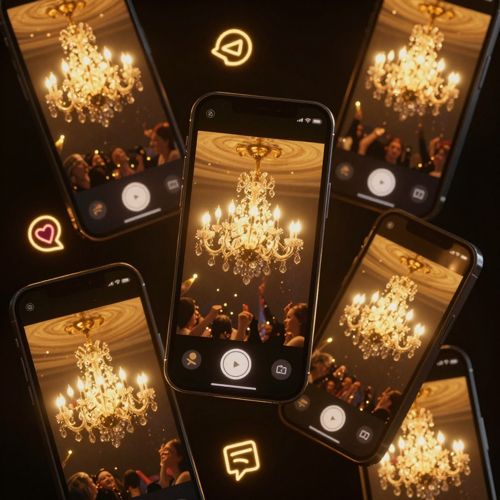
Step 3 — Generate Your Burning Bridges AI Video Generator Clip
A Burning Bridges AI Video Generator renders your clip in minutes. Preview the result, then export your vertical video and post it to TikTok, Reels, or Shorts. On Textideo, you stay in control of every version you create.
What it's for
A Burning Bridges AI Video Generator That Gets Watched, Shared, and Remixed.
A great trend clip does more than look fun—it helps people join a moment, surprise their feed, and tell a story only they could tell. On Textideo, a Burning Bridges AI Video Generator creates party-scene video for creators, pet owners, and marketers by turning one photo into a recognizable, shareable scene.
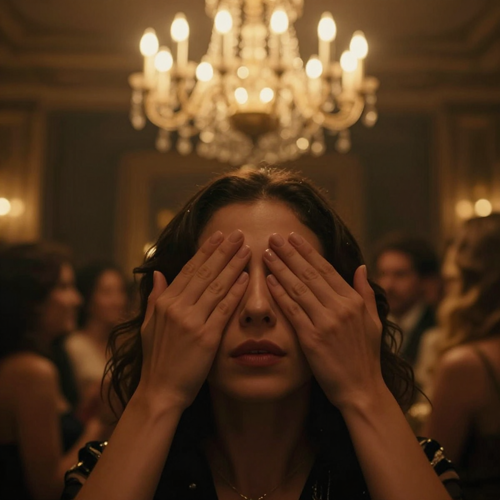
More Feed-Stopping Moments
A Burning Bridges AI Video Generator helps audiences recognize the iconic party instantly through the chandeliers, the silver cup, and the hand-over-eyes scan. On Textideo, a single photo becomes a clip that reads as the trend from the first frame.
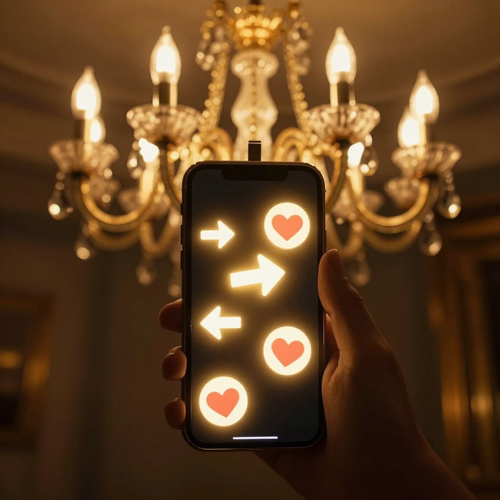
Higher Shareability
Recognition is what makes people stop scrolling. On Textideo, a Burning Bridges AI Video Generator helps creators produce the familiar party scene, the confident entrance, and the crowd hype that travel across TikTok, Reels, and Shorts.
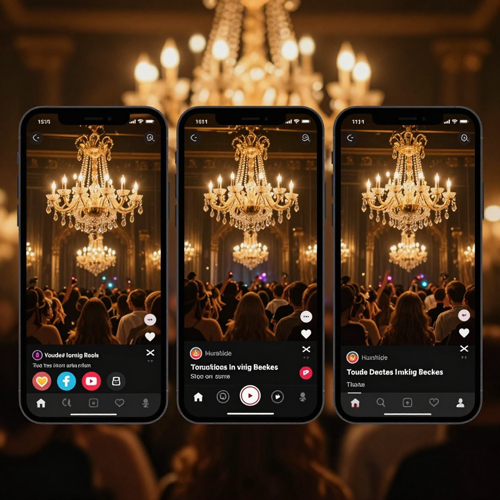
Ready for Every Platform
Make one Burning Bridges AI video and adapt it for wherever your audience lives. Whether you publish on TikTok, Instagram Reels, YouTube Shorts, or a private link, a Burning Bridges AI Video Generator makes vertical, party-scene video on Textideo without a complex edit.
Who it's for
A Burning Bridges AI Video Generator for Creators, Pet Owners, and Marketers.
On Textideo, the viral chandelier-party scene becomes accessible to anyone with one photo. Whether you want a personal cameo, a pet in the lead, or a marketing hook, a Burning Bridges AI Video Generator helps transform a single image into a trend-ready clip.
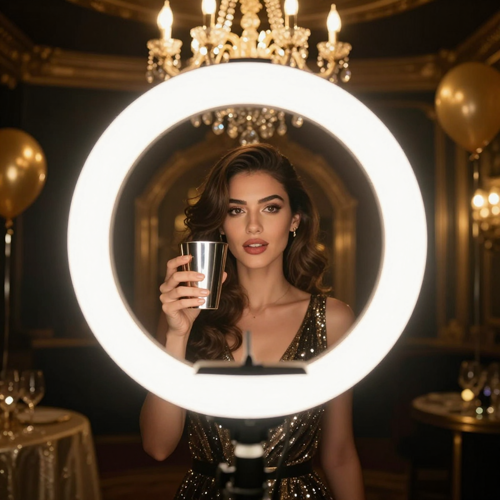
Content Creators & Influencers
From personal cameos to faceless trend posts, a Burning Bridges AI Video Generator helps creators turn a selfie into the iconic party scene on Textideo. With the chandeliers, the cup, and the crowd built in, you can post a recognizable clip to TikTok, Reels, and Shorts without a shoot.

Pet Owners & Animal Accounts
Put your dog or cat in the lead. On Textideo, a Burning Bridges AI Video Generator drops a clear pet photo into the chandelier-party scene, upright with the cup in its paws. A single photo gives pet accounts a clip that reads as the trend instantly.

Marketers & Brand Accounts
Brands can ride the trend without a production. On Textideo, a Burning Bridges AI Video Generator helps marketing teams drop a spokesperson or mascot into the party scene for a playful, attention-grabbing social post that fits the format viewers already know.
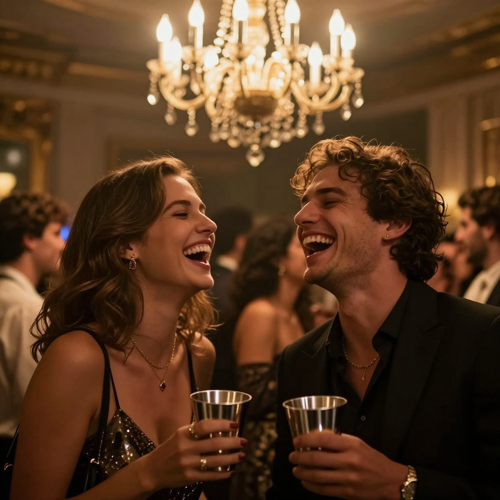
Friends & Personal Storytelling
Whether it is a birthday joke, a group-chat reply, or a 'me arriving' meme, a Burning Bridges AI Video Generator makes creation simple on Textideo. Convert one photo into a moving party scene you can keep or share with the people who will get the joke.
Scenarios
A Burning Bridges AI Video Generator for Social, Pets, Marketing, and More.
A Burning Bridges AI Video Generator can do more than look like the trend—it can open a reel, star a pet, pitch a brand, or help someone join a moment. On Textideo, creators, pet owners, and marketers produce chandelier-party clips for different platforms and purposes.
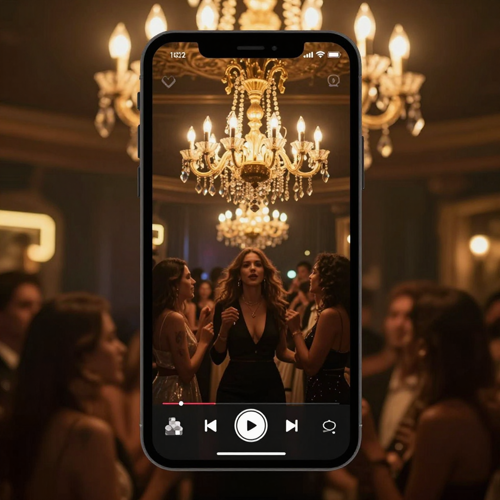
TikTok, Reels & Shorts
Creators produce the chandelier-party clip for TikTok, Instagram Reels, and YouTube Shorts on Textideo. With the iconic room, the silver cup, and the hand-over-eyes scan, a Burning Bridges AI Video Generator helps you create a recognizable trend post that holds attention.

Pet Party Cameos
Pet accounts turn a dog or cat photo into the party lead on Textideo. With a Burning Bridges AI Video Generator, your pet stands in the chandelier room holding the cup—funny, recognizable, and ready to share.
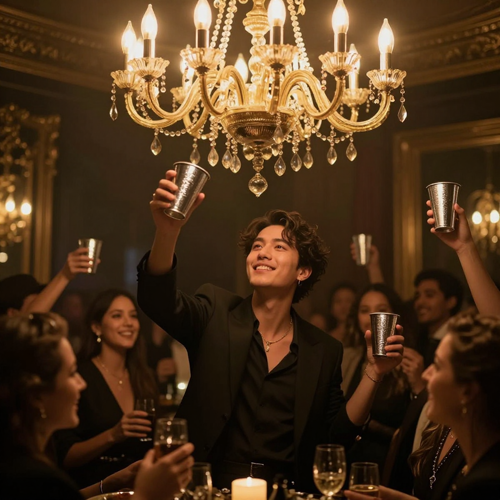
Brand & Marketing Hooks
Marketers drop a spokesperson or mascot into the trend on Textideo. A Burning Bridges AI Video Generator helps brands post a playful, format-familiar clip that rides the wave without a film crew.
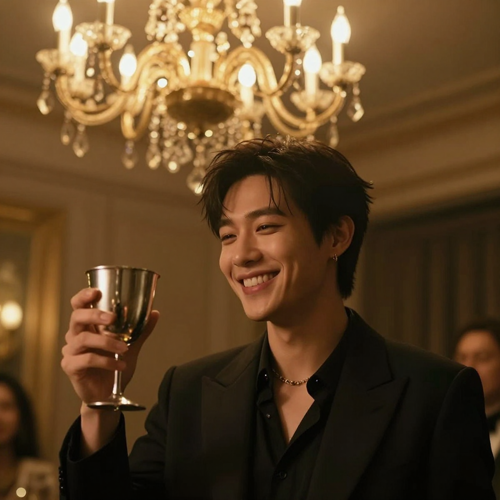
Personal Moments & Jokes
Anyone creates a Burning Bridges AI Video Generator clip on Textideo for a birthday, a group chat, or a private laugh. Turn one photo into a party scene that says what is hard to say out loud.
Why Textideo
Why Choose a Burning Bridges AI Video Generator on Textideo.
Creating a trend-ready chandelier-party clip should not require a film crew, a location, or a weeks-long edit. On Textideo, a Burning Bridges AI Video Generator combines one-photo character replacement, a locked party template, and vertical export into one streamlined workflow.
No Film Crew or Location Required
On Textideo, a Burning Bridges AI Video Generator automatically builds the chandelier room, crowd, camera moves, and silver-cup routine from a single photo. You can create the trend clip faster without booking a venue or an editor.
Faster Than a Traditional Shoot
Skip the shoot and the edit. On Textideo, a Burning Bridges AI Video Generator delivers a finished party clip from one photo in minutes, so you can post consistently while the trend is still hot.
Your Face and Outfit Stay Yours
A Burning Bridges AI Video Generator keeps the face, hair, build, and clothes from your photo, so the lead is clearly you. On Textideo, identity is preserved while the party scene does the work.
Built for Pets Too
On Textideo, pets step into the lead of a Burning Bridges AI Video Generator clip with their own face, fur, and paws around the cup. One clear photo is all it takes for a pet to star in a clip that fits the format.
Built for Every Trend Post
A Burning Bridges AI Video Generator fits every trend goal—a personal cameo, a pet lead, a brand hook, or a group-chat joke. On Textideo, you can create vertical party-scene video for social, marketing, and private projects.
Private, Secure, and Always in Your Control
On Textideo, projects stay private unless you choose to share them, making the platform suitable for client work, unreleased campaigns, and personal jokes. You remain in control from first photo to final export.
Testimonials
A Burning Bridges AI Video Generator in the wild.
People are turning one photo into the chandelier-party scene with a Burning Bridges AI Video Generator—from a bedroom to a brand account, on the same workflow.
"Before Textideo I was quoting editors $800 a video and waiting two weeks. Now I drop in a selfie and get the chandelier-party clip in an afternoon, and the silver-cup moment actually lands."
"On Textideo, a Burning Bridges AI video finally holds the first frame—chandeliers, cup, crowd. My trend posts used to get scrolled past in a second; watch-time went up, not down."
"I used to build party storyboards over a week. Now I generate the chandelier scene on Textideo in minutes and pitch the bit before the meeting. The pet version of my dog is the one people share."
Trusted by creators worldwide
From a selfie to the chandelier party—same workflow.
Join thousands of creators, pet owners, and marketers making the viral party scene with a Burning Bridges AI Video Generator on Textideo. No credit card required to start.
FAQ
Questions, answered.
What is a Burning Bridges AI Video Generator? ›
A Burning Bridges AI Video Generator is a tool that turns one photo into your starring role in the viral chandelier-party scene—crystal chandeliers, a lively crowd, a silver cup, and the hand-over-eyes scan. Unlike a generic clip maker, it recreates the recognizable party format while keeping your identity. On Textideo, creators, pet owners, and marketers can make this kind of video from a single photo.
How does a Burning Bridges AI Video Generator work? ›
It reads your photo and casts you as the lead in a locked party scene. The system plans the chandelier room, crowd reactions, camera movement, and timing before generating motion. With a Burning Bridges AI Video Generator on Textideo, you create the trend clip from one photo through a simple upload-and-generate workflow.
Do I need filming or editing experience to create these videos? ›
No. You do not need filming, animation, or editing experience to create the chandelier-party clip on Textideo. The platform automates the scene, lighting, and motion, making it an easy-to-use trend video maker for beginners, creators, and pet owners. You supply one photo; the generator handles the production.
What photo works best for a Burning Bridges AI video? ›
A Burning Bridges AI Video Generator works best with one clear, front-facing photo showing the face, hair, and upper body. Avoid blurry images, group shots, sunglasses, masks, and heavy filters. On Textideo, a recognizable subject helps the generator keep your identity consistent across every frame.
Can I make a Burning Bridges AI video with my pet? ›
Yes. A Burning Bridges AI Video Generator on Textideo casts a dog or cat photo as the party lead, upright with the cup in its paws. One photo is all a pet account needs to post a clip people recognize at a glance.
Do I need to upload a reference video? ›
No. With a Burning Bridges AI Video Generator on Textideo, a single photo is enough—you do not need a separate motion reference video. Choose the party template, upload your image, and generate the clip.
Can I edit the video after it is generated? ›
Yes. On Textideo, trend video tools let you refine a clip after it is generated. You can adjust, regenerate a shot, or change the lead photo without rebuilding the entire project. This flexible workflow helps you keep control while saving production time.
Which devices can I use on Textideo? ›
On Textideo, the generator runs in the browser across desktop computers, laptops, and tablets. No software installation is required. All video creation happens online, so you can start, edit, and export a project wherever you have an internet connection.
Are my video projects private and secure? ›
Yes. On Textideo, projects stay private by default. Your generated videos and photos are not publicly visible unless you choose to share or export them. This makes the platform suitable for unreleased campaigns, client work, and personal jokes.
Is a Burning Bridges AI Video Generator affiliated with Drake or the original video? ›
No. A Burning Bridges AI Video Generator on Textideo recreates the popular chandelier-party format as a fan-made effect. It is not affiliated with, endorsed by, or connected to Drake, the song's label, or the original music video. On Textideo, you supply your own photo and become the lead in an original party scene inspired by the trend.
Explore more
Related tools on Textideo for your next Burning Bridges AI Video Generator project.
Your next Burning Bridges AI Video Generator is one photo away.
Create your first Burning Bridges AI Video Generator free on Textideo. No crew, no editing suite, no film budget—just one photo and the chandelier-party scene you want to star in.