
AI Image Keying
Green Screen Background Remover: Flawless Cutouts from Any Green Backdrop
A green screen background remover should do one job well: lift your subject off the backdrop without halos, fringes, or lost hair detail. On Textideo, this remover detects the green screen automatically, suppresses spill along the edges, and exports a true transparent PNG that drops straight into thumbnails, listings, and VFX plates—no plug-ins to install and no masking to draw by hand.

The problem
Four Frustrations That Vanish With a Green Screen Background Remover
Keying is precise work trapped in complicated tools. None of the four blocks below is about talent, and none of them survives an automatic key.
The Learning Curve Outweighs the Job
Desktop keyers are powerful and uncompromising: similarity sliders, spill suppression, matte cleanup, and a node graph all sit between you and a finished cutout. For one product photo, that is hours of learning spent on seconds of actual work.
Free Green Screen Background Remover Tools Come With Strings
Watermarks stamped in the corner, exports flattened onto black, sign-up walls before download, or a hard cap after the first image. Hunting for a remover that respects your time can take longer than the edit itself.
The Green Never Fully Leaves the Edges
A fringe of green around the hair, a shadow-shaped ghost where the backdrop folded, a faint tint on glassware. These artifacts look subtle on the editing screen and glaring in the final composite, and fixing them by hand is fiddly, skilled work.
Green Subjects Disappear With the Backdrop
Color-only keyers cannot tell a green backdrop from a green jacket, so parts of your subject go transparent along with the screen. Protecting those regions by hand erases most of the time savings that keying promised in the first place.
How it works
Just Three Steps: How the Green Screen Background Remover Works
The complicated version of keying involves color sampling, tolerance curves, and matte cleanup. This green screen background remover keeps exactly the parts you care about and hands the rest to the engine.

Upload Your Green Screen Photo
Start with the image you already have: a product frame from the sweep, a headshot against a portable screen, or a sprite on a flat green canvas. Drag it into the upload box or pick it from your device—JPG, PNG, and WebP all work, and the original resolution is kept intact for the export.

Let the AI Key Out the Backdrop
The engine reads the green range, separates backdrop from subject, and builds the matte on its own. Wrinkles, cast shadows, and uneven lighting fold into the same pass, and spill on the subject's rim gets neutralized while the key is being cut. You do not sample colors or set tolerance values—the work that used to fill a node graph happens in seconds.

Preview, Refine, and Download the Transparent PNG
Inspect the cutout against the checkerboard preview, zooming into hair and edges where quality shows first. If anything needs a touch, the refinement controls bring back clipped detail without redoing the key. Then download the full-resolution transparent PNG and drop it into your thumbnail, listing, or composite—it is ready the moment it lands.
Features & benefits
Unveiling the Breakthrough Features of the Green Screen Background Remover
An easy tool is worthless if the underlying engine is shallow. These three capabilities carry the whole workflow, from a wrinkled fabric backdrop to a marketplace-ready file.
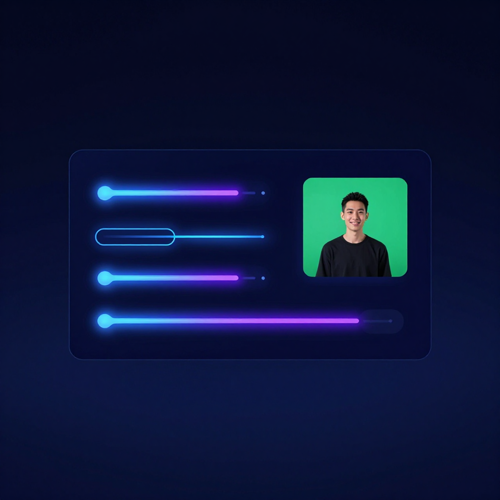
Green Screen Background Remover Engine with Adaptive Color Range
Studio cloth is never one green: folds, creases, and uneven light spread the backdrop across dozens of shades. The keying engine reads the whole color range, from bright lime at the center to deep teal in the corners, and resolves all of it to transparency. Compression artifacts around the backdrop get swept into the matte too, instead of surviving as gray shadows.
Hair and Edge Refinement
Fine edges are the real test of any green screen background remover. A dedicated refinement pass separates loose hair, fur, and motion-blurred contours from the backdrop, then softens the matte so the cutout does not look laser-cut. The difference is most visible on portraits, where a hard edge reads instantly as fake.
One-Click Transparent Export
Once the key looks right, export a full-resolution transparent PNG in one click. Need the subject on a new color or scene instead? Pair the cutout with Textideo's background changer or a solid studio backdrop and keep working without switching tools. The cutout stays yours, with no watermark in the way.
Why choose this
Why Use a Green Screen Background Remover Instead of Manual Keying?
Desktop keyers are superb instruments, and they are also overkill for most still images. Six reasons this tool keeps winning the jobs that used to go to the node graph.
Edge Quality That Survives Zoom
Zoom into most keyed images and you find either a hard staircase edge or a fuzzy green fringe. This green screen background remover builds a soft matte that keeps individual hair strands readable and feathers semi-transparent edges the way a manual keyer would—without you touching a single slider. The result holds up in a small thumbnail and in a full-size product page hero alike.
Automatic Spill Suppression
Green light bounces off the backdrop and tints the rim of your subject, which is why so many DIY cutouts glow. Spill suppression runs as part of the key, neutralizing that reflection along hair, shoulders, and glass. You receive a cutout that blends into whatever new background you place it on, not one that whispers of the studio it came from.
True Transparent PNG Output
The export is a PNG with a real alpha channel, so the keyed area is genuinely empty. Nothing gets flattened onto black or white to fake transparency, and nothing gets downscaled on the way out. The file drops into a design tool, a video editor, or a marketplace form and behaves exactly as a cutout should.
Browser-Based, Nothing to Install
No executable, no plugin, no trial installer that nags you later. The tool runs in the browser tab you already have open, on Windows, macOS, or a phone. That also means your images avoid a detour through desktop software just to accomplish a thirty-second job.
Green-on-Green Protection
Green wardrobe and green props are where color-only keyers fail. The model behind this remover weighs shape and context alongside color, so a green sweater survives the key while the flat backdrop behind it does not. Fewer re-shoots, fewer manual masks, fewer compromises.
Free to Start on Textideo
The first key costs nothing and carries no watermark, so you can judge the edges before any commitment. When you need volume—hundreds of listing shots or a season of thumbnails—the platform's paid tiers scale the same workflow up. Start where the risk is zero.
What it does
Unlock the Boundless Uses of the Green Screen Background Remover
The same keying engine flexes across very different material, from studio product sweeps to hand-drawn sprites. Whatever sits on a flat green canvas, this green screen background remover lifts it off cleanly and hands you a cutout that is ready for the next step.
Green Screen Background Remover for Studio Product Shots
Catalog teams shoot entire product lines against a green sweep because it is cheap to light evenly. The tool turns those frames into listing-ready cutouts with true transparency, so every product floats cleanly on white, lifestyle, or branded backgrounds across the whole catalog.
Portraits with Difficult Edges
Hair is where background removal goes to die. Whether the shot is a headshot taken against a portable green screen or a cosplay portrait with loose strands everywhere, the matte keeps the strands and drops the green, sparing you the polygon look of a hand-cut selection.
Memes, Stickers, and Thumbnail Art
Half of internet culture is a cutout of somebody reacting. Pull characters, props, and faces off green screens for stream overlays, sticker packs, and YouTube thumbnails—the checkerboard look of a fresh cutout, without the hour of careful polygon work that used to buy it.
Use cases
Who Uses the Green Screen Background Remover on Textideo?
Anyone who has ever shot against green and then stalled at the keying step belongs here. These are the four groups who get the most mileage out of the tool.
Video Editors and VFX Hobbyists
Compositors need clean mattes, and clean mattes start with a clean key. Editors push single frames and still inserts through this green screen background remover when a full node graph is overkill—title cards, pre-viz, and plate touch-ups all move faster that way.
E-Commerce and Marketplace Sellers
Marketplaces reward clean main images, but reshoots cost money. Sellers who shot once on green regenerate the same asset for every channel: white cutouts for listings, lifestyle composites for social, and transparent overlays for promos.
Streamers, Memers, and Community Mods
Overlay art, reaction images, and community stickers come in high volume with low stakes, which makes heavyweight desktop suites absurd for the job. A browser keyer that takes seconds per image is the right-sized instrument for this crowd.
Marketers and Freelance Designers
Campaign art arrives from shoot days with green in it. Designers strip the backdrop, drop the subject into the layout, and hand the client a same-afternoon preview instead of queueing a retouch request and waiting two days.
In practice
Green Screen Background Remover Applications Across Every Workflow
A keyed cutout is never the finished job; it is the asset every downstream channel borrows. Here is where the transparent PNGs from this green screen background remover earn their keep in day-to-day work.
E-Commerce Listing Photos
A transparent cutout is the raw material of every marketplace image: white-background main shots, infographics with callouts, and seasonal campaign variants all start from the same keyed asset. One green screen session feeds an entire listing set.
Streaming and Virtual Backgrounds
Webcam cutouts power streaming overlays, virtual backdrops, and presenter frames in slide decks. Key the green out of a still portrait, layer it over any scene, and the edge quality decides whether the composite looks broadcast-grade or homemade.
YouTube Thumbnails and Social Graphics
Thumbnails live or die on subject pop. A cutout with intact hair detail and zero green fringe separates cleanly from a bold background, which is exactly what a scrolling viewer needs in order to notice the frame at all.
VFX Plates and Animation Mattes
Animators and motion designers pull mattes from green screen stills for title sequences, lyric videos, and slide-style explainers. A reliable key at the still-image stage keeps the whole compositing stack honest downstream.
Testimonials
What Creators Say After Their First Green Screen Background Remover Run
Three workflows that used to stall on keying, and what changed when a green screen background remover took the slowest step off the plate.
“I shoot my stock on a green sweep in the garage, and cutting the products out used to mean an evening with the lasso per batch. Now the whole shoot goes through the remover in one sitting, and the cutouts come out cleaner than my old manual masks ever were. Before this, my listings looked homemade; now they look like a brand shot them.”
“Half my overlay art starts as a green screen capture of me pulling a face. I used to beg a friend with After Effects to key it; now I run the frame through the tool in my browser and layer it straight into OBS. The edges hold up even at 4K on a big monitor.”
“Client revisions were the killer, because every note meant re-keying a still insert inside the node graph. These days I pull the frame out, key it here, and drop the transparent PNG back on top. What used to be a half-hour detour is a two-minute fix, and the mattes are genuinely clean.”
FAQ
Comprehensive Answers to Green Screen Background Remover Questions
Keying questions tend to repeat, so the most useful ones are answered here in plain language. If something is not covered, run a test image through the tool and judge the edges yourself.
1What is a green screen background remover?
It is an online tool that detects the flat green backdrop in a photo and turns those pixels transparent, leaving your subject as a clean cutout. Unlike a manual chroma key setup in a desktop editing suite, the process here is automatic: upload the image, wait a moment, and download the finished matte. The point is to replace a stack of nodes and sliders with one upload box.
2Is a green screen background remover the same as a chroma key tool?
They share the same goal—separating a subject from a colored backdrop—but the workflows differ. A chroma key plugin asks you to sample the color, tune tolerance, and clean the matte by hand. This tool runs that entire chain automatically, which is why it suits photos and single frames rather than full video timelines.
3How is this different from a regular background remover?
A general background remover has to guess what counts as the subject, and that guess can waver on busy scenes. A green screen keyer never guesses: the backdrop is a known, uniform color, so the cutout follows your subject's true contour, down to hair strands and soft edges. When a green screen was used at capture time, keying that color is the most precise way to lift the subject out.
4Is the green screen background remover free to use?
Yes, you can try it on Textideo without paying anything up front, and no watermark is stamped across the result. Credits and export options scale with the platform's plans, but a first keying job costs nothing to run. No sign-up wall stands between you and your first download.
5Will I get a real transparent PNG, or a black-background fake?
You get a genuine PNG with an alpha channel, which means the removed area is actually empty rather than painted black or white. Some free tools export JPG files where the keyed area quietly turns black; that does not happen here. Drop the download into any editor that supports layers and the transparency holds.
6What happens if my subject wears green?
Same-color subjects are the classic keying hazard: a naive keyer eats the green shirt along with the backdrop. The model here weighs shape and context alongside color, so green clothing, green props, and green eyes stay intact. If an edge does get clipped, the refinement controls let you restore it without redoing the whole key.
7Can it handle wrinkled screens, shadows, and uneven lighting?
Real fabric folds, creases, and cast shadows create dozens of green shades instead of one, and that is exactly what defeats simple color pickers. The keying engine reads a color range rather than a single value, so wrinkles, gradients, and shadowed corners still resolve to transparency. Badly lit backdrops are where a green screen background remover saves the most time.
8Do my images get stored on your servers?
Your upload is processed to produce the cutout and is not displayed or shared anywhere. You keep control of the source file, and generated results can be deleted from your Textideo workspace at any time. For sensitive product shots, a browser tool is often the preferred route precisely because nothing gets installed locally.
9Can I remove a green screen from digital art or screenshots?
Yes. Drawings, sprites, and screenshots often sit on a flat green fill rather than a photographed backdrop, and that is the easiest case of all: uniform color, no lighting noise. Artists use the tool to lift characters off green canvases for stickers, game assets, and meme templates.
10Does it work on a phone?
It runs entirely in the browser, so the same green screen background remover page works on a phone, a tablet, and a desktop without an app. Upload from your camera roll, key the backdrop, and save the transparent PNG straight back to the device. Handy when a listing photo needs fixing while you are away from your desk.
Explore more
Explore More AI Image Tools on Textideo
The green screen background remover is one stop in a longer editing chain. These neighbouring tools pick up where the keyed cutout leaves off.
Read more
Read More From the Textideo Blog
Longer reads that pair well with the green screen background remover workflow, from model quality to credits.
Get started
Experience the Power of the Green Screen Background Remover Today
Every green screen photo deserves a clean exit from its backdrop. Upload an image to the green screen background remover on Textideo, let the AI key out the green in seconds, then download a transparent PNG that is ready for e-commerce listings, thumbnails, virtual backgrounds, and VFX composites. Start free—no credit card required—and see what a halo-free matte does for your work.