
Zombie Couple Video Generator: One Turns, One Can't Shoot
Upload one photo of each of you and the zombie couple video trend turns into your own story: one of you has already turned but is still unmistakably you, the other raises a gun and cannot fire, and the hug cuts straight to the memory you had before it all happened. There is no prompt to write and no timeline to cut, so your clip is ready to post in a few minutes on Textideo.
No video editing experience needed · Only upload photos you have the right to use
The Zombie Couple Video Problems This Generator Fixes
The clip looks simple when it is finished. Getting there by hand is the part that takes an evening.
You wrote a prompt and got a stranger
General video models drift: the face that starts the scene is not the face that hugs at the end. Casting each person as its own reference keeps both of you recognizable in every shot.
You are stitching two clips in an editor
A do-it-yourself version means one generation for the outbreak scene, another for the memory, then aligning the cut by hand. A pre-timed story skips the timeline entirely.
You cannot post it in the family group chat
Most zombie content is too much. This version has no blood, no biting and no gunshot, so it stays a love story instead of a shock clip.
You uploaded the photos in the wrong order
The slot decides the role. Upload the person who turns first and the survivor second, or swap them with one click before you generate.
How to Make a Zombie Couple Video in 3 Steps
Pick your two photos, choose a shape and resolution, and let the generator shoot the scene. Most clips are ready in a few minutes.

Upload One Photo of Each of You
Use a clear, front-facing photo with one person in it and even lighting. The first photo stays human and holds the gun; the second has already turned.

Choose Portrait or Landscape
Pick 9:16 for TikTok, Instagram Reels and YouTube Shorts, or 16:9 for a wider cinematic cut, then choose your resolution before you generate.

Download and Post
Your zombie couple video is saved to your history as an MP4 with sound. Add the trending song inside TikTok or Instagram, and label the post as AI-generated.
Zombie Couple Videos for Every Kind of Pair
The format travels well. Change who is in the two photos and the same four beats work for partners, friends, families and pets.
Halloween Countdown Posts
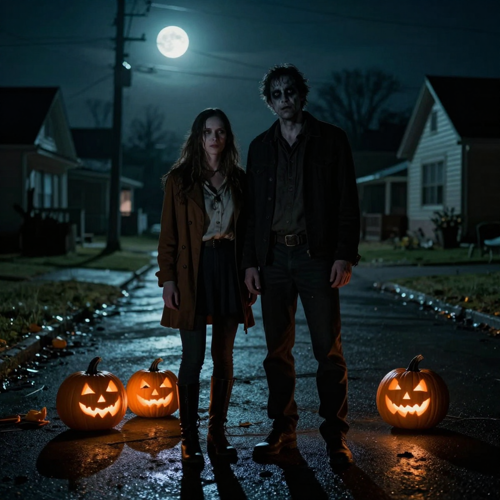
October is when the zombie couple video trend peaks. Post one on the 31st with your costumes on and the ashen skin reads as makeup rather than horror, which keeps it shareable.
Long-Distance Relationships
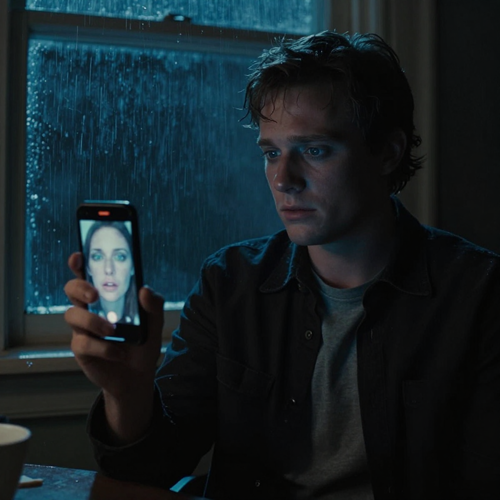
The hug at the end lands differently when the two of you are counting down to a flight. Couples in different cities use the format as a quiet 'soon' post.
Anniversary and Tribute Clips
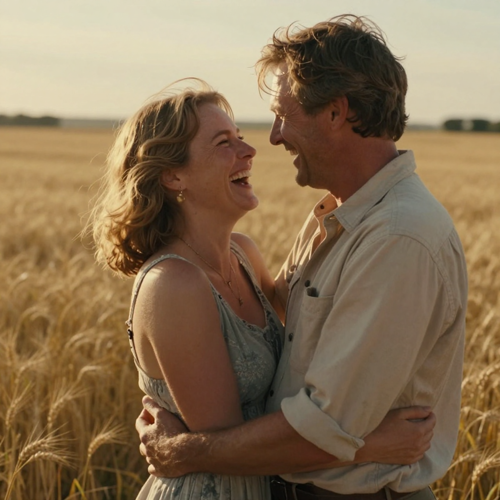
The flashback beat is the whole point: a real photo of you two, warm and happy, closing a story that starts in the dark. It works for anniversaries and for remembering someone.
Couples and Their Pets
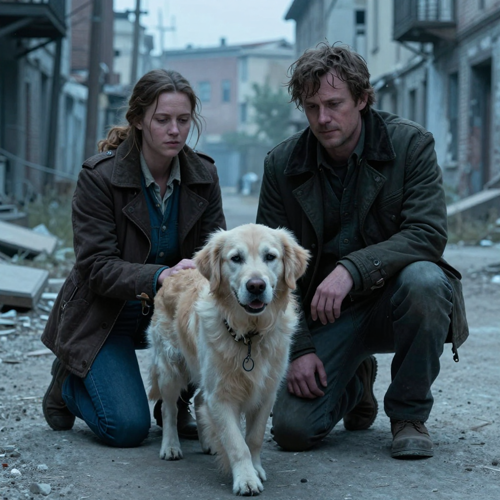
Put the dog or cat in the photo for the one who turns and the story plays out with fur instead of skin, same coat and same collar. The pet version is the one that travels furthest.
Who Makes Zombie Couple Videos
Anyone holding two photos of people they love can make one. These are the creators who get the most out of the format.
Couples and Partners
Anniversary posts, proposal-adjacent content and the plain 'you would still know me' clip. This is the most common version of the zombie couple video and the easiest to cast.
Best Friends and Siblings
The same four beats work without any romance at all: one of you turns, the other freezes, and the flashback is a photo from years ago. Good for birthdays and throwbacks.
Parents, Kids and Families
A parent-and-child or grandparent pairing makes the embrace land with family audiences. Cast one person per photo and keep the faces clear.
Pet Owners
Dogs and cats come back as ashen, clouded-eyed versions of themselves, same coat and collar, which is why the pet version of the trend gets shared so widely.
Features Built for a Zombie Couple Video
Three things decide whether a zombie couple video lands: whether you are still recognisable, whether the emotional beat has room to build, and whether the file is ready to post. Those are the parts handled for you.
Your Face Survives the Zombie Couple Video
Each photo is read as its own reference instead of one merged input, so your face, hair and outfit stay put from the dark standoff through the sunlit flashback. Clear, evenly lit, front-facing photos give the strongest likeness; group shots, sunglasses and hats weaken it.
Four Beats That Make a Zombie Couple Video Land
The turn, the standoff, the charge and the memory cut are laid out on a fixed timeline, so the clip spends its seconds building to the hug instead of running out of time mid-scene.
Ready to Post the Moment It Lands
Your finished zombie couple video comes back as a vertical MP4 with sound, at the resolution you picked, with no watermark and no editing pass afterwards.
Zombie Couple Video Styles You Can Make
The same two photos can end up in very different worlds. Pick the setting that fits the story you want to tell.
Rain-Soaked City Street
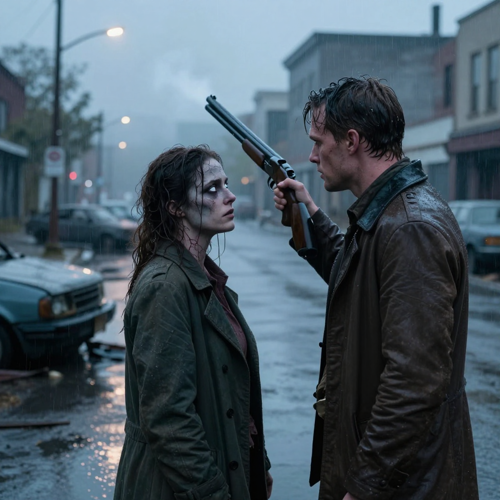
The setting most people picture when they look up a zombie couple video: flickering streetlights, overturned cars, drifting smoke and cold blue-grey light, with the memory cut landing in warm gold.
Snowbound Mountain Town
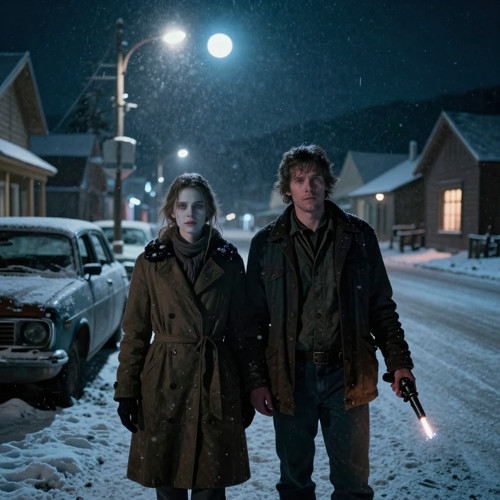
Dead streetlights, falling snow and a silent main street. The cold blue palette makes the warm indoor flashback hit harder when the scene cuts away from the standoff.
Empty Highway at Golden Hour
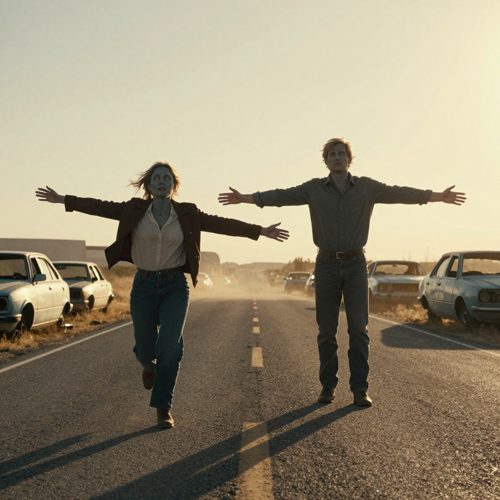
A long stretch of road full of abandoned cars under low golden light. The open space gives the charge room to run, which is exactly where the match cut happens.
What Creators Say About Their Zombie Couple Videos
Marta K.Wedding photographer, PortoI tried to build the zombie couple video by hand for our anniversary and gave up after two hours of matching the cut. Two photos and one click later I had the clip, and my husband actually cried. The part that sold me is that we both still look like us.
Devon R.Reels creator, 84K followersTrends expire in about nine days, so speed is the whole game. I shot, generated and posted a zombie couple video in one afternoon and it outperformed my usual week. No CapCut template hunt, no prompt guessing.
Ellie & Tomas B.Long-distance, Lisbon–TorontoWe are six time zones apart and the hug at the end hits differently when you are counting down to a flight. We have made three versions now and sent each one the night before a visit.
Why Use This Zombie Couple Video Generator
The zombie couple video format lives or dies on one detail: is the turned person still recognisably them? Everything here is built around protecting that.
Two Photos, Two Locked Roles
Photo one stays human and holds the gun; photo two has already turned. Each face is kept as its own reference, so nobody drifts into the other between the dark scene and the flashback.
The Face Survives the Turn
Ashen skin, dark veins and clouded eyes are layered over the face, hair and clothes from your photo, so viewers still know exactly who turned. That recognition is what makes the clip land.
The Story Is Already Directed
The hidden bite, the turn, the lurch, the shaking aim, the moment nobody fires and the golden flashback are timed for you. You do not write a prompt or cut a timeline.
Vertical, With Sound, No Watermark
You get a 9:16 MP4 with rain, sirens and a sad piano already mixed in, ready for TikTok, Reels and Shorts. Landscape 16:9 is there when YouTube is the destination.
Soft Enough to Post Anywhere
No blood, no biting and no gunshot. The zombie never attacks, so the clip reads as a love story that both platforms and family group chats can watch.
Nothing to Install, Nothing Lost
It runs in the browser on your phone or laptop, and finished clips stay in your history so you can come back to them later.
Zombie Couple Video FAQ
Straight answers to the questions people ask before making their first zombie couple video, from which photo goes first to what the finished clip actually looks like.
What is a zombie couple video?
A zombie couple video is a short AI-generated clip, usually vertical and somewhere between ten and twenty-four seconds, built from two photos of a pair. One person has already turned but keeps a recognisable face, the other raises a gun and cannot bring themselves to fire, and the moment they collide cuts to a warm memory of the two of them from before. You will also see it called the zombie love story trend or the zombie hug trend.
Zombie couple video, zombie love story video, zombie hug trend — are these the same thing?
They are three names for one format. Zombie couple video and zombie love story video both describe the romance version built from two people, while zombie hug trend points at the embrace the whole clip builds toward. Different tools pick different names for the same four-beat story, so searching any of them leads to a generator that makes it.
How do I make a zombie couple video from two photos?
Upload one clear, front-facing photo of each person, choose a vertical or landscape shape with the resolution you want, and generate. The turn, the standoff, the charge and the memory cut are already directed, so there is nothing to prompt and nothing to edit. Your finished zombie couple video downloads as an MP4 with sound.
Which photo goes first?
The first photo is the one who has already turned; the second stays human and holds the gun. If you want the roles the other way round, swap the two uploads before generating. One person per photo keeps the likeness clean.
Will I still look like myself as a zombie?
That is the whole trick of the format. The ashen skin, dark veins and clouded eyes are layered on top of the face, hair and clothes already in your photo, so people watching still know who turned. Clear, evenly lit, front-facing photos with nothing covering the face give the strongest likeness.
Is a zombie couple video scary or gory?
No. The look stays stylised: grey-green skin, cloudy eyes and torn, dusty clothes, with no blood, no wounds and no biting. The zombie never attacks and the gun is never fired, which is why the clip reads as a sad love story rather than a horror scene.
Can I make a zombie couple video with my dog or cat?
Yes. Put your pet in the photo for the one who turns, and it comes back as an ashen, clouded-eyed version of the same animal, same coat and same collar, then runs in for the hug. Use a photo where the whole animal is visible, since pets vary a little more than people between shots.
How long should a zombie couple video be, and what shape should I export?
Most versions of the trend run somewhere between ten and twenty-four seconds, which is enough room for the turn, the hesitation, the hug and one flashback. Export 9:16 vertical for TikTok, Instagram Reels and YouTube Shorts, and pick 16:9 when YouTube is where it is going.
Do I need a CapCut template or a written AI prompt?
No. Doing it by hand means generating the apocalypse scene and the memory scene separately, stitching them in an editor, lining up the match cut, then adding music and captions. A dedicated zombie couple video generator has the shot list and timing built in, so two photos and a shape choice is the entire workflow.
Can I use a photo of someone else?
Only with their permission, and only for photos you already have the right to use. Avoid photos of strangers, public figures or minors, and label the finished clip as AI-generated when you post it so nobody mistakes it for a real event.
More Ways to Make a Zombie Couple Video
Keep the same two photos and try the effect the next trend is built on.
Guides for AI Video Creators
Make Your Zombie Couple Video in Minutes
Two photos in, one directed vertical clip with sound out. Pick who turns and who cannot shoot, then post it while the trend is still running on Textideo.
Create Your Zombie Couple VideoNo credit card required to start · Label your post as AI-generated