
The Text Comes Out Wrong
You ask for a poster with a headline and get lovely lettering that spells it wrong. Then every label needs a cleanup pass in a design tool, and that cleanup is where the afternoon goes.
Nano Banana 2.1 turns a text prompt, plus up to 14 reference images, into polished visuals at 1K, 2K or 4K — with cleaner in-image text and subjects that stay recognisable across a whole series.
Generate infographics, posters, product shots and targeted edits straight from your browser on Textideo. No API key, no local setup, no editing software.
Built for creators, marketers and product teams · runs in your browser on Textideo · no API key, no installFour things go wrong with AI images long before quality does. Nano Banana 2.1 is aimed squarely at them:
You ask for a poster with a headline and get lovely lettering that spells it wrong. Then every label needs a cleanup pass in a design tool, and that cleanup is where the afternoon goes.
Shoot two frames of the same person and the second one comes back as somebody else. Storyboards, campaigns and course modules fall apart around frame three.
You wanted the background swapped. The model also repainted the sofa, the light and the floor. A one-line fix turns into a full regeneration.
One idea has to become a vertical post, a square feed image and a wide site header. Re-rolling for each ratio usually means writing the prompt all over again.
Three capabilities separate Nano Banana 2.1 from a generic text-to-image model: type that comes out right, subjects that survive being moved, and edits that respect the rest of the frame. Together they turn image generation into something you can ship.
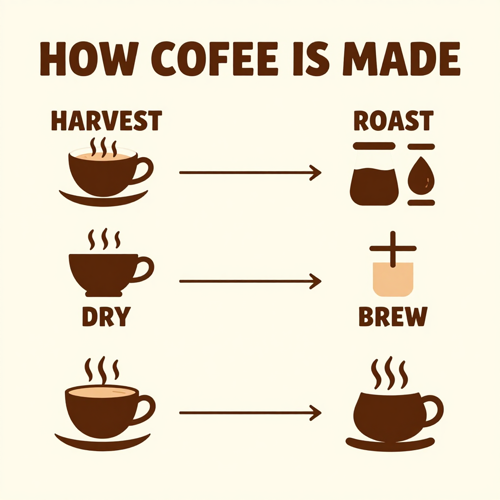
Nano Banana 2.1 treats in-image text and layout as part of the brief.
Headlines, labels, price lists and step diagrams come back legible and aligned, and the facts inside an infographic land where the layout says they should.
Put exact wording in quotes, name each element, and set a high thinking level when a page carries several callouts.
This is what makes Nano Banana 2.1 usable for posters, menus, explainers and slide art instead of mood boards alone.
Generate design-ready layouts with Nano Banana 2.1 at 1K, 2K or 4K.
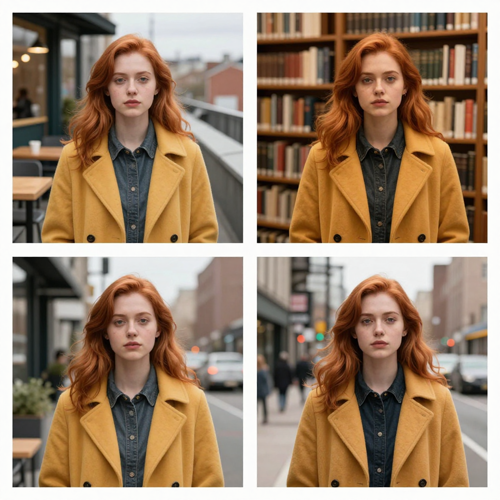
Give Nano Banana 2.1 up to 14 reference images and it blends them into one coherent scene.
Character consistency holds for up to 4 characters and object fidelity for up to 10 objects, so a cast or a product line stays recognisable across shots.
The model can also ground output in Google web and image search when a prompt depends on real-world facts.
Use it for storyboards, campaign sets and catalog pages where the same subject has to appear again and again.
Keep a series on-model with fewer regeneration rounds.
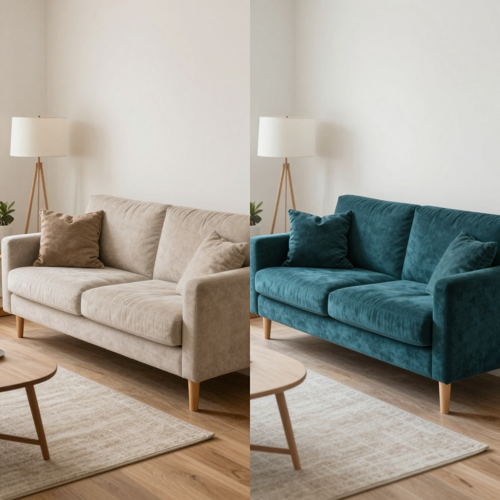
Nano Banana 2.1 edits from plain language and keeps refining across turns.
Circle a region or scribble a rough sketch and the change lands there, while the rest of the frame stays untouched.
Swap a background, restyle one object or correct a label without rebuilding the image from scratch.
Three thinking levels — minimal, medium and high — let you trade speed for planning on harder compositions.
Fix one thing at a time instead of regenerating the whole image.
Nano Banana 2.1 is built for the jobs that used to need a designer and an afternoon: a labelled diagram, a poster with clean type, a product placed in a new scene, a batch of edits that change one thing and nothing else. Every card below is a real use of Nano Banana 2.1 image generation, from text-to-image drafts to reference-driven edits.
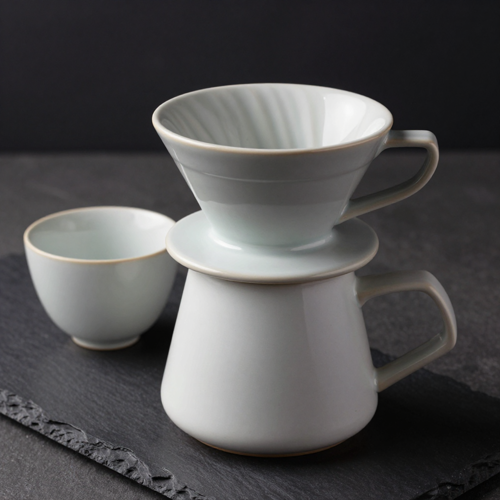
Nano Banana 2.1 improves visual quality and realism across 1K, 2K and 4K output, with 1K as the default.
Material texture, edges and small details hold up when you scale to 4K for print, and wide frames no longer break into repeating tiles.
Generate a fast 1K draft, then re-run the winning prompt at 2K or 4K.
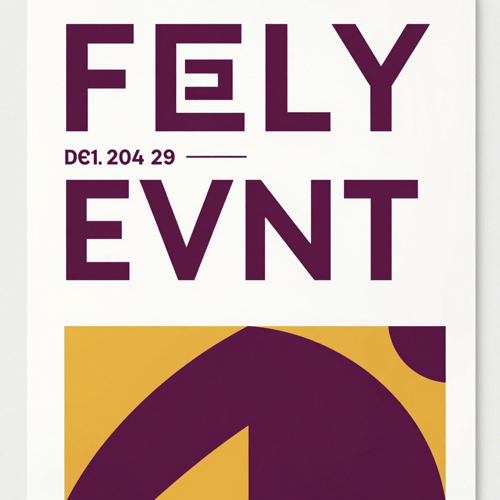
Nano Banana 2.1 treats in-image text as part of the brief rather than an afterthought.
Headlines, labels, menus and step diagrams come back spelled and aligned, which is what makes an infographic usable without a cleanup pass in a design tool.
Quote the exact wording you want and raise the thinking level for dense layouts.
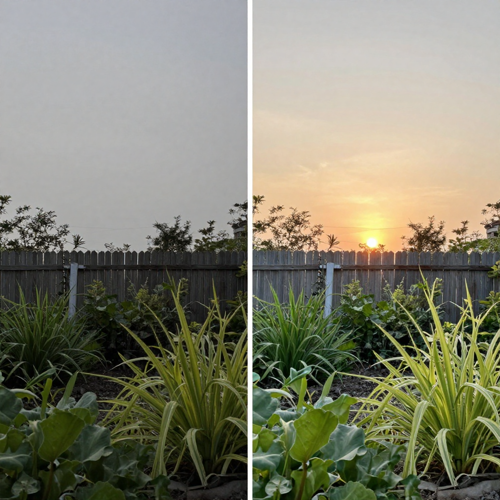
Nano Banana 2.1 edits what you point at and leaves the rest of the frame alone.
Circle a region or scribble a rough sketch and the change lands there, while surrounding objects, lighting and shadows stay put.
That turns a one-line instruction into a finished edit instead of another round of manual masking.
The brief was one sentence: make the sofa deep teal. Nano Banana 2.1 masked the region, restyled the upholstery and left the walls, the rug, the plant and every shadow exactly where they were.
No regeneration, no manual selection, no cleanup. That is the difference between an edit and a do-over.
Nano Banana 2.1 rewards a clear brief. Write what you want, set the frame, then refine in conversation — the whole path from prompt to finished image stays inside Textideo.

Write a prompt that names the subject, the style, the lighting and the mood.
If specific words need to appear in the picture, put them in quotes so Nano Banana 2.1 renders the exact lettering.
Optionally attach reference images for composition, likeness or product fidelity.

Choose an aspect ratio from tall 1:8 to ultra-wide 8:1 and set output to 1K, 2K or 4K.
Nano Banana 2.1 defaults to 1K and medium thinking, which suits most first passes.
Raise the thinking level to high for dense infographics and multi-reference compositing.

Ask Nano Banana 2.1 for the change you want — a different background, a recoloured object, a corrected label — and keep iterating.
When the image is right, export it at the resolution your channel needs.
Nano Banana 2.1 covers the formats teams actually ship: explainer diagrams, campaign posters, catalog product shots and wide banners. Each one leans on a different strength of the model — layout, lettering, subject fidelity or panoramic framing.
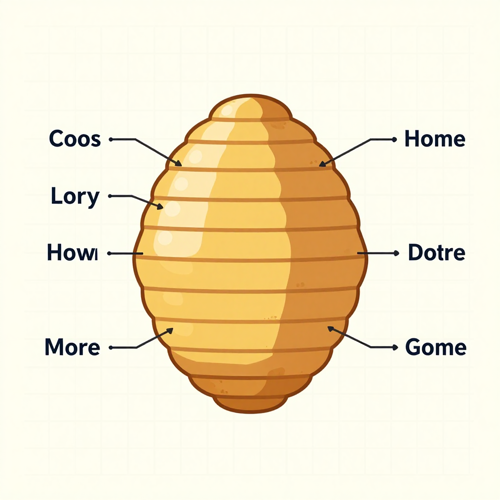
Turn a set of notes into a labelled diagram, a process flow or a cutaway with Nano Banana 2.1.
Labels land where you asked for them and the layout stays tidy, which matters for lessons, reports and social explainers.
Use a high thinking level when one diagram carries several callouts.
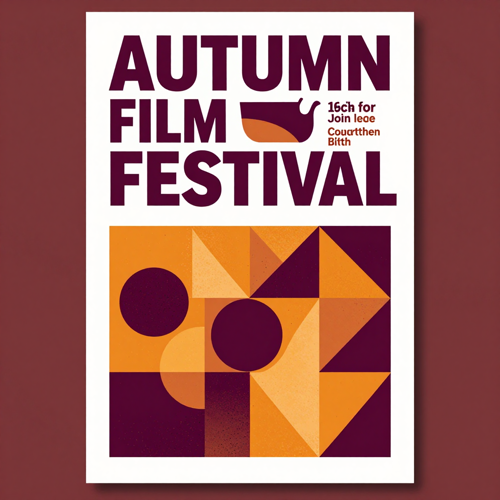
Build event posters, sale banners and ad layouts where the headline has to read at a glance.
Nano Banana 2.1 keeps the type on the baseline and the margins consistent, so a whole campaign set can be produced in one session.
Set the ratio once and re-run the layout for every channel.
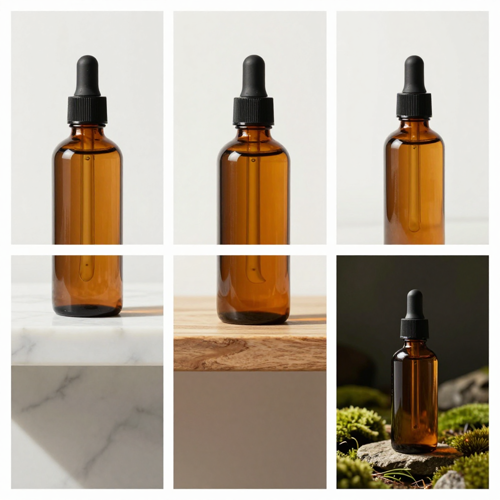
Place one product into many settings while its shape, colour and detailing stay true to the original.
With up to 14 reference images, Nano Banana 2.1 keeps up to 10 objects faithful, which is how a catalog stays consistent across an entire shoot.
Replace a studio day with a prompt and a product photo.
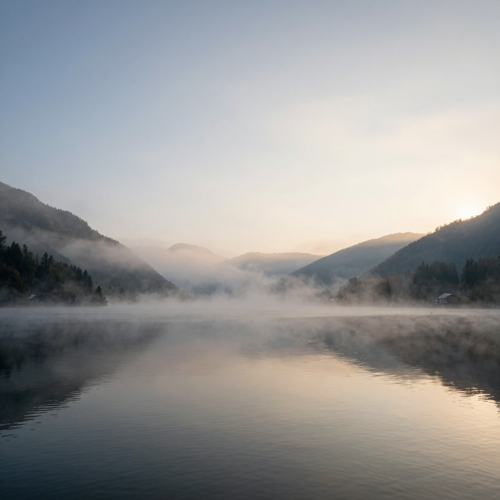
Generate ultra-wide headers at ratios such as 4:1 and 8:1, and tall 1:8 strips for vertical placements.
Nano Banana 2.1 fixes the tiling artifacts that wide frames used to show at 2K and 4K, so a banner comes out as one continuous image.
Render at 4K when the banner will be printed or cropped into several sizes.
Nano Banana 2.1 suits anyone whose image work keeps returning to the same three problems: type that has to be right, subjects that have to stay the same, and edits that must not spill. Here is where it lands hardest.
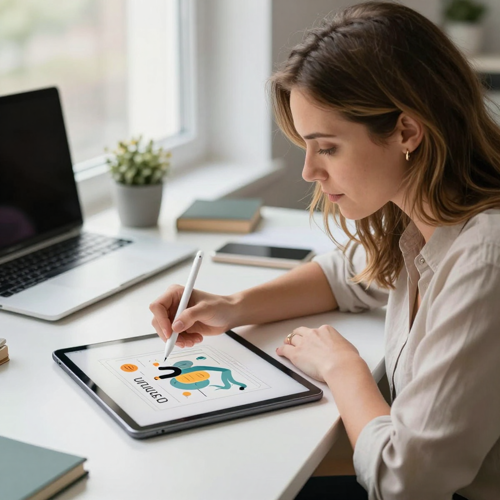
Produce layout-first drafts — posters, diagrams, icon sets — with lettering you can hand to a client.
Iterate on composition and palette through conversation instead of rebuilding artboards.
Keep one character or mascot consistent across an entire series.
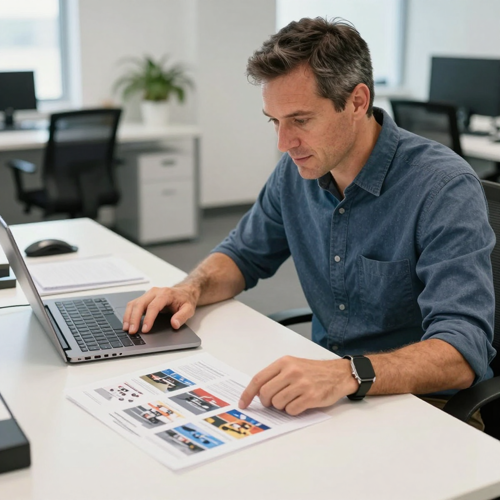
Drop one product into many scenes without a reshoot, and keep packaging, label and colour intact.
Generate campaign art for every channel from a single brief.
Swap backgrounds and seasonal styling with targeted edits.
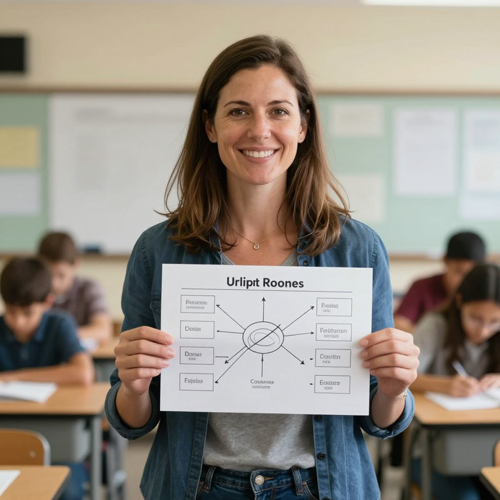
Turn a lesson outline into a labelled diagram or cutaway that students can actually read.
Refresh visuals for new terms and languages while the layout stays where it was.
Produce explainer art at the ratio each platform wants.
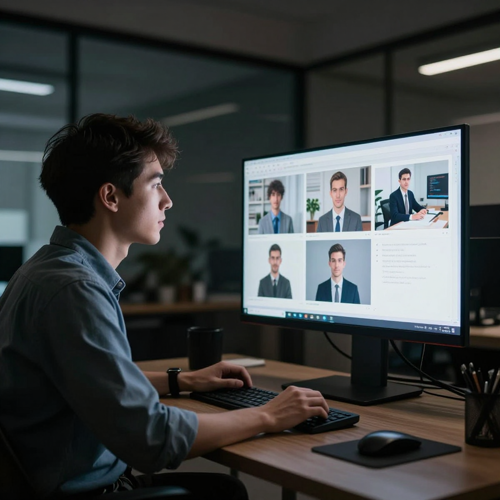
Prototype UI concepts, mockups and empty-state art before design picks them up.
Batch variations through prompts and pick the strongest direction.
Run Nano Banana 2.1 in a browser workspace instead of managing API keys and SDKs.
Three kinds of work, one shared complaint: the tools were fine at pictures and bad at details. Here is what changed when the details started holding.
“Labeling a diagram used to mean rebuilding it in three tools just to get the type straight. Now I put the headline in quotes, set a high thinking level, and the layout comes back ready to drop into the deck — spelled the way I asked for.”

“Catalog shoots used to eat a full day per drop. I pass one product photo in as a reference and place it across four scenes, and the label and colour stay identical. We only book the studio for hero shots now.”
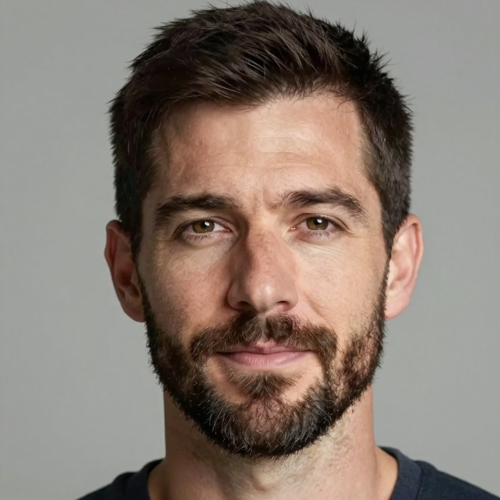
“Consistency was the reason I nearly gave up on AI images — the same character came back with a different face every single time. With references loaded the cast holds across a whole module, so I can ship a series instead of a lucky one-off.”
The model is Google's, but the workflow around it is not. On Textideo, Nano Banana 2.1 sits inside a full image workspace — prompt, references, ratio, resolution, history and export live in one place, so a finished image is a few steps from the idea instead of a few services.
Access Nano Banana 2.1 image generation on Textideo without an API key, a cloud project or a local install.
Prompt, generate and export from one tab, and keep every result in a history you can return to later.
Feed Nano Banana 2.1 up to 14 reference images and carry up to 4 characters and 10 objects through a campaign, a storyboard or a social run.
Faces, outfits and product details stay recognisable from frame to frame.
Run the same prompt through Nano Banana 2.1 and other image models on Textideo without moving files between services.
Different models have different strengths, and seeing them together beats reading benchmark tables.
Output at 1K, 2K or 4K across ratios from tall 1:8 strips to ultra-wide 8:1 panoramas.
One brief can produce a vertical social post, a square feed image and a wide site header.
Replace studio days, stock hunts and background removals with Nano Banana 2.1 generation and targeted edits.
Test more creative directions before committing budget to a real production.
Describe the change you want and let Nano Banana 2.1 handle the masking.
Refine over several turns without reopening a design file, which keeps a small fix small.
Nano Banana 2.1 sits alongside other image models on Textideo. Run the same brief through a second model before you commit to a direction.
Read more: the Textideo blog.
Two longer reads on where this model fits in an image workflow, and what to run it against.
Straight answers about Nano Banana 2.1: what changed since Nano Banana 2, how it compares with Nano Banana Pro, which resolutions and reference images it takes, and how to get cleaner lettering and steadier characters out of every prompt.
Nano Banana 2.1 (gemini-nano-banana-2.1) is Google's high-efficiency image generation and conversational editing model, released in October 2026 as an update to Nano Banana 2.
It accepts text, images, video and PDF as input and returns images and text, and it is built for work where layout, lettering and subject consistency matter.
On Textideo you can run Nano Banana 2.1 in the browser instead of wiring up an API key and a cloud project.
Nano Banana 2.1 improves visual quality and realism at 1K, 2K and 4K output, with 1K as the default, and fixes the tiling artifacts that wide and panoramic ratios such as 4:1 and 8:1 could show at 2K and 4K.
Text rendering and infographic layout accuracy are noticeably better, and multi-image fusion now takes up to 14 reference images.
Google also added configurable thinking levels, with medium as the default, plus grounding through Google web and image search.
Nano Banana 2.1 is the more efficient counterpart to Gemini 3 Pro Image, also called Nano Banana Pro. It keeps Flash-level speed and cost while handling most generation and editing work.
Nano Banana Pro suits the heaviest visual jobs, where the highest world knowledge, advanced localisation and precise brand control matter more than speed.
For infographics, posters, product shots and character series, Nano Banana 2.1 is usually the faster and cheaper place to start.
Yes. Cleaner text rendering is one of the headline improvements in Nano Banana 2.1, alongside infographic layout accuracy.
Put the exact words you want in quotes, name every element you expect to see, and raise the thinking level to high for dense layouts that carry several labels.
For a straightforward edit, the default medium level is usually enough.
Nano Banana 2.1 supports multi-image fusion with up to 14 reference images in a single request.
Within that set it holds character consistency for up to 4 characters and object fidelity for up to 10 objects, which is what keeps a product catalog or a storyboard coherent.
Load the references you care about most first when you are close to the limit.
Nano Banana 2.1 outputs at 1K, 2K or 4K, with 1K set as the default.
It covers a wide spread of aspect ratios, from tall 1:8 strips to ultra-wide 8:1 panoramas, and the tiling artifacts that used to appear on those wide frames at 2K and 4K have been fixed.
Treat 2K as an everyday default and 4K as the print setting.
Both. Nano Banana 2.1 is a conversational editing model, so you describe a change in plain language and keep refining it across several turns.
Mask-based and sketch-based editing let you circle or scribble over the region you want changed while the rest of the frame stays put.
That is what makes targeted fixes — a background, a colour, a label — practical without reopening a full design file.
Thinking levels decide how much planning Nano Banana 2.1 does before it draws: minimal, medium or high, with medium as the default.
Use minimal when speed matters most, and high for dense infographics, tricky compositions or multi-reference compositing.
Medium handles the majority of straightforward generations and edits well.
Not if you use Nano Banana 2.1 through Textideo.
Google exposes the model in the Gemini app, AI Mode in Search, Google AI Studio, Flow, Stitch, Google Ads and the Gemini API, and most of those routes ask for a Google account or an API key.
Textideo runs the same model inside a browser workspace, so there is nothing to install and no key to rotate.
That depends on the route you take. Google ships Nano Banana 2.1 across its own products and API, and third-party platforms such as Textideo run it under their own credit and plan rules.
Because quotas differ by provider, check what your current plan covers before you queue a large batch.
A single low-resolution test is still the cheapest way to learn how Nano Banana 2.1 responds to your prompts.
Pick a prompt or a set of reference images, choose a ratio and a resolution, and export artwork that keeps its lettering, subjects and layout intact. Nano Banana 2.1 runs in your browser on Textideo — no API key, no install.
Open the workspace in your browser · no API key, no install, works on desktop and mobile