



Short-form video generator

Turn What You Already Have Into Short Videos With Revid AI

Revid AI is a short-form video generator that turns a prompt, script, article link, product page, PDF or audio file into an editable vertical video — script, scenes, voiceover and captions in one pass.

The useful part is the starting point. Instead of a blank timeline, Revid AI begins with material you already own and hands back a draft shaped for TikTok, Instagram Reels and YouTube Shorts.

Run your first Revid AI render on Textideo and keep the angle, the offer and the final cut in your hands.
No credit card required to start · commercial usage rights included
  • Rated 4.0/5 on Trustpilot
  • 30,000+ clips published monthly
  • Credits estimated before render
Pipeline console9:16
Faceless story short generated by Revid AI on a vertical phone screen
01Input
02Script
03Scenes
04Captions
05Publish

The problem

Why Short-Form Production Stalls Before Revid AI

Four failures show up in almost every stalled channel, and none of them are about ideas. They are all assembly problems — which is exactly the part a generator can take.

01

Everything is already written, nothing is video

The blog post, the podcast, the product page — all finished, all invisible to anyone scrolling TikTok.

02

One short costs an evening

Script, then visuals, then a voice, then captions, then export. Four tools, four logins, one video.

03

Vertical crops eat the subject

Horizontal footage squeezed into 9:16 cuts off the face, the product and the moment you were filming.

04

Nobody sees it with the sound on

Most short-form is watched muted, which makes captions the first impression rather than a nice extra.

How it works

Turn One Input Into A Revid AI Short In Three Steps

The Revid AI workflow is short on purpose: supply material, generate an editable draft, then publish or automate. Nothing in the loop requires timeline skills, and nothing locks you out of changing the result.

Entering a prompt, script, link or audio file and choosing the aspect ratio
Step 1

Feed In What You Already Have

Pick the workflow that matches your material and bring it in: a one-line prompt, a finished script, an article or product URL, a PDF, or an audio file.

Choose the aspect ratio before you generate — 9:16 for TikTok, Reels and Shorts, or 16:9, 1:1 and 4:5 for feeds and websites.

Starting from existing material is the whole point. Revid AI is designed so you do not have to rewrite your backlog into prompts first.

Revid AI generating the script, scenes, voiceover and captions
Step 2

Let Revid AI Build The Draft

Revid AI structures the script, assembles or generates scenes, adds a voiceover and writes captions, then renders a first draft you can review.

Estimate the credit cost before a long render starts. Generation is not deterministic, so budgeting for the occasional retry is cheaper than being surprised by it.

What comes back is an editable project, not a locked file — which is what makes fixing one wrong scene possible.

Editing, exporting and scheduling the finished short video
Step 3

Edit, Export Or Hand It To Auto-Mode

Tighten the hook, swap a scene that missed, adjust captions or pacing, then export in the ratio each placement needs.

Publish straight to TikTok, YouTube or Instagram, schedule it, or configure an Auto-Mode worker so Revid AI keeps producing on the schedule you set once.

Review the first two or three outputs before you trust a schedule: the calendar is reliable, the hook is not.

Use cases

Who Gets The Most Out Of Revid AI

Revid AI earns its place wherever short video has to ship on a schedule rather than when inspiration arrives. These four groups feel the difference first — faceless channels, small marketing teams, long-form creators with a backlog, and agencies running more than one brand.

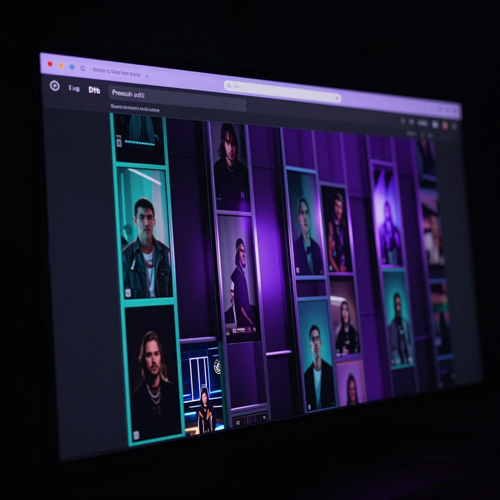
Faceless channel operator running several Revid AI dashboards at night

Faceless Channel Operators

Publish every day without stepping in front of a camera. Narration, generated scenes and captions cover everything a faceless short needs, so Revid AI lets you test niches fast and keep posting while you look for the one that sticks. Auto-Mode is the part that matters at this volume — consistency, not craft, is what grows a channel from zero.

Daily posting

Founder reviewing content metrics on a laptop in a dark room

Founders And Content Marketers

Turn the writing you already produce into video you never had time to make. Posts, docs, product pages and announcements become narrated shorts without briefing a freelancer, which is why Revid AI fits small teams without a video role. Use it to test angles in public: three hooks, one offer, let the numbers pick.

Written backlog
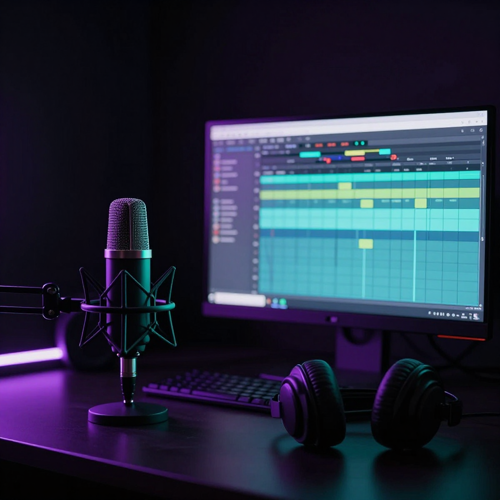
Podcast microphone and audio timeline on a dark studio desk

Podcasters And Long-Form Creators

Give one recorded hour a second life in vertical form. Supply the audio or a finished segment and Revid AI builds a captioned short around it, so distribution becomes a step you run after publishing instead of a project you schedule. The reach is the point: a Short puts one self-contained moment in front of a scrolling feed that would never have clicked a 40-minute episode.

Episode clips
Agency manager handling several brand dashboards on one dark screen

Agencies And Multi-Brand Teams

Produce client short-form without growing the team. Batch generation, per-brand voices and captions, and scheduled publishing let Revid AI carry several accounts from one workspace. The saved time goes into the part clients actually pay for: angle, hook and consistency.

Multi-brand

Features

Three Things Revid AI Does Better Than A Blank Timeline

Three questions decide whether Revid AI fits your workflow: how little you have to start with, whether the draft arrives watchable without repairs, and whether it can keep producing after the first video. Everything else is detail.

Revid AI turning a prompt, link, PDF and audio file into one vertical video frame
01

Any Input Becomes A Structured Short

Type a topic, paste a script, or hand over a link, a PDF or an audio file, and Revid AI returns a structured short — hook, scenes, narration and captions — instead of a blank timeline.

Each input maps to its own workflow rather than being forced through one template, which is why a link produces something usable instead of generic filler.

What this means for you: the backlog of material you already published becomes a queue of video drafts, and nobody has to write a screenplay first.
A vertical short video with captions and a voiceover waveform on a dark screen
02

Captions, Voice And Framing In The Same Pass

Revid AI adds narration and word-synced captions while it builds the video, in the aspect ratio you picked at the start.

That ordering matters more than it sounds. Captions are the first impression for viewers watching with sound off, and vertical framing chosen at generation time keeps the subject in frame all the way to export.

What this means for you: the draft arrives watchable with the sound muted and correctly shaped for the platform, so the review pass is about the message rather than repairs.
An automated Revid AI pipeline feeding finished videos toward publishing
03

From One Render To A Repeatable Pipeline

Revid AI continues past the export button: scheduled publishing, Auto-Mode workers that generate on a recurring basis, and API, MCP and CLI access for teams that want generation inside their own tooling.

The difference is between making a video and running a channel. One is a task; the other is a system that keeps producing when you are busy.

What this means for you: the second month is easier than the first, because the pipeline you configured keeps working after the novelty wears off.

One link in, one publishable short out

Bring material you already have. Revid AI returns a draft with script, scenes, voice and captions — and you keep the final call.

Create My First Revid AI Video

Estimate credits before you render

Output

What Revid AI Actually Produces

Revid AI is not one format. It maps different inputs to different workflows, so the output changes with what you feed it — a story short from a topic, an explainer from a link, a promo clip from a product page. These are the three shapes that account for most of what creators actually publish with Revid AI.

Faceless story short generated by Revid AI on a vertical phone screen

Faceless Story Shorts

The format Revid AI is known for: a topic or script becomes a narrated vertical short with generated scenes and word-synced captions, and nobody has to appear on camera. Stories, explanations, facts and list-style breakdowns travel best here, because a voice can carry them without a face attached. Multi-scene shorts up to roughly a minute are the common ask, and building them in one place is the point: no separate editor to stitch scenes together, no exporting halfway through to fix a transition. For channel operators testing niches, this is the fastest way to find out whether a topic holds attention before committing a month to it.

An article page becoming a stack of vertical Revid AI video scenes

Link, Article And PDF Explainers

Paste a URL or upload a PDF and Revid AI condenses it into a narrated short instead of asking you to rewrite it as a prompt. This is where a written backlog turns into a video queue: posts, guides, changelogs and product pages that already exist become drafts in one step. The source quality still decides the result. A page with a clear claim produces a tighter short than a page that meanders.

Product and music short-form clips generated with Revid AI

Product, Music And Promo Clips

Product pages become launch clips, audio files become visualised tracks, and a single offer can be rendered from several angles so the numbers pick the winner. Testing beats guessing here: three hooks on the same product cost less than one studio day. These are the outputs where Revid AI saves the most obvious money, because the alternative is booking a shoot for creative you are not sure works yet.

Scenarios

Where Revid AI Shorts Get Published

Four situations come up again and again among people who stick with Revid AI: running a faceless channel, converting written material, launching product creative, and giving audio a visual form. Each one leans on a different input, which is why the input flexibility matters more than any single feature.

Scheduled Revid AI video thumbnails on a creator dashboard calendar

Faceless Channel Publishing

Daily faceless publishing is the workload Revid AI was built around: a configured source, a recurring render, and a channel that keeps moving without a camera or a production crew. Auto-Mode is what makes the schedule hold. A pipeline that generates and publishes while you sleep is worth more to a channel than any single good video. The setup is the real investment: choose the source, set the cadence, then correct the hook instead of restarting the channel every week.

Written documents and a blog page being repurposed into vertical clips

Repurposing Written Content

Blog posts, newsletters, docs and product pages are assets most teams never convert to video because the rewrite costs more than the result seems worth. Revid AI removes the rewrite: supply the link, get a narrated draft, edit the hook, publish. The gain is reach rather than recycling — a short puts one self-contained point in front of a feed that would never have clicked the original article.

Three variant product clips generated with Revid AI on phone screens

Product Launch Clips

A product page becomes a launch clip, and the same offer can be rendered from three angles so performance decides the message instead of a meeting. This is the workflow for social managers who make every post by hand: the ad and UGC-style angles are the ones that cost the most hours manually, and they are the ones a generator can repeat. Revid AI is useful here because volume is the test: several variants, one product, no shoot. Export in the ratio the placement needs — vertical for Reels and Shorts, 1:1 or 4:5 for feed placements.

Audio waveform visualiser in violet and teal on a near-black background

Music And Audio Visuals

Audio and music inputs map to their own Revid AI workflow, turning a track or a recorded segment into a visualised short with motion and captions. Musicians use it to ship music-video-style clips for releases, and podcasters use it to give one strong moment a visual life of its own. This is the case where the source material already exists in finished form, so the only work left is framing and pacing.

Why choose us

Why Use Revid AI On Textideo

Short-form rewards volume, and volume dies the moment every video needs a full production day. Revid AI is built to remove the assembly work — scripting, scene picking, narration, captioning — while leaving the angle, the hook and the final call with you.

01Starts From Material You Already Own

Most generators ask for a script first. Revid AI accepts what you already have: a one-line topic, a finished script, an article URL, a product page, a PDF or an audio file. That matters because the slowest part of publishing is rarely the render — it is deciding what to make and then rewriting it into a prompt.

If your backlog is full of posts, episodes and pages that never became video, this is the shortest route to a first draft.

02Script, Scenes, Voice And Captions In One Pass

Revid AI writes or structures the script, assembles or generates visuals, adds a voiceover and captions the result, so what comes back is a video rather than a folder of parts. Most short-form is watched with the sound off, which makes captions the real first impression. Getting narration and captioned text in the same pass removes the step where drafts usually stall. You still choose the hook and the offer. Revid AI removes the assembly, not the judgement.

It also means one subscription instead of the stack most creators end up with — a script tool, a voice tool, a caption tool and an editor that do not know about each other.

03Vertical By Default, Not Cropped Afterwards

A horizontal clip squeezed into 9:16 cuts off faces, products and the action. Revid AI composes for 9:16, 16:9, 1:1 and 4:5 at generation time. Framing decided during generation survives to export, so the subject stays where you meant it to be when the video reaches a phone screen.

Exporting the ratio each placement wants, instead of re-cropping one master file, is what keeps a batch usable across platforms.

04Every Result Stays Editable

AI generation is not deterministic. Sometimes a scene misses, a caption lands awkwardly, or the pacing drags in the middle. Revid AI returns an editable project rather than a locked render, so you fix the 20 percent that is wrong instead of paying to regenerate all of it.

That is the difference between a tool you use daily and one you try once — and it is the answer to the most common complaint about credit-based generators.

05Publishing And Auto-Mode Close The Loop

Revid AI connects to TikTok, YouTube and Instagram for immediate or scheduled publishing, and Auto-Mode workers generate fresh videos on a schedule you configure once. Consistency is what most creators lose: not ideas, but the streak. Moving publishing from a daily decision to a configured pipeline is what keeps a channel alive through the weeks when motivation is low.

Keep human review on the early runs, because a recurring pipeline repeats a weak angle as faithfully as a strong one.

06A Pipeline You Can Call From Code

Beyond the browser, Revid AI exposes a REST API, an MCP server and a command-line tool, so generation can sit inside scripts, agents and internal systems. Teams already running content operations can treat video as one step in a pipeline instead of a separate app someone has to remember to open.

Credit estimation is available without authenticating, which makes cost control possible before anything runs.

Testimonials

What Creators Say About Revid AI After The First Month

Three ways the same change shows up: the work that used to block publishing stops being the work.

★★★★★

I had a backlog of blog posts and no video presence at all. Rewriting them into prompts was the part I kept avoiding.

Now I paste the link into Revid AI and edit the hook. The channel went from nothing to a clip every weekday without me learning an editor.

Portrait of Maya Kessler
Maya KesslerFaceless channel operator, Lisbon
★★★★★

I tried the stack approach — one app for scripts, one for voice, one for captions. Three bills and still no finished video.

One pass in Revid AI gives me a draft with narration and captions already on it. I spend my time on the offer, not the assembly.

Portrait of Daniel Whitmore
Daniel WhitmoreSolo founder, Manchester
★★★★★

Our client posts were all made by hand, and one product could eat a whole afternoon across three formats.

We render three angles of the same offer in Revid AI and let performance choose. Making variants stopped being the expensive part.

Portrait of Sophie Laurent
Sophie LaurentSocial media lead, Toronto
10+input types, from prompt to PDF
4export ratios, vertical first
3steps from material to draft
70+voiceover languages

Works alongside the rest of the Textideo model line-up: compare Revid AI with Kling, Veo, Seedance and Luma on the same project instead of switching between separate subscriptions.

FAQ

Revid AI Questions Creators Ask Before They Start

The questions below come from the points that decide whether Revid AI fits a workflow at all: what it accepts as input, what a render costs, how much control survives after generation, and how it differs from the tools people compare it with.

What is Revid AI?

Revid AI is a short-form video generator built for TikTok, Instagram Reels and YouTube Shorts.

It takes one input — a topic, a script, an article link, a product page, a PDF or an audio file — and returns an editable video with a script, generated or sourced visuals, a voiceover and captions.

The point is not generating a single impressive clip. Revid AI is built around producing shorts on a repeatable schedule, including publishing and automation steps that most generators leave to a separate tool.

What kinds of input can Revid AI turn into a video?

More than most generators in this category.

Revid AI accepts a plain prompt, a finished script, an article or blog URL, a product page, a PDF, an audio file, a music track, or your own images and clips. Each input maps to a different workflow rather than being forced through the same template.

That flexibility is the practical difference: a creator with a backlog of written material can start from the link instead of rewriting everything into a prompt, and a team with recorded audio can start from the audio instead of transcribing it first.

How does Revid AI work, step by step?

Three steps cover most projects.

First, choose the workflow and feed in your material — a prompt, a script, a URL, a PDF or an audio file — and pick the aspect ratio for the platform you are posting to.

Second, Revid AI writes or structures the script, assembles or generates scenes, adds a voiceover and captions, and renders a draft. Credit cost can be estimated before the render starts, which is worth doing on longer projects.

Third, edit what came back, then export or publish. Publishing can be immediate, scheduled, or handed to an Auto-Mode worker that repeats the pipeline on a schedule.

Do I need video editing experience to use Revid AI?

No.

Revid AI is designed so the first useful draft arrives without timeline skills: you describe or supply the material, then adjust the result rather than build it. Reviewers who had never edited before describe getting a publishable first video in minutes.

Editing experience still helps with judgement — choosing a stronger hook, trimming a slow middle, swapping a scene that missed — but it is not a prerequisite for getting something out the door.

How much does a Revid AI video cost in credits?

Revid AI runs on credits rather than a flat video count, and the cost depends on what the render actually uses: AI images, AI video clips, voiceover, avatars, music and 4K export each draw from the same pool.

A short clip costs far less than a long one, and expensive generation models cost more per second than cheap ones. A 30-second video built from moving images plus narration is the common reference point, and published credit tables let you estimate a render before paying for it.

The reason creators get stuck comparing tools is that a monthly credit number does not translate into videos. Estimating the actual render first is the habit that makes the comparison honest, and it matters because AI generation occasionally needs a retry — blind renders are where budgets go.

Can I edit the video after Revid AI generates it?

Yes, and this is one of the reasons to use it over a one-shot generator.

Revid AI returns an editable project instead of a locked file, so you can change the script, swap a scene that missed, adjust caption styling or retime the pacing before export.

That matters because AI generation is not deterministic. Being able to fix 20 percent of a render is much cheaper than regenerating the whole thing, and it is the difference between a novelty and a daily tool.

Revid AI vs InVideo AI: which one should I use?

They solve different halves of the same problem.

Revid AI is built around faceless, social-native short-form: supply an idea, a link or audio and get a vertical video with narration and captions, then publish or automate it. Its strength is turning material you already have into finished shorts on a schedule.

InVideo AI leans on a large template and stock library and suits teams that want presenter-style or highly branded output with more manual direction.

If your bottleneck is output volume from existing material, Revid AI fits better. If your bottleneck is brand polish on a smaller number of videos, a template-driven editor is usually the stronger choice.

Revid AI vs Opus Clip: repurposing or generating from scratch?

This is the most useful comparison to make before subscribing, because the two tools are often mistaken for each other.

Opus Clip cuts existing long recordings into short clips and scores them for likely performance. It needs source footage: a podcast, a webinar, an interview. It does not create a video from an idea.

Revid AI generates from an idea or from written and audio material, so it works when there is no footage to cut — a blog post, a product page, a topic you want to test.

Many creators run both. Repurpose the recordings you already have with a clipping tool, and generate the topics you have not recorded yet with Revid AI.

What aspect ratios and platforms does Revid AI support?

Revid AI supports 9:16 for TikTok, Instagram Reels and YouTube Shorts, plus 16:9, 1:1 and 4:5 for feeds, websites and ads.

Generating in the target ratio from the start is preferable to cropping afterwards, because a horizontal frame squeezed into vertical cuts off faces, products and action.

Connected accounts allow direct publishing to TikTok, YouTube and Instagram, either immediately or on a schedule, and exports can also be sent to webhooks for custom pipelines.

Can Revid AI publish videos automatically?

Yes.

Auto-Mode workers are configured once — a tool plus a content source — and then generate a fresh video on a recurring schedule, optionally publishing it without manual review. The number of workers depends on the plan.

This is what turns Revid AI from a generator into a publishing system for faceless channels and multi-brand operations. It is also worth keeping human review on the first runs of any new configuration, since a recurring pipeline will happily repeat a weak angle every day.

Put Revid AI To Work On Your Next Short

Bring one prompt, one link or one finished script, and Revid AI hands back a vertical draft that already has a hook, a voice and captions you can change before it goes out.

Keep the angle, the offer and the final cut. Let Revid AI carry the assembly.

No credit card required · Rated 4.0/5 on Trustpilot · Available on Textideo