Consistent Character Video AI

Consistent Character Video AI That Keeps One Face in Every Shot

Consistent character video AI locks a character's face, body and outfit to one reference, so the same person survives every cut, camera angle and scene change. Upload a few images once, describe what happens next, and reuse that character across one episode, one campaign or an entire channel.

Create Consistent Character Video

Built for creators who ship recurring characters - browser-based, nothing to install, no credit card to start, and your character stays in your workspace between sessions.

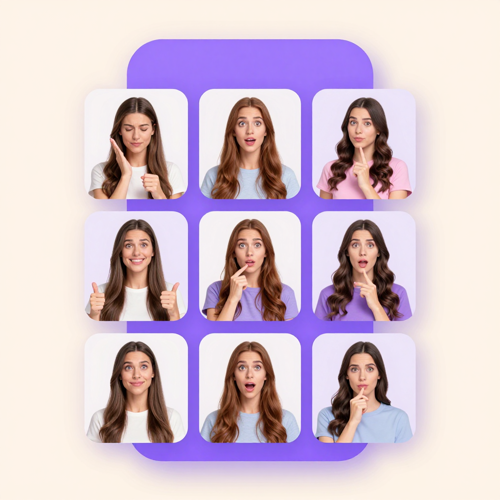
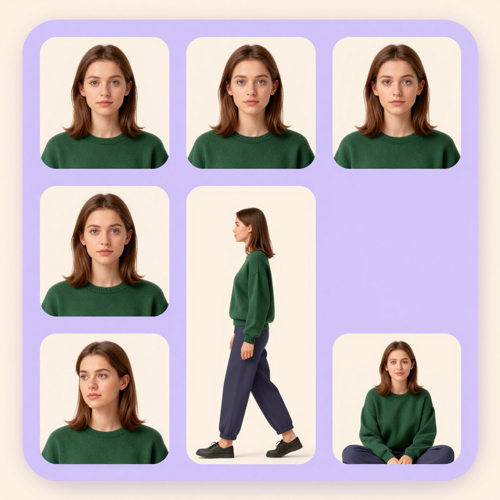
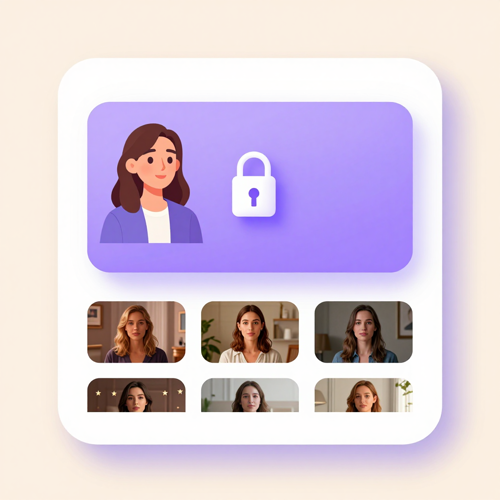
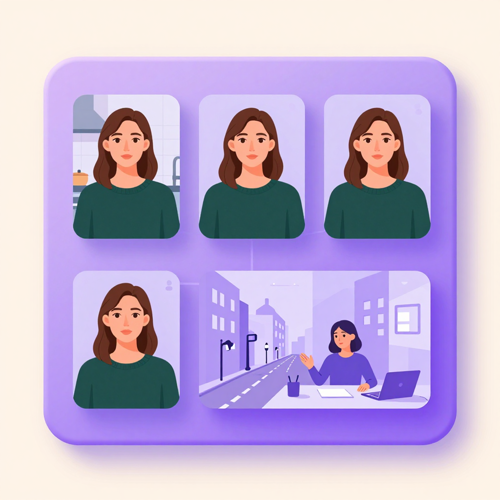
The same character holding the same face across six video frames
Consistent character video AI runs on the video models in the same account Veo 3.1SeedanceMiniMaxPixVerseA2E AIHunyuanFluxGPT Image

The Hard Part: Why AI Characters Drift

Almost everyone who makes more than one AI clip hits the same wall. It is not a bug in one tool - it is what happens when a model has to rebuild a person from a description every single time.

Shot three comes back as a different person

You approve a first shot you actually like, then the next one returns wearing your lead's jacket and somebody else's jawline. By the fourth clip the character is a stranger and the sequence will not cut together.


Every camera move costs you the face

Front-on looks fine. The moment the character turns, walks or gets shot from the side, the model has to invent geometry it has never seen - and consistent character video AI is what supplies those missing views instead of letting the model guess.

The more consistent it gets, the more plastic it looks

Chasing stability by re-rolling the same prompt tends to sand the skin smooth. You end up with a face that finally holds still and nobody would mistake for a real one - which is why consistent character video AI anchors to images rather than ever-longer descriptions.

Your character lives in four different tools

Design in one app, animate in a second, clone the voice in a third, lip-sync in a fourth. Every export and re-upload gives the identity a fresh chance to change, which is the part consistent character video AI removes.

Create Your Consistent Character Video in Three Simple Steps

The order matters more than the tooling. Lock the identity first, then move the camera - doing it the other way round is exactly why consistent character video AI exists, and why a stranger keeps turning up in shot three.

Step 1 - Upload the Character Once
1

Step 1 - Upload the Character Once

Drop in the reference views you already have, or design the character from a prompt if you are starting cold. Even one clean, well-lit front view is enough to begin; add a three-quarter and a profile view when the character has to turn or walk.

Step 2 - Describe the Shot, Not the Person
2

Step 2 - Describe the Shot, Not the Person

Write what happens and where the camera sits, and leave the appearance to the locked reference. Re-describing the face in every prompt is the most common cause of character drift, because text is too loose to reproduce one exact person. Removing that re-description is the single job consistent character video AI does for you.

Step 3 - Chain, Review and Export
3

Step 3 - Chain, Review and Export

Approve the opening still of each shot before animating it, then carry the last frame forward to anchor the next one. Check the first, middle and final frame, then export for TikTok, Reels, Shorts, a course module or a client deck.

Where Consistent Character Video AI Earns Its Keep

The same locked character does very different jobs depending on where it ships. These are the four formats where consistent character video AI pays for itself fastest.

Consistent Character Video AI for TikTok, Reels and Shorts Series

Consistent Character Video AI for TikTok, Reels and Shorts Series

Short episodic formats live or die on recognition - a viewer who meets the same face three times starts waiting for the fourth. Consistent character video AI lets one character carry a running series with no reshoot between episodes.

Vertical framing and short beats are the native shape of this format, so plan four to eight second shots and cut them together.

Consistent Character Video AI for Brand Mascots and Spokes-Characters

Consistent Character Video AI for Brand Mascots and Spokes-Characters

A mascot only becomes an asset when it looks like itself in every flight. Lock the character once, then re-dress and re-place it per campaign without re-approving the face.

The same applies to a recurring brand presenter, where one stable on-camera person does the work of a long-term contract without the scheduling.

Consistent Character Video AI for Ad Variants and Product Explainers

Consistent Character Video AI for Ad Variants and Product Explainers

Testing hooks and offers usually means re-shooting everything, which is why most teams test less than they should. With a locked character, the face stays fixed while the setting, prop and offer change.

You get genuine variants that differ on the thing you are testing, not on who happens to be on camera.

Consistent Character Video AI for Training and Course Libraries

Consistent Character Video AI for Training and Course Libraries

A recurring host is what makes a course library feel like one product instead of forty unrelated videos. One consistent character video host can front an entire onboarding track.

Re-record a module six months later and the replacement clip still matches the rest of the library.

What You Get with Consistent Character Video AI

Three things decide whether a character holds across a sequence: a reference the model can trust, scene instructions that leave identity alone, and motion that does not re-invent the face. These are the pieces that handle each one, and the reason consistent character video AI behaves differently from a generic text-to-video tool.

Reference-Locked Character Identity

Reference-Locked Character Identity

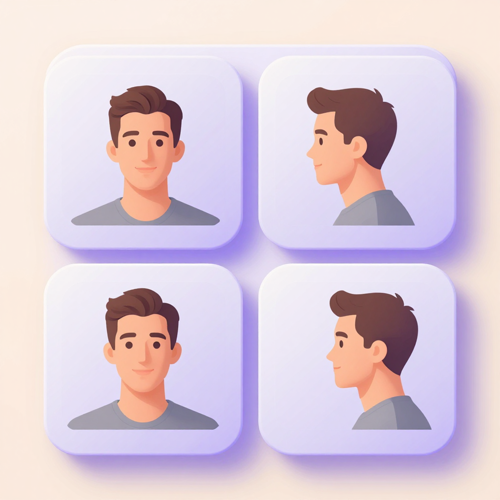
Upload a small set of clear views - front, three-quarter, and a profile if the character turns - and consistent character video AI builds one identity that conditions every shot.

What that means for you: the model stops guessing what the side of the face looks like, so head turns and close-ups stop producing a different person.

New Scenes Without Rebuilding the Character

New Scenes Without Rebuilding the Character

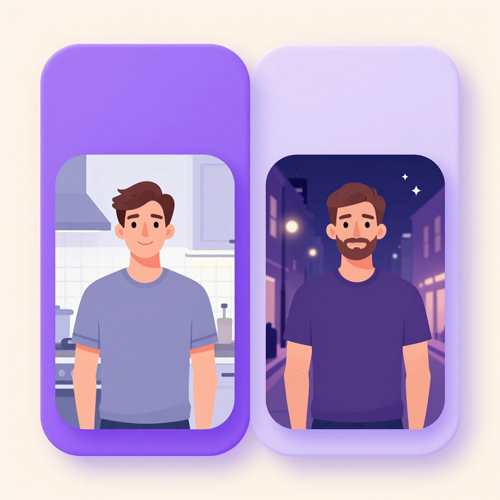
Change the location, the action or the camera while the identity block stays untouched, so scene variety never costs you the face.

What that means for you: one character can carry a morning kitchen demo and a night street scene and still be recognisably the same person in both.

Motion, Voice and Lip Sync That Hold

Motion, Voice and Lip Sync That Hold

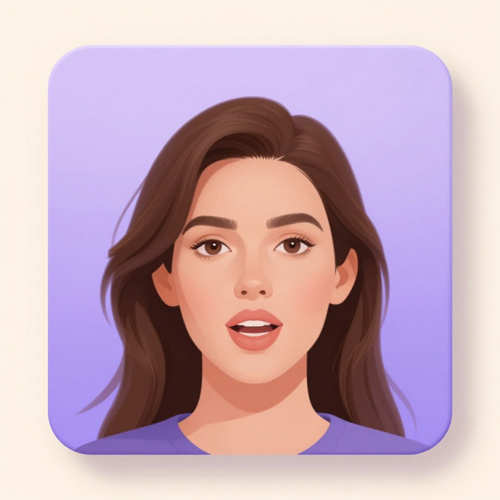
Speech, gesture and camera movement are generated against the locked identity instead of replacing it, which is exactly where most character work falls apart.

What that means for you: dialogue shots survive the whole line rather than drifting halfway through the sentence.

What Consistent Character Video AI Actually Buys You

Character consistency is not a finishing polish. It is the line between a clip people watch once and a character they recognise the next time it shows up in their feed, and recognition is the only thing that compounds across episodes. Consistent character video AI is what makes that compounding possible.

One Face Your Audience Recognises

One Face Your Audience Recognises

Consistent character video AI anchors every shot to the same reference set, so the jaw, eyes and hair hold when the camera swings to a new angle. That stability is what turns a recurring figure into someone viewers greet by name.

It also changes how you plan: once the face is reliable, you can write for a character instead of writing around one.

Wardrobe and Props That Stop Mutating

Wardrobe and Props That Stop Mutating

Drift rarely announces itself. A collar changes shape, a bag disappears, a jacket shifts one shade darker, and the sequence quietly reads as three separate productions.

Locking identity to reference images keeps those details where you approved them, so the only thing that changes between shots is the thing you asked to change.

A Character You Can Reuse Next Month

A Character You Can Reuse Next Month

Once a character is locked, consistent character video AI turns it from a prompt you retype into an asset you reopen. It stops being a description and becomes something you reopen. Bring it back for the next episode, the next campaign flight or the next season without rebuilding the look from a written description.

That is the difference between making one clip and running a series.

The Ten-Second Continuity Pass

A character asset only helps if you check it before you publish. This is the pass editors actually run on consistent character video AI output - three pauses, the same three features every time.

Pause on frame one

Check the eyes, jaw and hair against your reference before you look at anything else. A wrong opening frame makes everything after it unusable, so consistent character video AI asks you to approve it before motion starts.

Pause in the middle

Most drift happens during motion, not at the start. Scrub to the middle of the action and compare the same three features again.

Pause on the last frame

If two shots are meant to be continuous, the last frame of one has to read as the same person as the first frame of the next.

What Creators Say When the Face Stops Drifting

Three people who run recurring characters for a living, on what the workflow looked like before and after consistent character video AI locked the identity.

M

Mara Vilela

Short-form series creator, Lisbon

Every episode used to be a casting call. I would generate eight takes of one line and keep one, and even then my lead looked like a cousin of herself by the last scene.

Now I lock her once and write for her. Consistent character video AI turned the last six episodes into one afternoon of work, and the comments started using her name.

T

Tom Brennan

Brand content lead, Manchester

Our mascot got redrawn every flight, which meant re-approving the face each time and paying for it.

We locked him once and now swap the setting and the offer instead. The variants finally differ on the thing we are actually testing.

D

Dana Whitfield

Course designer, Toronto

I would record a module, patch it a year later, and the replacement clip never matched. Students noticed before I did.

Same locked host now, so a re-recorded lesson drops into the library without anyone asking who the new person is.

Why Use One Workflow for Consistent Character Video AI

Most character drift is not caused by the model. It is caused by the handoffs around it - export here, re-upload there, re-describe the face in a third tool - and the identity gets a fresh chance to change at every step. Consistent character video AI on Textideo keeps the whole chain in one place.

1

One Place for the Whole Character Chain

Designing in one app, animating in a second, cloning a voice in a third and lip-syncing in a fourth is how most character work gets made today, and every export is another chance for the face to change.

Running the chain end to end in one workspace removes those handoffs, and the hour of file wrangling that comes with them.

2

Identity Is Locked Before Motion Starts

Approving a still costs a fraction of approving a clip, and a wrong first frame makes everything after it unusable.

Consistent character video AI has you sign off on the character while it is still cheap to change, then animates only what you already approved.

3

Scene Changes Never Reopen the Face

Identity and scene are separate inputs here, so a new location, action or camera angle does not force the model to re-guess who is on screen.

This is the specific failure most tools have: one prompt tries to describe the person and the shot at once, and identity is what gets sacrificed.

4

Frame Chaining for Back-to-Back Shots

Continuous action is carried forward from the previous clip rather than restarted from a fresh prompt, which is what stops a cut from reading as a brand new scene.

For sequences that have to flow, this matters more than any single prompt trick.

5

Built for Repeat Production, Not One-Off Demos

A single impressive clip is easy; episode thirty looking like episode three is the hard part. Consistent character video AI is set up around reusable characters and batch scenes.

Practically, that means the reference pack, the identity wording and the voice stay attached to the character between sessions.

6

One Account, Several Video Models

Different models are better at different shots - one holds a face through motion, another handles cinematic camera work.

Consistent character video AI keeps the character anchored to a saved reference, so each shot can go to the model that suits it without re-establishing identity every time.

Who Consistent Character Video AI Is Built For

Four groups hit the same wall from different directions: the character has to come back next week, and it has to look like the same person when it does. Consistent character video AI is aimed squarely at that problem.

Short-Form Series Creators

Short-Form Series Creators

Building a recurring cast means publishing often enough for people to recognise the character, which is impossible if every episode quietly re-casts the lead.

Consistent character video AI lets one creator hold a cast across dozens of episodes without an animation team behind them, and without re-writing the same description every session.

Brand and Marketing Teams

Brand and Marketing Teams

Campaign work needs one face across markets, formats and quarters, and agency reshoots are the most expensive way to get it.

Lock the character once and localise the script instead of the shoot, so a global flight keeps a single recognisable presenter from market to market.

AI Influencer and UGC Operators

AI Influencer and UGC Operators

A persona account is a long game - the character has to look identical in post four hundred as it did in post four.

That means treating the character as a production asset with a locked reference and a fixed voice, not a prompt rewritten fresh each morning.

Educators, Trainers and Course Builders

Educators, Trainers and Course Builders

Course libraries are built once and patched for years, so a host whose face changes between modules is a real maintenance problem rather than a cosmetic one.

One locked character keeps the library coherent whenever you record a replacement lesson.

Consistent Character Video AI: Questions Creators Actually Ask

The questions worth answering are the ones that come up before the first shot, not after the tenth re-roll.

What is consistent character video AI?

It is a video workflow that keeps one character recognisably the same person across separate clips, instead of re-imagining the face on every generation. The character is anchored to a set of reference images that condition each shot.

The practical difference is that a finished sequence reads as one production rather than a reel of people who look vaguely alike.

Why does my AI character look different in every shot?

Because a video model redraws the character from scratch on each generation unless something pins the identity down. Text alone describes a type of person rather than a specific one, so small deviations compound shot after shot.

The fix is almost always upstream: consistent character video AI feeds every shot the same reference images and keeps the identity wording identical, instead of writing a fresh description each time.

How many reference images do I need to lock a character?

One clean, well-lit front view is enough to hold a single look. If the character turns, walks or gets shot from the side, add a three-quarter view and a profile so the model is not inventing geometry it has never seen.

How well the images agree with each other matters more than how many there are - one inconsistent reference actively makes results worse.

Can I change the outfit, location or camera angle and keep the same face?

Yes, as long as you change one variable at a time and let the locked reference carry the identity. Change the wardrobe in a still first, approve it, then use that frame as the source for related shots.

Asking one prompt to move the character, restyle the clothes, relight the room and swing the camera is what produces drift.

Can two consistent characters appear in the same video?

Yes, but it is the hardest case in the category. Models hold one anchored character well and still blend traits when two recurring characters share a frame.

The workable approach with consistent character video AI is to anchor each character with its own reference, keep the descriptions clearly distinct, and generate them in separate passes where the shot allows.

Can my character talk, and will the voice stay the same?

Dialogue can be generated against the locked identity, and keeping one voice across a series matters as much as keeping one face - a character whose voice changes between episodes reads as a different person even when the face holds.

Long lines are the weak spot. Shorter dialogue beats with a clear view of the mouth hold up far better than one unbroken monologue.

Does this work for cartoon, anime or illustrated characters?

Yes. The same reference logic applies to stylised characters, and illustrated looks often hold up better than photoreal ones because bold shapes and flat palettes give the model clearer anchors.

Fine detail is what still drifts - small logos, stitching, texture patterns - so design the character around a few bold, describable features instead of subtle ones.

How long should each clip be?

Short. Individual generations hold their quality over a few seconds, and a longer piece is normally a chain of short clips cut together rather than one long render.

That structure is also safer for consistency: with consistent character video AI every short shot gets re-anchored to the reference, where one long take gives drift more time to accumulate.

How is consistent character video AI different from an AI avatar or AI influencer generator?

An avatar or influencer tool usually hands you a pre-built presenter and lets you swap the script. Consistent character video AI is about the character you define - your own design, mascot or original persona - staying identical across shots you direct.

If you need a fixed talking head, an avatar tool is the shorter path. If you need a character that shows up in different places doing different things, you need the reference-locked workflow.

Can I use the videos I generate commercially?

Videos you create are yours to publish on your own channels, and the character you design stays with your workflow rather than being reused across other accounts.

For paid campaigns and client work, check the plan terms shown before you export, since commercial terms vary by plan. If your character is based on a real person's face, get their consent in writing before using it commercially.

Explore More Consistent Character Video AI Tools

Character work rarely stops at one tool. These sit next to consistent character video AI in the same video workspace.

Start Your Consistent Character Video Today

One locked character is all you need to begin. Upload the reference shots you already have, write the first action, and export a clip you can post, pitch or drop straight into a series.

Consistent character video AI on Textideo runs in the browser, so there is nothing to install, no timeline to rebuild, and no new description to write every time the scene changes.

Create Consistent Character Video

No credit card to start, and it runs in the browser on Textideo.