
AI Mona Lisa: Turn A Portrait Into A Painting That Breathes
AI Mona Lisa takes one ordinary portrait and reimagines it as a Renaissance painting that moves, with a slow blink, a shift of the gaze and the brushwork intact. The effect grew out of the short-form habit of making famous paintings talk, sing and rap, and it works because the reference is already familiar. Upload a photo or describe a scene on Textideo.
Rated on the two things that decide a Renaissance clip: whether the face still reads as the person, and whether the paint still reads as paint No credit card required - no studio - no painting skills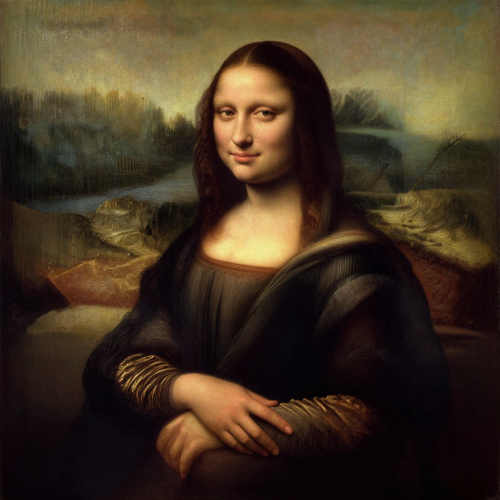
Turn One Portrait Into A Renaissance Clip With AI Mona Lisa
AI Mona Lisa is the short-form habit of dropping your own face into a Leonardo-style composition and letting it move. It rides the same wave that made famous paintings talk, sing and rap, and it is available on Textideo as a single upload. No paint, no costume, no studio day.
Try AI Mona LisaThe Hard Part With AI Mona Lisa Is Keeping The Face Recognizable
Most first attempts hit one of these three.
Make AI Mona Lisa In Three Steps
Three moves, no timeline and no keyframes. AI Mona Lisa runs the same path whether you begin from a photo or a written scene.
Start AI Mona Lisa From A Photo Or A Prompt
Upload a clear, front-facing and evenly lit portrait, or write the Renaissance scene you want instead.
Let The Portrait Become Painted
Composition, oil texture and period light are rebuilt around the face, then a restrained motion is added.
Export And Post The Clip
Preview the blink and the gaze shift, then download the vertical file and publish it where your audience already is.
What AI Mona Lisa Gives You Beyond A Filter
Three things separate a real classical remix from a cheap overlay: the composition is rebuilt, the likeness survives the repaint, and the movement stays small enough to keep the brushwork. AI Mona Lisa does all three on Textideo.
Three Ways A Living Renaissance Portrait Pays Off
The same effect covers a joke, a gift and a lesson. AI Mona Lisa clips get shared because the reference is familiar and the movement is not, and each card below is a reason people press generate.
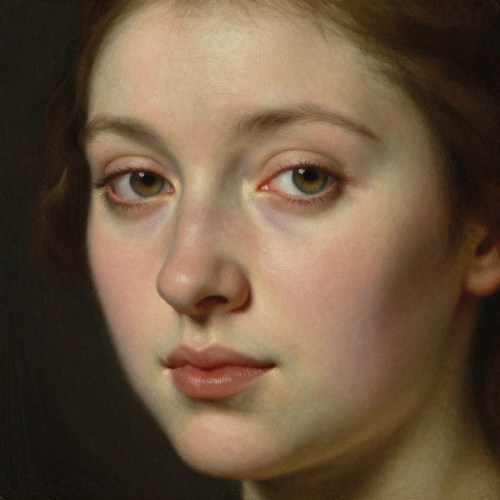
The Scroll-Stopper
A painting that blinks once and holds the viewer's gaze stops a thumb in a way a static image never does. Post it vertical, keep the first frame clean, and let the recognition carry the hook.
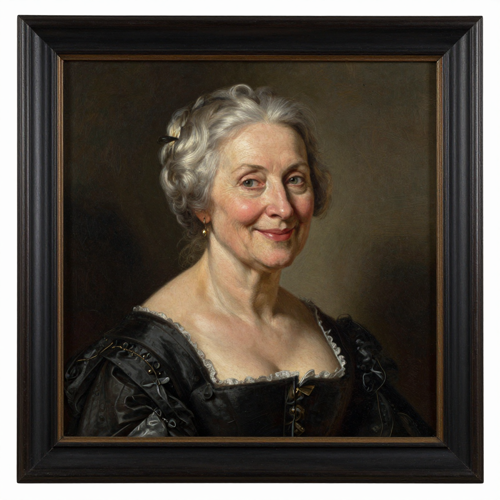
AI Mona Lisa As A Birthday Surprise
A grandparent, a partner or a friend rendered as an old-master portrait and animated for a few seconds reads as effort rather than a filter. Add one short caption and it becomes the clip people save.
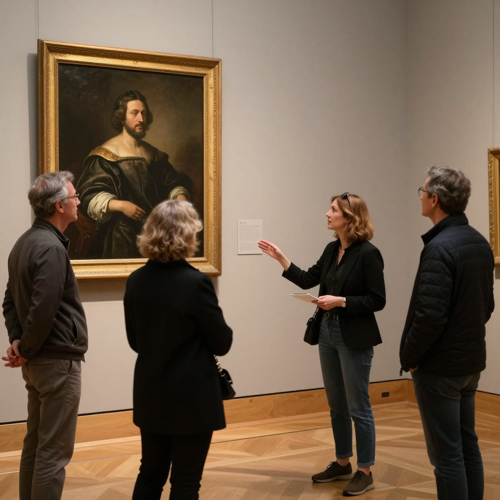
The Art-History Hook
Teachers and gallery-style accounts use the format to make a familiar painting feel current. Keep the composition readable and the movement small, then let the caption carry the date and the context.
Four Input Styles AI Mona Lisa Handles Well
Input quality decides whether the brushwork holds. These four are the sources that consistently survive both the repaint and the motion pass.
Who Struggles With Flat Portraits, And Where AI Mona Lisa Helps
Four groups hit the same wall, a still portrait that nobody watches. AI Mona Lisa turns that still into a few seconds of movement that people finish.
Short-Form Creators Chasing AI Mona Lisa Reach
A feed punishes anything that does not move, and a familiar painting that blinks is a cheap way to earn a second look. Export vertical, write a caption that still reads muted, and the clip rides a trending sound like any other post.
Photographers And Portrait Studios
Clients ask for a moving version of portraits already delivered, and booking a second session for a five-second clip is hard to justify. Painting the existing frame and animating it answers that request without another shoot day.
Teachers And Gallery-Style Accounts
Art history lands better when the painting moves. A restrained living-portrait clip gives a lesson or an exhibition post an opening image, while the caption carries the painter and the period.
Families Making Gifts And Keepsakes
A grandparent rendered as an old-master portrait makes a birthday or an anniversary feel considered. Keep the source photo clear and evenly lit, and the result reads as a gift rather than a novelty.
The Whole Workflow At A Glance
- TikTok
- Instagram Reels
- YouTube Shorts
- CapCut
Why Choose AI Mona Lisa Over A Generic Filter
A style filter repaints a face. AI Mona Lisa rebuilds the composition, the light and the movement around it, and it is available on Textideo.
The Reference Does The Work For You
Viewers already know the painting, so recognition lands before the first blink. That is why AI Mona Lisa clips get watched instead of scrolled past.
Identity Survives The Repaint
Facial structure, skin tone and hairline are mapped before any paint goes down, so the clip still reads as the person in the upload.
Motion Stays Restrained On Purpose
A slow blink and a small shift of gaze hold the paint together. AI Mona Lisa breaks down when movement is big, because brush texture smears.
Text Or Photo, Both Roads Work
Describe a Renaissance scene when you want control of the composition, or upload a portrait when the likeness matters more.
Built For Vertical Short-Form
The framing and pacing suit Reels, Shorts and TikTok feeds, which is where AI Mona Lisa clips actually travel.
One Upload, Several Takes
Generate more than one version and keep the take where the expression lands, rather than committing to the first render.
What Creators Say About Turning Portraits Into Paintings
“My feed is built on stills, and a still gets skipped. One portrait that blinks and turns toward the camera gives me an opening frame. Too much movement was the only thing that broke it.”
“Clients wanted a moving version of portraits I had already delivered, and a second session for a five-second clip made no sense. Painting the existing frame answered it in an afternoon.”
“Students glaze over at a projected still. A painting that slowly turns and holds the gaze quiets the room first, and then I can talk about composition and light.”
Questions People Actually Ask Before They Upload
Straight answers on the trend, the right photo, the movement, and what a public-domain painting lets you do.
What is AI Mona Lisa, and where did the trend come from?
AI Mona Lisa is the short-form habit of turning a portrait into an animated Renaissance painting. It grew out of the wave that made famous paintings talk, sing and rap once lip-sync and image-to-video tools moved into the browser. The name points at the reference: Mona comes from ma donna, meaning my lady.
Why this painting and not another one?
Recognition is the hook. Viewers know the half-smile and the folded hands before the clip starts moving, so the surprise of a blink lands at once. A generic classical portrait pays far less, because there is nothing for the viewer to recognize.
Do I have to upload my own face?
No. Two inputs work. A portrait keeps the likeness, which suits gifts and personal posts. A written scene gives you control over costume, light and setting instead, which suits concept work and teaching material.
What kind of photo gives the best AI Mona Lisa result?
A clear, high-resolution portrait with the face fully visible, even light and a plain background. Avoid sunglasses, heavy filters and hard shadow. A slight closed-mouth smile holds up better than a wide grin, and a front-facing shot gives more structure to keep.
What prompt should I write, and how much movement should I ask for?
Name the subject, the motion and the mood in one sentence: the painted subject blinks slowly once, the gaze shifts toward the viewer, the brushwork stays intact. Restrained motion is the trick. Fast movement smears the paint and warps the hands.
Can I make the Mona Lisa talk, sing or rap?
Yes, and that is where the trend started. Lip-sync to a trending sound, a short script or a classical piece, then keep captions on screen so the joke still reads muted. A knowing half-smile carries dry delivery better than an energetic performance.
Is it legal to put the Mona Lisa in an AI video?
The painting itself is public domain. Leonardo da Vinci died in 1519, so the original composition carries no copyright. Two caveats remain: a museum may hold rights in its own high-resolution reproduction, and the portrait you upload must be one you own or have permission to use.
Can I use an AI Mona Lisa clip in paid or commercial work?
The artwork is free to reference, so the question moves to everything layered on top. Confirm the license on the portrait you uploaded, check the terms of the tool you generated with, and label AI-generated material where a platform asks for disclosure.
How long does a render take, and what should I export?
Render time tracks the length you pick and how busy the queue is, so plan for a short wait. Export vertical for Reels, Shorts and TikTok, square for feed posts. Generate two takes if the first one misses.
Why does an AI Mona Lisa clip sometimes look wrong?
Three causes cover most failures: a source photo too dark or too compressed, motion described too aggressively, and a background busy enough to confuse the edges. Fix them in that order and the painted texture usually comes back.
Ready To Make Your AI Mona Lisa Clip?
Upload the portrait you already have, describe the movement you want, and export a vertical clip the same day. AI Mona Lisa is available on Textideo.
No credit card required - no studio - no painting skills