
Oh You Can Make It Cap AI: Cast Two Faces In The Laugh Reaction
Oh you can make it cap ai turns a misheard line from a dating-show clip into a two-photo studio scene you cast yourself. One face cracks up, the other takes the slow handbag turn, and a prepared reference keeps every cut on the beat. Upload two faces and generate.
Rated on whether both faces hold through the turn and whether the laugh still lands on the loop No credit card required - no editing timeline - no studio booking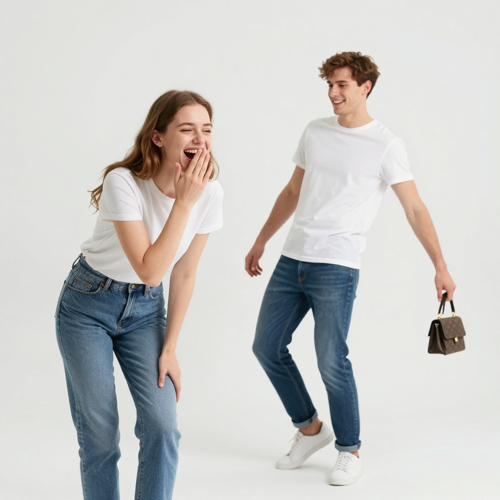
Make Oh You Can Make It Cap AI Without Filming A Studio
The exchange behind this meme happened in a bare white room: two people, one handbag, a laugh nobody could swallow. Two photos and a prepared motion reference rebuild that turn, fist bite, and reaction around whichever faces you pick, on Textideo.
Cast Your Two FacesThe Hard Part With Oh You Can Make It Cap AI Is Not The Joke
You know the laugh; staging stalls the idea.
Make Oh You Can Make It Cap AI In Three Steps
Casting is the only creative decision left. Everything after it is confirming your order, watching the result, and keeping the take you like.
Pick Your Two Faces
Upload one clear photo per person, laugher first, faces toward the camera and no heavy filters.
Generate The Studio Scene
The prepared reference drives the turn, the handbag, and the reaction while your photos supply the cast.
Watch It, Then Save It
Play the clip end to end, check both faces hold through the turn, and download the finished video.
What Oh You Can Make It Cap AI Actually Gives You
A readable turn, a timed laugh, and clear boundaries decide whether your oh you can make it cap ai remake works.
Three Ways People Cast The Same Joke
Same turn, same laugh, different people in the frame. The cast is the one variable that changes what oh you can make it cap ai means to whoever watches it.
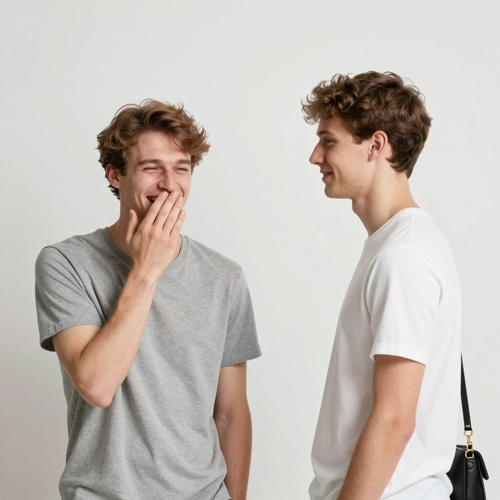
Oh You Can Make It Cap AI As A Group Chat Callback
Cast the friend who starts every joke against the one who laughs first. Nothing needs explaining, because everyone watching already knows who does what.
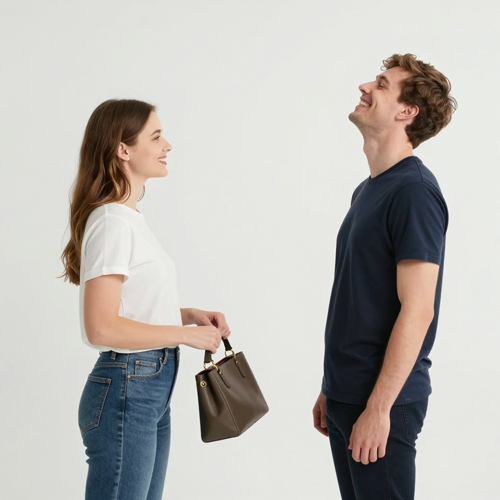
A Couple Reversing The Usual Roles
Give the quieter partner the turn and the loud one the reaction. Inverting an established dynamic reads funnier than restating it.

A Creator Post Where The Caption Carries It
The structure is already recognisable, so your text can point at one situation. Keep overlays off the face and the handbag.
Four Inputs That Fit The Same Scene
Oh you can make it cap ai casts friends, one person twice, or any pairing built on shared history, because one pair of uploads drives every version.
Who Struggles With Oh You Can Make It Cap AI
These creators understand the joke but lack the room, performance, or editing setup to stage it.
Friends Who Quote The Clip But Never Filmed It
The quote already lives in the chat. Two photos stage oh you can make it cap ai without a room or rehearsed laugh. Pick whoever actually breaks first, since that reaction is the part people quote back.
Couples After A Shared Project
Assign one role to each photo, then reverse the upload order when switching parts becomes the joke.
Short-Form Creators Chasing A Recognisable Structure
A known setup lets the caption introduce the new angle without explaining the format.
People With No Editing Software At All
No timeline, keyframes, or hand-synced dialogue: select two camera-roll pictures and generate.
Oh You Can Make It Cap AI At A Glance
- TikTok
- Instagram Reels
- YouTube Shorts
- CapCut
- Snapchat Spotlight
Why A Two-Photo Remake Beats Re-Shooting The Skit
Oh you can make it cap ai skips the room search, timing guesswork, and on-cue performance.
The Timing Already Exists
Established cuts make the laugh land without guesswork. Start the reaction a beat before the line ends so the punchline never trails the audio.
Two Photos Decide The Cast
Photo one reacts; photo two turns. Reverse their order to flip the joke without editing.
Oh You Can Make It Cap AI Needs No Prompt Writing
Scene directions are prepared, so you never describe the handbag turn or fist-biting laugh.
Faces Hold Through The Turn
Clear references keep hair, glasses, and smiles stable during the spin.
Sound Comes Attached, Not Recorded
A timed voice track places the request and reply on the intended mouths.
Short Enough To Loop
The brief vertical take can repeat before viewers finish the caption. Park the closing frame near the starting pose, so each restart reads as another pass instead of a jump.
What Creators Say About Oh You Can Make It Cap AI
“We had quoted the clip in our group chat for months, but nobody booked a room. Two photos gave us the turn, handbag, and laugh; the caption carried the private joke.”
“My kitchen version missed the beat and the reaction felt late. Prepared timing removed manual sync work, while two portraits kept both roles clear.”
“A birthday post needed familiar faces. Once both held through the turn, only the caption remained.”
Questions People Ask Before They Post
The phrase behind oh you can make it cap ai, the odd wording, audio timing, and safe remake boundaries.
Where did the oh you can make it cap ai trend come from?
It began with an audition/dating-show clip uploaded in July 2024: in a white studio, one person requests a 360, the other turns with a handbag, and the first bites a fist laughing. Reposts reached short-form feeds within days. In October 2026, creators recast it as a two-photo AI template; that remake is what oh you can make it cap ai names now.
What does cap mean in oh you can make it cap ai — is it a cappella?
Cap is the clipped end of a misheard opening line, where a request to turn around sounded like make it clap. It does not mean a cappella, which is singing without instruments, or slang for a lie.
Is oh you can make it cap ai the same thing as the oh he tweakin meme?
Yes. Both names point to the same studio exchange. The tweaking words come mid-laugh; the later template name follows the misheard opening line. The turn, handbag, and reaction remain unchanged.
What photos work best for an oh you can make it cap ai video?
Use one person per photo, facing camera in even light without sunglasses or heavy filters. Waist-up or full-body framing leaves room for the turn. Upload the laugher first and handbag role second. Shoot both pictures from the same distance so faces arrive at one scale. Reuse one window or lamp for both, then confirm neither head throws a shadow onto the wall.
Do I need to write a prompt to make one?
Not on the template route: prepared scene directions control the action while your photos set the cast. A general video model needs a prompt that assigns each photo a role.
What prompt should I use if I build oh you can make it cap ai by hand?
Copy this block and replace the brackets: Two people in a plain white studio, with alternating shots timed to reference audio. Shot one: [PHOTO 1] requests a 360, waves, bites a fist, and laughs. Shot two: [PHOTO 2] turns slowly, raises a handbag, and looks over one shoulder. Shot three: [PHOTO 1] laughs harder. Preserve both faces and the background, sync mouths to the audio, use vertical framing, and avoid camera moves.
Where does the audio come from, and how do I sync it?
The template carries a timed voice track. For a manual build, choose a licensed sound in your platform library or record the lines in a quiet room, then add them to a silent export. Sync each mouth opening to its line; unrelated lip movement will drift. Leave three or four silent frames before the request so the opening word survives a loop restart. End the export once the laugh settles instead of cutting mid-breath.
Can I just upload the original clip with my faces on it?
Do not repost the untouched source as your work. The footage and extracted sound remain their creators' material. Use new visuals plus a licensed sound or your own recording, and apply the platform's AI label.
Whose photos am I allowed to use?
Use your own likeness or an adult who agreed to appear. Avoid public figures, strangers, and minors without guardian consent. Permission covers the person depicted; it does not grant rights to source footage or audio.
Why does my oh you can make it cap ai video look different every time?
Results vary because expressions and movement are generated, while photo quality controls how much must be invented. If identities blur, retry with sharp single-person images in similar light and review the displayed cost before generating again. When the turn arrives as a fast rotation rather than a reveal, upload a picture with shoulders level and the face square to the lens. A straight-on pose asks for less invention, so the movement resolves into a held look.
Cast Your Oh You Can Make It Cap AI Scene
Pick two faces, keep the laugher first, and let the reference handle the turn. Review the result, on Textideo.
No credit card required - no editing timeline - no studio booking