
AI Angel Wings Effect: Make Wings Unfold Behind Any Portrait You Own
An AI angel wings effect grows a pair of feathered wings behind the person in one photo, then animates them with a slow unfurl and a soft halo of light. Upload a portrait with visible shoulders and some space behind them, choose a wing style, and the wings are generated into the same frame instead of pasted on top of it. What you download is a short clip where feathers, shadows and rim light already agree with the photo you started from.
Rated by portrait makers who need wings that match the light No credit card required - no photo cut-out - no compositing layer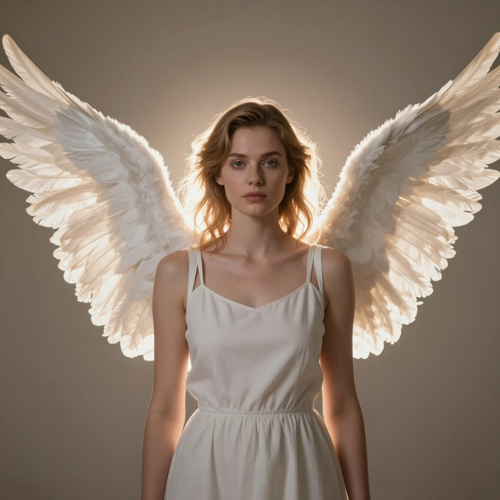
One Portrait In, an AI Angel Wings Effect Out
No masking, no cut-out and no compositing layer. Choose a wing style, set the light, generate, then check how the feathers meet the shoulders before you download. Start your first AI angel wings effect on Textideo.
Make an Angel Wings ClipThe Hard Part With an AI Angel Wings Effect Is Where the Wings Attach
Three problems turn up in almost every first attempt.
Make an AI Angel Wings Effect in Three Steps
Pick a portrait, choose the wings, then review the frame and download the clip.
Upload One Clear Portrait
Choose a frame that shows the shoulders with space behind them. Half-body and full-body shots work better than a tight face crop.
Choose the Wings and the Mood
Pick feather colour and span, decide how much they move, then set the light: soft white at dawn, dark feathers at blue hour, warm gold for an anniversary.
Check the Frame and Download Your AI Angel Wings Effect
Watch where the wings meet the back, confirm the face held its shape, then export vertical, square or widescreen for wherever you are posting.
What an AI Angel Wings Effect Changes Inside Your Frame
Three things decide whether generated wings read as part of the photograph.
Where an AI Angel Wings Effect Earns Its Place
Three frames where wings carry a feeling that a caption cannot.
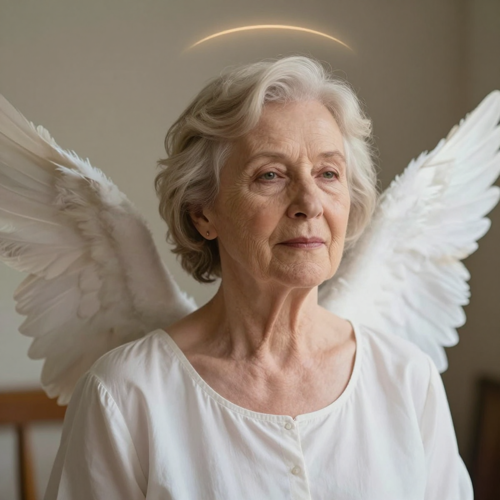
Tribute Clips an AI Angel Wings Effect Handles With Care
A memorial slideshow usually has one photograph carrying the closing minute. Soft wings, a gentle halo and almost no movement let that frame hold the room, and the light matches the original print.
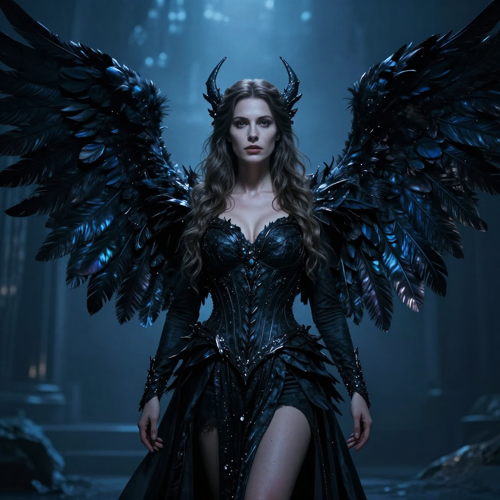
Fantasy Portraits Without a Props Budget
Costume shots, themed portraits and character frames gain scale once a wide spread is generated behind them. Dark glossy feathers and cool grading turn one pose into a poster without building a wing.
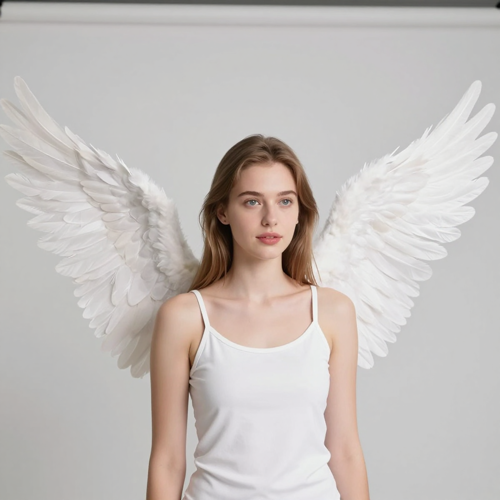
Reels Built on One Still Image
A feed that runs on photographs dies in the first second when nothing moves. An unfurl behind a portrait supplies that opening motion, and vertical export means the clip posts without a crop.
Four Photos an AI Angel Wings Effect Reads Well
Wings unfold outward and backward, so framing and shoulder line decide most of the result.
Who Struggles to Fake an AI Angel Wings Effect by Hand
Four groups hit the same wall: a portrait they love and no way to attach wings that look grown.
Families Building Memorial Slideshows
One photograph often has to carry the closing minute of a service, and a stock wing overlay never matches the light in it. A generated pair turns the photo the family already owns into that closing frame.
Short-Form Creators Who Need an AI Angel Wings Effect
Reels and Shorts punish a first second that does not move, and plenty of feeds run on photographs. A pair of wings opening behind one still supplies the hook.
Portrait and Wedding Photographers
Clients increasingly ask for a moving version of the stills they just bought. Running an AI angel wings effect on a delivered frame adds a second deliverable to the same session.
Costume, Cosplay and Fantasy Creators
A costume shot gains atmosphere once wings and light are generated into it, and none of it needs a props budget. Several styles can be tested against one pose before choosing a final.
An AI Angel Wings Effect at a Glance
- TikTok
- Instagram Reels
- YouTube Shorts
- Facebook Reels
Why an AI Angel Wings Effect Beats a Cut-and-Paste Composite
Six reasons to generate wings into the frame instead of layering stock art behind it.
One Photo Is All an AI Angel Wings Effect Needs
A single clear frame is the entire input. No 3D model, no green screen, no reference angles shot on the day.
Wings Anchored to the Shoulder Line
Placement follows the shoulders and the direction the body faces, so the wings sit behind the back instead of floating mid-frame.
Light Borrowed From the Original Frame
Highlights, colour temperature and rim light are read from your photo, which is the detail that separates grown wings from pasted ones.
An AI Angel Wings Effect Can Hold Almost Still
Tribute clips usually want barely any movement at all. Ask for minimal motion and the wings open once, then hold while the light drifts.
Any Ratio the Channel Wants
Export vertical for Reels and Shorts, square for a feed post, or widescreen for a slideshow, without re-uploading the source.
Re-render Until One Frame Feels Right
Change feather colour, span or time of day and generate again. Variants take minutes, so the version you keep is the one that looked right.
What People Say After Their First AI Angel Wings Effect
“Our memorial slideshow needed one photo of my grandmother to carry the closing minute, and every wing overlay I tried looked like a sticker. Generating the wings into the frame gave us feathers that caught the same window light. Nobody asked how it was done.”
“I shoot portraits, not fantasy, so I assumed wings would look cheap. The generated pair follows the shoulder line and picks up rim light from the original frame, which is what hand compositing always got wrong. It now sells as an add-on to a normal session.”
“My feed runs on stills, and a static post dies in the first second. One unfurl behind a portrait gives me movement without a shoot day.”
Questions People Ask About the AI Angel Wings Effect
Real questions from photographers, families and creators who add wings to a photo they already own.
What is an AI angel wings effect?
It is a generated transformation that takes one still photo and grows feathered wings behind the person in it, usually with a soft halo and warm light rising through the frame. The wings are rendered into the same scene rather than layered over it, so they pick up its light direction and depth. What comes back is a clip, not a static overlay.
What kind of photo gives the cleanest wings?
A half-body or full-body frame with visible shoulders and space behind them, because wings unfold outward and backward and a tight head crop leaves them nowhere to go. Even, soft lighting gives the added glow something to agree with, and a sharp face holds likeness best. Simple backgrounds help, since a busy street competes with the feathers.
Will the person still look like themselves?
Usually, as long as the source photo is sharp, well lit and roughly front-facing. The effect holds the face and expression while wings, halo and atmosphere are generated around the person. Old scans still work but expect softer detail, and a line asking for the face to stay unchanged is worth adding.
Can an AI angel wings effect be used on a photo of someone who has died?
Yes, and memorial slideshows are among the most common uses for an AI angel wings effect. Pick a photo where the person looks peaceful and centred, keep the wings soft rather than enormous, and let the motion stay almost still. Only use images you have the right to use, and check that the family is comfortable before sharing.
Can two people get wings in the same clip?
They can if both people are already in the photo you upload, since the effect treats the whole frame and lights every figure the same way. Some tools wing only the central subject, so check what yours actually did.
How long should an AI angel wings effect be?
Five seconds suits social posts, where the spread has to land inside the first second. Ten seconds gives the wings room to open slowly and reads as ceremonial, which is why tribute clips usually take the longer option.
Which ratio should I export for TikTok, Reels and Shorts?
Export 9:16 for Reels, Stories, TikTok and Shorts, 1:1 for a square feed post, and 16:9 if the clip is joining a slideshow. The same generation can usually be re-exported at another ratio without re-uploading the photo.
Does an AI angel wings effect work on pets?
It does. Subject detection reads a dog, a cat or any clear animal figure the way it reads a person, and scales the wings to the body in frame. Small soft wings suit animals better than a full archangel spread. Keep the animal sharp.
Why do my wings look pasted on, or float behind the subject?
Three causes cover most bad results: a crop with no room behind the shoulders, a busy background that fights the feathers, and light that contradicts the glow being added. Widen the framing, simplify what sits behind the subject and choose softer light. Minimal motion helps too.
Is there a free AI angel wings effect, and can I use the clip commercially?
Most tools here offer a free tier or a few starting credits, though the free version often carries a watermark and shorter clips. Commercial rights usually sit behind a paid plan, so read the licence before a generated AI angel wings effect goes into client work. Consent matters too: only animate a photo of someone who agreed.
Your Next AI Angel Wings Effect Is One Photo Away
Upload the portrait you already own, decide how the wings should look, and watch them open before you commit to anything.
No credit card required - no photo cut-out - no compositing layer