
AI Camera Orbit Video Effect: Turn One Still Photo Into a Full 360 Camera Move
An AI camera orbit video effect circles the camera around your subject while the subject stays locked in place. Upload one clear photo of a product, a person, a vehicle or a character, and the camera travels an arc or a full 360 degree path around it. You get a short clip with real parallax and moving highlights, without a turntable, a 3D file or a studio day.
Rated by sellers and creators who need 360 spins without a turntable No credit card required - no 3D file - no turntable rental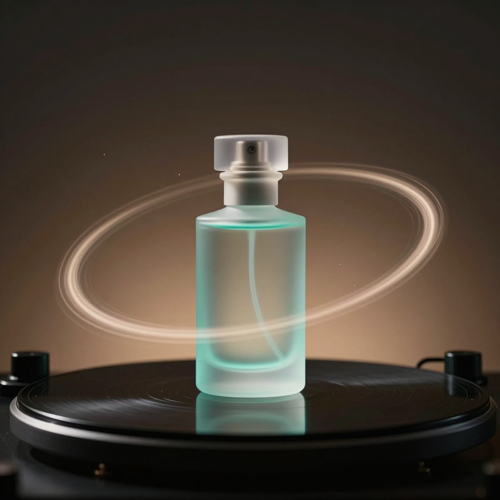
One Photo In, a Full AI Camera Orbit Video Effect Out
A static packshot, a portrait or a parked car can already carry a whole camera move. Choose the path, set the ratio, generate, then review the turn before you download it. Start your first orbit on Textideo.
Create an AI Camera Orbit VideoThe Hard Part With an AI Camera Orbit Video Effect Is What the Camera Never Saw
Three problems show up in almost every first attempt.
Make an AI Camera Orbit Video Effect in Three Steps
Pick a photo, choose the path the camera travels, then review the result and download it.
Upload One Clear Photo
Choose a frame with one obvious subject and space around it. Packshots, portraits, parked cars and character poses all work.
Pick the Orbit Path
Set a full 360 degree circle, a 180 degree arc, bullet time or a hero reveal, then choose direction, speed, ratio and length.
Check the Turn and Download
Watch the seam where the camera comes back around, confirm the subject held its shape, then export your AI camera orbit video effect for a page or a feed.
What an AI Camera Orbit Video Effect Gives You
Three things decide whether an AI camera orbit video effect reads as cinematography or as an artifact.
Where an AI Camera Orbit Video Effect Earns Its Place
Three situations where the turn says something a static frame cannot.
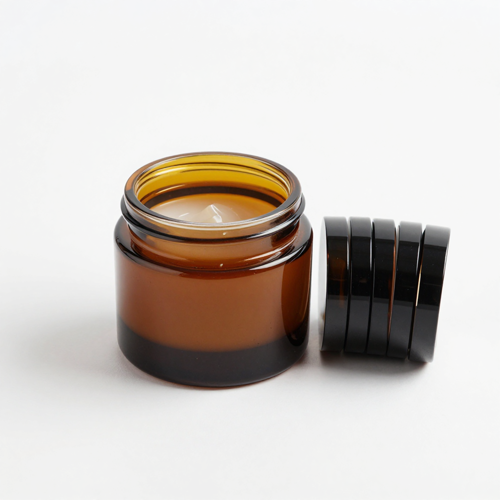
Product Pages an AI Camera Orbit Video Effect Fixes
A slow circling camera tells a shopper more about shape, material and finish than a flat gallery does. Sellers run a full turn on bottles, jars and collectibles, then drop to a shorter arc for shoes and bags.
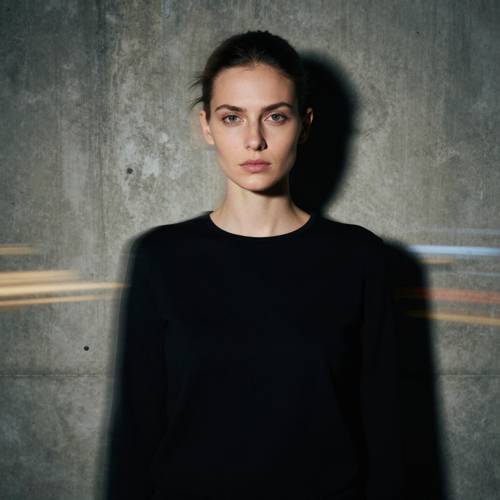
Portraits With a Camera That Refuses to Sit Still
Fashion edits, profile films and social intros gain motion without asking the subject to perform. The pose holds while street walls or studio light sweep behind it, so the result reads as direction rather than a filter.
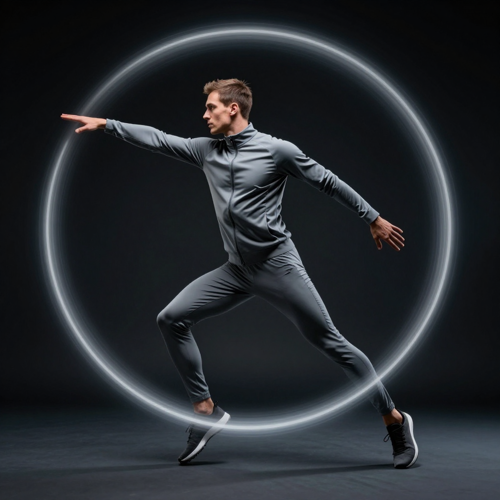
Frozen Bullet-Time Character Reveals
Hold a costume, a sports pose or a concept frame still while the viewpoint travels a dramatic arc. The AI camera orbit video effect borrows the language of bullet time, so one image can open a reel with the weight of a crewed shot.
Four Subjects That Suit an AI Camera Orbit Video Effect
Any frame with one clear subject and room around it can carry a camera move.
Who Struggles Most With an AI Camera Orbit Video Effect
Four groups hit the same wall: one good still and no practical way to move a camera around it.
Online Sellers With One Product Photo
Marketplace listings reward motion, but a turntable shoot costs money and time most small sellers do not have. A generated turn converts the photo they already own into the clip the listing wants.
Short-Form Creators Working From Stills
Reels and Shorts need a hook inside the first second. When the only asset is a still, a circling camera supplies that opening movement without a shoot day.
Portrait and Product Photographers
Clients increasingly ask for a moving version of a delivered still, and an AI camera orbit video effect adds a second deliverable to the same session instead of a second booking.
Small Brands Without a Video Budget
Agency quotes for one product film put it out of reach for many catalogs. A generated camera move keeps the cost per clip low enough to test variants and keep the winners.
An AI Camera Orbit Video Effect at a Glance
- TikTok
- Instagram Reels
- YouTube Shorts
- Shopify
- Amazon
Why an AI Camera Orbit Video Effect Beats a Turntable Shoot
Six reasons to generate an AI camera orbit video effect instead of booking a rig.
One Photo, One AI Camera Orbit Video Effect
An AI camera orbit video effect needs a single clear frame, not a 3D model, a turntable or a set of angles shot on the day.
The Subject Holds Its Shape
Continuity rules keep a logo, a label or a face from drifting mid-turn, so the product still reads as the product on the far side.
Four Paths You Can Name
Pick a full 360 degree circle, a safer 180 degree arc, a frozen bullet-time move or a low hero reveal, then set direction and speed.
Speed Becomes a Creative Choice
Slow passes read as premium on a product page, faster ones suit a social hook. Either way the camera holds its distance.
Any Ratio Your Channel Wants
Export vertical for Reels and Shorts, square for feed posts, or widescreen for a website hero, all without re-shooting the source.
No Rig, No Render Farm
The move is generated online, so a small team can test a camera idea in minutes instead of booking a studio.
What Creators Say About the AI Camera Orbit Video Effect
“We had one decent packshot and a listing that wanted video, and a turntable shoot for a single SKU never made sense. A generated orbit gave us the turn in an afternoon. Only the side the model guessed wrong needed re-shooting.”
“My portraits were fine but flat, and clients kept asking for motion on delivery. The pose holds while the background sweeps past, so the clip looks directed rather than filtered. One still became two deliverables.”
“Reels open badly when the first second does not move, and most of what I have is stills. A short arc gives me that movement with no shoot day. Slow passes read best, because fast ones smear the product.”
Frequently Asked Questions About the AI Camera Orbit Video Effect
Real questions from sellers, creators and photographers who work with generated camera moves.
What is an AI camera orbit video effect?
It is a camera move generated around a subject that stays put. The model reads the depth and shape in one photo, then renders the view from angles the photo never showed. The subject holds the centre while the background sweeps past, which separates an orbit from rotating the object itself.
Can an AI camera orbit video effect work from a single photo?
Yes, one clear JPG or PNG is enough to start. The model estimates depth, separates the subject from the background, and fills in the sides it cannot see. Treat the result as a motion clip built on one viewpoint, not a capture from every angle.
Will the back of my product look accurate after a full 360 degree orbit?
Not reliably. The model only saw the front, so anything behind it is a guess rather than a record. If the back carries ports, labels or a different finish, add a real photo of that side and keep the generated AI camera orbit video effect to the front of the turn.
Should I use a full orbit or a shorter arc?
A short arc is the safer default for an AI camera orbit video effect. Twenty to sixty degrees reveals a three-quarter view with far less invented geometry, while a full circle suits symmetrical items like bottles and jars. Widen the arc once the subject holds still.
How long should an AI camera orbit video effect be?
Short clips hold up better. Three to five seconds keeps the identity load on the model small, and five to ten seconds reads as premium on a product page. Orbits squeezed into a couple of seconds tend to lose detail on the subject.
What kind of photo gives the cleanest result?
One sharp subject with space around it, even lighting without harsh shadows, and some distance between foreground and background so the turn produces parallax. The subject should fill roughly 60 to 80 percent of the frame and sit square to the camera.
Why does my subject warp or flicker while the camera turns?
Drift is the first thing most people hit with an AI camera orbit video effect, and it comes from asking the model to invent too much at once. Simplify the background, shorten the arc, slow the move down and prompt in camera words only.
Do I need to remove the background first?
Not required, but it helps a great deal. A busy background forces the model to rotate a whole scene behind the product, and that is where distortion starts. A plain backdrop leaves the camera only one object to circle.
Can I use an AI camera orbit video effect on TikTok, Reels and Shorts?
Yes. An AI camera orbit video effect exports vertical for TikTok, Reels and Shorts, square for feed posts, and widescreen for a website hero. Medium speed with music suits social, while a slow loop that returns near its start suits a product page.
Is it acceptable to use a generated orbit on a marketplace listing?
Check the marketplace rules before uploading, because each platform sets its own requirements for product imagery and video. Whatever they say, the item shown has to match what the buyer receives, so review every side of the clip against the real product. The effect is available on Textideo if you want to test a turn first.
Your Next AI Camera Orbit Video Effect Is One Upload Away
Upload the photo you already have, pick the path the camera travels, and see how the turn reads before you spend anything on a shoot.
No credit card required - no 3D file - no turntable rental