
AI 3D Polaroid Video Effect: Turn One Still Photo Into a Print That Moves
An AI 3D Polaroid video effect takes one photo and hands it back as a living instant print: the image settles into a white frame, a hand lifts it, and the picture tilts with real depth behind the glass. Portraits, pets, old scans and travel snapshots all work, because the model needs one frame to build its depth map. Upload the picture you already keep on Textideo and watch a still become a five-second memory.
Rated by creators turning stills into prints that move No credit card required - no 3D file - no second shoot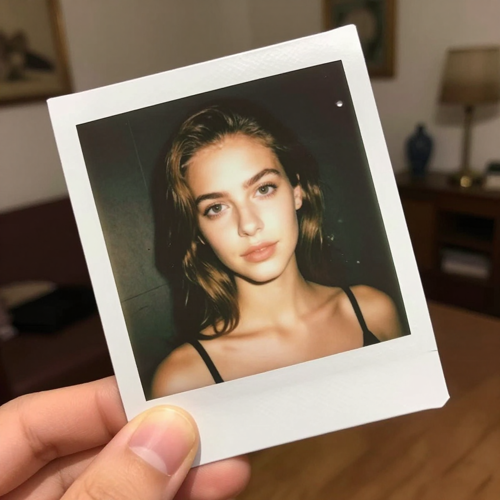
An AI 3D Polaroid Video Effect Only Needs One Photo You Already Own
Most people arrive with one picture and no clear way to make it hold attention. An AI 3D Polaroid video effect wraps that photo in the white border of an instant print, builds depth into it, and lets a hand lift the result. The clip comes out short and finished, which is what a nostalgia edit needs.
Make a 3D Polaroid VideoThe Hard Part With an AI 3D Polaroid Video Effect Is the Depth That Is Not There
Every first attempt tends to hit one of these three.
Make an AI 3D Polaroid Video Effect in Three Steps
Pick a photo, choose how the print moves, then watch the reveal and export it.
Upload One Clear Photo
Choose a sharp frame with one obvious subject: a portrait, a couple, a pet or an old scan.
Set the Reveal and the Motion
Pick the Polaroid frame, then choose a tilt, a slow zoom or a float, and the speed it happens at.
Preview and Export Your AI 3D Polaroid Video Effect
Watch the lift, confirm the subject held its shape, then download the clip for a feed or a post.
What an AI 3D Polaroid Video Effect Does With One Photo
Three parts decide whether a moving print reads as a memory or as an overlay.
What an AI 3D Polaroid Video Effect Looks Like Finished
Three places where a moving print does work a still photo cannot.
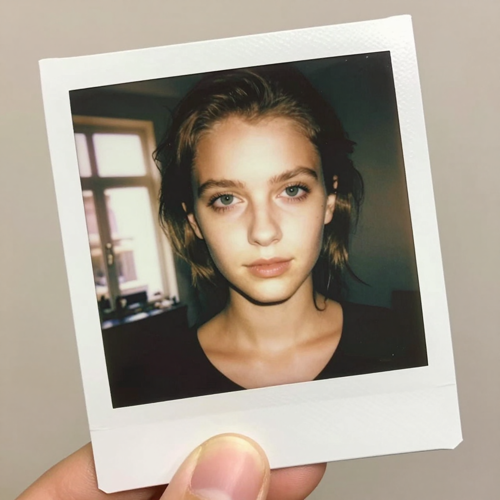
Nostalgia Edits That Open a Reel
A photo that tilts toward the camera gives a Reel or a Short a first second worth watching. The white border tells viewers they are looking at a memory before it moves.
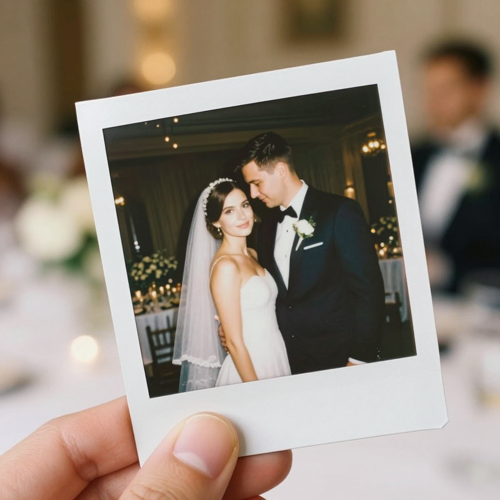
Wedding and Event Deliverables From One Still
A photographer hands over a gallery, then one moving print from the same session. An AI 3D Polaroid video effect turns a delivered frame into the clip clients post.
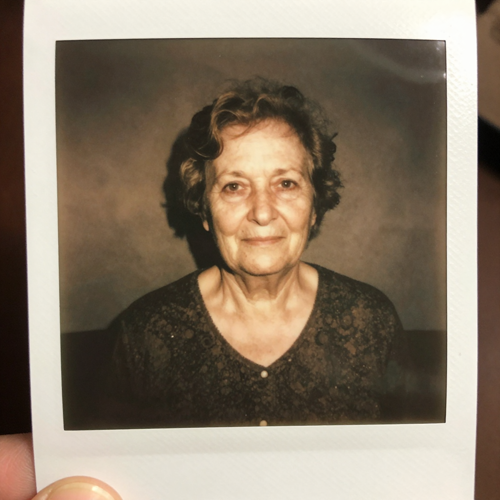
An AI 3D Polaroid Video Effect for a Quiet Memorial Post
Old scans, faded colour and a slow lift suit remembrance better than a flashy transition. The subject holds still while the print moves, which reads as care.
Inputs an AI 3D Polaroid Video Effect Handles Well
Any single frame with one clear subject can carry this format.
Who Struggles Most With an AI 3D Polaroid Video Effect
Four groups reach for the same thing: a still they love and no practical way to make it hold attention.
Short-Form Creators With Only Stills
A feed rewards motion, but most personal archives are stills. An AI 3D Polaroid video effect supplies the opening movement without a shoot day.
Wedding and Event Photographers
Clients ask for a moving version of a frame already delivered. One moving print becomes a second deliverable.
Families Archiving Old Scans With an AI 3D Polaroid Video Effect
Shoebox prints and scanned albums are the material this format was built around. The border, the grain and a slow lift give a memory weight.
Small Brands and Musicians
Retro framing reads as authentic in a way a motion template does not. A five-second reveal works as a teaser, a merch post or an album loop.
An AI 3D Polaroid Video Effect at a Glance
- TikTok
- Instagram Reels
- YouTube Shorts
- Etsy
Why an AI 3D Polaroid Video Effect Reads as a Memory, Not a Filter
Six things separate a moving print from a photo with an overlay sitting on it.
One Photo Is the Whole Input
An AI 3D Polaroid video effect needs a single JPG or PNG, not a 3D file, a second angle or a shoot.
The Reveal Is the Point
The image settles into a white frame and a hand lifts it, so the border arrives inside the motion, not on top of it.
An AI 3D Polaroid Video Effect Builds the Depth In
Depth comes from a single flat image: the subject lifts off the background, and a slow tilt turns that separation into visible parallax.
The Subject Stays Recognisable
Expressions, a pet's markings and an object's shape are held through the move, which is what keeps the print honest.
Short by Default
About five seconds covers the reveal and the tilt, and a short loop plays more often in a feed than a long one.
Any Ratio Your Channel Wants
Export vertical for Reels and Shorts, square for a feed post, or widescreen for a banner, all from the same photo.
What Creators Say About the AI 3D Polaroid Video Effect
“My archive is almost all stills, and a feed punishes anything that does not move. One print that tilts toward the camera gives a Reel an opening without a shoot day.”
“Clients wanted a moving version of frames I had already delivered, and a second booking for one clip made no sense. The same portrait became a print the family actually posts. Only the fastest speeds smeared the face.”
“We had shoebox scans and no negatives. The grain and faded colour matched the format on their own, so a slow lift was all they needed.”
Frequently Asked Questions About the AI 3D Polaroid Video Effect
Real questions from people turning a still photo into a print that moves.
What is an AI 3D Polaroid video effect?
It is a short clip that presents one still photo as a moving instant print. The AI estimates depth in your image, wraps it in the white border of a Polaroid, then animates a reveal where a hand lifts the print and the picture tilts. One upload gives you the nostalgia of a physical print and the motion of a clip.
Can an AI 3D Polaroid video effect work from one photo?
Yes, a single JPG or PNG is the entire input. The model reads the depth cues in that frame and separates the subject from what sits behind it, so no second angle or 3D file is required. A sharp image with one clear subject gives the estimate most to work with.
How long is a finished AI 3D Polaroid video effect?
Clips in this format are built short, and about five seconds is the usual result. That covers the reveal, a slow tilt and a beat of stillness without asking anyone to wait, and a short clip loops more often in the same slot.
Which photos make the best 3D Polaroid clips?
A sharp, well-lit frame with one obvious subject and some space around it. Strong contrast and a plain background keep the depth estimate clean, and a front-facing upper body or full-body pose holds its shape through the tilt. Crowded scenes leave the model more to invent.
Will my face, my pet or my subject still look like itself?
Subject continuity is the part that decides whether the clip works. The AI holds the details that make a picture recognisable: expressions across a group, the markings on a pet, the shape of an object. If a face drifts, simplify the background and shorten the move.
Should I cut the subject out of the photo beforehand?
Not required, but it helps with crowded shots. A plain backdrop gives the depth map fewer edges to separate, so the parallax reads as depth rather than smearing. With a photo you already love, try it as it is first and only cut the background if the tilt looks wrong.
Can I use an AI 3D Polaroid video effect on TikTok, Reels and Shorts?
Yes, and the format suits them. Vertical fits Reels and Shorts, square fits a feed post, and widescreen fits a site banner, and all three come out of one render. A music track under a five-second reveal does most of the emotional work.
How is this different from a plain photo animation or a Ken Burns pan?
A pan slides across a flat image, while an AI 3D Polaroid video effect moves through it. The depth map lets the subject sit in front of the background, so a tilt produces real parallax rather than a travelling crop. The frame, the hand and the reveal belong to the effect, not an overlay.
Can I add a caption or handwritten note to the white border?
Generators in this category often let you write on the white border the way you would on a real print, and a short line in a marker-style font suits the format. Keep it to a few words, because the border is narrow and the clip is short. If yours has no text control, an editor can add it over the finished clip.
Can I use old scanned photos, and are they right for memorial posts?
Old scans are among the best inputs, since their grain and faded colour already match the instant-film look. For memorial posts keep the motion slow and the framing plain, and check who holds the rights to a scanned image before publishing. A test render costs nothing on Textideo, so try one before you commit.
Your Next AI 3D Polaroid Video Effect Is One Photo Away
Upload the picture you already have, choose how the print moves, and watch the whole reveal before you spend anything on a shoot. The effect is available on Textideo.
No credit card required - no 3D file - no second shoot