
Unforgettable Car Trend: Numbered Cards, One Flick, One Reveal
The unforgettable car trend turns a numbered card flick into a car reveal, so the cut hides the swap instead of explaining it. Bring one waist-up photo with a clear front-facing face, then let a fixed motion reference carry the walk-up, the flick and the turn. Below sit a photo checklist, the beat map for the cut, and the disclosure steps to finish first.
Practical notes rated useful by creators testing one-photo car reveals No credit card required - no sign-up - label the clip before you postMake Your First Unforgettable Car Trend Clip
One waist-up photo sets the face and outfit; a fixed reference carries the walk-up, the flick and the turn. Pick the shortest length offered so a weak photo costs little, and keep only takes that survive a full-speed watch. Log one variable per attempt - that note separates a lucky unforgettable car trend clip from a reusable method.
Make the reveal clipWhy the Unforgettable Car Trend Hides Its Swap
Three beats carry the format: the walk-up, the flick, and what stands behind you afterwards. Test them one at a time, hold the framing steady, and reject any take where the car arrives before the cards clear.
One Person, One Waist-Up Frame
Bring one adult with a clear front-facing face, readable hair, and room around the shoulders. Group shots split the identity lock, and a busy background hands the model extra objects to redraw between frames.
Unforgettable Car Trend Card Handling
Hold the two numbered cards flat and close enough that they fill the frame before the flick. Small printed detail is the first thing a video model loses, so plan on a rerun.
The Reveal Stays Parked
The car should sit behind you, wheels down, from the moment the cards clear. A vehicle that floats, stretches, or changes paint between frames reads as a glitch rather than a payoff. Shorten the run before blaming the lighting.
Vertical Framing Over Landscape
Choose 9:16 when the destination is a vertical feed, and plan the shot so the face, the cards and the vehicle share one frame. A landscape render forces a crop that usually drops the wheel or badge the reveal depends on.
Beat Alignment at the Cut
Cut on the frame where the cards cover the lens, then land the reveal on the strongest beat. That alignment is what makes a short clip feel edited, not accidental.
Unforgettable Car Trend Credit Planning
Credit spend tracks length and model choice, and a weak photo shows inside two seconds anyway. Run the cheapest option and promote a longer cut only after a short one passes.
Unforgettable Car Trend Walkthrough in Three Steps
Work one variable at a time. Three disciplined passes teach more about this preset than a dozen random ones, especially when the fault sits in the reveal.
Pick One Clear Waist-Up Photo
Choose a sharp solo image with even light, an unobstructed face, and visible shoulders. One subject per frame keeps identity stable through the turn.
Add a Car Photo Only If You Want Your Own
Upload the person photo first, then decide whether a vehicle picture belongs in the run. Shoot outdoors under flat daylight, standing to one side so the full body fits.
Review the Flick, the Reveal, and the Turn
Play the clip end to end and judge the face, the clothing, the card motion, and whether the car sits on the ground. When one beat breaks, change the photo.
Unforgettable Car Trend Choices That Change the Take
Three choices decide whether an unforgettable car trend clip survives review: the photo you submit, the frame you keep, and the moment you cut. Test them in that order, since no setting rescues an image that never showed the face.
Unforgettable Car Trend Review Notes
Judge every unforgettable car trend take on beat order, identity stability, and vehicle contact - in that order. A clip with a beautiful walk-up can still fail all three.

Order Before Polish
Compare the take against the three beats: cards fill the lens, car appears, subject turns. If the order scrambles, swap the photo rather than stack more instructions.
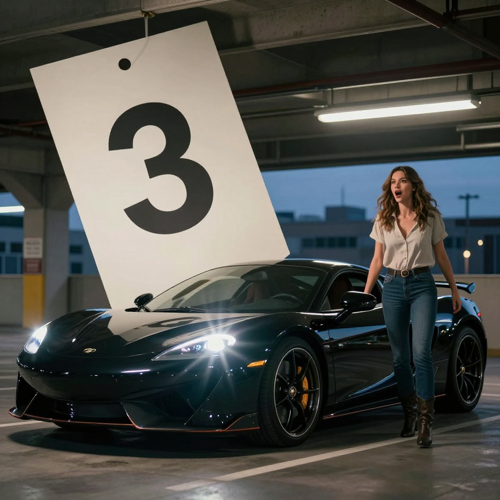
Unforgettable Car Trend Identity Checks
Watch the face, the hairline and the collar from the first frame to the last. Drift grows with duration, so two short cuts spliced together hold a subject better.
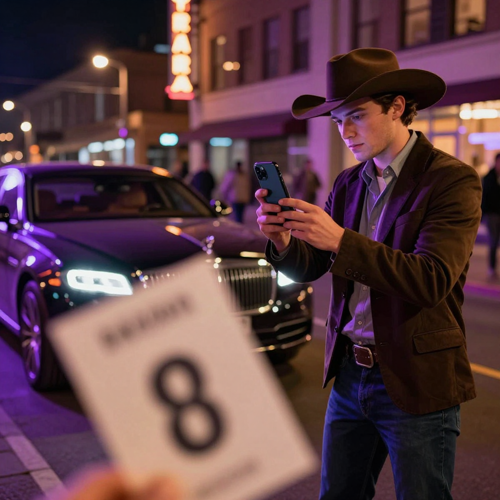
Wheels, Paint, and Ground Contact
Step through the reveal frame by frame: one body colour, one wheel shape, clear contact with the ground. Then watch the two seconds after - the subject should turn toward it.
“Front-facing and no sunglasses was the fix. Every soft photo we tried handed the reveal to somebody else.”
Solo creator workflow, paraphrased from research themes
“We cut on the frame where the cards filled the lens, and the car finally landed on the beat.”
Short-form editor workflow, paraphrased from research themes
“A plain daylight shot of the whole car held its shape. A cropped one never did.”
Car enthusiast workflow, paraphrased from research themes
Unforgettable Car Trend Input Types
Each input solves one problem: the person photo pins identity, the car photo decides what appears behind you, the brief invents the variation, the audio sets the rhythm.
Who Struggles Before Trying the Unforgettable Car Trend
These four share one shape: someone can picture the reveal and keeps receiving a clip that misses it. Each entry names the failure first, then the smallest test.
Creators Losing the Face at the Lens
The subject travels close to the lens for a couple of seconds, and that is where a soft photo falls apart. The unforgettable car trend earns a trial when the reveal matters most.
Unforgettable Car Trend Dream Car Swaps
A vehicle photo is the only way to put your own car behind you, and a cropped or shadowed shot returns a different model. Never present the clip as proof about a car you own.
Editors Who Need the Beat to Land
A preset ships its own timing, so a different cut point has to come from your edit. If the beat is the point, generate the reveal, then re-cut it against licensed audio.
Beginners Burning Credits on Group Shots
Two people in the source photo split the identity lock, and a bad crop costs as much as a good one. Test at the lowest length with one subject and change one thing at a time.
Unforgettable Car Trend Facts at a Glance
- TikTok
- Instagram Reels
- YouTube Shorts
- CapCut
- Snapchat
Unforgettable Car Trend Questions Answered
These answers cover what the reveal is, photo choice, whether your own car can appear, beat alignment, consent, and labelling. Trend timelines move quickly, so check the current terms where you intend to post.
What is the unforgettable car trend?
The unforgettable car trend is a short reveal: a walk-up, two numbered cards flicked at the lens, and a car behind you once the cards clear. The generator rebuilds a fixed motion reference from your photo, so movement comes from the preset and appearance from you.
Do I need to write a prompt or upload a video?
Not on a preset built around a fixed reference. One person photo is enough, since the walk-up, the card motion and the framing are supplied. A car photo is optional and only matters on versions that swap in your own vehicle.
What photo works best?
Use one sharp waist-up image of an adult with a clear front-facing face, readable hair, and nothing crossing the cheeks or eyes. Skip sunglasses, group shots, children and celebrity images, and only use a photo you own or may alter. Even light beats dramatic light.
How do I write an unforgettable car trend prompt?
Keep it to four short lines: the subject, the cards, the reveal, and what happens next. Describe visible actions rather than moods, because feeling words push the model toward a redraw.
Can I put my own car in the reveal?
Yes, on versions that accept a second photo. Supply a daylight shot of the whole car from the side or the front corner, with a plain background and no people in it. Expect drift on the first attempt.
How long should the clip be?
Short is safer. Three beats have to land, and idle seconds only widen the window for facial and vehicle artifacts. Set the shortest length the generator offers and buy extra time only after a short unforgettable car trend take has cleared review.
Why do the cards sometimes show the wrong numbers?
Small printed detail is the first thing a video model loses, especially once the cards move fast past the lens. Rerun before changing anything else, and keep the cards flat and large in frame.
Can I use a celebrity photo or a friend's face?
Stick to your own face, a consenting adult who said yes, or an original character. Several platforms require a label when a realistic clip puts a real person somewhere they never stood.
Do I need to label the clip as AI-generated?
Yes, whenever viewers could mistake the clip for real footage. Turn on the AI-content disclosure option on the platform and add one plain caption line naming it as AI-generated.
How is the unforgettable car trend different from a generic AI video generator?
A general tool answers any wording you give it, so you also own the choreography. This format ships with the choreography attached: walk-up, flick, reveal. You trade flexibility for a shorter path to the payoff.
Make One Unforgettable Car Trend Clip
Upload one clear authorized photo, hold the three beats in order, and note what changed between runs. A single short unforgettable car trend test puts identity, card motion, and ground contact in front of you at once, which no feature list can do.
No credit card required - no sign-up - label the clip before you post