
Hug In Heaven Generator: Two Photos, One Reunion
Hug In Heaven takes one photo of you and one photo of someone you miss and turns the pair into a single vertical clip: you run toward them through light and cloud, they are already waiting, and the two of you hold on. The scene, the camera move and the score are built in, so there is no prompt to write and no timeline to edit — start on Textideo and watch the first take before deciding whether it stays private or goes to the people who knew them.
No editing experience needed · Made for families, not for creators chasing a trend · Only upload photos you have the right to use

The Hug In Heaven Problems People Hit First
The clip looks simple when it works. These are the four things that usually go wrong before it does.
The face stops looking like them
General video models drift between frames, so the person who starts the clip is not the person who ends it. Hug In Heaven locks each photo as a face reference for the whole scene.
You only have one bad photograph
One faded print, taken sideways, thirty years ago — and it is the only one. The effect is built to keep that face, at that age, in natural colour.
You spent an evening on four seconds
Hunting a template, screen-recording, cutting a watermark, re-timing the seam. A pre-built Hug In Heaven scene makes the same video without touching a timeline.
You are not sure you should post it
Some relatives find these clips comforting and some find them painful. Generate privately, decide with your family, and label the post as AI-generated.
How to Make a Hug In Heaven Video in Three Steps
The whole Hug In Heaven workflow runs in the browser. There is nothing to install, no timeline to learn and no prompt to write.

Add Your Photo, Then Theirs
Upload a clear photo of yourself first and a photo of the person you miss second — the order decides who runs and who waits. Front-facing, well lit, waist up works best.

Pick the Hug In Heaven Scene
Choose the stairway run, the cloud run or the quiet embrace, and keep 9:16 for phone viewing. Length and shape are set before you spend anything.

Watch It, Then Decide
Your clip renders in a few minutes. Watch it alone first, regenerate if a take feels off, and only then download the MP4 or send it to family.
Four Hug In Heaven Scenes for Four Kinds of Remembrance
A Hug In Heaven video is not one fixed clip. These are the four scenes people ask for most, and what each one is for.

The Stairway of Light
The stairway of light, shot wide: the climb rises out of cloud into warm sky. Choose this Hug In Heaven scene when the person you miss felt like somewhere you still had to travel to.
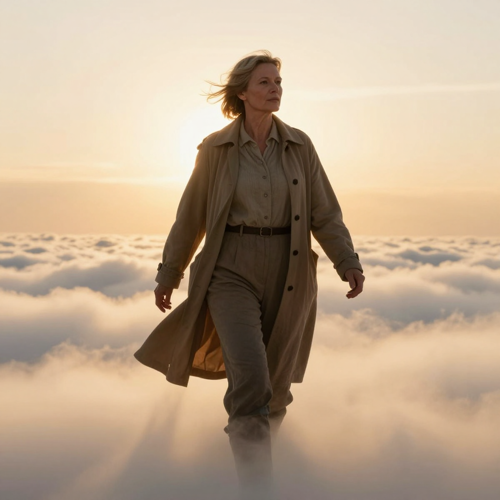
The Walk Through the Clouds
A slow walk across cloud toward bright horizon light rather than a run. This Hug In Heaven scene suits an anniversary post, or anyone who wants the reunion to feel calm instead of rushed.
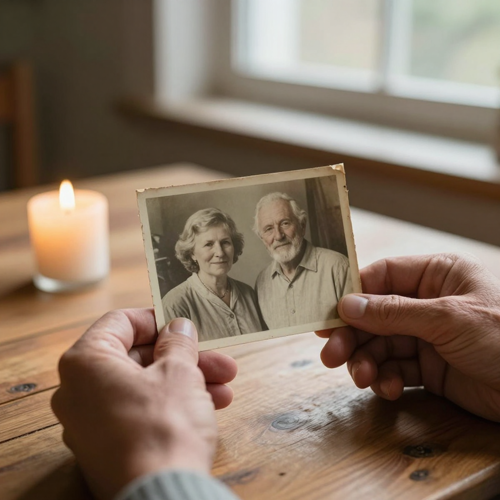
An Old Print, Given Motion
The photograph itself: an old print, a faded scan, a face from decades ago. A Hug In Heaven clip keeps the age in the picture, so the only photo you have is usually enough.
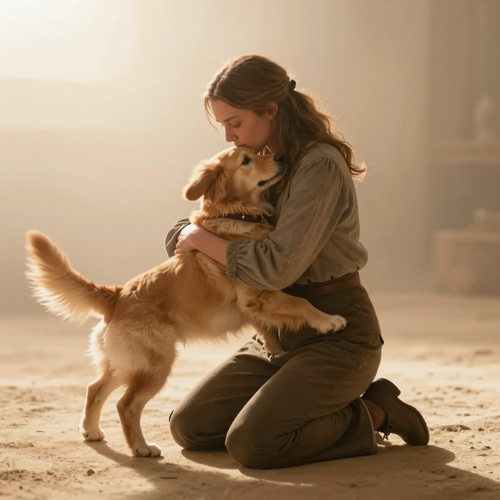
A Pet Waiting in the Light
A pet in the second slot changes the scene: they come to you and you kneel. Pet Hug In Heaven videos are among the most shared, and they work with the same two-photo upload.
Who Uses Hug In Heaven
A Hug In Heaven clip is usually made quietly, for a small audience. These are the four groups who come to the effect most often.
Adult Children Remembering a Parent
The most common Hug In Heaven request: a daughter or son with one photograph of a mother or father, made into a clip for a birthday, an anniversary, or a day that is simply hard.
Grandchildren Who Never Met
A grandparent who died before a child was born, brought into one short Hug In Heaven scene from an old family print — often the only way two of them appear in the same frame.
Pet Owners Saying One More Hello
A dog or cat in the second photo, held one more time. A Hug In Heaven pet take is short, gentle and easy to keep on a phone.
Families Marking Día de Muertos
In Mexico and across Latin communities the same idea travels as abrazo en el cielo or reencuentro en el cielo. A Hug In Heaven cloud video is made for the ofrenda and for the family group chat.
What You Can Create With the Hug In Heaven Effect
One effect, three ways to reach the same embrace. Pick the version that fits how you want to remember them — a run, a walk, or simply standing still.
The Stairway Run
The version that started the trend: you run up a stairway of warm light, they are waiting at the top, and the clip ends in the hug. Choose the Hug In Heaven stairway when you want the moment to feel like arriving somewhere after a long journey.
The Cloud Run
The Spanish-language version of the same idea — abrazo en el cielo, the hug in heaven — where you cross a sea of clouds at sunset instead of climbing. It is the one most families make for Día de Muertos, and it reads gentler on a feed than the stairway.
The Quiet Embrace
No running, no stairs: the two of you simply come together in soft light and hold on. Some people find the run too much to watch, and a slow Hug In Heaven embrace is easier to sit with on an anniversary or a first year.
Hug In Heaven Videos You Can Make
Three ways a Hug In Heaven clip can end, from the full stairway run to a still, close embrace.
A Run Up the Stairway of Light
A Hug In Heaven stairway take: the climb, the moment of recognition at the top, and the hug that finishes the clip. This is the version people caption with a name and a date.
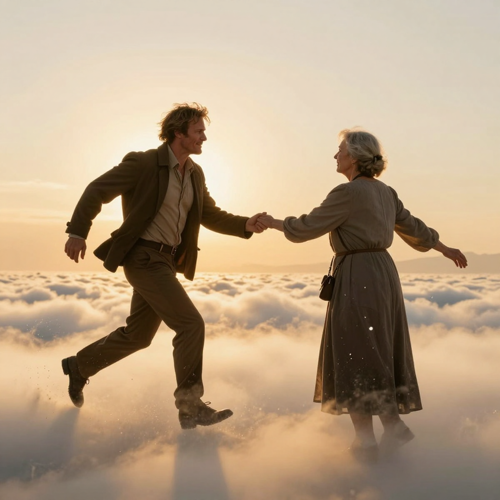
A Reunion Across the Clouds
A Hug In Heaven cloud take: you cross a sea of golden cloud at sunset toward someone who has been waiting. Softer than the stairway, and the one most often made for Día de Muertos.
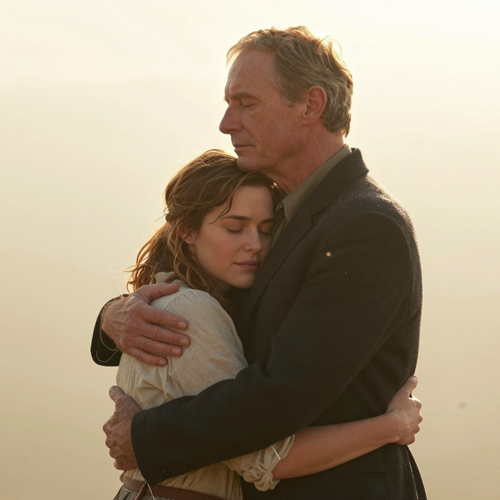
One Long, Quiet Hug
A Hug In Heaven still take: no running at all, just two people coming together in warm haze and holding on while the camera stays close.
What People Say About Their Hug In Heaven Videos
Elena R.Family archive volunteer, LisbonI had one photograph of my father, a print from 1987 that had been folded twice. Two evenings of generic tools gave me a man who was not him. This time I photographed the print flat, ran it once, and the face in the hug was the face in the picture — that was the whole difference.
Daniel M.Reels creator, TexasI make short-form clips for a living, so I expected to fight the settings. There was nothing to fight: two uploads, one choice, and a vertical file I could watch before deciding anything. I have since made three for other people in my family.
Sofía A.Ofrenda maker, PueblaFor Día de Muertos we wanted the abrazo en el cielo without a template watermark across it. The cloud version came out soft, the music was quiet, and my mother watched it on her phone. We shared it with four people, not the internet.
Two Hug In Heaven Clips, Two Kinds of Remembrance
FamilyA grandmother the children never metOne studio portrait from 1961, one photo of a six-year-old. The Hug In Heaven render put them in the same frame for the first time, and it stayed in the family group chat rather than going on any feed.
PetA dog at the top of the lightA retriever in the second slot changed the scene: no stairs to climb, the dog came across the cloud floor and the clip dropped to a kneel. Ten seconds, watched more times than anything else that week.
Why Choose Hug In Heaven for a Reunion Video
Most AI video tools can animate a picture. Very few hold two faces steady through a full embrace, and almost none handle a faded family print with care. Hug In Heaven is built around those three jobs.
Both Faces Stay Themselves
General image-to-video models drift between frames, so the person at the start of the clip is often not the person at the end. Hug In Heaven casts each photo as a locked reference, keeping the face you uploaded through the run, the stop and the hug.
A Hug In Heaven Scene Is Already Directed
The approach, the recognition beat, the embrace and the camera move are pre-built. You choose a variation instead of writing a prompt, which is why a first take usually looks like the trend instead of like a random sky.
Old, Faded Or Black-And-White Prints Work
The only photograph you have is often a scan or a print from decades ago. Hug In Heaven holds the face at the age shown in that photograph and rebuilds colour naturally, so a monochrome original comes back in warm, lifelike tones.
Vertical, Quiet, Ready To Post
Clips come out 9:16 with soft music, sized for TikTok, Instagram Reels and YouTube Shorts. No watermark, no template text line and no app to install before you can watch it.
You Decide Who Ever Sees It
A Hug In Heaven render is private by default: nothing is published on your behalf, and the clip sits in your own library until you download or share it. For a memorial post, that difference matters as much as the video itself.
Not Only For People
Put a pet in the second slot and the scene adapts: they come to you and you kneel to hold them. Two people in one photo wait together, and you can hug both.
Hug In Heaven FAQ: Photos, Privacy and Results
Answers to what people actually ask before they start: which photographs work, what the clip looks like, and what to think about before sharing it.
What is Hug In Heaven and how does this video effect work?
Hug In Heaven is an AI video effect that turns two still photographs into one short reunion clip. You upload a photo of yourself and a photo of someone you miss; the effect casts both faces into a pre-built scene — a stairway of light, a sea of clouds, or a quiet embrace — adds camera movement and soft music, and returns a vertical video. You write no prompt, and the scene stays the same while the faces come from your photos.
Which photos give the best Hug In Heaven result?
Use two separate photographs, one person in each, taken from the front or slightly turned, with even light on the face and nothing covering it. Waist-up framing gives the model enough body to work with. Group shots and heavy filters are the usual reason a Hug In Heaven take comes back odd — crop to one person first.
Can I use an old, faded or black-and-white photo?
Yes — it is the most common case. Lay the print flat and photograph it with no glare, or make a clean scan, and the features come through sharp. Colour is filled in during the render, so a black-and-white original does not come back grey, and the age in the video is simply the age in the photograph you chose.
Can the second photo show two people, a child or a pet?
Yes. Two people in one photograph — a pair of grandparents, for example — wait together, and you can hug both. A child stays the age shown in the picture. A pet in the second slot comes to you instead, and the scene drops to a kneel so you can hold them.
How long is a Hug In Heaven video and what shape is it?
Clips are short by design — around ten seconds — and export vertically at 9:16, which is the shape TikTok, Instagram Reels and YouTube Shorts expect. A vertical export means no black bars and no cropping after the render.
Is Hug In Heaven the same as the CapCut heaven reunion or stairway to heaven template?
It is the same scene, made without the template. The trend spread through CapCut templates under names like heaven reunion, stairway to heaven, abrazo en el cielo and reencuentro en el cielo, where you drop your photos into somebody else's edit. A Hug In Heaven render is generated from your two photographs instead, so the result is your own clip rather than a copy of a template's shots.
Is it OK to post an AI video of someone who has died?
Go slowly and ask first. Grief counsellors describe this kind of clip as genuinely comforting for some people and unsettling for others, and relatives do not always feel the same way about it. Generate privately, check with the family before posting, and label it as AI-generated so nobody mistakes it for footage that was really taken.
Will the faces really look like the photographs?
Usually, if the source photos are sharp and front-facing. Faces can soften or swap when the two pictures are lit very differently or when a photo contains more than one person. Regenerate with a clearer, better-lit picture rather than re-running the same one — each Hug In Heaven take is a new attempt.
What if the first Hug In Heaven take is not right?
Run it again. Every generation is a fresh take, so a second attempt can fix a stiff hug, a face that drifted, or unwanted extras in the scene. Small changes to the source photo — a tighter crop, less shadow across the eyes — usually do more than any setting.
Do I need editing experience, or do I write a prompt?
Neither. Hug In Heaven is a fixed scene: you upload two photographs, pick the variation and generate. There is no timeline, no keyframes and no prompt box, which is why most people have a first clip within a few minutes of opening the page.
More AI Video Effects for a Hug In Heaven Video
Same photographs, different scene. Try the effect that fits the next post.
Make Your Hug In Heaven Video Today
Two photographs are the whole input. Add yours, add theirs, choose the stairway run or the cloud run, and download a 9:16 clip you can keep on your phone or send to family. Every Hug In Heaven take is generated from your own photos on Textideo, so nothing in the scene belongs to anyone else.
Create My Hug In Heaven VideoNo credit card required to start · Label your post as AI-generated