
AI Rap Video Generator: Turn One Photo Into a Rap Performance
Drop in one clear photo and the AI Rap Video generator puts that face on the mic: mouth on the syllables, head on the beat, hands up on the hook. Bring your own verse or name a topic and let the AI write the bars, then export a vertical clip while the track is still fresh.
The Hard Part About Shooting a Rap Video
A thirty-second rap clip normally costs a location, a camera, an afternoon and an edit. An AI Rap Video drops all four, but the render still has to clear the bar a shoot would clear.
You Have the Track but No Visual
The verse is recorded and mixed and there is nothing to post with it. Giving the hook a face takes one upload, not a booking.
You Cannot Rap on Camera
Most people want the clip, not the performance anxiety. One photo carries it, so nothing depends on how you hold up under a lens.
Fast Bars Break Cheap Lip Sync
Dense flows are the stress test. Mouth movement follows the syllables you feed it, so a clean audio window matters more than a clever prompt.
A Bad Photo Ruins the Render
Group shots, a hand over the mouth and heavy backlight are the three things that reliably break the render. One front-facing face fixes all three.
How to Make an AI Rap Video in Three Steps
The whole workflow is one photo, one sound decision and one render. Nothing to install, no reference clip to hunt down.
- 1
Upload One Clear Photo
Pick a front-facing shot with the mouth visible and even light. One person per photo, no sunglasses, no hand over the face.
- 2
Add Your Track or a Topic
Upload an audio file you own for lip sync, or type what the rap is about and let the AI write the lyrics and the beat.
- 3
Generate and Post the Clip
Pick vertical or landscape, start the render, then download the MP4 and post it as is.
What You Can Create With the AI Rap Video Generator
Three ways people actually use it: a teaser for a release, a joke for a group chat, and a recurring character that keeps showing up. All three start from the same upload.
Put Their Face on the Verse
Upload a portrait and the performer keeps that face, hair and outfit instead of swapping in a stock character. That is the whole point: the person in the clip is the person you uploaded. A front-facing shot is what the model reads.
Bring the Bars or Name the Topic
Upload an MP3, WAV or M4A of a verse you own and the AI Rap Video performs that exact take. Or skip the audio, type one line about the occasion, and the generator writes the bars and a beat around it.
Cut a Hook Clip for Vertical Feeds
The sixteen bars nobody finishes are not the asset. The hook is. Renders default to 9:16, so the strongest eight seconds drop into TikTok, Reels and Shorts with the sound attached.
AI Rap Video Ideas That Get Replayed
The clips people come back to are short, specific and a little personal. Here is what this format does well: a hook that sells a release, a joke aimed at one friend, and a character that keeps showing up.
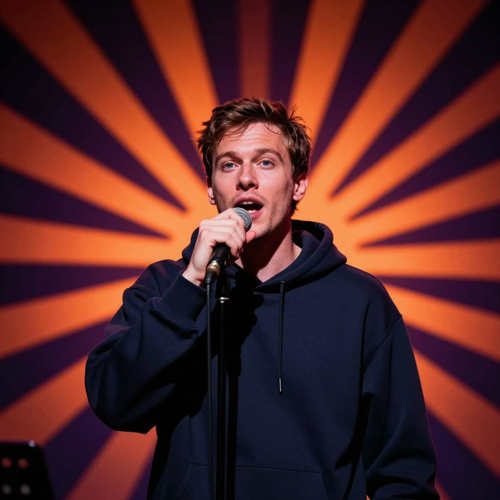
Hook Clips for a Release
Pull the strongest eight seconds of a track and give it a performer. The teaser posts the day the song drops, and the full version follows once the clip proves people finish it.
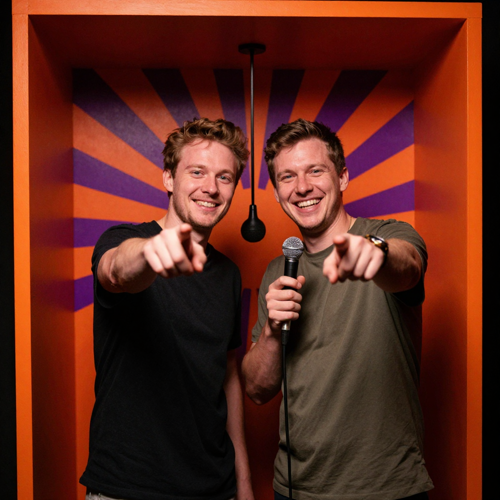
Birthday Bars and Group Chat Roasts
A diss track about the roommate, thirty seconds for a friend's birthday, a mascot spitting bars about the group chat. These get replayed all evening, because the lyrics name something only that circle recognises.
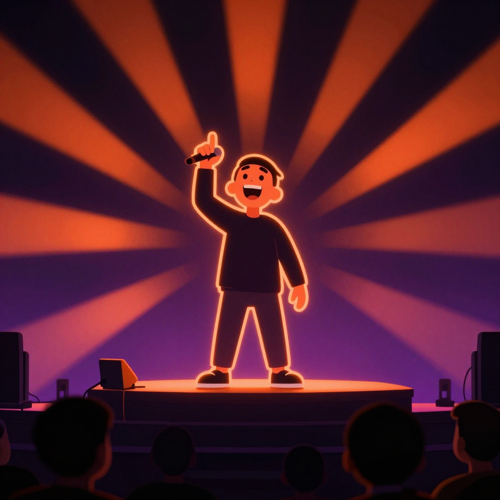
A Recurring Virtual Rapper
Give an original character a stage presence and keep it. Anime, cartoon, mascot or 3D art with a visible mouth turns one clip into a repeatable format instead of a one-off post.
Who Makes AI Rap Videos
Four groups keep this format in rotation: short-form creators posting on a schedule, artists who need a visual for a single, friends making something for a group chat, and builders running a recurring character.
Short-Form Creators
A vertical clip with the audio attached is the finished shape of a post. Drop in the hook, match the scene to the mood, or render one verse in two stages.
Independent Artists
A performance visual without a shoot. Your photo, your vocal take and a scene that fits the track, rendered while the release is still on schedule.
Friends and Group Chats
A clip built around one real detail lands harder than a generic hype song. Name the friend, name the occasion, and the lyrics come back written around it.
Character and Channel Builders
Keep the same illustrated or 3D rapper and the output becomes a format, not a one-off. Repeat the character description so the face stays stable.
Pick a Stage for Your AI Rap Video
The scene does the same work a location would. A verse reads differently in a studio booth than under street light, and picking the stage is the cheapest way to change the mood.
Street Cypher
A low platform, one hanging mic and two performers trading lines. The default for a clip that wants to feel like a cipher, not a studio session.
Studio Booth
Close walls, a single overhead light and the performer framed tight. Suits a render meant to read as a recording, so artists use it for teasers.
Night Street
Wet asphalt, neon spill and a wide frame. Gives the hook a cinematic backdrop, and a plain outfit reads better than a patterned one.
Rooftop Stage
A raised platform, crowd height and room for gestures. Built for a clip that opens on the hook, because the first seconds have something moving besides the mouth.
Why Choose This AI Rap Video Generator
Any tool can animate a picture. What decides whether an AI Rap Video works is whether the mouth follows the verse, the face still reads as the person, and the file posts as is.
The Mouth Follows the Bars
Mouth shapes land on the syllables you supply, with head nods and gestures riding the beat instead of generic motion.
Your Face, Not a Stock Performer
The performer keeps the face, hair and outfit from your upload, so the clip looks like you, not a preset avatar.
Your Take Stays in the Mix
Upload a verse you own and that performance drives the clip; the vocals you recorded stay yours to license.
Vertical First, Landscape When You Need It
9:16 for TikTok, Reels and Shorts, with 16:9 available for a channel upload.
Lyrics From One Line
Type what the rap is about and it writes the bars and the beat. No producing, no DAW, no waiting on a writer.
Nothing Copied From a Real Artist
No cloned voice, no borrowed lyrics, no real artist's face. Ask for a style instead and the bars come back original.
Test a Short Section First
Render the hook before the whole verse. Eight seconds tells you whether the photo and audio work.
No Crew, No Location, No Edit
It replaces the shoot, not the song. Skip the booking and get straight to something postable.
- Upload photos of adults who agreed to appear in the clip
- No cloned voices, no real artist's face, no borrowed lyrics
- Tick the AI content option when a platform asks for disclosure
What Creators Say About Their AI Rap Video
Three takes on what changed once an AI Rap Video gave that verse a face and a stage.
- TikTok
- Reels
- Shorts
- MP3
- WAV
- M4A
- MP4
Spent a weekend trying to film a hook teaser
Posted the clip the day the track dropped
I had the hook recorded and nothing to post with it. One photo later I had something vertical with sound on it, and it went out that night.
Priced a location and a camera operator for a single visual
Rendered a booth scene and kept the budget
The shoot quote was the reason the single had no visual. Uploading my own take meant the delivery stayed mine, and the clip looked like a studio session.
Rewrote hype copy for every product post
Turns the message into a clip and reuses the character
The character is the reason it works. Same illustrated rapper every time, so the clips read as a series instead of three unrelated posts that happen to rhyme.
Frequently Asked Questions About AI Rap Video
What comes up before the first render: what an AI Rap Video actually is, whether your own track works, how close the lip sync gets, and what you are allowed to post.
QWhat is an AI rap video generator?
It takes a still image and a piece of rap audio, or a topic, and renders a performance: a person or character rapping to the beat with mouth movement matched to the syllables. Input is one photo plus either a track you upload or a line about the song, and output is a short MP4. Unlike a generic text-to-video tool, it is built around rhythm, so movement follows the audio.
QHow is an AI rap video different from an AI music video?
A music video illustrates a song with scenes, cuts and atmosphere, and the performer is often optional. A rap clip is built around one performer delivering words, so mouth timing and gestures carry it. If the sound is why anyone watches, the rap format fits better.
QHow do I make an AI rap video from one photo?
Upload a clear, front-facing photo, then either upload an audio file you own or type one line about what the rap should cover. Pick a stage and a format, and download the finished clip.
QCan I use my own rap track, and do I have to write the lyrics?
Both inputs work. Upload an MP3, WAV or M4A of a verse you own and the clip performs that exact take, with your vocal in the mix. Or leave the audio out, give it a topic and one specific detail, and it writes the bars. Writing your own still gives tighter results, because you control the syllable count.
QHow accurate is the lip sync on an AI rap video?
Mouth movement follows most syllables, and clear audio with a steady flow gives the closest match. Dense fast rap is the hard case: the model keeps the rhythm but can miss syllables on the quickest runs. If lip sync is the point, test a short section first.
QWhat kind of photo gives the best AI rap video?
One person per photo, facing the camera, mouth visible, under even light. Waist-up shots help the outfit carry over. Group photos, sunglasses, a hand over the mouth, backlight and busy patterns are what most often break the render.
QCan I make an AI rap video of a pet or a cartoon character?
Yes. Pets keep their fur colour and markings, though muzzles do not move like mouths, so gestures carry the joke. Illustrated and 3D characters work when the face is humanoid and the mouth is visible. Stylised art varies between renders.
QCan I use my AI rap video commercially, and does it need a label?
Commercial use depends on what you uploaded: your own recording and a photo of someone who agreed to appear are yours to post, while videos built on another artist's recording are not. Tick the AI content option when a platform asks for disclosure, which does not by itself limit reach.
Make Your AI Rap Video in Minutes
One photo in, one vertical clip out. No studio booking, no camera crew, no timeline to fight. Upload the picture, pick the stage, post it while the idea is still funny.
No credit card required to start · One photo is the whole input