
Bama Bound AI: One Photo, A Red Banner, Your Reaction
Bama Bound AI drops one portrait into a sunny green field, lifts a red banner overhead, and runs the reaction in four beats: a look up, a jump, a cheer and a settling smile. Supply a well-lit photo of an adult facing the camera, and the fixed effect handles the lawn, the camera and the movement. Below sit a photo checklist, the four beats worth reviewing, and caption steps that keep the joke playful.
Practical notes rated useful by creators testing one-photo banner reveals No credit card required - no sign-up - label the clip before you postStart Your Bama Bound AI Clip With One Portrait
A red banner celebration asks two things of you: one clear portrait and a decision about how long the take runs. The lawn, the sign and the jump arrive with the effect, so the photo is the part worth slowing down on. Write down what you changed between runs and bama bound ai stops behaving like a slot machine.
Make the banner clipWhy Bama Bound AI Reads as a Reveal, Not a Random Clip
Four beats carry a bama bound ai joke: the banner appears, the subject looks up, the jump lands, the smile settles. Test them one at a time.
One Subject Facing the Camera
Give the effect a single adult who looks into the lens with both eyes visible and no sunglasses. Group shots split the appearance lock, and a crowded background hands the model extra people.
Bama Bound AI Banner Lettering
The red banner carries plain white capitals and no school marks, mascots or extra printing. Fabric moves, and moving fabric is exactly where generated text breaks, so read every word at full speed.
Room Above the Head
Headroom decides whether the banner fits at all. A portrait cropped tight at the hairline leaves nowhere for the sign, so the generator shrinks the lettering or pushes it out of frame.
Bama Bound AI Jump and Landing
The celebration is physical: a look up, a jump, and a landing that touches the grass again. Watch the two seconds after the jump most closely, since feet and fingers come apart first.
Daylight and a Clean Lawn
Bright daytime light and an uncluttered green field come with the fixed scene, so a nightclub selfie fights the setting from the first frame. Soft trees work; neon and crowds do not.
Credit Planning Before the Rerun
Longer runs cost more credits and give drift more room, and a weak source photo shows up inside the first second regardless. Start with the shortest duration and promote a longer cut only after a short one passes.
Bama Bound AI Walkthrough in Three Steps
Work one variable at a time. Three disciplined passes teach more about this effect than a dozen random ones.
Pick One Well-Lit Adult Portrait
Choose a sharp image of one adult facing the camera, lit evenly, with hands somewhere in view. A knee-up view beats a tight selfie crop, because the arms and the jump need body information.
Attach the Photo and Check the Settings
Upload the picture, read the displayed generation settings and credit requirement, then generate. No prompt and no action clip are needed on a fixed effect.
Review Face, Hands, Banner, Landing
Play the clip end to end and judge the face, the hands, the lettering, and whether the jump touches the ground again. When one beat breaks, change the source photo.
Bama Bound AI Choices That Shape the Clip
Three choices decide whether a bama bound ai take survives review: the photo, the frame you keep, and the joke you attach.
Bama Bound AI Review Notes
Judge every bama bound ai take on lettering, identity and landing - in that order. A clip with a beautiful jump can still fail all three.
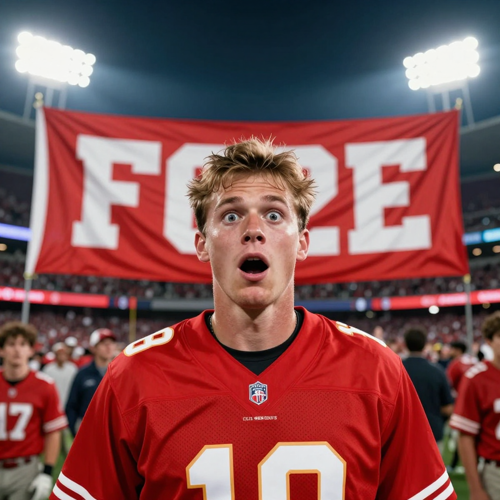
Banner Before Reaction
Check that the sign appears before the subject looks up, and that the words stay readable while the fabric moves. If the banner arrives late, swap the photo rather than stack instructions.
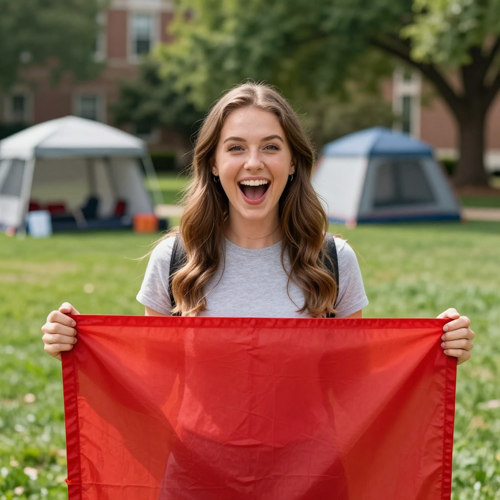
Bama Bound AI Face and Hands
Watch the face, the hairline and the fingers from the first frame to the last. Drift grows with duration, so two short cuts spliced in an editor hold a subject better.
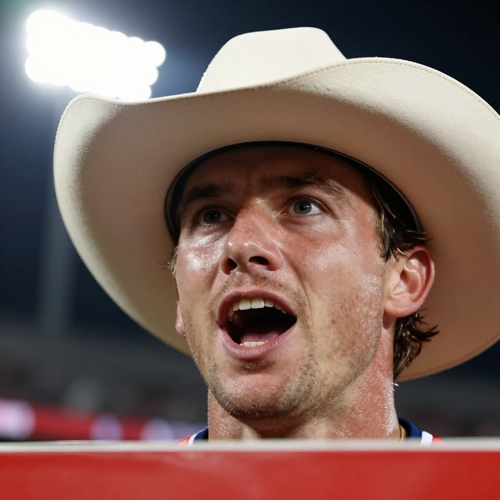
Landing and the Last Smile
Slow the clip near the jump and confirm the feet return to the grass instead of floating. Then watch the two seconds after - the body should settle into a proud smile.
“Knee-up framing was the fix. Every tight selfie we tried produced a jump that floated above the grass.”
Solo creator workflow, paraphrased from research themes
“We checked the lettering first and the reaction second, and the reveal finally landed on the first watch.”
Meme page workflow, paraphrased from research themes
“Splitting the celebration into two short beats kept the hands believable, so we moved the problem into the edit rather than the upload.”
Editor workflow, paraphrased from research themes
Bama Bound AI Input Types
Each input solves one problem: the portrait pins identity, the brief invents the variation, the plate sets the lawn, the audio sets the rhythm of the cheer.
Who Struggles Before Trying Bama Bound AI
These four share one shape: someone can picture the reveal and keeps receiving a clip that misses it. Each names the failure first, then the smallest test.
Creators Losing the Face Mid-Jump
A subject changes jawline or outfit once the body leaves the ground. Bama bound ai earns a trial when the joke matters more than flawless anatomy.
Bama Bound AI Family and Friend Surprises
An agreed adult friend or an unexpected family portrait carries the reveal well when faces stay recognizable. One subject per run is the rule, so prepare separate clips.
Editors Who Need a Different Banner Line
A fixed effect ships no wording switch, so a custom line has to come from your edit or a free-prompt run. Caption only what the clip actually shows.
Beginners Burning Credits on Tight Selfies
A head-and-shoulders crop cannot support a jump, and a bad crop costs as much as a good one. Test at the lowest duration with hands in frame.
Bama Bound AI Facts at a Glance
- TikTok
- Instagram Reels
- YouTube Shorts
- CapCut
- Snapchat
Bama Bound AI Questions Answered
These answers cover what bama bound ai is, photo choice, banner wording, consent, and labelling rules. Trend timelines move quickly, so check the current terms where you intend to post.
What is bama bound ai?
Bama bound ai is a photo-driven video effect built around a red banner that reads I'M BAMA BOUND. It places your subject on a sunny lawn, lifts the sign overhead, and runs a short celebration: a surprised look, a jump and a cheer.
Do I need to write a prompt or upload a video?
No. A fixed effect carries its own direction and motion reference, so one appearance image is enough. The field, the camera and the celebration are supplied, and the background in your photo is not guaranteed as the final setting.
What photo works best?
Use one sharp image of an adult facing the camera with even light, both eyes visible, and hands somewhere in frame. Arms and legs need space to read, so stand back far enough to capture the torso as well as the head.
What does the banner say?
The sign is directed to show plain white capitals on red, with no school marks, mascots or extra printing. Generated lettering can bend while the fabric moves, so read every word at full speed.
Can I change the wording on the sign?
Not on a fixed effect. Bama bound ai follows one prepared direction and exposes no wording switch, so a custom line needs a free-prompt run or your own edit in a video app.
How long should the clip be?
Short is safer. Four beats have to land, and idle seconds only widen the window for hand and lettering artifacts. Set the shortest duration offered and add time only after a short take passes review.
Can I use a friend's photo or a family portrait?
Yes, with permission. Stick to your own face, a consenting adult who said yes, or an original character, and leave strangers and minors out. One subject per run keeps the appearance lock stable.
Do I need to label the clip as AI-generated?
Yes, whenever viewers could mistake the clip for real footage. Switch on the AI-content disclosure option where you post and add one plain caption line naming it as AI-generated.
What should I check before posting?
Read the lettering, watch the landing, and confirm the face holds from the first frame to the last. Then check the crop, since the banner and the face both need to survive the vertical trim.
How is bama bound ai different from a generic AI video generator?
A general tool answers any wording you give it, so you also own the staging. This effect ships with the staging attached: lawn, banner, look up, jump, cheer. You trade flexibility for a shorter path.
Make One Bama Bound AI Clip
Upload one clear authorized portrait, keep the four beats in order, and log what changed between runs. A single short bama bound ai test shows lettering, identity, and landing in the same take, which no feature list can do.
No credit card required - no sign-up - label the clip before you post