
AI DJ Video Generator: Put Yourself Behind the Decks
An AI DJ video generator drops whoever is in your photo behind a lit booth, hands on the jog wheels, with a crowd packed against the barrier. Club, festival main stage and warehouse rave are three different rooms, so one face can headline three different nights. Upload a clear frame, name the stage, and download a short clip that plays anywhere.
Rated by bedroom producers, club promoters and creators who post the drop No credit card required - no decks - no editing timeline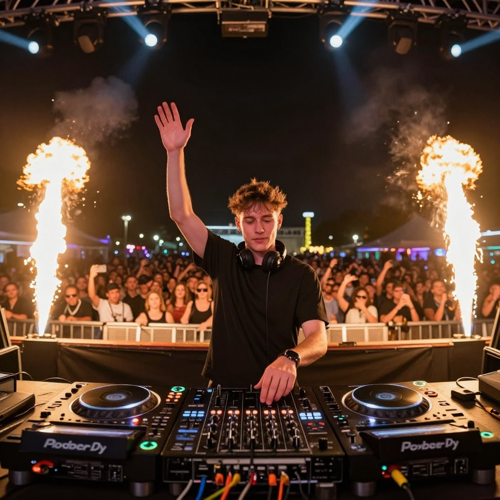
One Photo In, a Full AI DJ Video Generator Set Out
Pick a frame with the face well lit, name the room you want, and let the beat drop carry the rest. Choose the aspect ratio that matches where the clip plays, from a tall phone-screen cut to a wide frame built for a bar loop. Short enough that the likeness holds.
Create an AI DJ VideoThe Hard Part With an AI DJ Video Generator Is the Energy
Three problems turn up in almost every first attempt.
Make an AI DJ Video Generator Clip in Three Steps
Upload, choose the room, then look at the face before you download.
Upload One Clear Portrait
One person, front or three-quarter view, eyes open, nothing covering the face.
Pick the Stage and the Ratio
Festival main stage, nightclub booth or warehouse rave, then 9:16, 1:1 or 16:9 and a length.
Watch the Drop and Download
Check the eyes through the drop. If the face drifts, shorten the clip and try a calmer beat.
What an AI DJ Video Generator Actually Gives You
Three things decide whether a generated set reads as a headline slot or as a render.
Where an AI DJ Video Generator Earns Its Place
Three rooms that read as three different nights even when the face is the same.
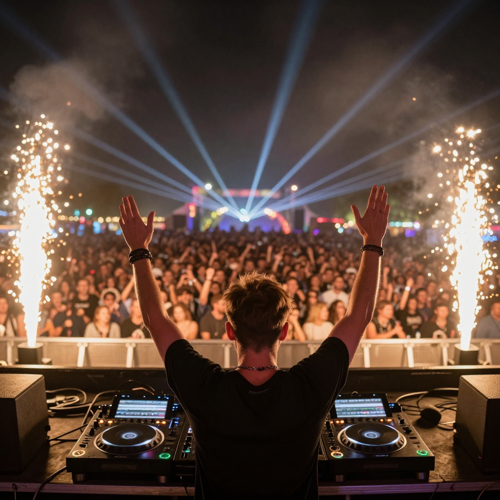
An AI DJ Video Generator Built for the Festival Drop
Head down on the mixer for a few seconds, then the drop, both arms up, pyro firing either side of the booth. Naming that timing is the difference between a real set and a posed still that happens to move.
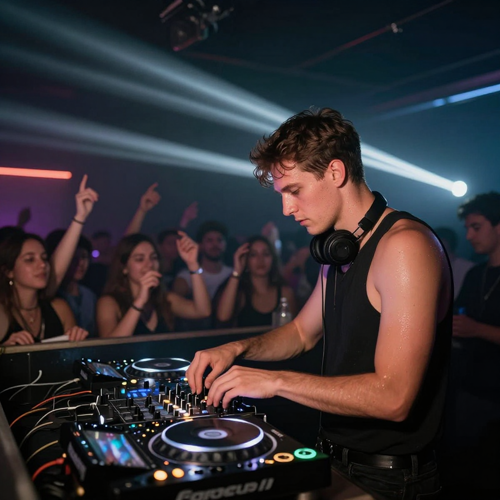
A Tight Nightclub Booth
Low ceiling, strobes, and a barrier crowd close enough to touch the decks. The tighter room reads as more honest than the festival version and suits house and techno nights better.
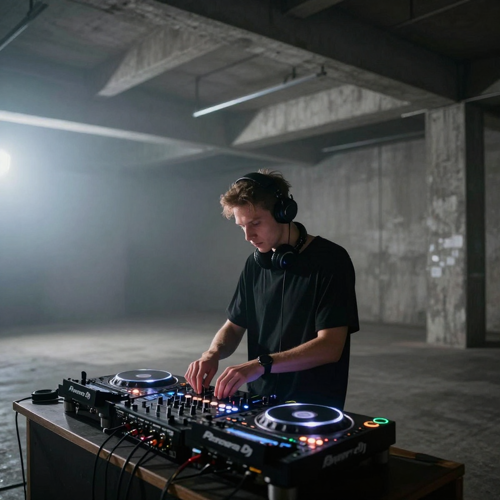
Warehouse Rave, One Hard Strobe
Concrete, fog and a single light source give the clip a grittier look than the festival version.
Four Looks an AI DJ Video Generator Handles Well
One clear subject is what all four share; everything past that is styling.
Who Struggles Most Without an AI DJ Video Generator
Four groups hit the same wall: one good photo, no shoot day, and a feed that only rewards motion.
Bedroom Producers Who Need an AI DJ Video Generator
Release week usually goes out as static cover art and a link. One portrait behind a generated booth, with the single laid over the drop, gives a teaser that matches the track.
Club Promoters Posting Weekly Nights
Resident nights get announced with the same poster resized four ways and ticket clicks stay flat. Running the resident's photo through a club booth gives each week a new hook without a photographer.
Creators Chasing an AI DJ Video Generator Main-Stage POV
The main-stage shot normally needs a crew, a festival and a booking. A single selfie supplies the face while the model supplies the LED wall and the crowd, so the fantasy costs one upload.
Pet Owners Who Want an AI DJ Video Generator Clip
A dog at the decks gets passed around a group chat faster than any photo of the same dog. This category accepts animal subjects.
An AI DJ Video Generator at a Glance
- TikTok
- Instagram Reels
- YouTube Shorts
- SoundCloud
- Twitch
Why an AI DJ Video Generator Beats a Static Promo Card
Six reasons the generated set travels further than a poster with a date typed on it.
One Photo Is the Whole Brief
An AI DJ video generator asks for a single frame, not a venue booking or a lighting crew.
An AI DJ Video Generator Times the Beat Drop
Ask for a few seconds of build and a drop at a named second, and the arms go up where the bass lands.
The Audio Carries the Clip
This is one of the few formats where muting the sound ruins it, so keep the generated build or lay your own track under the drop.
Short Enough to Hold a Face
Keep it to five to fifteen seconds and the features stay put. Anything longer only gives drift more room to appear mid-gesture.
Three Nights, One Face
Run the same portrait through a festival stage, a club booth and a warehouse rave and the artist stays recognisable while the room changes.
No Decks, No Timeline
Skip the controller and the editor. Upload, generate, download, then write your own name over the clip.
What Creators Say About the AI DJ Video Generator
“Release week used to go out as static cover art and a link, and nobody watched past the first second. One portrait behind a booth built by an AI DJ video generator, with my own track laid over the drop, got shared by three DJ pages. I keep the clip under fifteen seconds now, because the longer version stopped looking like me.”
“Our Thursday nights were the same poster resized four ways and ticket clicks stayed flat. Running one photo of the resident through a club booth, then writing the date on afterwards, takes ten minutes and gets answered in the comments. The date goes on by hand, since anything the model letters comes out wrong.”
“I wanted the main-stage shot without hiring a crew or pretending I had ever touched a deck. A single selfie became a short clip with the crowd going up on the drop, and it outperformed everything else I posted that month. My first attempt failed until I swapped in a clearer photo and a shorter clip.”
Real Questions About the AI DJ Video Generator
Questions people ask before they hand over a face they care about.
What is an AI DJ video generator?
It is an effect that takes one still photo and rebuilds it as a live performance: a booth, CDJs, a mixer, headphones, stage lights and a crowd, with your subject working the decks. Nothing is filmed, so there is no shoot day and no venue to book.
What kind of photo works best with an AI DJ video generator?
One person, facing the camera or turned three quarters, eyes open and evenly lit. Sunglasses, hats and heavy filters cost you the likeness, and a group shot leaves the model unsure which face to keep. A daylight phone selfie beats a retouched headshot.
Does an AI DJ video generator keep my face?
Most of the time, yes, provided the source frame is sharp and the clip stays short. Drift shows up when the face is small in the shot, the lighting is harsh, or the prompt asks for several actions at once. Shortening the clip repairs most of it.
How long should an AI DJ video generator clip be?
Five to fifteen seconds is where this format holds together: long enough for a build and a drop, short enough that the features stay stable. Past that the crowd starts repeating and the expression goes flat.
Can I add my DJ name or an event date?
Yes, but put the words on after the render rather than inside the prompt. Lettering drawn by the model smears and misspells, while an overlay stays sharp and spelled the way you typed it. Add the name in any phone editor.
Can an AI DJ video generator run against my own track?
Most tools in this category accept an audio file alongside the photo, so the picture moves against your own mix. Check that you hold the rights before the clip goes out under your name. Where audio upload is missing, lay your track over the drop afterwards.
Will the crowd and the stage actually look real?
Crowd scale decides it. Naming thousands of raised hands and phone lights stretching into the dark reads as a headline set, while a vague background looks thin and half empty. Say what the hands are doing.
Is an AI DJ video generator free to try?
Most tools open with a free tier or a small batch of credits, enough to test one clip before committing. Longer durations, higher resolutions and clean watermark-free downloads usually sit behind a paid plan. The effect is available on Textideo for a first test.
Can I use an AI DJ video generator for club promotion?
Yes. Weekly resident nights, themed events and ticket countdowns all suit the format, because the hook lands inside the first two seconds. Keep the venue name and date out of the strips that platform interfaces cover, and add the AI label the platform asks for.
Do I need DJ gear to use an AI DJ video generator?
No decks, no controller, no beatmatching. The booth, the mixer, the headphones and the barrier crowd are generated into the scene, and the hands on the gear belong to the performance the model builds.
Your Next AI DJ Video Generator Clip Is One Upload Away
Take the portrait you already have, name the room you want, and see how the AI DJ video generator drop reads before spending a weekend in an editor.
No credit card required - no decks - no editing timeline