
Gangnam Style AI: Put the Bounce-and-Sway Choreography on Your Own Photo
Gangnam style ai is a dance motion effect that puts the horse-riding bounce and the overhead lasso loop onto a photo you already own. Upload one image you have permission to use, choose the bounce alone or the three-character selfie pass, and render a vertical clip. Nothing needs rehearsing, because the choreography comes from the effect rather than from you.
Rated by trend editors and pet accounts who need the bounce without a rehearsal No credit card required - no dance lesson - no shoot day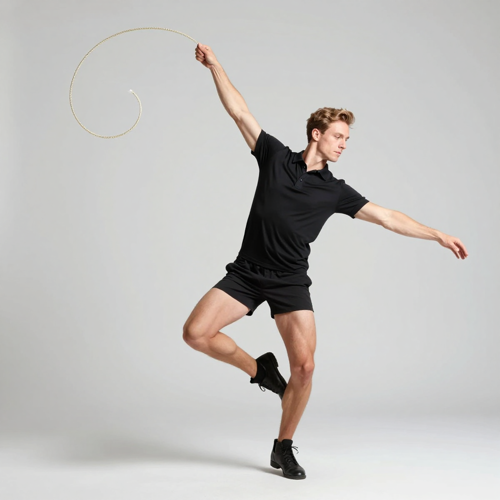
One Photo In, a Gangnam Style AI Dance Clip Out
Turn a selfie, a friend-group shot or a pet portrait into a short dance loop without learning a single step. gangnam style ai supplies the bounce, the hip sway and the camera pass, then hands back a vertical file ready for a feed. Bring an image you own, keep the background plain, and take your first run through Textideo.
Start a Gangnam Style AI ClipThe Hard Part With gangnam style ai Is Everything Your Photo Never Showed
Three problems turn up in almost every first attempt.
Make a Gangnam Style AI Clip in Three Steps
Bring a frame you hold rights to, decide who appears in it, then study the result before the take leaves the tool.
Upload One Clear Frame
Pick an image you own or have permission to use, with the parts you want moving actually visible and lit evenly.
Choose the Motion and the Cast
Go solo on the horse-riding bounce, or cast two or three reference images so the camera passes between faces.
Review the Take and Export
Scrub the hands, the feet and the closing seconds for drift, then take the vertical file and lay audio over it.
What Gangnam Style AI Gives You
Three decisions decide whether a gangnam style ai clip reads as choreography or as an artifact.
Where a Gangnam Style AI Clip Earns Its Keep
Three situations where the bounce carries a story a still photograph cannot.
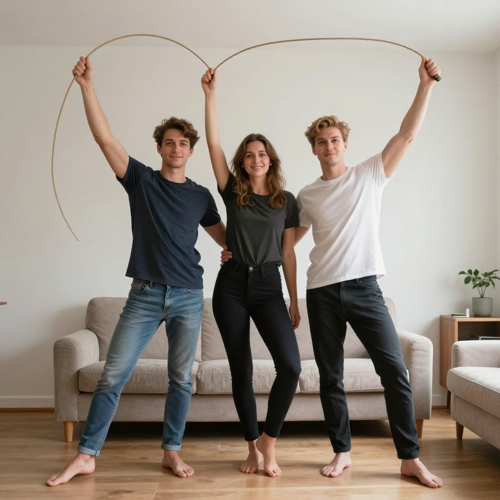
Friend Reels That Gangnam Style AI Holds Together
Group clips usually fall apart because nobody practised the routine. Cast three separate portraits, let each one take a turn in front of the camera, and all three stay recognisable before they gather for the final pose.
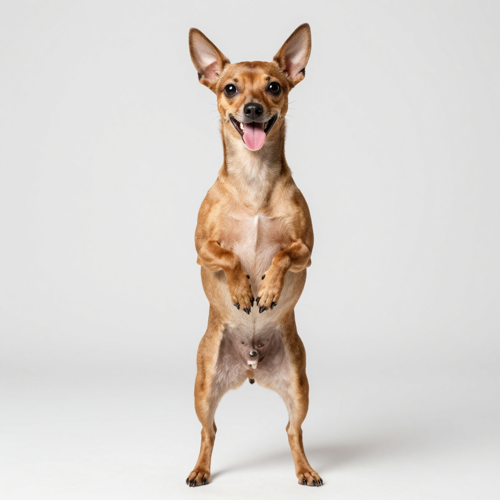
Pets Doing the Crossed-Paw Gallop
A cat or a dog carries the bounce as convincingly as a person does, and coat colour plus ear shape survive the shuffle. Keep the whole animal inside the frame and gangnam style ai supplies the joke.
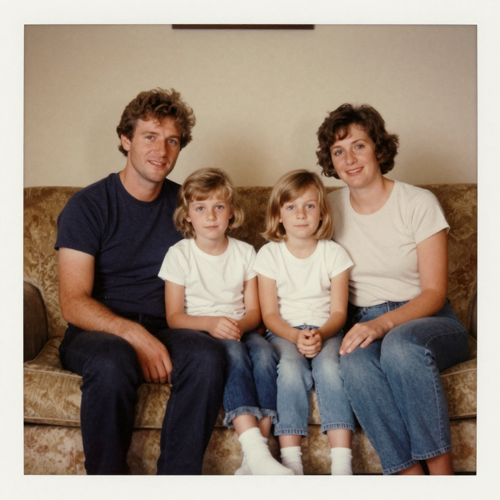
Throwback Photographs With a Beat Behind Them
An old family picture gains movement without asking a relative to perform. Run the bounce softly and hold the sway shallow, so the result reads as affection rather than as a prank at somebody else's expense.
Four Inputs That Take a Gangnam Style AI Motion Well
The photograph decides the outcome more than any slider does. Each of these gives the model something real to move instead of something it has to invent frame by frame.
Who Struggles Most Without a Gangnam Style AI Shortcut
Four groups hit the same wall: one good photograph and no practical way to get it dancing.
Trend Editors Working Against the Clock
A dance format peaks fast, and the routine is usually mastered long after the window closed. Generating gangnam style ai from one photograph lets a single editor publish while the trend still has life in it.
Pet Owners With One Good Gangnam Style AI Photo
Animals ignore direction, so accounts depend on one lucky frame. The cross-paw gallop turns that frame into a running gag instead of a single static post.
Friend Groups Planning a Surprise Reel
Birthday roasts, reunions and group holidays need everyone present at once, which no diary actually allows. Casting separate portraits lands the whole group inside one take.
Illustrators Testing a Gangnam Style AI Cast
Character accounts can put three original designs through the same motion before commissioning animation, learning cheaply whether a silhouette survives the bounce.
Gangnam Style AI at a Glance
- TikTok
- Instagram Reels
- YouTube Shorts
- Snapchat
Why a Gangnam Style AI Clip Beats Filming the Routine Yourself
Six reasons trend accounts, pet owners and illustrators render this motion instead of rehearsing it in front of a camera.
One Image Is Cast and Crew
A gangnam style ai render asks for a photograph, not a rehearsed routine or a friend who remembers the count.
The Gallop Needs No Training
Bounce depth, arm swing and hip sway arrive as settings, so the gesture lands even from an ordinary phone selfie.
Vertical From the First Render
Clips come out nine by sixteen for TikTok, Reels and Shorts, so nothing gets cropped or letterboxed on the way to a feed.
Pets and Drawn Characters Move Too
A cat, a dog or an original design takes the same bounce a person does, which is why pet accounts keep returning to gangnam style ai.
You Judge Before You Commit
Every take is a draft you scrub frame by frame, so spare limbs surface in the preview rather than under a published post.
Stills In, Stills Out
Image-only input keeps borrowed footage out of the export, leaving you to add audio you actually own.
What Creators Say About Gangnam Style AI
“Getting three friends into one dance reel meant rehearsing in somebody's kitchen and still walking away with nothing usable. Then I ran gangnam style ai on one photo of each of us and finished it in an afternoon. The camera hands the frame between our faces, and that is the part people replay.”
“My cat has one good photograph and no interest in performing on cue, so every dancing-pet idea died at the filming stage. One still gave me the paw gallop, and her coat held through the bounce. Followers asked for a sequel inside a week.”
“Drawing three characters through the same move was a week of frames I could not spare. Now I put them through the gangnam style ai effect first and animate only the two that survive the bounce. Flat shapes never do, and finding that out used to cost me days.”
Frequently Asked Questions About Gangnam Style AI
Real questions from trend editors, pet accounts and illustrators putting the horse-riding bounce onto their own photographs.
What is gangnam style ai and what does it actually do to a photo?
gangnam style ai is a dance motion effect that drives one still image you own with the horse-riding bounce and hip sway. The person, pet or drawn character keeps its own shape while the gesture layers on top. What comes back is a short vertical clip, and it is worth checking before anything goes public.
Do I need to know the horse-riding dance to use gangnam style ai?
There are no steps to learn. The movement already sits inside the effect: a half-squat bounce, one arm circling overhead, then the sideways shuffle. You contribute a photograph and a judgement about how wide the motion should read.
What kind of photo gives the cleanest gangnam style ai result?
A sharp frame with everything visible that has to move: feet in shot if you want footwork, hands empty and clear of the torso, face lit and unobstructed. Even light beats dramatic light, and a plain wall leaves far less to warp during a bounce.
Why do hands or feet come out wrong in my dance clip?
Anything your photo hides has to be invented on every frame, and hands and feet are where the guessing shows worst. Upload arms clear of the body with both hands visible. Shorten the motion before you touch any other setting.
Can I put friends who were not in the photo into the clip?
Yes. Separate reference images can be cast together, with the hand-held view passing between them, which is exactly how the multi-character version of gangnam style ai is built. Everyone whose face appears has to agree first, and different hair, outfits or fur keep them apart.
How long should a gangnam style ai clip be?
Keep it short. Five to ten seconds holds identity steady, loops cleanly and matches the way people scroll. Longer runs hand the model more frames to drift inside and rarely add a joke the opening seconds missed.
Does gangnam style ai add music to the video?
No track ships with the render. The effect accepts stills only, so there is no borrowed recording or voice buried in the exported file. Add audio afterwards using music you hold rights to, which also keeps the upload clear of automated claims.
Can I use gangnam style ai clips on TikTok, Reels and Shorts?
Exports are built vertical for those feeds, so nothing needs cropping first. Before uploading, check three things: the face through the bounce, the hands on the overhead circle, and the closing seconds where spare limbs tend to appear. Label the clip the way each app asks.
Who should not appear in these clips?
Nobody whose photo you do not own, nobody who has not agreed, nobody under eighteen, and no public figure whose likeness you lack rights to. Your safe cast is yourself, a consenting adult friend, your own pet, or a character you drew.
Is gangnam style ai free to try?
Tools in this category usually run on credits: a cheap first render or a small daily allowance, with longer or higher-quality takes costing more. Read the price shown before you confirm, because it moves with clip length and engine choice.
Your Next Gangnam Style AI Clip Is One Upload Away
Bring a photo you own, let the effect supply the horse-riding bounce and the camera pass, then review the take before you post it anywhere.
No credit card required - no dance lesson - no shoot day