
AI Birthday Party Video Effect: Turn One Ordinary Photo Into a Celebration
An AI birthday party video effect takes a plain photo and builds the celebration around whoever is in it: a cake arriving in their hands, candles lit, confetti dropping past the lens. They stay themselves while the room turns into a party, which is why the clip reads like the moment and not like a card with a name typed on it. Upload, generate, then download a short file that plays in any chat, Story or feed.
Rated by families and creators who send birthday clips instead of cards No credit card required - no editing timeline - no stock footage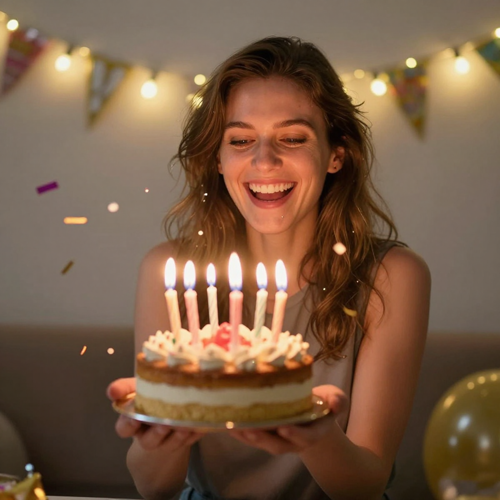
One Photo In, a Full AI Birthday Party Video Effect Out
Choose a clear frame, name the celebration beat you want, and let the AI birthday party video effect handle the cake, the candles and the light. Vertical, square or widescreen, four to ten seconds, ready before the candles burn down.
Create a Birthday Party VideoThe Hard Part With an AI Birthday Party Video Effect Is the Face
Three problems turn up in almost every first attempt.
Make an AI Birthday Party Video Effect in Three Steps
Upload, name the beat, then look at the face before you download.
Upload One Clear Photo
Pick a frame with the face well lit and nothing covering it. A picture from an earlier birthday, cake already in shot, is ideal.
Name the Celebration Beat
Choose the cake arrival, the blow-out, falling confetti or a toast, then set the ratio and the length of the clip.
Check the Face and Download
Watch the eyes and the mouth through the whole clip. If the likeness drifts, shorten it or pick a calmer beat, then export.
What an AI Birthday Party Video Effect Gives You
Three things decide whether a birthday clip reads as warm or as an artifact.
Where an AI Birthday Party Video Effect Earns Its Place
Three moments that land harder as a moving clip than as a still.
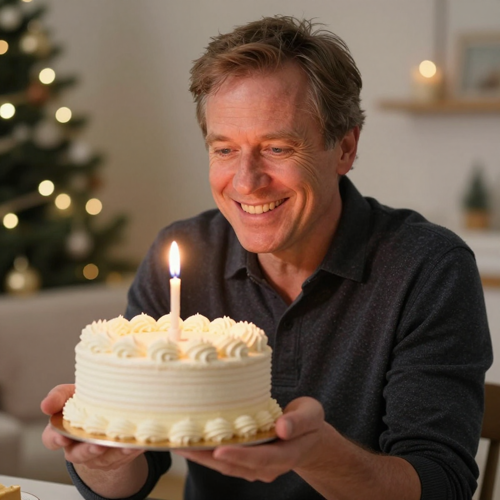
An AI Birthday Party Video Effect for the Cake Moment
The cake arriving is the beat everybody waits for at a party. Animate that one action and the clip carries the whole greeting, with no caption doing the work.
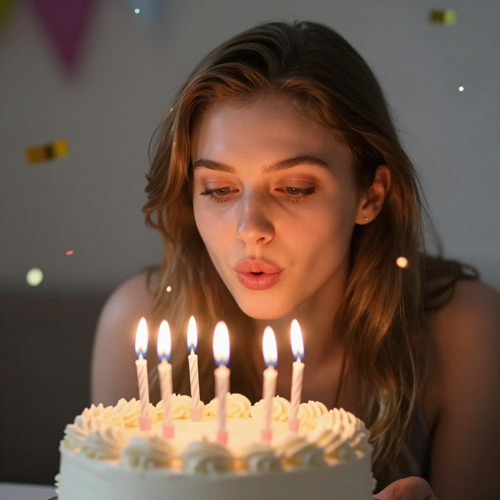
Candles, Confetti and the Blow-Out
Flickering flames, a lean toward the cake and confetti dropping from above give a frozen frame three things moving at once. Hold the camera still and the face stays readable.
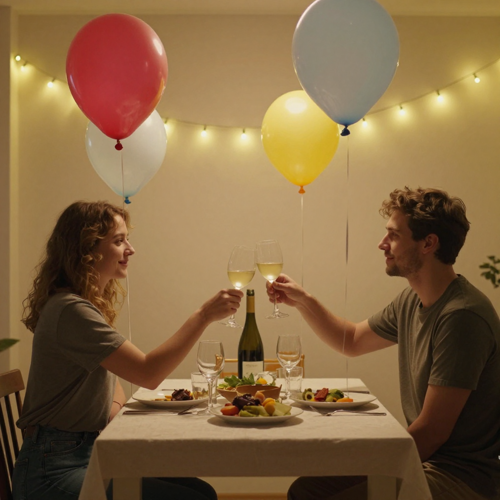
A Room That Turns Into a Party
Balloons drifting past the lens, string lights warming the background and a small toast turn an ordinary dinner photo into a celebration without hiring a decorator.
Four Inputs That Suit an AI Birthday Party Video Effect
One clear subject and a face the model can read is the entire requirement.
Who Struggles Most With an AI Birthday Party Video Effect
Four groups hit the same wall: one good photo and no practical way to make it feel like a party.
Family Sending Across Time Zones
A text message in a distant time zone arrives at the wrong hour and reads like an afterthought. A five-second clip of them with a cake gets replayed and passed around the family.
Parents Who Need an AI Birthday Party Video Effect Fast
Children's parties run late and the invitation usually goes out the night before. One photo of the birthday child becomes an animated invite with the date and venue on top.
Friends Posting a Public Wish
A public birthday post needs a hook inside the first second, and a still photo rarely provides one. Confetti or candles moving in frame supply it without a shoot day.
Small Teams Marking Birthdays
Offices and small shops want something warmer than an email signature line. A short celebratory clip with a colleague's name on top takes minutes and gets read.
An AI Birthday Party Video Effect at a Glance
- TikTok
- Instagram Reels
- YouTube Shorts
Why an AI Birthday Party Video Effect Beats a Template Card
Six reasons to generate the celebration instead of typing a name onto stock footage.
One Photo Is the Whole Brief
An AI birthday party video effect asks for a single clear frame, not a folder of assets, a timeline or a music licence.
An AI Birthday Party Video Effect Keeps the Likeness
Identity handling holds face, hair and expression through the movement, so the greeting is still unmistakably about them.
The Beat Is Yours to Choose
Cake arrival, blow-out, confetti or a toast. Naming one action tells the model where to spend its motion budget.
Short Enough to Land
Four to ten seconds holds a face. Longer clips simply give drift more room to show up mid-gesture.
Vertical, Square or Widescreen
Generate 9:16 for Stories and Status, 1:1 for a feed post, or 16:9 to loop on a screen during the party.
No Timeline, No Stock Footage
Skip the drag-and-drop editor. Upload, generate, download, then write your own words over the clip in the app you already use.
What People Say About the AI Birthday Party Video Effect
“My sister lives eight hours ahead, so my message always landed while she was asleep and read like an afterthought. One photo of her with a cake became a five-second clip she replayed to everyone at work. I only changed the length, because the ten-second version smeared her face.”
“Party invites used to go out as a wall of text the night before, and half the parents missed the time. Now I animate one photo of my son and add the date and address on top afterwards, since anything the model draws comes out misspelled. It takes less time than typing it did.”
“Our team birthdays were a signature line in an email nobody read. A short celebration clip with the name overlaid takes ten minutes and gets answered in the channel. I keep to one prop per clip, since confetti plus balloons looks like noise.”
Frequently Asked Questions About the AI Birthday Party Video Effect
Real questions from people who send birthday clips to family, friends, colleagues and group chats.
What is an AI birthday party video effect?
It is a generated celebration built around the person already in your photo. The model reads the face and the room, then adds the party: a cake arriving in their hands, candles going out, confetti falling. What comes back is a short clip rather than a slideshow, so one still frame becomes the greeting itself.
Can an AI birthday party video effect work from a single photo?
Yes, one clear frame is enough. Give it a front-facing subject whose face is well lit and uncovered, and the effect has the identity information it needs. A picture taken at an earlier birthday is the easiest starting point.
What kind of photo gives the cleanest birthday clip?
A close, evenly lit frame where the face fills a good part of the picture and both eyes are visible. Heavy backlight, sunglasses, hats and wide shots where the birthday person is small cost the most quality. A plain background helps too.
Will the person still look like themselves?
Most of the time, yes, provided the source picture is sharp and the clip stays short. Likeness problems appear when the face is tiny, the lighting is harsh, or the prompt asks for several actions at once. Shortening the clip and choosing a calmer beat repairs most of them.
How long should an AI birthday party video effect be?
Four to ten seconds is where birthday clips usually sit, and also the range where a face stays stable. That is long enough for the cake, the candles and one reaction, and short enough that nothing wanders. Generate two lengths and keep the better one.
Can I add the person's name or a Happy Birthday message?
Yes, but put the words on after the generation rather than inside it. Lettering drawn by the model tends to smear or misspell, while an overlay stays sharp and spelled as you typed it. Generate the clip, then add the name in your phone editor.
Does an AI birthday party video effect work on group photos and pets?
Both work, with one rule each. In a group shot, keep one person as the focus and let the rest react quietly, because two faces competing for attention is where distortion starts. For an animal, upload a frame where the pet fills most of the picture so the markings come from your photo.
Can I use an AI birthday party video effect on TikTok, Reels and Shorts?
Yes. Generate vertical 9:16 for Stories, Reels, Shorts and Status, square 1:1 for a feed post, or widescreen to loop on a screen at the party. Keep faces and captions inside the middle band, since the interface covers the top and bottom strips.
Is an AI birthday party video effect free to try?
Generators in this category commonly open with a free tier and a small batch of credits, enough to test one clip before committing. Longer durations, higher resolutions and watermark-free downloads usually sit behind a paid plan. The effect is available on Textideo if you want to run a first test.
Can I use a generated birthday clip for a business or a client?
You can, as long as you hold the rights to the photograph you upload and the result matches what you are promising. Team birthdays, customer greetings and party invitations all suit the format. Check the watermark and licensing terms of your plan before a clip goes out under a brand name.
Your Next AI Birthday Party Video Effect Is One Upload Away
Take the photo you already have, name the beat you want, and see how the celebration reads before you spend an afternoon in an editor.
No credit card required - no editing timeline - no stock footage