
AI Aging Filter: See an Older Version of Your Face From One Photo
An AI aging filter takes one clear portrait and returns an older version of the same face, with lines, softer skin and grey at the temples laid over the pose you already have. It answers a curiosity question rather than forecasting anything, which is what makes the result worth passing around. Upload a photo, choose how many years forward to go, and download the finished portrait on Textideo.
Rated by portrait photographers, family historians and creators who run an AI aging filter on real files No credit card required - no app install - keep the original beside the result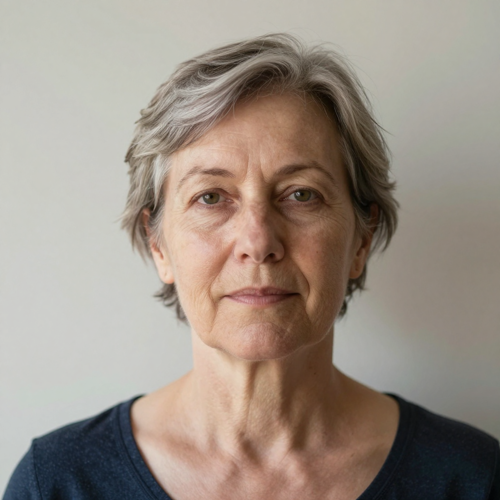
One Good Portrait Beats Ten AI Aging Filter Apps
Most people meet an AI aging filter inside a phone app, get one watermarked attempt, and stop. Running it on a real portrait changes that: a full-resolution file beside the original, a second pass when the first misses, nothing installed.
Age My PhotoThe Hard Part an AI Aging Filter Has to Solve Is the Generic Old Face
Aging apps rarely fail at wrinkles. They fail at identity.
Run an AI Aging Filter in Three Steps
No artboard, no layers, no retouching vocabulary. Three decisions and a download.
Upload One Clear Portrait
Pick a front-facing photo in even light with the hairline and the chin inside the frame, and keep the original so you can compare afterwards. One person per image gives the cleanest result.
Set How Far Forward to Go
Choose the target age that matches the question you are asking: ten years for a believable nudge, several decades for the full effect. Being specific changes the output more than any other setting.
Compare, Then Download
Put the result next to the original and check the eyes, teeth, nose and hairline. If the face has drifted, change the crop or the target age and run it again.
What an AI Aging Filter Gives You Beyond a Wrinkle Overlay
Three things decide whether an aged portrait is usable or merely funny.
AI Aging Filter Examples: Three Jobs People Actually Use It For
The same effect reads very differently depending on whose face goes in.

Yourself, Thirty Years On
The curiosity case. One good selfie in even light, pushed forward three decades, comes back with lines around the eyes and grey at the temples. The pose, shirt and wall stay as they were, so only time has moved.
Parents, Grandparents and the Family Resemblance Test
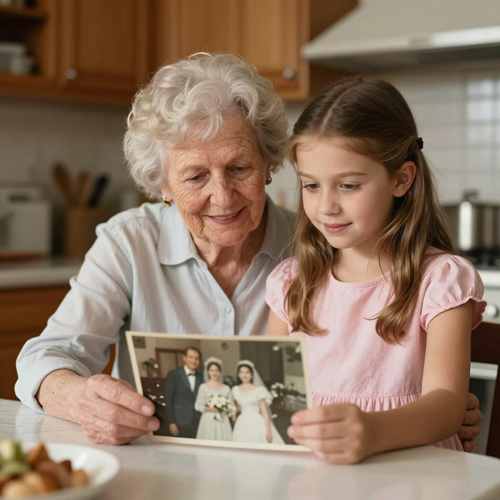
Age a parent's wedding photograph, or run a grandchild forward, then put the two frames side by side. This comparison is what most families want an AI aging filter for, and the resemblance is usually why the picture gets printed.

A Character at Sixty, Before Anyone Books Makeup
Storyboarding a script that spans decades normally costs a day of an illustrator's time. An AI aging filter returns a reference frame in minutes and holds the same bone structure across both versions.
Where an AI Aging Filter Fits: Portraits, Print, Screens and Decks
One aged portrait rarely stays in one place. It usually turns into three files.
Who Struggles Most Without an AI Aging Filter, and What Changes
Four groups keep hitting the same wall with phone apps, and what an AI aging filter removes from it.
Parents and Grandparents
The question is simple: what will this child look like grown up. What stops most families is the install-then-subscribe routine, and doubt about where a child's photo goes afterwards.
Creators and Social Editors
An aged face travels well, but one watermarked attempt is not a post. They need a clean full-resolution frame, a second variant when the first looks wrong, and a file that survives reposting.
Filmmakers, Casting Leads and Game Artists
A script that jumps twenty years needs a reference before casting starts. Hand retouching costs hours; an AI aging filter returns a first pass in the time it takes to read the scene.
Genealogists, Teachers and Wellness Coaches
Family history talks, classroom exercises on heredity, and programmes that make a distant consequence feel concrete. Each needs a plausible picture that stops short of claiming to be a forecast.
AI Aging Filter at a Glance
- FaceApp
- YouCam Makeup
- Fotor
- Remini
- Canva
Why an AI Aging Filter in the Browser Beats Another Old Face App
Phone apps made this effect famous, then put a paywall in front of the download. Here is what changes on a real file.
The AI Aging Filter Keeps the Face You Uploaded
Identity is judged first and lines second. Check the eyes, nose and jaw before the wrinkles, and discard any variant where those have drifted.
Nothing Gets Installed Before You See a Result
A browser session means no app download, no subscription screen on first open, and no photo library permission handed over. You upload, look, and decide.
Pose, Clothing and Background Stay Where They Were
Working on the face and leaving the rest of the frame alone means the aged version sits directly beside the original. A live camera filter cannot do that.
Older and Younger Come From One Portrait
The same upload runs in both directions, so one photograph yields a future version and a younger one. That gives you a before-and-after pair and a check on identity at both ends.
A Second Attempt Is Not a Purchase Decision
When a first pass looks wrong, the cause is usually the crop or the target age rather than the effect itself. Regenerating costs nothing, so comparing variants is normal.
Clear Terms Before a Face Leaves Your Device
Retention, deletion and training policy are written down before you upload. That is what counts when the portrait belongs to a family member, a client or a child.
What People Say About an AI Aging Filter
“Every app we tried gave back a generic elderly stranger with my client's hairline missing. Running the effect on a proper headshot and keeping the original beside it changed how we present character ages entirely.”
“We wanted a picture of our daughter at her wedding age for a birthday card, and the free apps all wanted a subscription before the download. One portrait in even light and a second attempt got us a frame we actually printed.”
“The first pass always came back looking like somebody else's grandfather. Once we started cropping to a single clean face and naming a target age instead of asking for 'old', the results stopped needing rescue work.”
AI Aging Filter Questions People Actually Ask
Ten things worth knowing before you upload a face that matters.
What is an AI aging filter?
An AI aging filter reads a face and rebuilds it as an older version of the same person: softer skin texture, lines around the eyes and mouth, a different hairline, greyer hair. Rather than stamping a texture on top, it recalculates the whole face.
Can an AI aging filter predict what I will look like at 70?
No. An AI aging filter builds one plausible older face from a single photo, which cannot carry health, weight or sun exposure across the decades in between. The number you enter is a dial for the strength of the effect, not a forecast.
What kind of photo gives the most realistic result?
A sharp, front-facing portrait in even light, with nothing crossing the face. Hard shadows are the usual reason a result looks wrong, because shadow reads as a wrinkle. Keep the hairline and the chin in frame, since an AI aging filter uses both to place age.
Will an AI aging filter change my face beyond recognition?
It can, when the source photo is weak or the effect is pushed too far. The tells are altered eye shape, a shifted hairline, or a jaw quietly reshaped. Keep the variant that still looks like you, not the one carrying the most lines.
Can I use an AI aging filter on a group photo?
Several faces in one frame lower the quality of an AI aging filter, because each person gets less attention. Crop one person out at a time, keep the whole face and hairline inside the crop, and run each portrait separately.
Is it safe to upload my face to an age filter?
That depends on the service rather than the category. Before uploading, read four things: how long the photo is kept, whether you can delete it, how biometric data is handled, and whether images are used for training.
Can I run an AI aging filter on a child's photo?
Yes, and it is one of the most common uses of an AI aging filter: curious parents, and age-progressed images in missing-persons work. The caution is where the photo goes, so pick clear retention terms before publishing an aged image of a minor.
How is an AI aging filter different from age regression?
Only the direction changes. An AI aging filter adds years through volume loss, lines and greying hair, while age regression removes them, smoothing skin and adjusting proportions toward a younger face. Run both on one portrait to check identity at each end.
Can I use the aged portrait in a pitch or a client project?
For pre-visualisation and concept work, yes. An aged portrait shows a character at sixty before anyone books a makeup artist. Check the licence on the result and the rights on the source photo before it goes public.
Do I need design or retouching skills to use an AI aging filter?
No. The work is choosing a good source photo and deciding how far forward to go, not drawing anything. When a result needs correcting, the fix is a clearer crop or a different target age rather than any hand retouching.
Put an AI Aging Filter on the Photo You Already Have
Upload one clear portrait, choose how far forward an AI aging filter should go, and download a full-resolution result you can print, post or hand to a makeup team, available on Textideo.
No credit card required - no app install - keep the original beside the result