
Business Card Mockup Generator: Preview the Print Before You Pay for It
A business card mockup generator turns a flat 3.5 × 2 in layout into a preview a client can almost hold, with paper, shadow and scale already settled. Upload the front and back, place them in a desk, stack or hand-held scene, then export an image sized for a proposal deck or a portfolio page. No software to install, no smart object to hunt down, and no test run paid before the design is signed off, all on Textideo.
Rated by designers, founders and print buyers who check every card on screen before it prints No credit card required - no sign-up - nothing to install
Business Card Mockup Generator Previews That End Guesswork Before Print Day
Most card designs win or lose the room in the first ten seconds, and a flat PDF rarely survives them. Put artwork in a believable scene and feedback moves to type size, logo scale and finish. Bring a logo and leave with an image worth emailing tonight.
Generate a Card MockupThe Hard Part With Business Card Mockup Generator Previews Is the Waiting
Nobody rejects a card over the font. They reject what they cannot picture.
Make Business Card Mockup Generator Previews in Three Steps
Three moves take a flat layout to a shareable image: set the card, place it, export it. Artwork stays in the browser, so no desktop suite is involved.
Set the Card Size and Load the Artwork
Start from the trim size you print: 3.5 × 2 in for a US card, 85 × 55 mm for a European one, or a square or vertical format. Upload the front, then the back when the card is double-sided, at 300 DPI.
Pick a Scene, an Angle and a Surface
Choose where the card lives: a desk with window light, a stack in a holder, or a hand-held close-up that shows type hierarchy at real scale. Background, shadow and thickness adjust in place.
Export the Business Card Mockup Generator Image You Need
Export once for the deck, once for the portfolio, once for the listing, each at a size that suits its destination. The printer gets a file whose bleed and safe area were checked on screen.
What a Business Card Mockup Generator Gives You Before Printing
Three things matter between a finished layout and a print order: believable depth, both faces handled correctly, and an export that fits its destination.
Examples of Business Card Mockup Generator Scenes That Get Approved
The scene does as much work as the layout. These three cover what a client needs before signing: on a desk, held at true scale, and in quantity.
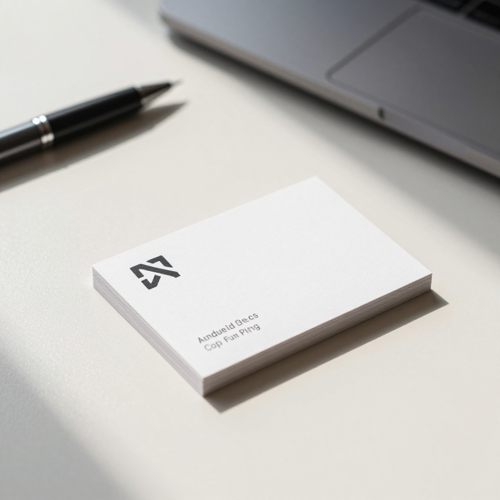
Business Card Mockup Generator Desk Scene With Window Light
A single card on a pale desk, lit from one side, with a soft shadow that shows stock thickness. It is the default first look, because it answers the early question: does the logo hold at card size.
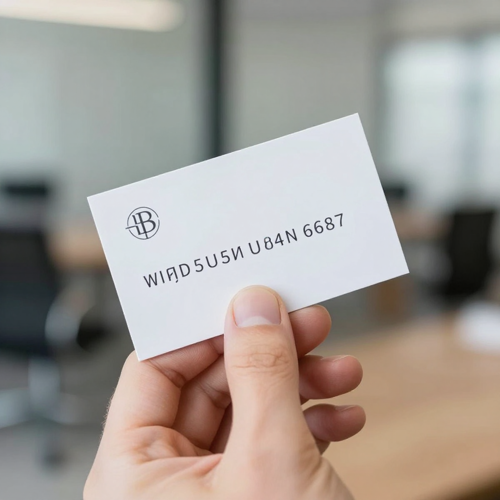
Hand-Held Close-Up for Type and Logo Checks
Type that looked fine on a wide monitor often collapses at 3.5 in across. A held-card crop puts the design at real scale, so a thin serif or an 8pt number is judged as it will be read.
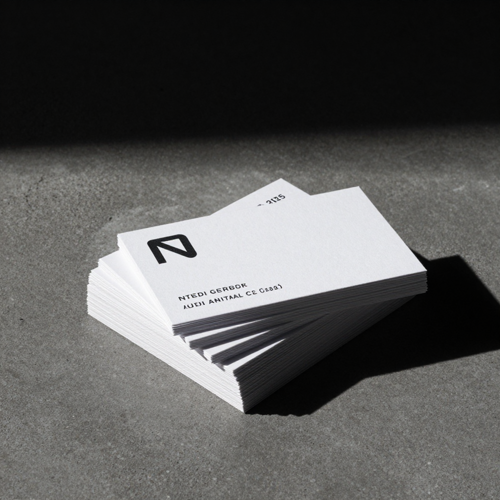
Stacked Cards on Dark Concrete
A stack signals volume: this brand already prints in quantity. Agencies use it when a client needs to believe the identity exists beyond the deck, and it opens a portfolio case well.
Business Card Mockup Generator Output Across Print and Digital Surfaces
One card preview ends up in more places than the print shop. A business card mockup generator export reaches decks, listings and signatures, each with its own demands.
Who Struggles Most Without a Business Card Mockup Generator
Four groups feel the gap between a finished layout and a printed card hardest, and each loses something different without the preview step.
Freelance Designers Presenting Brand Work
A proposal built from flat rectangles invites the request nobody wants: can I see it in real life. One scene per finish answers that inside the deck.
Founders Preparing Pitch and Event Materials
Cards printed for a summit or an investor meeting cannot be reprinted afterwards. Seeing artwork at true scale catches a logo that vanishes at 3.5 in first.
Real Estate Agents and Local Service Pros
Open houses, salon desks and neighbourhood events move cards in volume, usually with a photo and a QR code. Checking the code quiet zone on screen costs less.
Ops Teams Rolling Out Cards for One Office
Team cards mean repeated work: a new hire, a promotion, an office move. A business card mockup generator swaps artwork per person from one template, so twenty cards stay consistent.
Business Card Mockup Generator Facts at a Glance
- Adobe Photoshop
- Figma
- Canva
- VistaPrint
- Moo
Why a Business Card Mockup Generator Settles Design Arguments Faster
Six reasons studios keep card previews inside the approval loop instead of mailing printed samples around. Each one shortens the road to a signed-off order.
Business Card Mockup Generator Previews Kill the Flat-PDF Problem
Facing a plain rectangle, a client must imagine weight, texture and edge, and most people imagine wrong. On a desk with a real shadow, comments turn to the blue instead of whether the file is finished.
Perspective, Light and Paper That Match the Real Thing
Cheap previews fail because the card floats, with no contact shadow and no falloff. A scene carries its own light direction and surface, so matte stock reads flat and coated stock catches a highlight.
Front, Back and Rounded Corners in One Pass
Double-sided work is where proofs break, since the reverse needs its own placement and bleed. Load both faces, set a corner radius, and watch the wrap behave before anyone argues.
Business Card Mockup Generator Scenes Built Around Print Finishes
Finishes are the hardest sell in a deck, because a foil logo described in words sounds like an upsell. Show the card with and without it, side by side, and let evidence decide.
Batch Swaps When a Team Grows or Rebrands
Twenty people, one template, twenty name and title changes is an afternoon gone. Artwork swaps per card in seconds, so a new hire stops triggering a full re-layout.
Records Clients Can Reply To
Feedback spread across chat threads is how one card gets revised five times. Export a dated preview, attach it, and the next round of comments points at the same picture.
What Creators Say About Business Card Mockup Generator Previews
“I stopped paying for sample runs. The client approves on screen now and the order reaches the printer the same afternoon.”
“Our stack of twenty cards used to eat a whole day of name swapping. It takes a lunch break now, and every card matches.”
“The held-card crop caught a phone number too small to read at 3.5 inches. That one image saved us a reprint.”
Business Card Mockup Generator Questions Designers Ask Before Print
The ten questions that come up most before a card goes to print, answered plainly.
What does a business card mockup generator actually do?
It places finished card artwork into a photographed scene, so a design reads as a printed object. You supply the artwork; the scene supplies shadow and surface.
Is a business card mockup generator the same thing as a business card maker?
No. A card maker builds the design itself, with text, logo and layout controls. A mockup generator shows that finished design in a realistic setting before printing.
What size artwork should I upload to a business card mockup generator?
Match the trim size you print: 3.5 × 2 in for a US card, every element at least 0.125 in inside the edge, exported at 300 DPI in CMYK.
Can I show both sides of a double-sided card?
Yes. Load the front and the back as two files and place each in the scene. Both faces keep their own bleed margin, so the reverse is never a mirrored guess.
Does a business card mockup generator handle rounded corners, square or vertical cards?
Yes, as long as the format is set before the artwork is placed. Corner radius, orientation and folded layouts each shift the safe area, and a business card mockup generator shows it.
How do I show foil, embossing or spot UV convincingly?
Pick a scene lit to catch a finish, then export the same card twice, with and without the effect. Clients comparing two images decide faster than clients reading a caption about foil.
Will a business card mockup generator preview match what the printer returns?
Layout, scale and colour land far closer than a flat proof, though stock and press still vary. Work in CMYK at 300 DPI with bleed, then order one printed proof first.
Can I use business card mockup generator images in a client proposal or my portfolio?
Yes, that is what the export sizes exist for. Take a wide file for slides, a square crop for social, or a large one for a case study hero.
Is my artwork kept private?
Card artwork stays inside the browser session and is not published anywhere. Nothing from an unreleased brand identity lands in a public gallery.
Do I need Photoshop or any other design software?
No. Skipping a smart object workflow is why browser-based tools exist. Upload the artwork you already have, place it, and export.
Business Card Mockup Generator Previews Ready When You Are
Bring the artwork you have, place it in a scene that matches the job, and hand a client something to react to today. Available on Textideo, with nothing to install.
No credit card required - no sign-up - nothing to install