
Real Estate Flyer Maker That Turns Listings Into Print-Ready Sheets
A real estate flyer maker takes the photos, price, beds, baths, and square footage you already have and lays them out as a listing sheet that is ready to print or email. Instead of rebuilding the same grid in a general design tool every time a listing goes live, you lock one master layout and swap only the property details. What comes out is the same branding on every sheet, produced on Textideo without a designer round-trip.
Rated by agents and teams building listing sheets every week No credit card required - no design skills needed - export a print PDF and a screen version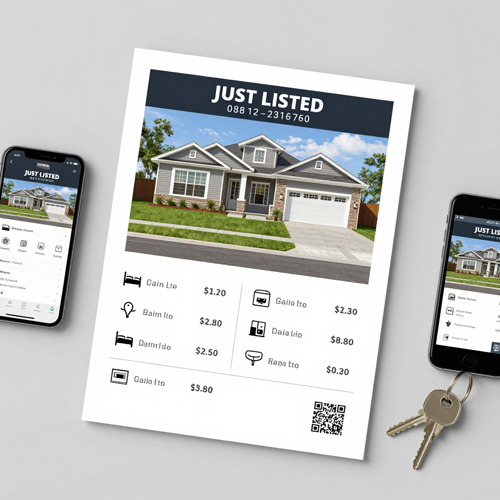
Real Estate Flyer Maker Built Around Listing Photos and Print Specs
Most listing sheets fail on details no template anticipates: an MLS photo that crops badly, a price that shrinks beside a long address, a phone number inside the trim. A real estate flyer maker starts from those constraints instead of a blank page.
Make a listing flyerThe Hard Part With Real Estate Flyer Maker Work Is Listing Number Twelve
The first sheet is easy; volume is what breaks the process.
Make a Real Estate Flyer Maker Sheet in Three Steps
Three moves from a folder of listing photos to a file your printer will accept, using a real estate flyer maker on Textideo.
Drop In Listing Photos and Property Details
Upload the full-resolution files your photographer delivered, not the MLS-sized copies, then enter address, price, beds, baths, and feature lines. A 300 DPI hero needs roughly 2,550 pixels of width.
Pick a Real Estate Flyer Maker Layout and Brand Set
Choose the sheet type, just listed, open house, rental, or sold, then apply your saved brand profile: accent colour, font pair, logo, headshot, licence line, and phone. Fixed zones hold every element.
Check, Export, and Send It Out
Review the hero choice, the price, and the contact line, because those are the three things agents report getting wrong most often. Then export a print PDF with bleed and a lighter version for email.
What a Real Estate Flyer Maker Gives You
Three capabilities decide whether a real estate flyer maker sheet gets printed this week or sits in a draft folder.
Examples of Real Estate Flyer Maker Sheets Agents Actually Hand Out
Three sheet families cover most of a listing week. Each keeps the same master grid and changes the headline, the photo mix, and the call to action.
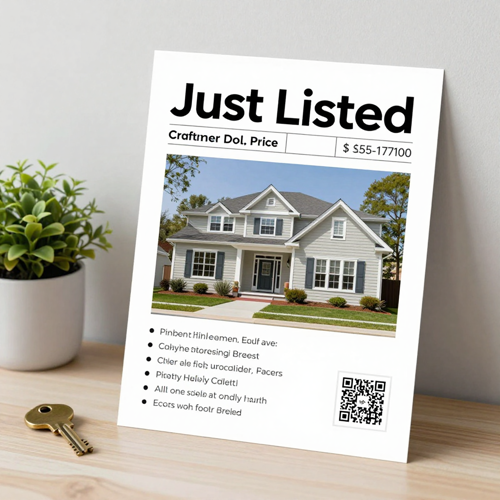
Just Listed Sheet
Built for the first 48 hours: one large hero, price and address on top, five to seven feature bullets, and a QR code pointed at the listing page.

Open House Handout
Date, time, and a floor plan move up the page, and the photo count drops so details stay readable from arm's length. Printed double-sided on matte stock.
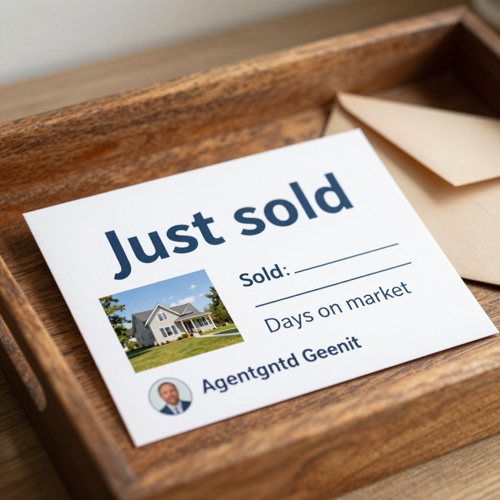
Just Sold Mailer
A postcard-sized crop of the same layout, with the sold price and a line on days on market, sent to the surrounding streets. Same brand, same grid, different job.
Real Estate Flyer Maker Output Across Print, Screen, and Mail
A listing sheet is rarely one file. Here is where each version of the same design lands.
Who Struggles With Listing Sheets, and Where a Real Estate Flyer Maker Helps
Four groups hit the same wall at different volumes. The problem is rarely design; it is repetition.
Listing Agents Running Several Properties at Once
When three homes go live in the same week, the second and third sheets are where layout starts slipping. A saved grid keeps the tenth listing as quick as the first.
Team Assistants and Transaction Coordinators
They build the sheets but do not own the brand, so fonts and logo placement drift between agents. A locked brand profile removes the decision.
New Home Sales Teams Using a Real Estate Flyer Maker
Model homes, phase releases, and pricing sheets move on the builder's schedule, often with a day of notice. Named fields let the sales office push an update.
Rental Operators Using a Real Estate Flyer Maker Every Week
Turnover is predictable and relentless: new unit, new rent, new available date, same sheet. Volume is why this group gains most from one master layout.
Real Estate Flyer Maker at a Glance
- Zillow
- Realtor.com
- Mailchimp
Why This Real Estate Flyer Maker Beats Rebuilding Layouts by Hand
Six places where a dedicated real estate flyer maker changes the work, not just how the sheet looks.
Real Estate Flyer Maker Layouts That Survive Odd Photo Sizes
MLS images arrive in mixed ratios, 4:3 from one photographer and 3:2 from another. A grid that assumes one shape crops the roofline or leaves a grey band above the price, while this engine fits each frame to its slot.
One Listing Grid, Every Property
Set the five-zone structure once, hero photo, price, feature bullets, supporting shots, agent footer, then reuse it across the portfolio. Swapping photos and numbers takes minutes.
Print Specs Settled Before You Export
Printers want 300 DPI images at final size, 0.125 inch of bleed on every side, and embedded fonts. Miss one of those and you get white slivers at the trim or photos that print soft.
Brand Lockup That Stays Put Across Sheets
One accent colour, one font pair, one headshot crop, one brokerage lockup. Locked at template level, those choices stop drifting when an assistant builds a sheet at midnight.
Real Estate Flyer Maker Versions for Just Listed, Open House, and Sold
One property needs several sheets as it moves: a just listed announcement, an open house handout with the date, a just sold mailer for your farm. Each keeps the grid, changes the headline block.
Copy That Reads Like a Person Wrote It
Pasting the whole MLS description at eight point is the most common own-goal on a listing sheet. Short specific lines scan faster: a 0.31-acre fenced lot, not a huge yard.
What Agents Say About a Real Estate Flyer Maker
“Every listing used to start as a blank page, and by the third one in a week the spacing had drifted so far that two sheets from one office looked unrelated. Now the grid is fixed and I only swap photos, price, and date.”
“My problem was never design, it was the retyping, beds, baths, square footage, and the agent line, over and over, with a wrong number reaching print at least monthly. Named fields fixed that.”
“We release phases on the builder's schedule, so a new price sheet lands with about a day of notice. One locked template with the brand already applied is what makes the launch.”
Real Estate Flyer Maker Questions Agents Ask Most
Ten questions that come up before someone moves off a general design tool.
What is a real estate flyer maker?
It takes listing photos and property data and lays them out as a printable sheet. A general design tool hands you a blank page, while this one starts from a grid built for the hero photo, price, and agent footer.
How is a real estate flyer maker different from a listing flyer template?
A template is a fixed file you duplicate and edit, and it breaks when a photo arrives in another ratio. A real estate flyer maker keeps the grid and reflows the content, so nothing gets pushed off the page.
What size should a listing flyer be?
US Letter, 8.5 by 11 inches, is the North American standard and fits sign-rider boxes and folders; A4 is the equivalent elsewhere. A real estate flyer maker switches between them in one setting.
Do I need 300 DPI images, and where do I get them?
Yes, measured at the size the image prints: a full-width letter hero needs roughly 2,550 pixels across. Take those files from your photographer, not from the MLS or a message thread, which are sized for screens.
Can I reuse MLS photos on my real estate flyer maker sheets?
Usually yes, for marketing that specific property, since a standard licence normally covers print flyers, signs, and open house materials. It rarely covers reuse on another listing.
What has to appear on a listing sheet to stay compliant?
Brokerage name and licence identifiers are required in most jurisdictions, and fair housing rules mean the copy should describe the property rather than the buyer. Check your state board and MLS for the rest.
Can I make a real estate flyer maker sheet without design experience?
Yes. The layout decisions sit inside the template, so your job is reviewing the hero, the price, and the contact line. Most agents spend their time on accuracy, not on spacing.
How long does one sheet take?
Filling the fields takes minutes; the review pass is what takes time. Checking the hero, price, and phone number before export is the step worth slowing down for.
Can I use the same design for an open house handout and a just sold mailer?
Yes, and that is the point of one master grid. Change the headline block and the call to action, drop the photo count for the postcard crop, and the sheet still reads as yours.
Can I export both a print file and something to post online?
Yes. Export a print PDF with bleed and embedded fonts for the shop, plus a compressed JPG for email and social. A real estate flyer maker keeps both files in step from one design.
Real Estate Flyer Maker: Start Your Next Listing Sheet
Load your listing photos and property fields, check the price and the contact line, then export a print PDF and a lighter version for email. A real estate flyer maker keeps both files in step, and it runs in the browser on Textideo.
No credit card required - no design skills needed - export a print PDF and a screen version