
AI Church Flyer Maker: Sunday Flyers, Bulletins and Event Announcements in Minutes
An AI church flyer maker turns a plain event note into a laid-out page with the date, time, address and next step already in place. It reads what you paste in - the service name, the scripture, the speaker - and arranges it so a first-time visitor can scan it in seconds. You keep every word and export a print-ready file plus a social version on Textideo.
Rated by church office users who print bulletins and event flyers every week No credit card required - no design experience needed - print-ready export in minutes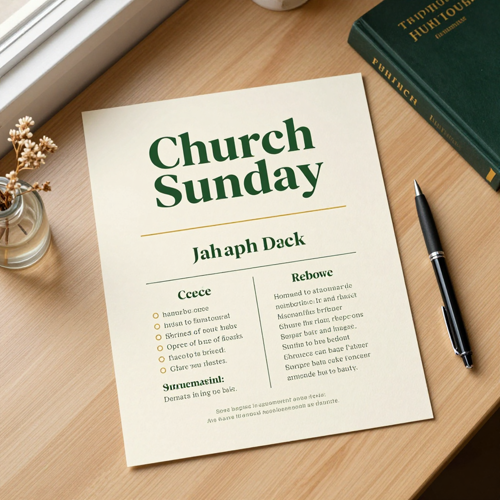
Put an AI Church Flyer Maker to Work Before Sunday
Most church offices lose an evening a week to flyer layout. Paste the announcement once, pick a paper size, and let an AI church flyer maker settle hierarchy, spacing and contrast. The first draft is ready in minutes.
Make My Church FlyerThe Hard Part an AI Church Flyer Maker Solves Is the Weekly Grind
Churches rarely lack taste. They lack hours.
Make an AI Church Flyer Maker Work in Three Steps
No art board to set up and no grid to draw. The job is describing the event, choosing where it prints, and editing what comes back.
Describe the Service or Event
Paste the announcement the way you would email it: event name, date, start time, address, speaker and a line on who it is for. The fuller the note, the better the hierarchy an AI church flyer maker produces.
Choose the Size and the Tone
Pick 8.5 by 11 for a bulletin insert, 5.5 by 8.5 for a handout, a postcard size, or a square for social. Then set the mood - reverent, festive, welcoming - and the imagery follows.
Edit, Then Export Print and Social Files
Swap a word, move the QR code, nudge the start time. Export a 300 DPI PDF with bleed for the print shop and a PNG for the group chat.
What an AI Church Flyer Maker Gives You Beyond a Pretty Layout
Three things matter when a page has to be printed, posted and read by a stranger.
Examples of AI Church Flyer Maker Output Across the Church Year
The same engine handles a candlelight service and a bake sale. Three directions churches ask for most.
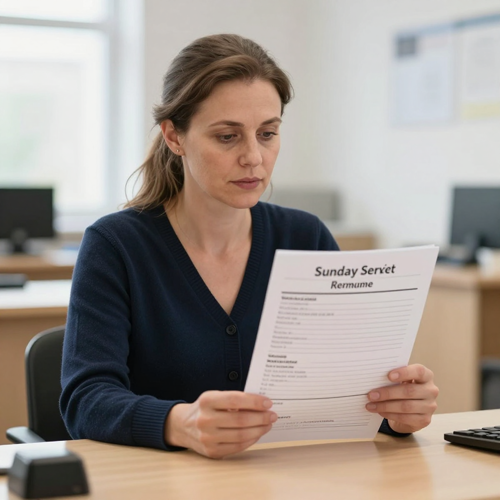
Sunday Worship and Weekly Bulletin Inserts
Service time, sermon title, scripture and a welcome line arranged so they read from the pew. The masthead holds the church name and date in one locked group, so next week is a text change.
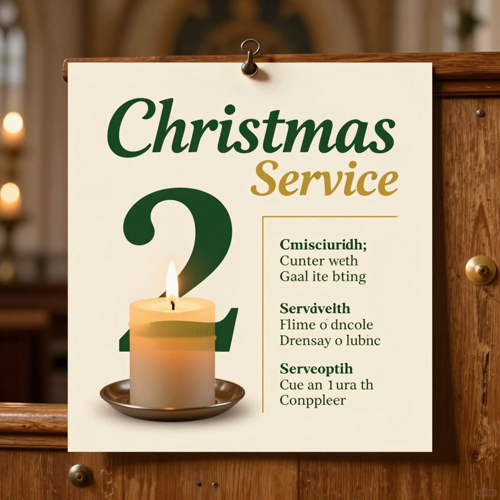
Easter, Christmas and Candlelight Services an AI Church Flyer Maker Handles Well
Seasonal artwork with one focal image and an oversized date that reads across a room. The palette stays warm and reverent, and the schedule block holds its space.
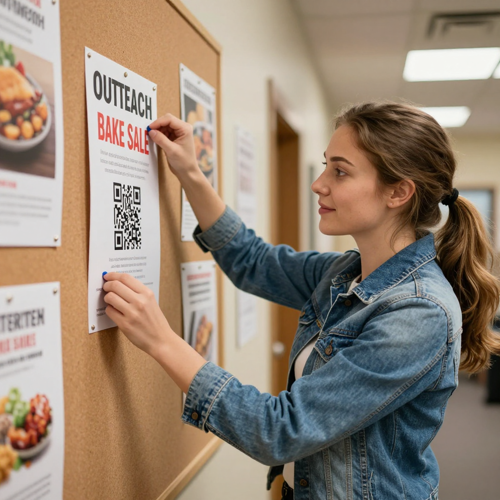
Outreach, Fundraisers and Youth Nights
Food drives, bake sales, VBS registration and youth nights lead with the ask and the drop-off detail, followed by a QR block. Bold, high-contrast type survives a noticeboard and a forwarded screenshot.
Where an AI Church Flyer Maker Fits: Print, Screens and Social
A church announcement rarely lives in one place. One note usually becomes four deliverables.
Who Struggles Most With Church Print, and How an AI Church Flyer Maker Helps
Four roles carry the same weekly load, each with a different deadline. Layout is what an AI church flyer maker takes off all four.
Church Office Administrators
The bulletin, the announcement slide and the lobby poster all land on one desk, usually on a Thursday. With Publisher support ending, many offices are rebuilding years of templates at once.
Pastors and Ministry Leaders
A sermon series title, a guest preacher and a baptism all need announcing this week. What they want is a clear invitation, not a design project.
Volunteer Communicators
Usually the person with the least design training and the least spare time. They need a layout that already respects contrast, margins and type size.
Youth and Outreach Teams
VBS, food drives, concerts and community nights each get their own page, and all need to look like one church. A shared masthead and palette is usually the whole battle.
AI Church Flyer Maker at a Glance
- Canva
- Adobe Express
- Microsoft Word
- Affinity
- VistaPrint
Why an AI Church Flyer Maker Beats Another Round of Template Editing
Templates are where most church flyers start and stall: three fonts, a crowded schedule block, a logo off centre. Here is what changes when the layout comes from your own announcement.
The AI Church Flyer Maker Reads Your Announcement, Not a Placeholder
Paste the real note - service name, date, start time, room, speaker, one line of welcome - and the layout is built around it. Nothing is invented, so no wrong phone number reaches the printed page.
One Announcement Becomes a Print File and a Social Post
A bulletin insert wants 8.5 by 11 at 300 DPI; a group chat wants a square image. The same draft reflows into both, so the lobby poster and the Wednesday reminder match.
Print Rules the AI Church Flyer Maker Applies Before You Download
Bleed, safe margins, CMYK-friendly colour and copier-proof contrast are handled inside the file. That removes the classic failure where text sits too close to the trim and comes back clipped.
Last-Minute Changes Stop Costing an Evening
Snow closes the building, the guest preacher changes, the start time moves by half an hour. With an AI church flyer maker you edit one line and regenerate instead of rebuilding the page.
Seasonal Workload an AI Church Flyer Maker Absorbs
Easter, Christmas, VBS and a fundraising dinner all land inside the same calendar. A reusable structure keeps the church name, palette and masthead steady while only the details change.
A Consistent Look Across Every Ministry
Youth group, food drive, memorial service and Sunday worship are often designed by four different people. One shared setup keeps logo, type and colour together.
What Church Communicators Say About an AI Church Flyer Maker
“We used to rebuild the bulletin layout every Thursday night, and the Publisher deadline made it worse. Now the announcement text is the only thing we touch.”
“Three of us design for the same church and every flyer looked like a different congregation. One shared palette and masthead fixed that faster than any style guide we wrote.”
“Our problem was never taste, it was the single hour left after everything else. Moving a start time used to mean starting the whole page over.”
AI Church Flyer Maker Questions Church Offices Ask
Ten questions that come up when a congregation leaves a shared template folder behind.
What is an AI church flyer maker?
It is a tool that turns a written announcement into a finished flyer layout - headline, details, imagery and one clear next step - instead of asking you to place every text box by hand. You describe the service, choose a size, then edit what comes back.
How is an AI church flyer maker different from a poster maker?
The difference is what each format has to carry: a poster maker leans on one large image and very little text, while a flyer layout carries a schedule, an address and a next step. That is why an AI church flyer maker gives those details real hierarchy so they can be scanned in seconds.
Can an AI church flyer maker handle a weekly bulletin as well as a one-off event?
Yes, and the weekly version benefits most. The masthead, service time and order of service stay fixed while the announcements change, so an AI church flyer maker turns week two into a text edit.
Will the flyer be print-ready at 300 DPI with bleed?
Yes. Export options from an AI church flyer maker include a high-resolution PDF with bleed and crop marks for the print shop, plus PNG for screens. Set the paper size before generating - 8.5 by 11, 5.5 by 8.5 or 11 by 17 - so the layout stays sharp at 300 DPI.
Do I need design experience to use an AI church flyer maker?
No. You write the announcement in plain language and the tool takes care of hierarchy, spacing and contrast. Editing works on the words themselves, so correcting a room name stays a text change.
Can I keep our church logo, colours and fonts?
Yes. Upload the logo, name your palette, and the layouts stay inside them, so the youth night poster and the Christmas flyer read as one church.
Can I add a Bible verse, a QR code or a giving link?
Both. Put the verse text in your description and it is placed as a readable block, and generate a QR slot you can swap for your own giving, RSVP or map link. Keep the code large, give it a quiet zone, and label where it goes.
What if the event details change after I generate the flyer?
Edit the line and regenerate. Moving a date or a start time leaves the rest of the layout intact, which is what an AI church flyer maker keeps separate from the artwork.
Is an AI church flyer maker suitable for every denomination and tradition?
Yes, because tone is an input rather than a fixed style. Describe the occasion as reverent, bright or family-friendly and the imagery follows. An AI church flyer maker serves a candlelight service and a youth concert alike.
Can I use the same design on social media?
Yes. One announcement from an AI church flyer maker can be exported as a print PDF and as square or vertical images, so the lobby poster and the Facebook post carry identical wording.
Put an AI Church Flyer Maker on the Calendar This Week
Paste next Sunday's announcement, pick a paper size, and take the layout off the volunteer. Print-ready PDF, social crops and one place to edit when details move, available on Textideo.
No credit card required - no design experience needed - print-ready export in minutes