
Turn Any Photo Into a Clean Silhouette With an AI Silhouette Maker
An AI silhouette maker takes one photo and reduces it to the single shape that carries the pose, with no tracing and no layer stack to manage. Side profiles, pets, dancers and bicycles survive the conversion best, because a clear outline gives the software an edge it can follow. Download the result as a transparent PNG or as an SVG your cutting machine reads.
Rated on the two things that decide a silhouette: whether the edge closes cleanly, and whether the file drops straight into a cutter or a layout. No design software to install - no sign-up to begin - keep the rights to anything you export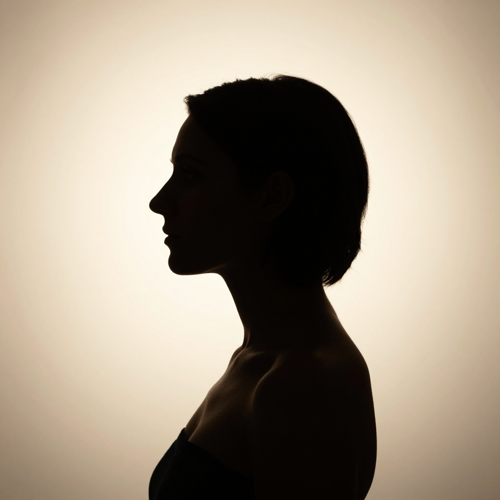
Stop Hand-Tracing Outlines and Let an AI Silhouette Maker Do It
Manual conversion means selecting the subject, refining the edge, filling black and exporting a file that still shows grey fringe at poster size. Sending the same photo through an AI silhouette maker turns that whole sequence into one upload and one download.
Create My SilhouetteThe Hard Part Is Never the Drawing, It Is Getting One Clean Shape Out of an AI Silhouette Maker
Every weak silhouette traces back to one of these three moments.
Three Moves Between Your Photo and a Finished Silhouette
Order matters more than settings: choose the frame first, settle what sits behind it second, export last. Every control in this AI silhouette maker changes one of those three decisions.
Pick a photo an AI Silhouette Maker can read
A side profile, a seated pet or a dancer with space between the limbs gives the software something solid to close around. Busy backgrounds turn any shape into mush.
Decide what sits behind the subject
Keep the original scene, drop in a gradient, or go flat white. Because the outline is already isolated, switching the backdrop never asks you to redo the conversion.
Export what the next tool expects
Transparent PNG suits decks and posts, while SVG suits a blade or a laser. Preview at final size, export once, then reuse the same settings on the rest of your queue.
Three Choices That Decide Whether Your Shape Survives
Plenty of tools stop at background removal, which leaves you with a photo instead of a silhouette. Whether the shape proves usable comes later: the edge, the fill, and the file an AI silhouette maker hands you.
Three Shapes an AI Silhouette Maker Handles Best
The strongest subjects already tell their story through contour: a profile, a jump, two pointed ears, a roofline. These cards cover what each shape needs from the source photo, and where an AI silhouette maker most often loses a clean edge.
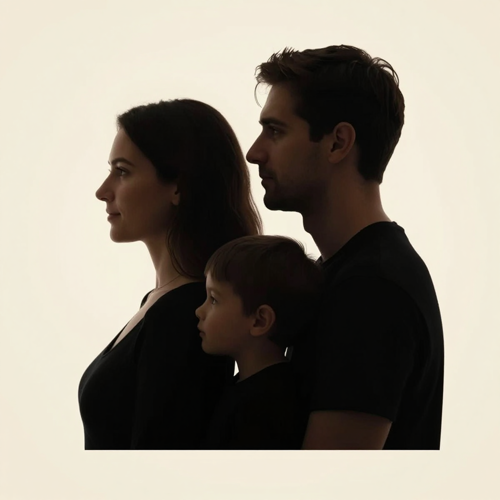
Profile portraits for keepsakes
Forehead, nose, lips and chin land on one continuous line, which is why rows of family profiles still work. Check that the entire head sits inside the frame before uploading.
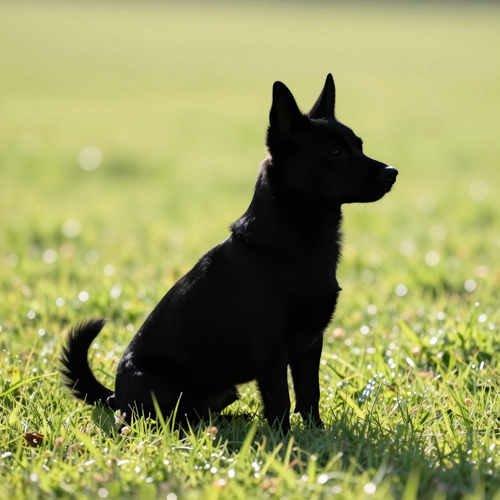
Pet poses with readable ears
A curled tail or two pointed ears carry all the character, so shoot from the side where the body clears the ground. Backlit fur against grass collapses into one mass.
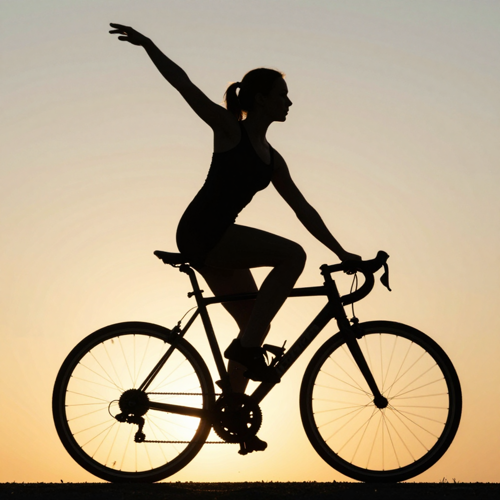
Action poses and city skylines
Dancers, cyclists and rooftops need daylight between their shapes. Keep limbs apart and leave gaps between neighbouring buildings, or the frame flattens into a single block.
Photo Types an AI Silhouette Maker Reads Cleanly
Input quality decides output quality far more than any slider. Four subject types cover most requests, and each one has a failure mode worth knowing before you upload.
Who Uses an AI Silhouette Maker, and What They Ship
Four groups account for most silhouette requests, and each cares about something different: cut precision, anonymity, classroom clarity, or brand consistency.
Crafters and vinyl cutters
Cutting vinyl needs a closed path a blade follows, so every node gets checked first. Using an AI silhouette maker removes the tracing, not the inspection.
Print sellers and small shops
Sticker packs, wall prints and mugs sell on recognisable shapes. Holding one outline steady across a whole collection is what makes a storefront look deliberate.
Teachers and presenters
A flat shape beside a heading keeps a slide readable where a detailed picture steals attention, and survives projection better than compressed photography.
Anyone protecting a face
Community newsletters and witness accounts often need the pose without the identity. A solid fill removes identifying detail while keeping the moment intact.
What Goes In and Comes Out of an AI Silhouette Maker
- Cricut Design Space
- Silhouette Studio
- Illustrator
- Inkscape
- Canva
What Changes Once You Stop Tracing by Hand
Tracing inside an editor still works, it just spends time you could have put into the layout. These are the six differences people notice right after their first AI silhouette maker export lands.
No pen tool required
Freehand bezier paths around curly hair take real practice. Uploading asks none of it, and a project revisited months later still starts from the original photo.
The edge survives scaling
A vector outline stays sharp from a favicon up to a shop window, so one file covers print, web and signage instead of three versions rebuilt separately.
Colour stays a separate call
Shape and fill are decoupled, so one outline serves black vinyl, a pastel invitation and a bright post without redrawing or losing your original line work.
Backdrops swap without rework
Keep the scene, drop in a gradient, or go transparent later. Changing what sits behind the subject never touches the outline you already approved.
Privacy an AI Silhouette Maker Builds In
A filled shape carries the pose without the features, which suits profile pictures, community posts and anything you would rather not publish as a photograph.
Exports match the destination
Raster suits posting, vector suits cutting and printing, and both carry identical geometry. What you approve on screen is what the machine ends up following.
What People Say After Their First Export
“I traced pet photos by hand most of an evening per order before switching. Now I upload, check the nodes once and cut. Buyers only care whether the ears read, and that is what gets judged.”
“Our school newsletter needed illustrations without publishing children's faces. Solid shapes gave us the pose and none of the identification problem, and they still look intentional beside a headline.”
“Half my wall-art listings are family profiles. Running one photo through an AI silhouette maker and swapping the fill per listing changed how quickly I can release a whole collection.”
Questions People Ask Before Their First AI Silhouette Maker Export
Ten practical questions about an AI silhouette maker, answered without marketing language: what the conversion really does, which files you get, how to rescue a rough edge, and what you may sell.
What does an AI silhouette maker actually do?
It isolates your subject and fills everything inside the outline with one flat colour, leaving no texture and no facial detail. What survives is the outer shape alone.
Is a silhouette the same thing as a cutout or a stencil?
No. A cutout keeps the original pixels, an outline draws only the edge, a stencil punches internal holes to suggest detail, and a silhouette fills the entire shape solid.
Which photos give the cleanest silhouette?
Sharp images where the subject clears the background, ideally against sky, a bare wall or another plain surface. Seated pets and dancers with daylight between limbs read best.
Can I get a transparent background instead of white?
Yes. Transparent PNG is the everyday export, so the shape drops into any layout without knocking a background out. Choose JPG only when you want a solid backdrop baked in.
Do I get an SVG file, or only flat pictures?
Both. Export SVG when a cutting machine or print shop needs a scalable path, and PNG when the job wants pixels for posts and mockups.
Why does my AI silhouette maker export have ragged edges?
Usually the source photo rather than the conversion. Low contrast, motion blur or fur merging into grass leaves segmentation nothing firm to follow, so retake against a plain background.
Does the silhouette have to be black?
No. Solid fills accept any hex value, and gradients work when you want dusk inside the same outline. Holding the shape still while swapping fills turns one design into a series.
Do I need to write a prompt to use this?
No, uploading is enough, since an AI silhouette maker reads your photo rather than your wording. Prompts appear only when generating from nothing. Four starters: a matte black side profile on cream, a dancer frozen mid-pose, a cat head with fine whisker detail, a flat skyline at dusk.
Can I sell what I make here?
You keep rights to silhouettes made by an AI silhouette maker from photos you own or may use, which covers most print and client work. Risk enters upstream: someone else's photograph passes its problem into your design.
Is a silhouette safer to publish than a face?
For privacy, generally yes. A solid shape carries pose and clothing without the features that make somebody identifiable, which is why community groups prefer them. Check what your organisation requires.
The Shape Is Already in Your Photo - an AI Silhouette Maker Just Removes Everything Else
Pick the frame with the clearest outline, settle what sits behind it, then export the file your next tool expects. Start with one photo through an AI silhouette maker on Textideo and reuse that shape across prints, decals and posts.
No design software to install - no sign-up to begin - keep the rights to anything you export