
A Spotify Canvas Maker Turns One Image Into a Loop That Breathes
A Spotify Canvas Maker turns one cover or photograph into a short vertical loop that could sit behind a track on Spotify. Instead of a frozen still, the frame drifts, breathes, or snaps back to its opening instant, an idea you can build on Textideo as a visual task. The proportions named on this page are Spotify's published Canvas specifications read as generation targets, not performance figures for any product.
Rated on the two things a viewer actually notices: whether the motion holds, and whether the opening frame meets the closing one No credit card required - no sign-up wall - nothing to install - just one image and a direction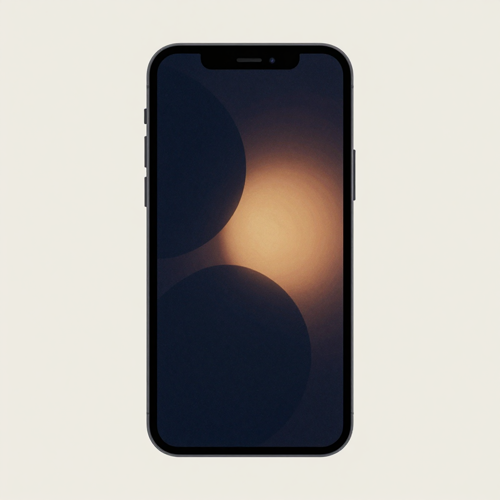
Start a Spotify Canvas Maker Loop With One Image, Not a Spec Sheet
A Spotify Canvas Maker begins with one still you already own, then leaves the interesting choices - the drifting light, the centered subject, the closing join - to you. What you export is a short silent loop, ready to place wherever a vertical visual fits.
Try the Spotify Canvas MakerThe Hard Part With a Spotify Canvas Maker Is the First Frame Meeting the Last
The format is public; the friction lives entirely in how a still starts to move and then returns to itself.
Three Moves Take a Still Image to a Finished Loop
A Spotify Canvas Maker needs no editing suite. These three moves mirror what the task asks of one picture.
Choose the Still That Will Carry the Motion
Begin with a cover, a photograph, or any image you have the rights to use. Keep one clear subject centered, since a phone trims the edges.
Set the Vertical Frame, the Light, and a Rhythm
Compose in a tall 9:16 frame, set the light, and pick one rhythm: continuous drift, beat-timed hard cut, or forward-then-back rebound. Keep flicker low.
Export a Loop You Can Place Anywhere
Export a silent MP4 or JPG built to Spotify's published proportions, then use it wherever a short vertical visual fits. A Spotify Canvas Maker stops at the export; upload follows the platform's own flow, and eligibility is the platform's call.
What a Spotify Canvas Maker Gives You Before Export
Three decisions shape whether a loop reads well on a phone; all three stay in view while the picture is shaped.
Three Loops, Three Distinct Moods
One Spotify Canvas Maker yields very different frames from one brief. These three are where creators usually start.

Amber Light Leak, a Slow Push In
A grainy deep-blue frame with amber light bleeding across it, drifting gently closer. The slow push reads as breathing when light, not an edit, carries the loop.

Smoke and Water, Mirrored Back
A symmetrical field of smoke or still-water reflections playing forward then back. The mirror looks the same either way, so a rebound closes with no visible seam.
One Geometric Block, a Hard Cut
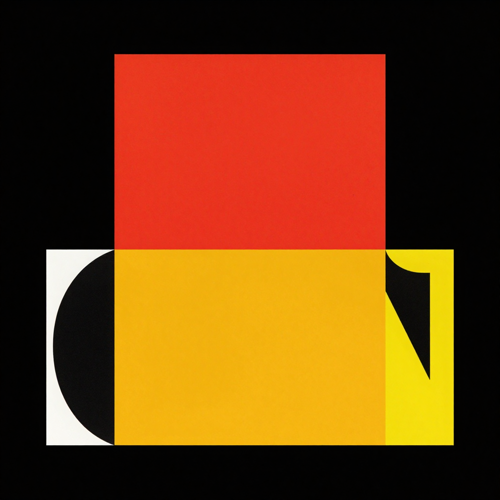
A single bold color shape on near-black that changes once and snaps back to frame one. The hard cut reads on a small screen.
One Export, Many Places to Let It Play
A Spotify Canvas Maker ends at a short silent file, reusable wherever a vertical loop fits.
Who Struggles With a Cover That Refuses to Move
A Spotify Canvas Maker suits anyone with one strong still and a wish to see it breathe, available on Textideo as a visual task.
Illustrators With One Strong Frame
One finished drawing becomes a moving cover, with no second asset to commission.
Solo Visual Artists Cutting Their Own Loops
If you edit your own clips, a short loop is one defined export, not a whole film.
Designers Building a Cover System
Keep one crop and palette across a set, then swap the moving moment.
Creators Reusing One Palette Across Frames
Rehearse one look and carry its light and grain into every new loop.
A Spotify Canvas Maker at a Glance
- Spotify
- TikTok
- YouTube
Why Use a Spotify Canvas Maker Instead of a Blank Timeline
Most visual tools split into audio-reactive generators, footage assemblers, and template editors. Here the loop itself is the point, not a library of effects.
A Spotify Canvas Maker Built Around the Join
The repeat is the hardest part by hand, so start and end on the instant the last frame meets the first.
Light and Grain Over Busy Editing
A slow drift of light reads as motion without demanding attention; subtle grade and texture beat busy cuts.
Three Loop Rhythms, One Still Image
Continuous, hard cut, and rebound each close a loop differently. Try all three against one photograph.
Instead of a Blank Canvas, a Starting Frame
Give the loop a cover, a photo, or one written direction and the project already has a subject.
Silent by Design, Judged on Motion Alone
A Canvas file plays in silence, so a Spotify Canvas Maker asks you to judge framing and movement, never a soundtrack.
A Repeatable Visual System
Reuse one palette and one crop across a set of frames, then swap the single moment that moves.
What Creators Say About a Spotify Canvas Maker
“I stopped fighting the seam and just picked motion that already wanted to return to its first frame.”
“The framing is the whole job now; once the light sits right, the loop almost builds itself.”
“A still that breathes on a phone beats a fancy edit nobody ever watches twice.”
Spotify Canvas Maker Questions, Answered Plainly
What a Canvas is, how a loop is built, and the boundary with Spotify cause the most confusion. Ten questions a Spotify Canvas Maker gets asked, answered plainly.
What is a Spotify Canvas, exactly?
A Canvas is a short, silent, vertical loop replacing static album art in Spotify's mobile Now Playing view - three to eight seconds in a tall 9:16 frame. A Spotify Canvas Maker builds a visual that could fill that slot.
Which proportions should a Spotify Canvas Maker aim for?
Treat Spotify's published Canvas format as a generation target, not an upload gate: a nine-by-sixteen portrait frame, a height of at least 720 and at most 1080 pixels, a span of three to eight seconds, a silent video file or one still frame. A Spotify Canvas Maker holds those boundaries so the creative choices stay open.
How do the three loop rhythms differ?
One rhythm never seems to stop, one resets on a single beat, and one reverses a mirrored clip so both halves match. Spotify lists these as its loop rhythms: drifting light suits the first, a flat graphic the second, mirrored smoke the third.
Can a still cover really become a moving loop?
Yes - that is the whole idea. A Spotify Canvas Maker adds a slow push, a drifting light pass, or a mirror rebound to one image, so the frame moves without a second shot.
Is a Spotify Canvas Maker an official Spotify product?
No. Spotify provides the Canvas feature and its guidelines; a Spotify Canvas Maker is an independent, third-party way to prepare a fitting visual. This page is not affiliated with or endorsed by Spotify, and the tool does not present itself as official.
What rights do I need over the source image?
Use only material you have the rights to: your own cover, a licensed photo, or a frame you made. The tool clears no rights, and Spotify applies its own content policy, so avoid unlicensed footage and never build misleading or impersonating visuals.
Does the exported loop carry any sound?
No. Spotify plays the track and ignores audio inside a Canvas file, so the loop is silent. Judge it on motion, framing, and light alone.
Where can the finished visual be used?
Anywhere a short silent vertical loop fits: a social teaser, a portfolio study, a cover reveal, or a background screen. The export is a plain MP4 or JPG, so the file travels beyond its original purpose.
Will a Spotify Canvas Maker upload the file for me?
No, it stops at the export. Adding a Canvas follows Spotify's own publishing flow in Spotify for Artists, and eligibility is the platform's call, not a maker's. This workflow prepares the picture; the platform handles the rest.
Spotify Canvas Maker versus a Canvas generator: which term fits?
They point to the same job. A Canvas generator implies audio-reactive visuals from a prompt; a Spotify Canvas Maker covers any workflow - animating a still, trimming a clip, or writing a direction - ending in a spec-fitting loop. Pick the word that matches how you start.
Turn One Image Into a Spotify Canvas Maker Loop Today
Your cover is already finished. Give it a few seconds of motion that belongs to it. Start a Spotify Canvas Maker loop on Textideo - no credit card, no install, one image to begin.
No credit card required - no sign-up wall - nothing to install - just one image and a direction