
AI Beach Bikini Photo Generator: Beach Photos Without the Flight
An ai beach bikini photo generator turns one written scene into a photoreal beach photo: swimsuit, shoreline, waterline and all. You name the hour of light and how close the camera stands, and the render handles the rest. The whole trip happens inside a prompt box on Textideo: no flights, no photographer, no rental gear.
Rated on what a beach frame actually gets judged by: light that matches the hour it claims, and a waterline that holds up at full zoom No credit card required - one prompt to start - remove your uploads anytime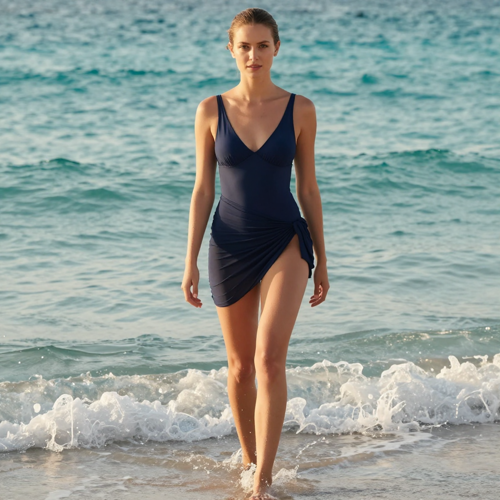
An AI Beach Bikini Photo Generator Lives or Dies by Its Waterline
A beach photo convinces in the first half-second: wet sand holding a reflection, light that matches the hour, skin with pores. An ai beach bikini photo generator on Textideo writes all of that from one sentence, or rebuilds the scene around a photo you already have. Type the shore, run it, keep the frame where the water behaves.
Generate Your First Beach PhotoThe Hard Part With an AI Beach Bikini Photo Generator Is the Light
Generated beaches break in three places: light, water and skin. None of them are the prompt's fault.
Shape an AI Beach Bikini Photo Generator Frame in Three Steps
One sentence builds the scene, one casting choice sets the face, and one careful zoom decides the export.
Write the Shore, the Suit and the Hour
Type the scene you want in one sentence. 'A quiet cove at first light, high-waist navy two-piece, mist over calm water' gives an ai beach bikini photo generator far more to hold onto than 'a woman at the beach' ever could.
Bring Your Face or Cast a Model
Decide who stands on the shore. Your own photo keeps the identity consistent across scenes; a generated model skips the consent question when the frame is openly fiction anyway.
Audit the Tells, Then Export
Inspect the frame the way a retoucher would: fingertip count, where the water meets the skin, strap edges, whether the sky agrees with the light on the body. Fix drift with a negative token or a simpler pose, re-roll, then download at full resolution.
What an AI Beach Bikini Photo Generator Must Get Right
A believable beach photo stands on three legs — how the prompt is heard, whether the face holds, and how the file leaves the tool.
Where an AI Beach Bikini Photo Generator Wins or Loses
Beach frames get caught or cleared at full zoom: the water either meets the skin honestly or clips through it. These are the three requests the generator fields most.
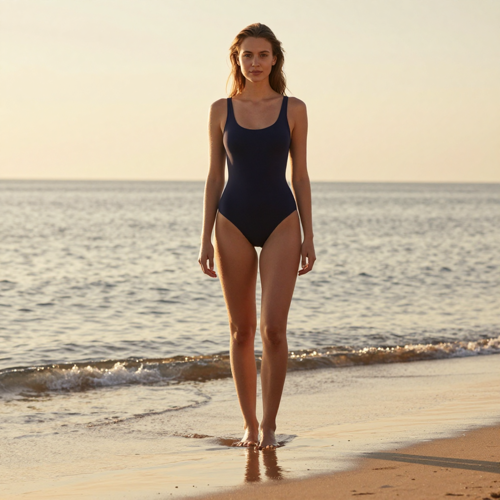
The Golden-Hour Waterline Portrait
Ankle-deep in the last light of the day: wet sand holding the sky, a warm rim across the shoulders, pores still visible — the frame every beach shoot chases.
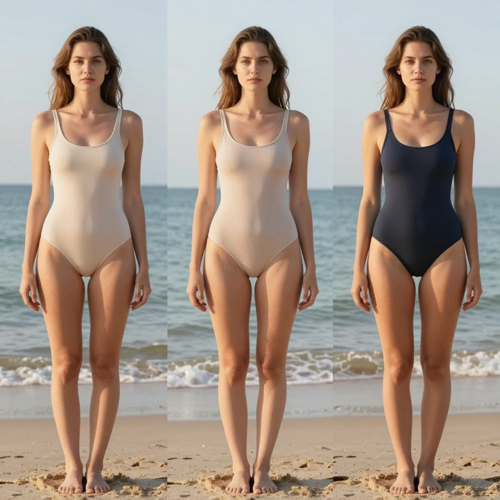
The AI Beach Bikini Photo Generator Try-On Frame
Same person, same shore, three suits. Because the scene holds still between versions, the comparison lands on neckline and proportion instead of wandering off with a new background.
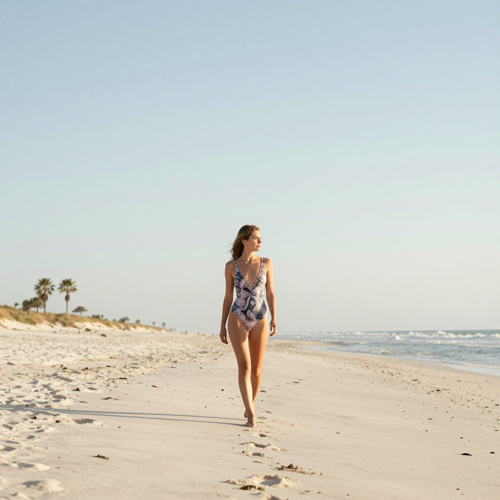
The White-Sand Resort Wide
An editorial wide shot: printed suit, empty shoreline, horizon room for headline text. The prompt names the distance and the composition obeys — the workhorse frame for a swimwear drop or resort page.
Starting Points the Generator Accepts
Nearly every ai beach bikini photo generator job starts as one of these four inputs.
Who Struggles When the Beach Trip Never Happened
Nobody searches this term to collect filters. They want a shore that photographs like a shore, and the ai beach bikini photo generator is the fastest way to write one into existence.
Swimwear Sellers and Boutique Brands
Product shots on live models cost a shoot and a season. A generated shoreline puts the new cut in believable light the day it is designed.
Travel and Resort Creators
Destination pages need off-season visuals too. Describe the cove and the hour; the beach photo arrives without a location day.
Summer Campaign Social Managers
The summer grid needs ten shorelines by Friday, and scouting cannot outrun a calendar. Batch the frames and keep the ones where the surf sits right.
Vacation Planners Picking a Suit
Before the suitcase closes, an ai beach bikini photo generator shows the cut on a beach-lit frame — yours, or a model built for the purpose.
An AI Beach Bikini Photo Generator, Counted in Four Numbers
- TikTok
- Shopify
- Etsy
Why a Described Beach Beats a Stock Beach
Stock shorelines look like stock: same dusk, same crowd in the corner. A described shore carries the hour and the tide you asked an ai beach bikini photo generator to build — the difference between a backdrop and a scene.
One Sentence Names the Whole Shore
Shoreline, tide, weather, hour — every element the camera would have caught gets written in or left for the model to fill with something plausible.
The Light Obeys the Hour You Pick
Golden hour warms the water and softens skin; noon hardens the shadows on the sand. Naming the time of day does more for realism than any resolution number ever will.
The AI Beach Bikini Photo Generator Lives in One Browser Tab
On Textideo the run starts and ends in the browser: no model install, no GPU settings, no files to ferry between apps.
Your Face Can Stay in the Frame
Upload your own picture and the identity anchors across every shore you describe afterward — the route that keeps a generated beach photo honestly yours.
Consent Travels With the Export
Your own portrait, or a face you have written permission to use: the only two lanes that keep a swimwear campaign clean.
Re-Rolls Cost Minutes, Nothing Else
The keep-and-discard cycle is the normal workflow, not a failure state. Run variants and keep the frame where the waterline behaves.
What People Ask of an AI Beach Bikini Photo Generator
“Our swimwear drop needed shoreline visuals in November. Three prompts later the product page carried a golden-hour waterline shot, and nobody asked which beach it was.”
“I generate the wide shots my camera roll never has: empty coves, warm dusk, room for headline text. The resort column ships every week now without a single location day.”
“Uploading my own photo was the turning point. The same face stood on four different shores in one afternoon, and the feed finally looked like a single summer.”
Honest Answers Before You Generate a Beach Photo
What people want to know before letting an ai beach bikini photo generator build a frame they intend to post.
What is an ai beach bikini photo generator?
Think of it as a camera you write to: it renders photoreal beach photos in swimwear from a written description, with an optional route that starts from your own photo. You supply the shore, the suit and the hour; the model composes light, water and sand the way a lens would have caught them — a finished photograph, not an illustration.
How is this different from a photo editor or an outfit swap?
A photo editor retouches a picture that already exists; an outfit swap changes only the swimsuit. An ai beach bikini photo generator composes the entire scene — shore, tide, light and wardrobe together. It is the right tool when there is no starting photo worth keeping.
What time of day renders best at the beach?
Golden hour, most of the time: warm low light forgives skin and flatters water. Midday works when the prompt asks for it, with hard shadows and bright surf for a documentary feel. Name the hour explicitly, because an unnamed hour lets the render fall back on flat, shadowless light.
What prompt should I start with?
Start here and swap in your details: 'A woman in a coral one-piece walking the waterline at golden hour, wet sand reflecting a pink sky, gentle surf behind her, shot on a 35mm lens, natural skin texture, visible pores.' Scene, swimsuit, camera, light — four filled slots beat a paragraph of adjectives.
Should I upload my own photo or generate a model?
Upload when the face must be yours — profiles, personal content, try-on frames — because an ai beach bikini photo generator anchored to your photo keeps that identity across every shore you describe afterward. Cast a generated model when no familiar face is needed, which removes the consent question entirely. Pick the lane before you generate.
Why do hands and the waterline break, and how do I fix them?
Fingers are the classic weak spot of image models, and the waterline is the beach-specific one: surf can clip through a hip. Simplify the pose, name the hands ('relaxed fingers at her sides'), keep water descriptions gentle, and re-roll — a batch of four usually holds one clean frame.
Why does the skin look plastic?
Because stacked beauty words — 'flawless, perfect, smooth' — erase texture on purpose. Trade the adjectives for camera references: '85mm lens, natural light, visible pores, subtle freckles.' Skin that holds up on screen needs imperfections written into the prompt.
What resolution and aspect ratio should I export?
Decide the crop before rendering, not after: a social grid, a feed column and a full-screen story land the waterline differently. Export at the highest resolution your plan allows and inspect at full size — that check is where plastic skin gets caught.
Can I put the beach photos in my shop listings and ads?
Check your plan's terms first, since commercial rights usually differ between free and paid tiers. Swimwear mockups, resort pages and campaign drafts are the typical commercial lanes. Keep generated models away from anything implying a real endorsement, and real faces out of commercial frames unless the person signed off.
Is it okay to post AI beach photos as if they were real?
Post them as beach photos, not as evidence — sponsored posts and dating profiles deserve an honest 'AI-generated' note, and most platforms now ask for one. An ai beach bikini photo generator invents a shore, so never place someone else's face on it without permission. Label the fiction, keep consent on file.
Make Your First AI Beach Bikini Photo Generator Frame
Write the shore, cast the figure, and audit the waterline before the export. On Textideo the ai beach bikini photo generator handles the render — the light you name and the judgment stay yours.
No credit card required - one prompt to start - remove your uploads anytime