
Krea AI: Draw a Few Loose Shapes and Watch a Scene Render Live
With a Krea AI live canvas, the frame redraws as the brush moves, so a rough sketch settles into a finished scene without a generate button. Prompts, shapes, and uploaded images act as inputs, and the output keeps pace with each change. Run it on Textideo in the browser, review the result at full size, and export the frame you want to keep.
Rated on what decides a Krea AI live session: whether the sketch keeps its shape and the frame stays yours. No account - nothing to install - your sketch stays yours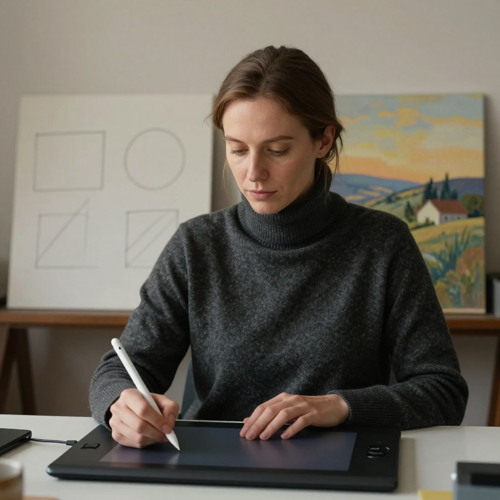
The Brush Should Lead, Not the Generate Button
What you put in decides far more than any setting you adjust afterward. A short prompt sets style and lighting; rough shapes set composition and placement. On a Krea AI live canvas the output answers each brushstroke instead of making you restart.
Turn a Sketch Into a SceneThe Hard Part With Krea AI Real-Time Generation Is Rarely the Drawing
The drawing is easy; the decisions around it are the work.
Three Small Decisions Replace the Whole Prompt-And-Wait Loop
No drawing background or layers panel needed. The whole Krea AI real-time generation pass is three visible choices.
Set the Prompt and Block the Composition
Write one or two sentences naming subject, medium, light, and mood, then place a few rough shapes or color blocks on the canvas. An oval above a rectangle reads as a figure; a triangle in the distance reads as a mountain.
Steer With the Influence Control
A lower influence lets a rough blob open into a freer interpretation; a higher one holds a detailed sketch closer to what you drew. Add a reference image when style or layout needs anchoring, and keep the stack short.
Paint Over, Then Save the Frame You Want
Correct a region by painting across it, move a shape with the select tool, or adjust one word in the prompt. When a direction holds, save that frame, upscale it, and export; a Krea AI live canvas rewards stopping at a good result.
What a Krea AI Live Canvas Actually Changes
Three things are worth understanding before a Krea AI live session, because each changes the finished frame.
Three Directions One Rough Sketch Can Take
A loose sketch resolves differently with the prompt, the influence setting, and the reference you add. These are three directions people reach for in a Krea AI session.
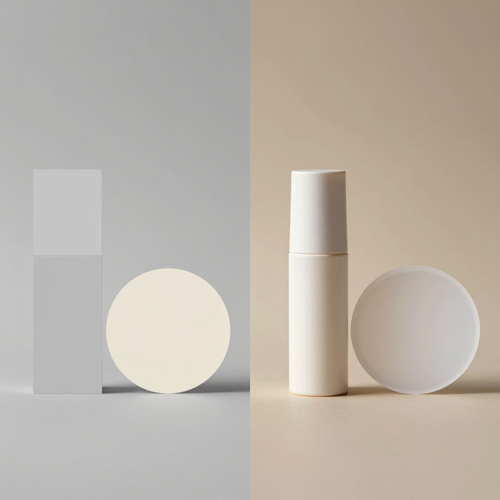
A Blockout That Becomes a Product Shot
A few rectangles and a pale circle are enough to place a package and a light source. With a photographic prompt and a tighter influence, the same marks resolve into a styled product frame.
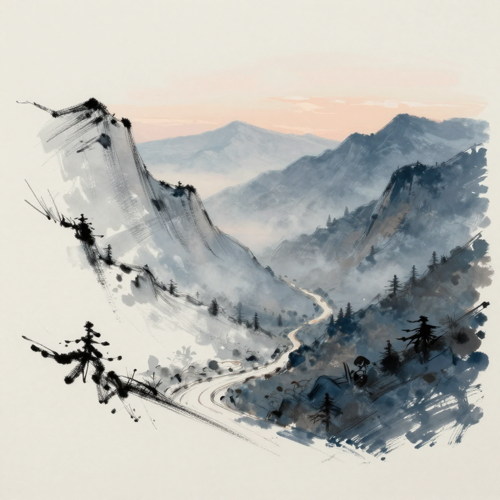
A Sketch-To-Image Concept Frame
Rough silhouettes plus a mood prompt carry the early idea stage. The point is a fast answer to whether a composition feels right, not fidelity to the linework.
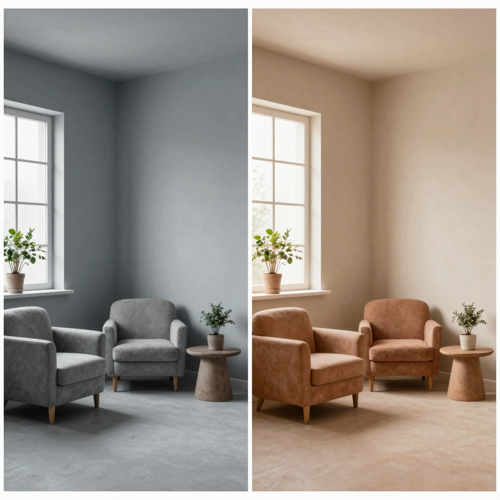
A Reference Turned Into a New Style
Drop a photo onto a Krea AI canvas, then paint over it with a fresh palette. The model keeps the spatial layout and reinterprets the surface, which restyles a scene without rebuilding it.
The Inputs Behind a Believable Krea AI Frame
Not every input behaves the same once a model reads it. These four are the ones people bring most.
Who Struggles With Live Canvas Output, and What Unsticks Them
A Krea AI real-time generation query is rarely just about speed. It is usually one of these four jobs.
Krea AI Real-Time Generation in Concept Art
Concept artists and illustrators try composition and lighting directions before committing to a finished piece. The value sits in the directions explored, not in any single frame.
Designers Testing Layout and Moodboards
Product and brand designers restyle a rough layout or reference board live for a client round. A direction gets judged in the meeting instead of after a batch of exports.
Creators Who Cannot Draw a Straight Line
Loose shapes and a clear prompt are enough, so the barrier is lower than a sketchpad. Silhouettes and color blocks communicate placement without freehand skill.
Teams Handing Work to Clients
Saved frames, a prompt log, and a consistent setting make a set reproducible for review. The risk is version drift, so agreeing on the deliverable frame matters more than another variation.
Krea AI Real-Time Generation at a Glance
- Sketch Desk
- Moodboard Kit
- Concept Bench
- Frame Shelf
- Review Round
Why a Live Canvas Beats Another Prompt-And-Wait Round
A one-way generator makes you describe a result, wait, then judge it. A live surface lets you feel your way toward a direction while the picture changes. Six habits separate a Krea AI session that wanders from one that lands.
Krea AI Real-Time Generation Keeps the Loop Tight
Each brushstroke, shape, or prompt edit reaches the output immediately, so you see the consequence while the idea is fresh. No queue of discarded batches to compare later.
You Keep the Composition You Already Drew
Rough marks carry spatial intent: where the subject sits and which area stays quiet. The model reads those placements as structure, not as a blank page.
Paint Over a Region Instead of Rewriting the Prompt
A tree grown too tall can be shortened by painting the background color over its top. Local correction leaves the rest of the frame where you put it.
A Krea AI Canvas Reads Shape and Color, Not Just Words
Color blocks and silhouettes communicate sky, ground, and subject more reliably than adjectives. Thinking in intent signals is the skill the surface rewards.
Fast Drafts and a Sharper Final Frame Are Separate Choices
A responsive setting keeps the loop quick during exploration; a higher-detail setting belongs to the frame you keep. Treating them as one switch wastes attention on polish too early.
Version Boundaries Stay Yours to Maintain
Because the surface updates continuously, saving and rolling back are habits you bring to it. Keep a short prompt log with the settings that worked and a whole set can be reproduced later.
What Creators Say About Krea AI Workflows
“I used to wait on a batch to learn a composition was wrong. With Krea AI real-time generation I repaint that region and keep going.”
“Moodboards came back as a stack of almost-right stills. Now I restyle a layout live in the review and leave with one agreed direction.”
“Every export lost the soft gradients I had approved on screen. Saving a lossless frame first kept the edges and the palette intact.”
Krea AI Questions, Answered Plainly
The questions worth reading before the first stroke, with the rights boundary covered plainly.
What is real-time AI image generation, in plain terms?
A live canvas updates the picture as you draw or type, with no generate button. On a Krea AI live canvas a short prompt sets the mood and rough shapes set the composition.
How is a Krea AI live canvas unlike ordinary text-to-image generation?
Ordinary text-to-image is one-way: describe, wait, then judge a finished image. A live surface keeps the output changing as you steer it, so composition decisions happen during generation.
Do I need drawing skills to use sketch-to-image?
No. Loose shapes and color blocks are enough, because the model reads them as intent, not a traced outline. A rectangle can stand in for a package and the prompt carries the detail.
What does the influence control on a Krea AI live canvas actually change?
It sets how closely the output follows the canvas versus how freely it reads the prompt. A low value lets a rough blob open up; a high one holds a detailed sketch nearer to your marks.
Can I use a webcam or a shared screen as input?
Yes. A camera feed or shared window can be streamed in and restyled frame by frame. Anything visible in that feed may join the scene, so close unrelated panels first.
Why does a Krea AI frame drift away from the sketch I drew?
Usually the prompt and the canvas pull in different directions, or the influence is too low for a detailed drawing. Shorten the prompt, raise the influence, and repaint the bad region.
Which inputs and export formats should I plan around?
Sketches, reference images, live feeds, and text all feed the same surface. Save a frame, upscale it separately, and keep a lossless copy for transparency or fine gradients; a Krea AI real-time generation session is discovery.
Is a free allowance enough, and what usually consumes it?
A live surface keeps the model working while you draw, so a long session asks more of a limited free tier than a few stills. Draft responsively, then switch to a sharper setting for the frame you keep.
Who owns the result, and can I use it in client work?
Rights depend on the tool's terms and on how much human input went into the frame, so read the license first. Copyright treatment varies by jurisdiction. Use your own references, get consent for real people, and avoid protected characters.
Can I keep a consistent look across a whole series of frames?
Yes, but it takes a habit rather than a setting. Reuse the same prompt, model, influence value, and references, and log approved frames; a series stays coherent when those choices are repeated.
Start a Krea AI Live Canvas With Your Own Sketch
Pick a sketch you own, set one sentence about the mood, and keep the Krea AI frame you save beside the upscaled file. Turn a Sketch Into a Scene through Textideo in a browser tab, with no account and no upload.
No account - nothing to install - your sketch stays yours