
AI Face Editor: Change What Is Wrong, Keep the Face You Know
An AI face editor fixes the one thing wrong with a photo instead of repainting the whole person. Describe the change — clear the blemishes, open the eyes, soften the hotel lighting — and the face keeps its pores, freckles and bone structure. It runs on Textideo with no manual masking, no brushwork and no design experience required.
Rated by creators on the two things that decide a face edit: whether the person still looks like themselves, and whether the pores survived the export No credit card required - start with one photo - delete your uploads anytime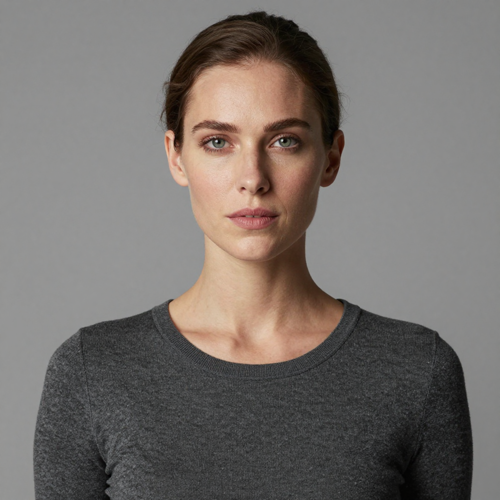
An AI Face Editor Only Wins When the Edit Stays Invisible
The real test of an AI face editor is not what it can add — it is what it refuses to touch. On Textideo you upload one portrait, type what bothers you, and get back the same person on a better day: blemishes cleared, eyes open, light balanced, identity intact. No plugins, no layers, and no subscription maze standing between you and the first export.
Run Your First AI Face EditThe Hard Part With an AI Face Editor Is Keeping It Real
Most face editing fails in one of three ways, and none of them are the photo's fault.
Run the AI Face Editor in Three Steps
The whole workflow is upload, describe, export. No masks to paint, no curves to bend, no retouching hours to invoice.
Upload the One Photo That Matters
Drop in the portrait you want fixed. A sharp, well-lit shot gives the AI face editor the most to work with, but an old scan or a dim group photo can still carry enough detail once repair passes over it.
Describe the Fix in Plain Words
Type what bothers you, nothing more. A prompt like 'remove the blemishes and even out the skin tone, keep the exact same face, freckles and skin texture, do not slim the jaw' tells the AI face editor what is off limits. The clearer the boundary, the less the face drifts.
Check the Tells, Then Export
Compare the result against the original at full size: eye distance, jaw line, skin texture, background edges. If it still reads as the same person, export and use it anywhere.
What an AI Face Editor Should Change, and What It Must Not
A good face edit is a surgical operation, not a makeover. Three capabilities decide whether the result survives a zoom.
What a Natural AI Face Editor Result Looks Like
Judged the way viewers judge: zoomed to 100 percent, beside the original, by people who know the face. These are the three jobs the AI face editor is asked to do most.

The Headshot Rescue
A sharp portrait nearly ruined by a late-night shoot: eye bags, one breakout, green office light. The AI face editor clears the distractions, keeps the suit crisp and leaves the age untouched — ready for a profile page by morning.
The Group Photo Save
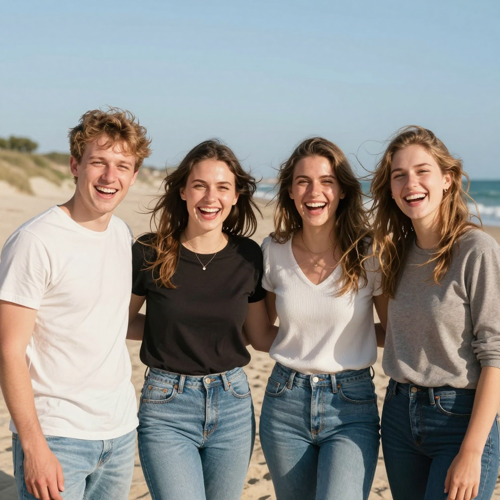
Somebody blinked, and somebody blinked twice. Instead of deleting the only frame where everyone stands well, you fix each face with a sentence and keep the moment: same beach, same laugh, same people.
The Old Scan Comeback
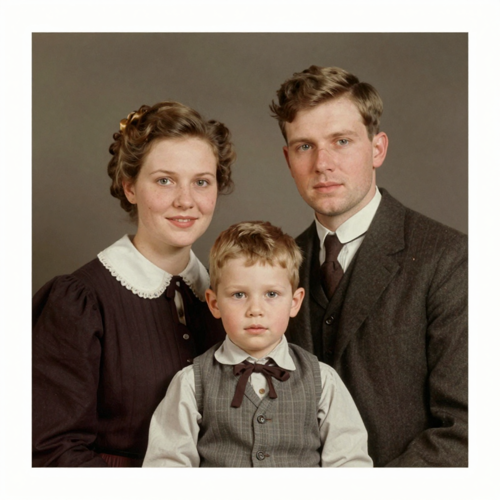
A shoebox print with a crease across the cheek and thirty years of grain. Repair rebuilds the eyes and skin detail without guessing a different person into the frame, so the album still shows the year it happened.
Input Types the Face Editor Reads
Any portrait a browser can open is a candidate. Four starting points cover almost every AI face editing job worth doing.
Who Struggles When a Face Needs Fixing
The people who search this term are not chasing a beauty standard. They are trying to save a photo that already exists, and the AI face editor is the shortest path between the two.
Job Seekers and LinkedIn Profiles
One strong headshot decides whether a profile gets read at all. An AI face editor turns a decent selfie into a professional-grade portrait without a photographer invoice.
Small Shops and Solo Sellers
The founder is the brand. Face cleanup keeps the about-page photo honest and current, which sells harder than any stock model the budget could rent.
Creators and Social Managers
Profile pictures, thumbnails, guest avatars: the same face needs light polish in many sizes, and viral face edit formats move too fast for reshoots.
Family Photo Keepers
Weddings, reunions, holidays: one blink should not delete the only frame where both grandparents smile. Repair saves the moment, not just the file.
The AI Face Editor Workflow at a Glance
- TikTok
- Shopify
Why This AI Face Editor Beats a Slider and a Filter
A filter applies one look to every face at one intensity. An instruction changes exactly what is wrong and nothing else, and that difference compounds across every photo you own.
Plain Words Replace the Brush
Instead of learning masks and frequency separation, you describe the fix. 'Soften the shadows under the eyes, keep the pores' is a complete retouching instruction for an AI face editor.
The Face Stays Recognizably Yours
Every run gets compared against the original before export. If the output reads as a cousin instead of the person, the instruction was too broad — narrow it and run it again.
The AI Face Editor Runs in the Browser
The AI face editor runs in the browser on Textideo. No plugin stack to maintain, no masking course to sit through, no license to justify before the first export.
The AI Face Editor Welcomes Bad Photos
A dim selfie or a creased scan still carries enough signal to repair. The editor rebuilds missing detail where it can and refuses to invent a smoother stranger where it cannot.
Consent Is Part of the Workflow
The question 'whose face is this' comes before the edit, not after a complaint. Your own portrait, or a client who signed off — the only two answers that keep an edited face publishable.
Trends Without the Reshoot
When a new face edit format starts circulating, the description changes, not the setup. Creators ride each wave with the same portrait library and one fresh sentence.
What People Do With an AI Face Editor
“My profile photo was a dim selfie that screamed night shift. One sentence about the under-eye shadows later, it reads like a studio headshot — same face, same age, awake.”
“I stopped outsourcing shop portraits. I clear one breakout, keep every wrinkle that belongs there, and the about page finally matches the person customers actually meet.”
“The blink in our only full-family frame used to sting every December. Repair kept my mother's smile exactly as it was in 1994, and the crease is simply gone.”
Straight Answers on Editing Faces With AI
The questions people actually type before they trust an AI face editor with a portrait they care about.
What is an AI face editor?
It is a tool that changes facial details in a photo using machine learning instead of manual brushwork. You describe the fix — a blemish, a blink, bad lighting — and the model edits that region while keeping the rest of the face anchored. It replaces the healing brush, not the photographer.
How is this different from a face swap or a beauty filter?
A beauty filter applies one preset look at one fixed intensity. A face swap replaces the face with somebody else's. An AI face editor keeps the same person and edits only the details you name — the middle ground most real photos need.
Will the edit make me look fake?
Only if you ask too much. The plastic look comes from vague instructions like 'make it flawless.' Naming the single fix — 'remove the blemish, keep the texture' — lets the skin read as skin. Zoom to 100 percent before exporting.
Why did my face change when I only asked to edit the background?
Because some editors regenerate the entire image on every pass, and the face gets redrawn along with the sky. A careful AI face editor treats the face as a protected region: describe what may change and what must not.
What prompt should I use for a natural result?
Copy this and adapt it: 'Remove the blemishes and even out the skin tone. Keep the exact same face, bone structure and skin texture, including the freckles. Do not slim the jaw, enlarge the eyes or change my age.' Specific boundaries beat adjectives every single time.
Can an AI face editor fix an old or blurry photo?
Up to a point, yes. Detail repair sharpens what the print or the sensor actually captured, which works well for faded scans and soft selfies. It cannot rescue a face that is three pixels wide, and an honest tool says so.
Is it safe to upload my face to an online editor?
Read the privacy terms before uploading any portrait, especially of a child or a client. Reputable editors process the photo to complete the edit and let you remove it afterwards. Treat a tool with no clear policy like a stranger asking for your passport.
Whose photos am I allowed to edit?
Yours, and photos where the person has agreed to the edit. Changing a public figure's face to imply something they never did crosses from retouching into fabrication. If the subject would be surprised by the caption, do not publish it.
Do I own the photos after editing?
The portrait you upload stays yours, and the edited export follows the same rule. Check the terms of your plan before commercial work such as advertising. Keep the original beside the edit so you can always show what changed.
Can I follow viral AI face edit trends with it?
Yes, within the same boundaries. Trend formats usually change style, lighting or era while keeping the identity locked. Describe the look, protect the face, and remember that a feed post and a passport application have different honesty standards.
Ready to Run Your First Face Edit?
Upload the portrait, describe what bothers you, and keep the person the photo already shows. The AI face editor on Textideo does the brushwork — you keep the judgment, the consent and the original file.
No credit card required - start with one photo - delete your uploads anytime