
AI Vogue Cover: One Portrait Becomes a Fashion Front
An AI Vogue Cover takes one portrait and rebuilds it as a fashion magazine front, with a large serif masthead, a date line and cover lines stacked around your head. Nothing about the person gets swapped out along the way, so anyone who knows you still recognises the face on the newsstand. Below sit the photo choices that survive the crop, the way the masthead gets placed, and the checks worth running before you post.
Field notes rated useful by creators posting an ai vogue cover as a gift, avatar or header No credit card required - no sign-up - export one full-size cover before you post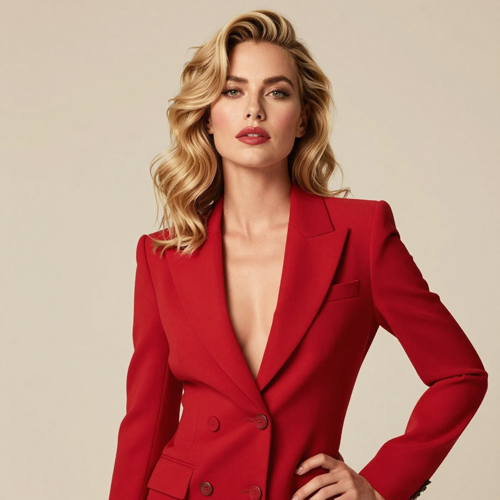
Start Your First AI Vogue Cover With One Portrait
An AI Vogue Cover needs one thing done well before generation starts: a photo where the face is lit and uncovered. Half-body framing gives the layout room to drop a serif masthead behind your head and run cover lines down both sides. After that the job narrows to three decisions, which outfit direction the styling takes, how far the retouch goes, and whether the cover still reads at profile-picture size.
Open the cover makerThree Steps to an AI Vogue Cover
The sequence stays the same whether you want a birthday post or a portfolio header: choose the photo, set the cover text, then check the export.
Pick a Lit, Half-Body Photo
Front-facing shots with the face uncovered give the model the most to work with. Half-body framing leaves space above the head for the masthead, while a tight close-up crops too tightly to place any type.
Set the Masthead and Cover Lines
The default prompt already carries a masthead, a date line and cover lines. Swap in your own wording if you want a name or an occasion, keeping each line short so the type stays sharp on export.
Check, Export and Post
Read the AI Vogue Cover at full size for stray or garbled text, then again at thumbnail size to confirm the face still leads. Export and use it as a profile picture, a print, or a feed post.
AI Vogue Cover Controls Worth Knowing
Three settings account for most of the difference between a cover that looks printed and one that looks pasted together.
AI Vogue Cover Notes People Shared After Posting
Three workflow notes gathered from creators publishing cover images, summarised rather than quoted, each one describing a change that improved the result.
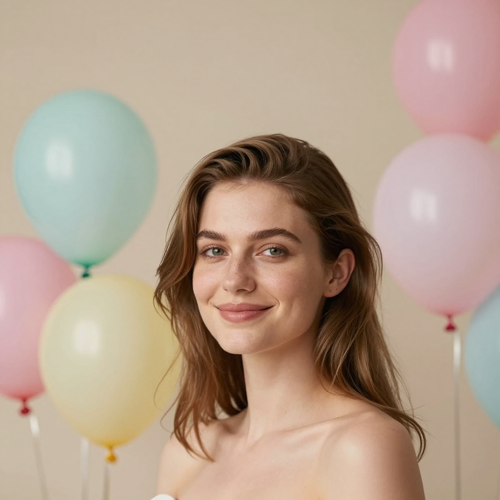
The Birthday Cover
Putting the occasion in the cover lines instead of the headline made the AI Vogue Cover read as a gift rather than a generic edit. Three words per line kept the layout from crowding the jaw.
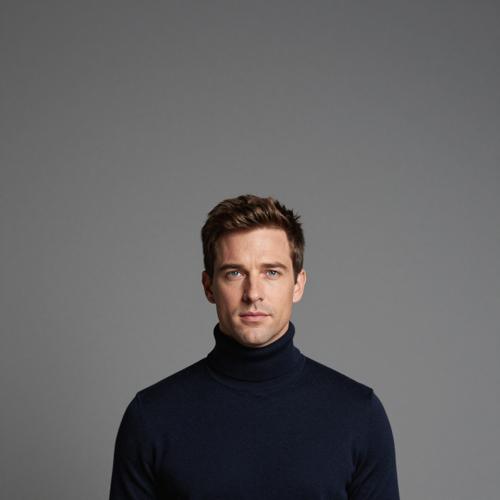
The Profile Picture
Switching to a half-body shot gave the masthead room above the head, which a tight close-up could not. The square crop then held both the face and the title.
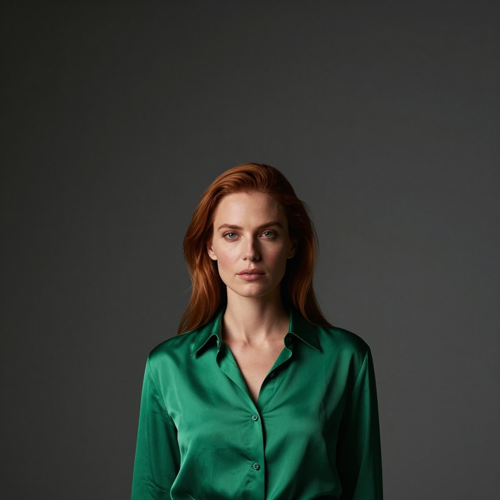
The Portfolio Header
Naming the colour already in the photo kept the outfit styling consistent with the rest of the shoot, so one AI Vogue Cover now opens both the portfolio and the social banner.
AI Vogue Cover Input Types Explained
Four kinds of source photo behave differently once a cover layout is wrapped around them.
Who Struggles With an AI Vogue Cover
Four situations where a fashion cover gets requested, and what each one actually needs from the upload.
Birthday and Occasion Posts
An AI Vogue Cover built around one person and one date reads as a gift rather than a stock edit. The occasion belongs in the cover lines, not in the headline.
Creators Building a Personal Brand
Reusing the same masthead and palette across several covers gives a feed a recognisable look. Keep the prompt wording identical so the styling stays stable between posts.
Models and Portfolio Builders
Covers work as comp card headers when the outfit direction matches the rest of the set. Keeping retouch low means the face still matches live shots taken the same week.
Small Teams Without a Designer
A launch, a team member or an event can get a cover image without booking a shoot. The trade-off is that results vary with the source photo, so pick the best-lit one you have.
AI Vogue Cover Numbers Worth Knowing
- TikTok
- Behance
Why an AI Vogue Cover Holds Up at Thumbnail Size
Fashion covers fail in predictable ways: a masthead that eats the face, cover lines crowding the jaw, and styling that changes the person. These six points cover what a cover pass has to get right.
AI Vogue Cover Layout Built Around the Face
The masthead sits behind the head rather than across the forehead, and cover lines run down the sides instead of over the jaw. Keeping type away from the eyes and mouth is what separates a real cover composition from a headline pasted onto a photo.
Styling That Follows the Original Outfit
Rather than swapping in a random gown, the pass reads the colours already in your photo and turns them into tailoring or couture in that palette. A navy jacket stays navy, which is why the result looks like a shoot instead of a costume change.
Retouch That Stops Short of Plastic
Skin is evened and lit like a studio frame while pores, hair strands and expression stay intact. Over-smoothing is the fastest way to make an AI Vogue Cover look artificial, so texture is preserved by default.
One Upload Builds the Whole AI Vogue Cover
No layers, no masking, no font licensing. A complete AI Vogue Cover comes out of a single photo plus an editable prompt, which suits people who have never opened an image editor.
AI Vogue Cover Lines You Can Rewrite
The masthead, month and cover lines sit in the prompt as editable text, so a birthday issue or a name swap is a one-line change. Short wording stays sharp, while long wording is the first thing to garble.
Print and Feed Sizes in One Pass
The same generation exports large enough for a printed poster and still reads when cropped to a square profile picture, so one AI Vogue Cover serves both uses without a second render.
What Creators Say About the AI Vogue Cover
“Putting the occasion in the cover lines instead of the headline made the birthday cover read as a gift rather than an edit.”
“A half-body shot gave the masthead room above the head, which a tight close-up could not.”
“Naming the colour already in the photo kept the outfit styling consistent with the rest of the shoot.”
AI Vogue Cover Questions, Answered
Ten questions that come up before the first download, answered in the order people tend to ask them.
What does an AI Vogue Cover actually change in my photo?
It rebuilds the picture as a fashion magazine front: editorial styling, studio light, a large serif masthead behind the head, a date line and cover lines stacked around the subject. Your face, hair and skin tone carry over from the upload, so the cover reads as a shoot starring you rather than a stranger.
Will the cover print a real magazine logo?
No. The prompt uses an invented masthead so the layout reads like a fashion cover without reproducing an existing title. You can swap that wording for your own name before you generate.
What photo gives the best AI Vogue Cover?
A clear, well-lit, front-facing photo with the face uncovered. Half-body framing works best, because the layout needs space above the head for the masthead and down the sides for the cover lines.
Can two people appear on one AI Vogue Cover?
Yes. Upload a photo with two people and both get styled as cover models. Keep both faces at a similar distance from the camera so neither one receives noticeably less styling attention.
Can I edit the masthead and cover lines?
Yes. The masthead, month and cover lines are prompt text, so a name, a birthday or an issue label is a one-line edit. Short lines render more reliably than long sentences.
Does the styling replace my outfit?
It restyles the clothing toward couture or tailoring while keeping the colours already in your photo. Naming that colour in the prompt keeps an AI Vogue Cover closer to what you were actually wearing.
How much retouching gets applied?
Enough to even the skin and add studio light without stripping texture. Heavy smoothing is the fastest way to make a cover look artificial, so the effect keeps pores, hair strands and expression intact.
Why does my cover text come out garbled?
Long cover lines are the usual cause. Type renders most reliably in two- to four-word chunks, so shorten each line and generate again rather than asking for a full sentence.
Is an AI Vogue Cover usable commercially?
A cover built from your own photo suits personal branding, social posts and print. If the photo is not yours, or the wording drifts toward a protected title, check usage rights before publishing.
How is this different from a plain photo filter?
A filter tints the whole frame and stops there. An AI Vogue Cover rebuilds the composition, placing a masthead, a date line and cover lines around the subject the way a printed cover would, which is why the crop matters.
Make One AI Vogue Cover Today
Choose a well-lit half-body photo, keep every cover line to a few words, and name a colour that already appears in the shot. Check the result at full size and again at thumbnail size before anything goes out.
No credit card required - no sign-up - export one full-size cover before you post