
AI Photo Editing
ChatGPT Image Editor: Describe the Edit, Keep the Rest of the Photo
A ChatGPT image editor takes instructions the way you already give them: upload the photo, then say in plain words what should change. Take out the stranger behind you, turn an overcast sky golden, swap a t-shirt for a linen jacket, and let the model rebuild the frame around your sentence instead of asking you to learn layers, masks, or brush sizes. The ChatGPT image editor runs through Textideo, so one described change is one finished picture, with no desktop software to install and no export settings to guess.
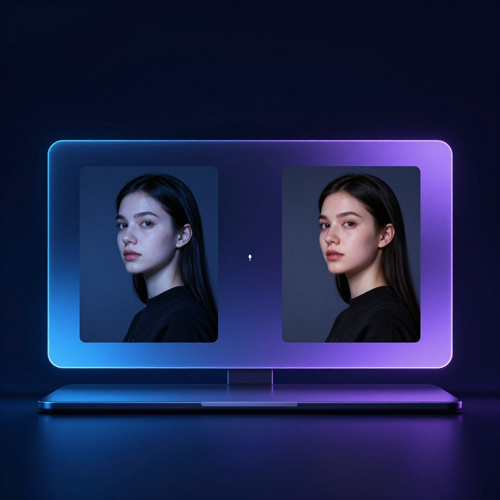
The problem
The Problem the ChatGPT Image Editor Removes in Everyday Photo Editing
Four things stop people from fixing photos they already own. None of them are about talent, and none of them need a design degree to solve.
You Can Name What Is Wrong but Not Fix It
You can see the bin on the pavement and the stranger in the background, and you already know what the picture should look like. What you cannot do is turn that into selections, layers, and adjustment masks without losing an evening to it. The ChatGPT image editor accepts the sentence you already have in your head and treats it as the instruction.
One Small Change Should Not Repaint Everything
Ask for a different jacket and the face shifts. Ask for a different sky and the building moves. Conventional retouching leaves everything outside the mask alone, which is why tiny corrections feel safe there and unpredictable here. Naming what must stay and making one change per message is what keeps a ChatGPT image editor honest.
Editing Software Assumes You Already Know It
Most editors open with panels, blend modes, and a vocabulary you never asked to learn. The learning curve is the real cost, not the correction itself. Here the interface is a sentence, and the only skill involved is describing what you want clearly.
Professional Help Costs More Than the Picture Does
Booking a retoucher for one listing photo, one event shot, or one family picture is hard to justify, so the photo simply stays unfixed. The ChatGPT image editor makes the small job worth doing, because the effort finally matches the size of the problem.
How it works
Three Steps to Finish an Edit With the ChatGPT Image Editor
The whole workflow is one upload, one instruction, and one comparison against the original. Most people who get a bad result skipped the third step rather than the first.

Upload the Photo and Name the One Thing to Change
Start from the original file rather than a previous edit, since every pass through the ChatGPT image editor produces a new picture. Write one concrete sentence: what should change, where it sits, and what has to stay exactly as it is. Uploads should be a common format such as PNG, JPEG, or GIF, and the file should be reasonably sized. If the photo was exported sideways, rotate it in your phone gallery first, because a mis-oriented upload tends to confuse the model before it even reads your instruction.

Mark the Area, or Say Where in Plain Words
Brush over the region you mean if the change is tightly local, or write the location into the prompt if the area is easier to describe than to outline. Both routes work in the ChatGPT image editor, and they can be used together. Be aware that a highlight is an indication rather than a precise boundary: the change may reach slightly past the edge you drew, so mark just inside the boundary and name the area in words as a second signal.

Compare Against the Original, Then Refine Once
Put the result next to the file you uploaded and check the things that drift first: the face, any wording, the crop, and the output size. The ChatGPT image editor returns a new file, not your original with a patch applied, so the dimensions may differ from what you sent in. If one detail is off, go back to the original and ask for that single change rather than stacking corrections onto the latest result.
Features & benefits
Three ChatGPT Image Editor Capabilities That Decide Whether an Edit Lands
Three things separate an edit you keep from an edit you regenerate five more times: how precisely you can point at the area, how much of the original survives the change, and whether words and layout can be corrected without a redesign.
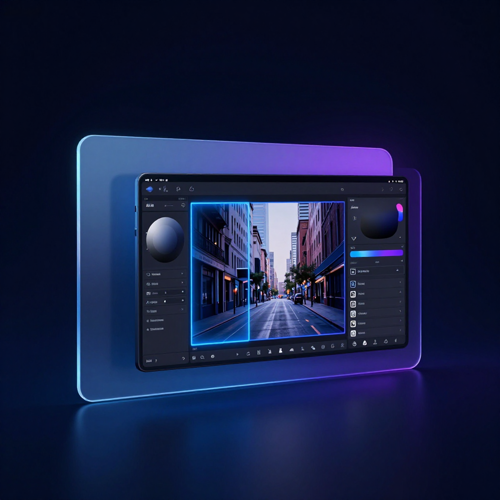
Point at the Area: Mark It With a Brush or Just Name It
A ChatGPT image editor gives you two ways to say where. You can brush over the region you mean and describe the change, or skip the brush entirely and write the location into your sentence, such as the sign above the door or the bag on the left chair. What this means for you: you are no longer choosing between a rough selection tool and re-explaining the whole picture. Naming the area in words is often the steadier route, and using both at once gives the model two signals instead of one.
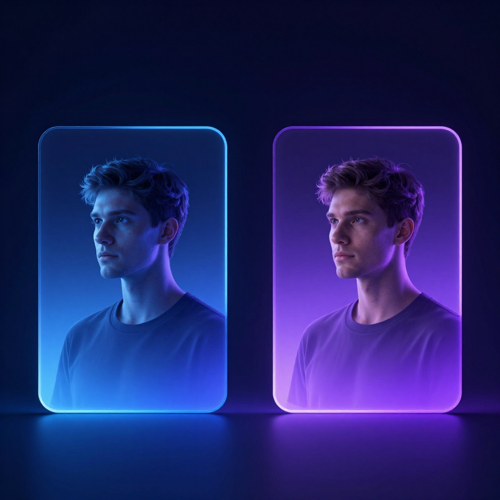
Hold the Details That Must Not Move
Every round of ChatGPT image editing redraws the frame, which is why an unguarded instruction can quietly alter a face, a logo, or the lighting you liked. The practical control is to state what has to stay: keep the face, eyes, and hair as they are; keep the composition and the light direction; keep the logo on the chest unchanged. What this means for you: one change per message, with an explicit keep-list, costs a little more patience and saves the five retries that a drifted face would otherwise burn.
Correct Words and Layout Inside the Picture
Posters, signage, and menu boards are the awkward cases, because the thing to fix is text rather than scenery. A ChatGPT image editor can redraw the wording and its placement in the same pass: change the date on the poster, rename the dish on the chalkboard, restyle a headline without moving the rest of the layout. What this means for you: a corrected campaign asset no longer means reopening the source file and hoping the fonts are still installed.
Why choose this
Why Use a ChatGPT Image Editor Instead of Opening a Design App?
Most people do not avoid photo editing because they lack an eye for it. They avoid it because conventional editors assume a design background before they let you touch anything. A ChatGPT image editor accepts the instruction you already have in your head.
The ChatGPT Image Editor Takes Instructions, Not Tutorials
You can already name what spoils the photo: the waste bin on the pavement, the blown-out window, the person who walked into frame. Turning that into selections and adjustment layers is what eats the evening. Here you write the problem as a sentence, and ChatGPT image editing reads it as a task, so the distance between what you meant and what you get stops being a software-skills problem.
ChatGPT Image Editing Rewrites a Whole Scene in One Pass
Shooting a storefront again because the light went flat costs a morning. Asking for late-afternoon sun, wet pavement, and warmer storefront glass costs one sentence. The ChatGPT image editor handles the kind of global change that would otherwise mean masking the sky, grading the ground, and re-lighting the subject separately.
A ChatGPT Image Editor Takes Out What Should Not Be in Frame
The photo is good except for the stranger in the background, the cable across the wall, or the car parked behind your subject. Traditional cleanup means cloning pixels patiently at 200 percent zoom. With the ChatGPT image editor you name the thing that should go, and the surrounding scene is rebuilt to fill the space it left behind.
ChatGPT Image Editing Restyles a Portrait Without Reshooting
A headshot that looked fine in July reads wrong by December. Instead of booking another session for a different jacket, backdrop, and lighting mood, you keep the face you already have and change what surrounds it. The ChatGPT image editor restyles the setting, the outfit, and the grade while holding on to the person in the middle of the frame.
The ChatGPT Image Editor Can Hand Back a Transparent Cutout
Product shots usually need the background gone before they can sit on a listing page, a slide, or a catalogue sheet. Instead of tracing an edge by hand, ask for the subject on a transparent background and download the result. A ChatGPT image editor gives you a cutout in one step, which is the difference between ten minutes and an afternoon.
ChatGPT Image Editing Works Where You Already Are
Good ideas about a photo tend to arrive on a phone, far from the machine with the editing suite on it. The ChatGPT image editor runs in a browser on desktop and mobile alike, so the fix happens on the device where you noticed the problem. Nothing to install, nothing to license before you know whether you need it.
What it does
What One Photo Becomes Under a ChatGPT Image Editor
The same file can go several directions depending on the sentence you write. These are the three families of change that cover most real requests.
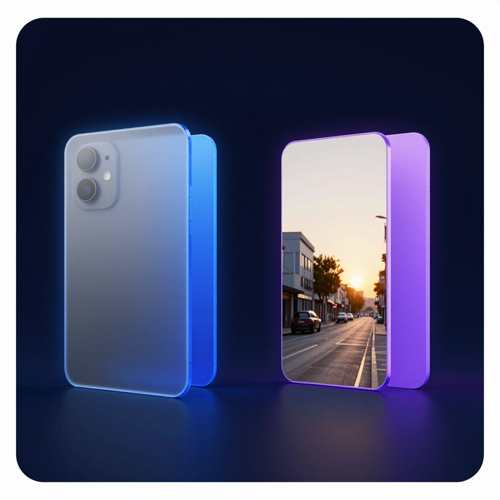
Weather, Time of Day, and Season Swaps
The location is right and the light is wrong. A ChatGPT image editor can move a grey afternoon into golden hour, turn a summer street into a snowy one, or push a daytime shot to night while keeping the architecture and the people recognisable. This is the widest-scope change available in one sentence, and it is usually where a photo that felt unusable becomes the one you publish.
Distraction Removal and Cleaner Compositions
Sometimes the shot needs something taken away rather than added: the passenger in the back seat, the bin against the wall, the cable crossing a clean surface. Ask the ChatGPT image editor to remove it and the model rebuilds what was behind, which is a different job from covering it with cloned pixels. Expect to check the edges of whatever you removed, since a rebuilt area can soften details nearby.
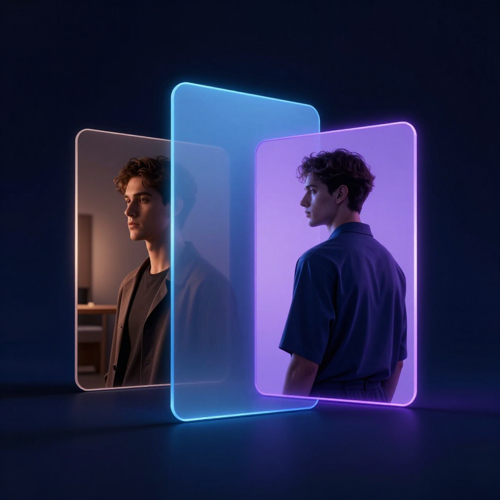
Portrait Restyle and Outfit Changes
A portrait can keep the person and change almost everything else: a linen jacket instead of a hoodie, a studio backdrop instead of a kitchen, a filmic grade instead of flat phone flash. This is the most requested direction for profile pictures and team pages, and the one where a keep-list matters most, because the face is the detail you least want reinterpreted by a ChatGPT image editor.
Use cases
Who Gets Real Work Out of ChatGPT Image Editing?
The people who benefit most are not retouching specialists. They are the ones who know exactly what the picture should look like and have never had the tools to say so.
Marketplace Sellers and Product Listing Teams
A listing lives or dies on the first thumbnail, and most sellers are shooting on a phone against whatever wall was available. The ChatGPT image editor clears the background, evens out the light, and puts twenty variants on a consistent surface without a studio booking. When a catalogue has two hundred items, saving ten minutes per image is the difference between a weekend and a month.
Social Creators and Newsletter Writers
Publishing every day means needing a different image every day, and stock libraries run out of things that look like your work. ChatGPT image editing lets one source photo become a restyled cover, a seasonal variant, and a square crop with the subject moved off-centre. The feed stays visually coherent because the subject never really changes, only the treatment around it.
Marketers Without a Designer on Staff
Small teams get handed a campaign asset and a request to change one thing on it, usually by Friday. Opening a design suite to move a date is disproportionate; waiting on a designer is slower. A ChatGPT image editor handles the narrow revision directly, which keeps simple requests from queueing behind the ones that genuinely need a designer.
Anyone Fixing Personal Photos
The family photo where someone blinked, the holiday picture with a stranger in the corner, the old scan that came out flat. These are not professional jobs, which is exactly why nobody opens professional software for them. The ChatGPT image editor makes one-off personal fixes worth doing at all, because the effort finally matches the size of the problem.
In practice
ChatGPT Image Editor Output Across Four Everyday Workflows
Same mechanics, different stakes. What counts as a good result changes depending on whether the picture is selling something, representing someone, or carrying text.
Listing Photos With the Background Replaced
For commerce, consistency beats drama. A ChatGPT image editor takes a phone shot against a kitchen counter and puts the product on a clean, even surface that matches the rest of the catalogue. Check the edges where the product meets the new background, and compare proportions against the original, because a redrawn subject can come back slightly reshaped.
Event Photos With the Crowd Thinned Out
Group shots and event coverage are full of people who wandered into frame. Naming what should go lets the ChatGPT image editor rebuild the space behind them. Since a rebuild touches the surrounding area, review at full size rather than in a thumbnail, and keep the original file so a second attempt can start from clean input.
Headshots Restyled for a New Season
Team pages and profile pictures go stale long before the person does. A restyle through ChatGPT image editing changes the backdrop, the grade, and the clothing while keeping the individual recognisable. Write the features that must hold into the prompt, and treat identity as the first thing you check on the result rather than the last.
Posters and Signage With Corrected Text
Anything carrying words is the strictest test, because a near-miss spelling is worse than no change at all. Put the exact wording in your instruction, capitalised the way it should appear, and ask for the layout to stay put. With a ChatGPT image editor the text is redrawn along with the rest of the frame, so read every word at full size before the file goes anywhere public.
Testimonials
What People Say After Their First ChatGPT Image Editor Session
Three situations where the edit used to be the bottleneck, and what changed once describing it was enough.
“I shoot everything on a phone against whatever wall happens to be free, then used to spend about an hour per item cleaning the background up. Ten listings was a whole evening. With the ChatGPT image editor I write one line about the background and move to the next product, and ten items now take roughly twenty minutes.”
“Campaign assets always arrive with one thing wrong: a date, a price, a colour. Before, that meant a designer request and a two-day wait. Now I describe the correction, compare the result against the original, and ship it the same afternoon. The two-day wait is gone, and our designer gets the jobs that actually need designing.”
“My covers all looked identical because I only had three decent photographs. I started keeping the subject and asking for a different treatment each week, and the feed finally reads like one publication instead of three stock libraries. Before, I was reusing the same four images and apologising for them.”
FAQ
ChatGPT Image Editor Questions, Answered Plainly
The questions below come up repeatedly in how-to guides and user threads: what the tool actually does to a file, what it costs in allowance, and where its limits are honest limits.
1What is a ChatGPT image editor?
A ChatGPT image editor is a way of changing an existing photo by describing the change in ordinary language instead of manipulating it by hand. You upload a picture, say what should be different, and the model produces a new version built around your instruction. It covers additions, removals, combinations, restyles, and background work, and it is available on Textideo through a browser on desktop or mobile.
2Is the ChatGPT image editor free to use?
Image work is offered across plans, but the allowance is not unlimited and it varies by tier, with paid tiers carrying more generous limits than the free one. What matters in practice is that every attempt counts, including retries, so an edit you regenerate five times costs five times as much allowance. If you find yourself hitting the cap regularly, draft your instruction carefully first and make one change per message rather than several at once.
3Does the ChatGPT image editor change parts of my photo I did not mention?
It can. Each request produces a new rendering of the whole frame rather than a patch applied to selected pixels, so details outside your instruction may shift slightly. You can reduce the drift by starting from the original upload instead of the previous result, naming what must stay identical, and making one change per message. For work where every pixel outside the change has to remain exactly as shot, a conventional editor with masks and sliders remains the safer tool.
4Can a ChatGPT image editor keep a person's face the same?
Face and identity retention across successive edits is a real strength of the current model, and it is far better than earlier versions. Even so, an instruction that does not mention the face gives the model no reason to prioritise it, which is how a shirt change ends up altering someone's expression. State the features that must hold, keep the face reasonably large in the frame, and compare the result against your original before you use it.
5Can I remove the background and get a transparent PNG?
Yes. Asking for the subject on a transparent background is one of the instructions this kind of editor follows, and the result is a genuine transparent file rather than a white fill. Because the subject is redrawn rather than masked, check the edges around hair, fingers, and fine details at full size, and confirm the size and shape of the output before dropping it into a layout.
6How is the ChatGPT image editor different from Photoshop or Lightroom?
The difference is what you are controlling. Traditional editors adjust pixels directly, so a masked change leaves everything outside the mask untouched and an exposure slider behaves predictably every time. A ChatGPT image editor interprets a sentence and renders a new frame, which is faster for scene-level changes and removals but not pixel-exact. They answer different jobs: use conversational editing when you want a different picture, and a conventional editor when you need the original one corrected.
7ChatGPT image editor vs Gemini or Grok: which handles edits better?
All three edit from written instructions, and people switch between them for reasons that often come down to allowance and pace rather than raw quality. ChatGPT image editing is frequently praised for holding identity and lighting steady across several rounds, which matters when you plan to iterate on one picture. The honest way to choose is to run your own photo and your own instruction through each, since results vary with the subject matter.
8Why does ChatGPT image editing stop partway through some photos?
Requests are screened against content policy, and an edit can be declined or cut short when the image or the instruction touches something restricted, such as recognisable public figures or material you do not have rights to. Personal photos of yourself and your family are a different matter and are normal to edit. If a request is refused, reword it toward the visual change you want rather than trying to force the same phrasing through.
9Can I edit text inside an image, such as a date on a poster?
Yes, and text handling has improved enough to cope with denser and smaller wording than earlier versions could manage. Put the exact words in your instruction, capitalised and spelled as they should appear, and say that the surrounding layout should stay as it is. Since the text is redrawn along with everything else, read every word at full size before publishing, because a near-miss on a date or a price is worse than leaving it alone.
10Who owns the images the ChatGPT image editor produces?
Output is yours to use under the terms of the plan you are on, which is what makes commercial use of generated and edited images workable for business purposes. The wider question of copyright over AI-generated imagery is still being argued out and differs between jurisdictions, so if a specific image is going to carry legal weight, such as a trademark filing, check the current position rather than assuming. The practical takeaway is that routine marketing and content use is broadly fine, while anything requiring registration deserves a closer look.
Explore more
Explore More AI Image Tools on Textideo
Editing is usually one step in a longer job. These neighbouring tools pick up where a described edit leaves off.
Read more
Read More From the Textideo Blog
Longer pieces on keeping detail stable across edits, where image allowance comes from, and the basics.
Get started
One Sentence From You, One Finished Edit From the ChatGPT Image Editor
Every phone camera roll has a picture you would fix if retouching were not such a chore. The ChatGPT image editor removes the chore rather than the picture: describe what is wrong, review what comes back, then refine one detail at a time until it matches what you pictured. Start on Textideo and finally fix the shot you have been walking past for months.