
Invitation Card Maker: Invites Worthy of the Occasion
An invitation card maker turns a short prompt into a finished invite: artwork, layout, and wording together on Textideo. Wedding florals, birthday neon, baby shower pastels, and grand opening minimalism are prompt directions rather than separate design skills. Generate a draft, fix the names and the RSVP line, then share it by text or send it to print.
Rated on what a host checks first: whether the date reads at arm's length, whether the RSVP line fits, and whether the card still looks right at envelope size No credit card required - no design skills needed - no font licences to chase
Proof the Card Before the Envelopes Are Ordered
A print run is where invitation mistakes get expensive: a misspelled venue, a date buried in script, an RSVP line with nowhere to live. An invitation card maker settles all of that on screen through Textideo, before cardstock is cut and before envelopes are stuffed. Wrong turns cost a regeneration rather than a reprint, and the card that reaches the printer is the card you already proofed.
Make an Invitation CardThe Hard Part With an Invitation Card Maker
The tool is easy to start and easy to trust too early.
Make an Invitation Card Maker Draft in Three Steps
The workflow mirrors stationery's own order of operations: brief, compare, proof, with a read-back gate before anything is printed or sent.
Write the Card as a Stationery Brief
Paste the template and fill the brackets: 'invitation card design for [OCCASION], [STYLE] style with [MOTIF] accents, [COLOUR] and [COLOUR] palette, names [NAMES] in large display type, [DATE, TIME, VENUE] in small readable text, RSVP by [DEADLINE] to [CONTACT], [PORTRAIT or LANDSCAPE], [PRINT or DIGITAL]'. Each slot does a job: the occasion sets the tone, style words steer the artwork, the palette stops the guessing, and the RSVP phrase guarantees the reply line exists.
Generate and Compare Versions
Run the invitation card maker brief more than once and keep two or three finalists. Comparing drafts side by side is how a cramped date or a drowning RSVP line surfaces before any card exists.
Proof, Export, and Send
Read every name, the date, the venue, and the RSVP contact aloud against the event details. Export the portrait card as a print file or the digital version for text and email through Textideo, and proof one printed sample before committing to a full run.
What the Invitation Card Maker Delivers
Three capabilities that decide whether a card survives contact with guests, envelopes, and printers.
Invitation Card Maker Styles Worth Requesting
The invitation card maker follows the occasion rather than one house look, from formal botanical suites to playful milestone cards. Name a style in the prompt and the layout, palette, and type mood follow it.
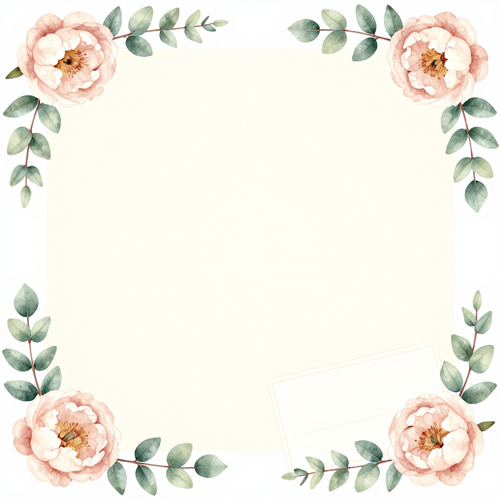
Botanical Wedding Invitation Cards
Watercolour eucalyptus or peony sprigs, flowing script accents, clean serif details, generous cream margins. The same palette and motif extends to RSVP and details cards, so the suite reads as one family.

Milestone Birthday Invitation Cards
Big shapes, one bold accent colour, playful illustrated icons or a photo header. Details stay in a readable sans-serif so the address survives the fun, and the RSVP deadline keeps its own line.
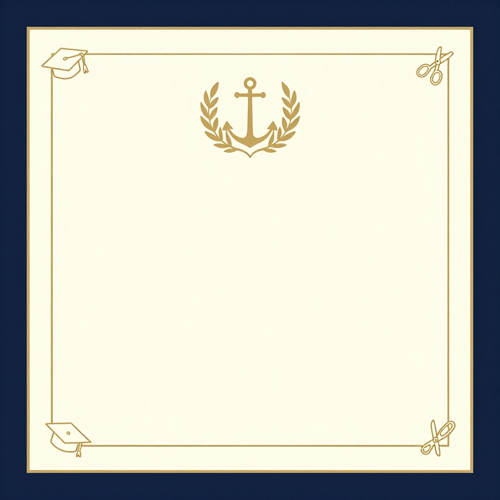
Grand Opening and Graduation Invitation Cards
Minimal layouts, crest or monogram anchors, restrained two-colour palette. Formal enough for ribbon cuttings and ceremonies, light enough for the holiday party invite in the same direction.
What You Can Feed the Prompt
The invitation card maker reads the materials a host already has on hand, so nothing needs designing before generation begins.
Who Struggles Most With Generic Invitation Templates
The invitation card maker earns its place wherever wording, budget, or turnaround would otherwise force a compromise card.
Couples Planning Weddings
Stationery suites add up fast and two families rarely agree on tone. The invitation card maker lets a couple compare wording versions and florals in an evening, then order the suite only after the design is proven.
Parents Organising Children's Parties
Bold layouts, readable details, and phone-sized versions that parents forward by text on a busy morning. The invitation card maker keeps the RSVP deadline in place no matter how playful the theme gets.
Small Business Owners
Grand openings, holiday parties, and anniversary events need cards that match the brand without a design retainer. One prompt keeps the palette consistent across the year's occasions.
Event Planners and Venue Hosts
Several events a season, one client after another. A shared prompt vocabulary keeps every invitation card on brief, and revisions happen before anything is printed.
The Invitation Card Maker at a Glance
- Etsy
- Zola
Why Draft Invites With an AI Invitation Card Maker
A template editor nudges your wording into its layout; an invitation card maker builds the layout around your wording. That difference is these six things.
Wording as Real Type, Not Painted Letters
Generated artwork stays in the artwork layer while names, dates, and the RSVP line sit as editable text. A misspelled street name is a retype, not a redesign.
One Date Change, Not a Full Redo
The venue moved or the start time shifted; the prompt changes with it and the card regenerates. Nothing needs rebuilding by hand.
The Invitation Card Maker Reads Occasions
A wedding calls for restraint and script; a thirtieth birthday calls for noise; a grand opening calls for a crest. Naming the occasion sets all three defaults at once.
Print Realities Baked Into the Layout
Envelope-standard sizes, bleed allowance, and a safe margin between wording and the trim edge are part of the brief, not a printer-day surprise.
RSVP Lines That Actually Fit
Reply deadlines and contact details keep their own quiet line at the bottom, sized to stay readable instead of squeezed in beside the florals.
Licence-First Defaults
Personal-event cards export with clean usage terms, and the commercial boundary for client work is stated plainly rather than buried in fine print.
What Hosts Say About Their Generated Invites
“We compared three wording versions and two floral directions in one evening, then ordered the printed suite only after the design was already proven on screen.”
“The party invite went out by text the same morning, and the RSVP deadline kept its own line instead of drowning under the dinosaur illustration.”
“Every card this year, from the ribbon cutting to the holiday party, comes from one prompt and the same two brand colours.”
Invitation Card Maker Questions, Answered Plainly
Ten questions hosts and couples ask before trusting a generated invitation card, answered with the print caveats left in.
Can I print invitation card maker output?
Yes. Export the portrait card as a print-ready file with bleed and safe margins already respected, or take the flat export to any print shop. The layout assumes envelope-standard sizes, so trimming stays predictable.
What information has to be on the invitation card?
Host, occasion, date, time, venue, RSVP deadline, and contact, written exactly as they should appear. Exact wording in means exact wording out; abbreviations come back abbreviated.
Can I change the text after the card is generated?
Yes. Keep names, dates, and the RSVP line as real editable type rather than artwork, and a wording change is a quick regeneration, not a rebuild. That is the whole reason to draft digitally: the card you print is the card you already proofed.
Should my invitation be portrait or landscape?
Portrait suits formal stationery and printed envelopes; landscape reads better on phones and social feeds. Decide by delivery route first, orientation second.
Who owns the rights to cards I make with the invitation card maker?
Invitations for your own events are the clear case: you made them, you send them. Selling card designs as products or delivering them to clients is commercial use, which depends on the licence of the plan you export under, so check the terms for that boundary. Only upload photos you own or have permission to use, since the card inherits the rights of whatever you feed it.
How should I colour a wedding invitation card?
Lead with one restrained palette and let the motif carry the romance: sage and cream, dusty blue, or blush. Save high-saturation pairings for milestone birthdays, where they read as celebration.
Is it better to share invitations digitally or print them?
Digital arrives instantly and tracks RSVPs; print feels ceremonial and survives the fridge door. Many hosts do both: a printed card for elders, a digital version for everyone else.
How many versions should I generate before choosing?
Two or three. Comparing drafts side by side beats polishing one in isolation, and the runner-up often contributes a motif worth merging.
What makes a card look designed instead of templated?
Hierarchy, restraint, and one motif. Names large, details smaller, the RSVP quiet at the bottom; no more than two typefaces; and a single anchor such as a monogram or a botanical sprig repeated across the suite. Generous margins do more for elegance than any extra decoration.
Can the invitation card maker produce a matching suite?
Yes, from the same brief. Save-the-dates, RSVP cards, details cards, and thank-you notes can all carry the same palette, type pairing, and motif, so the set reads as one family. Keep the wording slots consistent across the pieces and the suite assembles itself.
Send Your First Card With the Invitation Card Maker
Bring the occasion, the wording, and the reply deadline, and the invitation card maker on Textideo returns a card you can print, text, or extend into a full suite the same day.
No credit card required - no design skills needed - no font licences to chase