
Image Format Converter: The Right File Type, Without the Re-Export
An image format converter changes how a picture is stored, not what it shows, and that distinction decides whether the file opens at the other end. PNG, JPG, WebP, HEIC, GIF, SVG, TIFF, AVIF, and BMP move between each other on Textideo, with transparency, colour profile, and orientation treated as things to verify. Name the destination first, and conversion stays a storage change rather than a quality gamble.
Rated on the two things a conversion is judged by: whether the transparency survived, and whether the file opens at its destination No credit card required - no install - originals left as they are
A Converted File Only Counts Once It Opens
Upload forms, print shops, and CMS uploaders each keep a short list of accepted types, and a picture that displays fine in a browser can still bounce at the upload box. An image format converter settles that in one pass: HEIC to JPG for a portal that reads nothing else, PNG to WebP for a page that loads too slowly, AVIF back to JPG when an editor refuses the container. The destination picks the target; the converter executes that choice.
Convert an Image NowThe Hard Part With Image Format Converter Output
The conversion finishes; the file still has to survive it.
Make an Image Format Converter Run in Three Steps
The order matters more than the settings, which is why an image format converter rewards naming the destination before the format.
Set the Image Format Converter Target
Before touching a setting, say where the file has to land: a marketplace listing, a visa portal, a CMS upload, a print lab. That answer narrows the target to one or two candidates.
Choose the Target and the Quality
Pick the output the destination accepts, then set quality only where the format allows it. JPG and lossy WebP take a quality value; PNG and TIFF do not, because they are exact.
Check the Result Before It Ships
Open the output at full size: text legible, edges clean, no banding across a sky, transparency preserved or deliberately filled. A failed check is a second attempt, not a repair job.
What a Conversion Actually Changes
Three things decide whether an image format converter produced a usable file, and none of them is the extension.
Three Conversions the Image Format Converter Handles Daily
Most conversions are not experiments. They are three jobs repeated with different files, each a real destination with a format rule attached.

HEIC to JPG for a Portal That Reads Nothing Else
Phone photos arrive as HEIC and the form accepts nothing but JPG. One pass produces files that open in Windows Photos, older Android galleries, and shop kiosks, rotation applied.
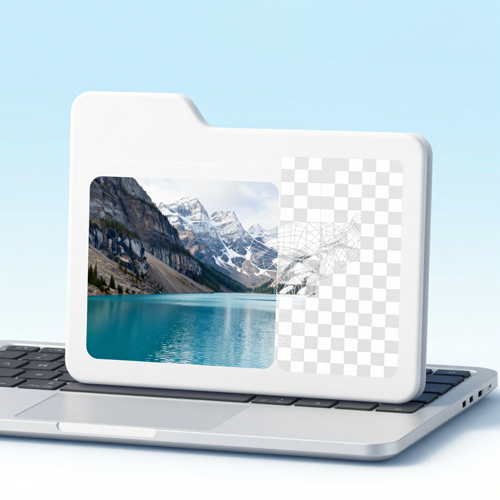
WebP Back Through the Image Format Converter
Saving a picture from a modern site often leaves a .webp on disk, and the desktop editor or marketplace form refuses it. Converting to PNG preserves transparency; converting to JPG keeps it light for a photo field.

PNG to WebP for a Page That Loads Too Slowly
A PNG hero image can weigh several times what the same picture needs on the web. Converting swaps it for WebP, keeps the alpha channel, and leaves the JPG master on disk.
Inputs That Arrive Already Usable
An image format converter reads what a phone, a camera, a design app, and a website hand over.
Who Struggles Most Without an Image Format Converter
The format problem lands hardest wherever a file has to pass a gate somebody else controls.
Marketplace Sellers With Mixed Photo Sets
Listing photos arrive from a supplier as HEIC, from a photographer as TIFF, from a phone as JPG. A batch pass through the image format converter evens the set out.
Applicants Facing a Strict Upload Box
Visa portals, job applications, and insurance forms publish a type list and reject everything outside it. Converting to JPG at the stated pixel dimensions clears the format error before submission.
Web Publishers Chasing Page Speed
Every kilobyte in a hero image is paid again on each visit. Converting PNG and JPG assets to WebP or AVIF, with a JPG fallback, is the cheapest load-time gain most sites have.
Print Shops and Photo Labs
A customer walks in with a phone file the lab software cannot open. Converting to TIFF or high-quality JPG at the original resolution keeps the job moving.
The Image Format Converter at a Glance
- Shopify
- Etsy
- Amazon
- WordPress
Why Route Files Through an Image Format Converter
The gap between a converter that works and one that quietly damages the file comes down to six habits, none visible in a feature list.
Format Choice Follows the Destination
The newest container is not the answer to every upload. JPG for a portal, PNG for a cut-out, WebP for a page you control, TIFF for a lab; an image format converter asks where the file is going first.
Lossy in One Direction Only
PNG to JPG discards detail once and cannot undo it; JPG to PNG wraps a compressed file in a larger container and restores nothing. Knowing which direction is lossy prevents damage.
Transparency Treated as a Decision
Alpha either survives or is deliberately flattened onto a chosen colour. Filling transparency with white by default is how a converted logo arrives unusable on a dark header.
Batch Runs That Keep Their Settings
One target format and one quality value for every file, mixed sources together. Consistency across a set beats per-file tuning when forty photos go to one listing.
Orientation Applied, Not Copied
A phone stores a sideways frame with a rotation note. Conversion should bake that rotation into the pixels, because viewers read pixels and ignore the note.
The Master File Stays Untouched
Originals are read, not rewritten. One lossless master plus delivery copies per destination is what makes a second conversion safe months later.
What People Notice After the Save
“Our supplier sends HEIC and the marketplace only takes JPG. One batch pass fixed a hundred listings and nobody had to re-shoot anything.”
“I convert supplier HEIC sets every morning now. The whole listing folder ships in one pass and nothing bounces at upload.”
“I keep the TIFF master and hand the lab a JPG. The file that prints is not the file I archive, and that order ended the quality drift.”
Image Format Converter Questions, Answered Plainly
Ten questions asked before a file is converted, answered with the trade-off left in. Picture formats only; video and audio follow other rules.
What does an image format converter actually change?
The container and the encoding, not the subject. Pixels are decoded and re-encoded, so dimensions stay put while compression, alpha support, and metadata follow the new rules. An image format converter that keeps the dimensions but flattens transparency has changed more than the extension.
Does HEIC to JPG lose quality, and how much?
Some, because both are lossy and the photo is re-encoded once. At high quality the difference is hard to see; you will notice file size, since HEIC compresses better and the JPG lands larger. Keep the HEIC original for further edits.
Why does a PNG turn into a white block when converted to JPG?
JPG has no alpha channel, so transparent areas get filled with a solid colour, white by default. Cut-outs, logos, and products with soft shadows belong in PNG or WebP. If JPG is the only accepted type, set the fill deliberately, or the halo shows on every dark page.
Can an image format converter handle a whole folder at once?
Yes, and batch is where it earns its place: one target format for the whole selection, mixed sources accepted in the same run. Converting forty listing photos one at a time is the workflow an image format converter removes.
Is EXIF data kept when the file is rewritten?
It depends on the route, so check rather than assume. Browser canvas re-encoding usually drops EXIF, including GPS and capture date, though rotation is often baked into the pixels.
Why is WebP still rejected by some upload forms?
Display support and acceptance are separate decisions. WebP renders in every current browser, yet plenty of portals and older CMS uploaders whitelist JPG and PNG only. The file is not damaged; the form never added the format, and converting to JPG clears that error almost every time.
Is AVIF safe to send, or should it stay on the site?
Treat AVIF as a delivery format and keep it where you control the viewer. Support is broad in browsers, but editors, email clients, and upload forms lag behind; an AVIF that will not open is broken, not smaller. Convert before sending.
What happens to an animated GIF during conversion?
Most converters keep the first frame and drop the rest, turning motion into a still. If the animation matters, target WebP or leave the GIF alone; if one frame is all the destination needs, first-frame export is right.
Is there a prompt to reuse when an AI model restyles a converted image?
Convert first, then describe the cleanup in the model's own words. Reusable for image-to-image, and as the reference frame for image-to-video: "Use the uploaded image as the exact reference for subject, pose, and framing. Keep the composition and identity unchanged. Repair compression artifacts and soften banding in [background area] while preserving [texture detail]. Restore [white balance] to the look of the source photo. Do not add objects, do not crop, do not change the aspect ratio, output at [width] x [height] as [PNG / WebP]." Swap the brackets for your own values.
Which output format suits a print shop?
TIFF or a high-quality JPG, depending on what the lab accepts, with PNG reserved for transparency. Print work cares about resolution and colour profile more than file size, so convert once from the largest source.
Convert Your First File With the Image Format Converter
Bring one file and one destination, and the image format converter on Textideo returns a copy that opens where it is going, with transparency and orientation settled before the download.
No credit card required - no install - originals left as they are