
Linocut Generator: Block Print Looks Without the Blade Work
A linocut generator redraws photographs and written prompts as relief prints: flat ink planes, gouge-mark shading, and cream uncoated paper on Textideo. One-colour, two- and three-colour, reduction, and white-line are prompt directions rather than separate skills. Every result is judged against the source, so the print you keep is the print you would actually carve.
Rated on what a printmaker checks first: whether the marks read as gouges, whether the ink sits flat, and whether the paper is cream No credit card required - no carving tools to start - no press needed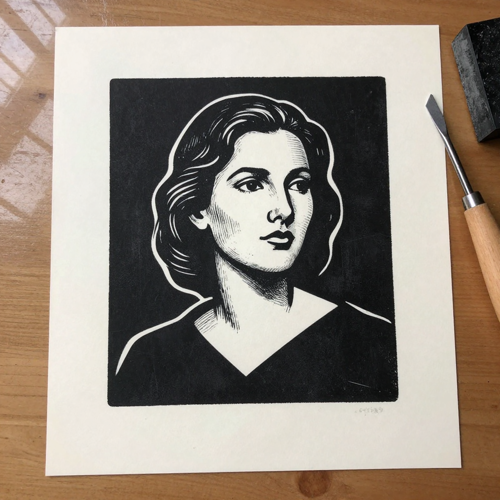
Proof the Print Before the Gouge Touches Lino
Every hand-carved print spends a block, and a weak design spends it twice. A linocut generator lets you test the light-to-dark plan, the colour split, and the carved-line density on screen through Textideo, before linoleum is cut and before an edition size is locked. Wrong turns cost a re-render rather than a recut, and the surviving design arrives at the bench already proven.
Make a Linocut PrintThe Hard Part With Linocut Generator Output
The tool is easy to start and easy to misread.
Make a Linocut Generator Print in Three Steps
The workflow mirrors the printshop order of operations: subject and ink plan first, review last, with a checklist gate before anything reaches a block.
Set the Linocut Generator Direction
Upload a clear photo or write the scene, then pin the print vocabulary: 'one-colour black linocut print, carved line shading, no grey, cream printmaking paper'. Each phrase does a job: one-colour black sets the ink, carved line shading turns shadows into gouge marks, no grey keeps the result carveable, and the paper phrase sets the ground.
Choose the Colour Path
Stay single-block for carving, or name the route: two or three flat colours with slight misregistration, reduction layers running light to dark, or white lines cut from a solid dark field. The route is vocabulary, not a settings maze, so the printshop decides in its own language.
Review Against the Checklist
Check that the subject still reads, the marks are gouge-shaped rather than needle-fine, the ink sits flat, and the paper is cream and uncoated. Export through Textideo, flip the template horizontally if you are carving, and take the proven design to the bench.
What the Carving Stage Actually Gains
The linocut generator optimises for the bench, not the gallery wall: templates that cut cleanly, proofs that read honestly, and routes chosen before ink is mixed.
Print Paths the Linocut Generator Covers
The linocut generator follows printmaking's four working paths rather than forcing one house style, from single-block black ink to layered reduction runs.
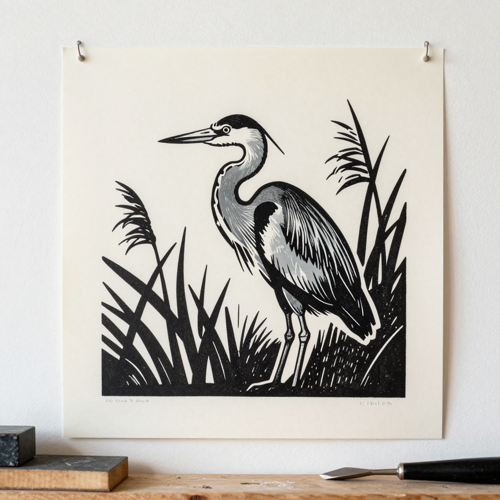
One-Colour Linocut Generator Prints
Black ink on cream paper, shading built purely from carved lines. This path doubles as a carving template: no grey, mirrored before transfer, and printed at block size so the design goes straight to the bench.
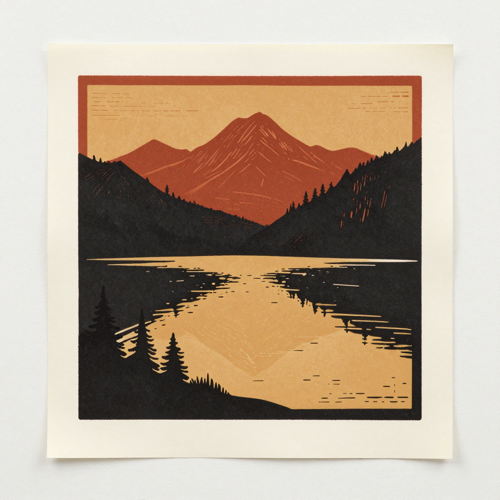
Two- and Three-Colour Multi-Block Sets
Each colour printed flat from its own block, with slight misregistration left in as the honest trace of hand alignment. Posters, cards, and wall prints gain depth without a single tonal gradient.
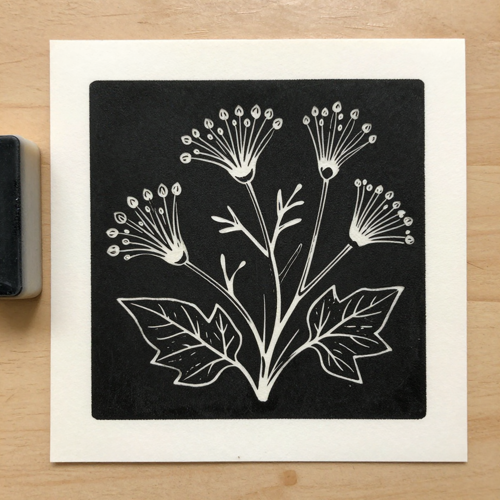
White-Line Carved Fields
Thin pale lines cut out of a solid dark field. The look reads boldly at poster distance and keeps its detail where fine hatching would turn to mud on fabric or fill in on a stamp.
What You Can Feed the Workflow
The linocut generator reads the materials a printmaker already works with, so nothing needs re-shooting before generation begins.
Who Struggles Most With Hand-Cut Print Runs
The linocut generator earns its place wherever a block, a bench, or an edition size would be wasted on an unproven design.
Print Studio Owners
Editions lock early and lino blocks cannot be un-cut, so studios now proof colour splits and line density digitally before the first gouge lands. The expensive bench hours go to proven designs.
Illustrators Taking Commissions
Clients approve a linocut-look direction in a day without waiting on a carved proof, and revisions happen in the prompt rather than on the block. Rights-checked source photos keep the workflow clean for licensed deliverables.
Craft Market Stallholders
Card and tote ranges refresh between markets with new block-print designs, and the physical print run only happens for the looks that already sold as generated samples.
Art Teachers and Workshop Leaders
Beginners meet the reversed-thinking logic of relief printing on screen first, where mistakes are free, so class time is spent carving rather than explaining mirror images twice.
The Linocut Generator at a Glance
- Etsy
- Redbubble
- Shopify
Why Route Photos Through a Linocut Generator
A threshold filter posterises; a linocut generator redraws in the vocabulary of the relief print. The distance between a photocopied look and a carved look is exactly these six things.
Gouge Marks Instead of Grey
Shading becomes carved V-gouge lines and cleared U-gouge fields, the marks a blade actually leaves. That is the difference between a print and a posterised photo, which a threshold filter can never bridge.
Flat Ink Planes You Can Trust
Light and dark rebuild as solid shapes with clean edges, which is what rolls evenly and prints by hand. Broad flat fields are the reason a linocut survives without a press.
The Mirror Reversal, Handled
Relief prints come out mirrored, so lettering and asymmetric compositions need a flipped design on the block. The linocut generator hands you the reversed template directly instead of trusting you to remember.
Cream Uncoated Paper by Default
The ground reads as printmaking paper rather than gallery white, because uncoated cream stock is what hand-printed ink actually sits on. Kraft and washi moods are one paper phrase away.
Neighbouring Styles Kept Out
Wood grain, etching needle lines, fluorescent risograph misprints, and screenprint halftones are adjacent looks the linocut generator holds at bay, so a relief print stays a relief print.
A Century of Reduction, Previewed
Layering lightest-to-darkest on a single block made the technique famous in the twentieth century. The tool previews those layers before any block is committed.
What Printmakers Say About the Linocut Generator
“Editions used to lock on a design we had only imagined; now the colour split and line density are proven on screen first, and bench hours go to blocks we trust.”
“Clients approve linocut directions in a day instead of waiting on a carved proof, and every revision happens in the prompt rather than on the block.”
“My card range refreshes between markets without a single recut; I only print the designs that already sold as generated samples.”
Linocut Generator Questions, Answered Plainly
Ten questions printmakers and first-time carvers ask before trusting a generated block print, answered with the caveats left in.
What is a linocut generator?
It is an image tool that redraws a photo or a written prompt in the language of the linocut, a relief print carved from a linoleum block. The raised, uncut surface carries the ink; carved-away areas stay paper-white; V gouges cut lines and U gouges clear fields. Output shows flat ink planes, gouge-mark shading, and cream paper rather than photographic tone.
How is a linocut different from a woodcut?
Both are relief prints, but the blocks behave differently. Linoleum has no grain, so cuts travel in any direction and curves flow cleanly; wood grain resists the tool and prints as angular, textured cuts. In a prompt, the word woodcut drags in grain and roughness, which is why the two looks stay separated.
Can a linocut generator imitate an etching?
Not honestly, and it should not try. Etching is intaglio: ink sits in acid-bitten needle lines, printed on dampened paper in a press, leaving an embossed plate mark. Linocut is relief, printed by hand from raised surfaces with broad shapes and crisp edges; hair-fine needle lines mean the style has drifted.
What photos work best for a photo-to-linocut conversion?
Single-subject images with readable edges and strong light from one side: a portrait whose eyes and outline survive, an animal whose muzzle stays readable, a still life with a clean silhouette. Busy backgrounds and flat lighting leave nothing to rebuild as bold ink shapes.
Can I use the output as a real carving template?
Yes, with two conditions. Ask for black and white only, no grey, because grey tones cannot be carved and they give away the filter look. Then flip the design horizontally before transferring it to the block, since a relief print comes out mirrored; lettering in particular must read backwards on the block to read correctly on paper.
Does a linocut generator handle reduction printing?
It can preview it. Reduction printing carves the same block again for each colour, lightest to darkest, because dark inks resist overprinting; the edition is fixed at the first layer since the block shrinks each round. The tool shows those layered colours on screen before an edition is committed to a disappearing block.
How do I get a multi-colour linocut look?
Name the count, the inks, and the flatness: 'three-colour linocut print in black, rust red and ochre, flat colours, slight misregistration'. The count stops the model guessing at palette size, the named inks keep colours print-shop-real, flat keeps areas solid rather than gradient, and slight misregistration mimics the honest drift of hand-registered blocks.
Who owns the rights to the generated prints?
The safe rule: upload only photos you own or have permission to transform. Portraits and commercial sales need the clearest rights, because the output inherits whatever rights the source image carried, and a market print or client licence is still a commercial use of the underlying photograph.
What should I check before using a linocut generator output?
Five things: the subject still reads at print size, the marks are gouge-shaped rather than needle-fine, the ink genuinely sits in flat planes, the paper reads cream and uncoated, and no neighbouring style such as wood grain or risograph glow has crept in. Output that fails any check is a re-render, not a rescue job.
What are the finished prints actually used for?
Finished looks for posters, greeting cards, and editorial illustration; carving templates for real lino blocks; bold-shape directions for stamps and textiles where fine lines fill in; and studio proofs that settle a design before any block, ink, or paper is committed.
Cut Your First Block With the Linocut Generator
Bring one photo and the print vocabulary, and the linocut generator on Textideo returns a block-print look you can carve, print, or publish the same day.
No credit card required - no carving tools to start - no press needed