
The reference setup eats the whole session
Clearing a surface, finding objects that belong together, rigging one lamp and hoping the light lasts until the drawing is done: the arrangement costs more time than the work it was meant to support.
A still life generator turns a written description into a composed arrangement of objects, with no props to buy, no table to set and no lights to rig. Name the objects, the surface they rest on and where the light falls, and the still life generator returns shadows, reflections and depth within seconds. Use the result as a painting reference, a product scene or finished artwork, then keep iterating until the composition holds together.
The problem
Anyone who wants a still life usually has the idea already and is missing the table, the lamp and a free afternoon. A still life generator removes the setup, but it only pays off if you know which parts of the scene the model cannot guess for you.
Clearing a surface, finding objects that belong together, rigging one lamp and hoping the light lasts until the drawing is done: the arrangement costs more time than the work it was meant to support.
Ask for a nicely lit arrangement and you get a frame with no falloff, no shadow shaping and no sense that the objects have volume. Depth comes from one directional source, and most prompts never name one.
Asking for fruit in a bowl produces the image everyone else got, because nothing about surface, light direction or material was specified. The subject was never the problem; the missing detail was.
A single render only tells you whether you got lucky. Without a batch to compare against, you cannot separate a composition that holds from a model that happened to place things well.
Working from a real product instead of a described scene? Studio Product restages the item on a commercial ground without re-rolling the arrangement.
Why choose this
Every image generator can draw a bowl of fruit. The difference shows up in the parts people usually leave to chance: which object leads, where the key light sits, how much negative space the frame keeps, and whether the glass actually reflects the window. These are the six things this still life generator treats as inputs you control rather than outcomes you hope for.
Ask for a bowl of fruit and you get a bowl of fruit. Ask for a cut lemon, a pewter spoon and a folded napkin on oiled oak under a single soft key from the left at three-quarter angle, and you get a composition. The generator parses the lead object, the supporting props, the surface and the light direction as separate instructions, so changing one part does not quietly rewrite the rest.
A physical still life needs objects, a surface, a backdrop, a light, a stand and most of an afternoon. Describing the same scene takes about thirty seconds and costs nothing to redo. When the arrangement is wrong you re-roll the arrangement rather than the shopping list, which is why the still life generator suits people who are still deciding what they want.
Flat, evenly lit frames are the most common reason a generated still life looks synthetic. Naming one directional source — diffused window light at roughly 45 degrees, hard noon sun, a rim light from behind — gives the objects volume and lets the background fall away into shadow. Ask for deep shadow across the background when you want the painted look, or shallow shadows under high key when you want the clean commercial one.
Condensation on a glass bottle, glaze on porcelain, oxidation streaks on brass, citrus pulp under a cut rind, nap on velvet: materials are what make a still life worth looking at, and they only appear when they are named. Choose one hero texture per frame and describe it directly instead of asking for detail or realism, which the model has no way to interpret.
A single render tells you almost nothing about whether an arrangement works. Generate a small batch, then change one variable at a time — swap the surface, move the light, drop a prop — and the pattern is usually obvious within three or four frames. Treating the still life generator as a comparison tool rather than a vending machine is what separates a usable image from a lucky one.
Frames rarely leave the tool finished. Upscale a winner for print with HD Photo Converter, restage a product on a clean commercial ground with Studio Product, or carry a finished arrangement into a short clip through the video tools — all of it available on Textideo, without exporting to a second platform and starting over.
Features
Three controls do most of the work. Get them right and the render usually lands on the first or second attempt; leave any of them vague and no amount of regeneration will rescue the frame.
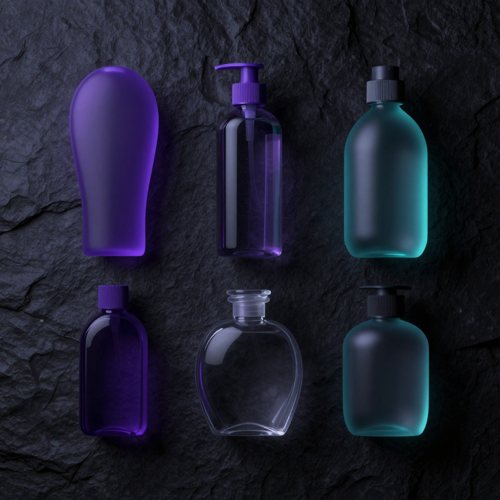
Lead with the hero object, then add two to four supporting props — five focal elements is about the ceiling before an arrangement reads as clutter. Pick the arrangement shape as well: a top-down flat lay, a three-quarter tabletop view, or one object placed off-centre with negative space reserved for a caption.
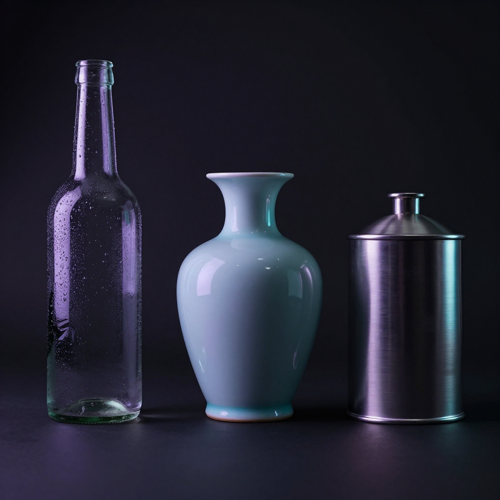
Surface and light are the two inputs a still life generator cannot infer for you. Marble, linen, oiled oak, poured concrete and seamless paper each pull the same objects toward a different mood. Pair the surface with a single light source and a direction — window side light, softbox, hard noon sun, rim light — and hold the palette to two or three colours so a series of frames still looks like one shoot.

A 50mm or 85mm view reads naturally, a 100mm macro isolates texture, and a wide aperture drops the background out of focus when the objects need to separate from it. Decide the frame for the destination before generating: square for marketplace grids, wider with open space for editorial and cover use.
How it works
The whole process is three moves: say what is on the table, say how it is lit and framed, then pick the frame you want and export it. No camera, no props, no lighting kit, and nothing to put away afterwards. A still life generator rewards that order, so describe before you light and light before you frame.

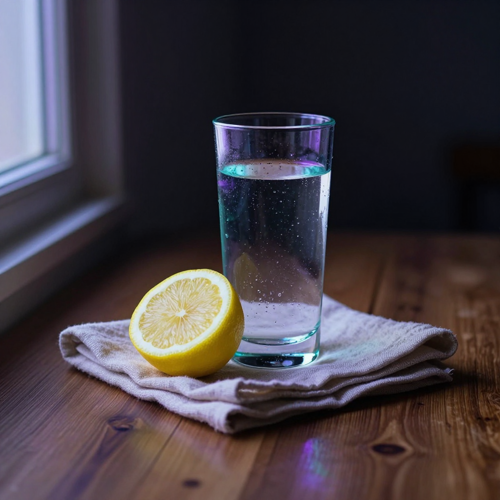
Write one or two sentences naming the hero object first, then the props, then what they are standing on. Add where the light comes from and what mood you are after, for example a cut lemon and a glass of water on linen under diffused window light from the left, quiet and cool. Specific beats decorative every time: naming an angle and a light source outperforms adjectives by a wide margin.

Choose the arrangement shape and the framing the destination needs: flat lay for overhead, three-quarter for a tabletop, centred or off-centre depending on whether the frame has to carry text. Add one material cue such as condensation, glaze, brushed metal or velvet, and one mood tag like calm minimalist, cinematic low-key or glossy commercial.

Run a small batch instead of a single frame, then change one variable at a time until the composition holds. When a render is nearly right, adjust the prompt rather than starting over: swapping the surface or moving the key light usually gets there faster than a full rewrite. Export the winner at the resolution the destination actually needs.
Arrangement types
Three arrangements cover most of what people actually want from a still life generator. Each asks for a different light, a different surface and a different amount of empty space, so they are worth learning one at a time.
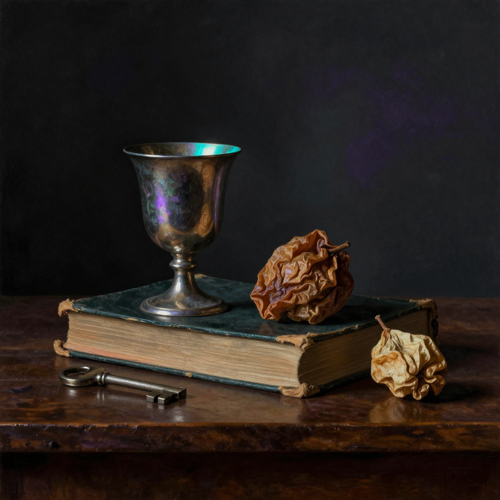
One soft key from the side, deep shadow filling the background, warm ground tones, and objects that emerge out of darkness rather than sitting against a lit wall. This is the look people mean when they say Dutch Golden Age, and it comes from light direction and falloff rather than from naming a painter.
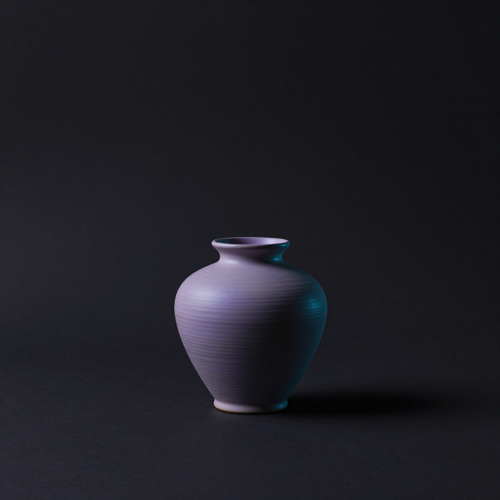
A single object, placed off-centre on a plain seamless backdrop, soft directional light and a wide band of empty frame. The negative space is the design: it leaves room for a title, a caption or a logo, and the frame reads as deliberate rather than unfinished because only one thing competes for attention.

A hero product with two or three supporting props under soft window light, true reflections on glass, legible labels and a contact shadow that grounds everything on the surface. Accuracy matters more than atmosphere here, because this is the arrangement that has to survive being compared with the item in the box.
Who it is for
Four groups reach for a still life generator for four different reasons: reference material, sellable product imagery, printable art and teaching material. The prompt each one writes looks different.
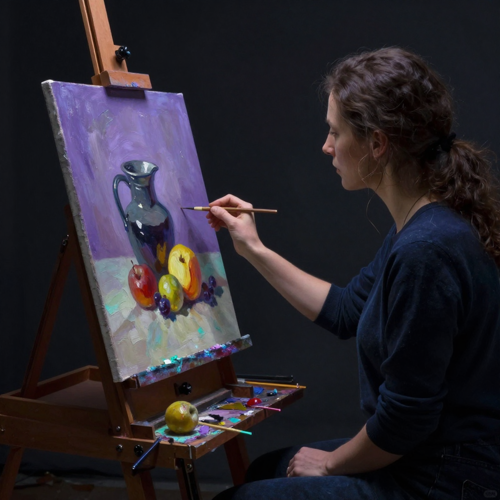
A reference arrangement used to mean clearing the table, hunting for objects and hoping the light held for the whole session. Generating one means a lit composition is ready in a minute, so you can study how the values fall across it and draw from that. Practising composition, value structure and edge control becomes a daily habit instead of a weekend project.

Listing images need the product to look like the product. A contextual still life sets a bottle, a candle or a small accessory among two or three props under believable light, giving marketplace grids and product pages something a bare cutout cannot. Keep the label legible and the material honest, and check the render against the real item before it goes live.
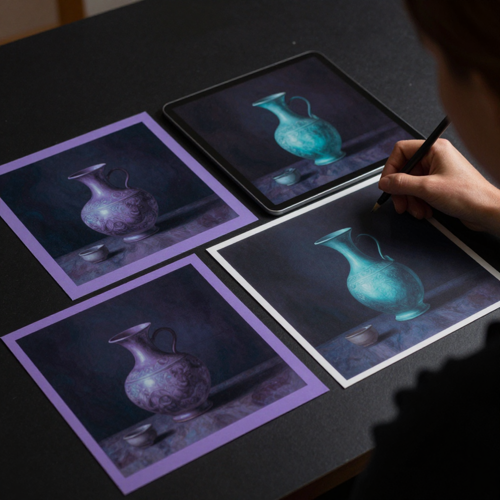
Prints, greeting cards, book covers and posters all need artwork that holds up at physical size. Generating the arrangement first and upscaling it for print removes the photoshoot from a workflow that used to gate every new design. One prompt can carry a whole series that shares a palette and a light direction, which is what makes a set look like a set.

Teachers need fresh arrangements for exercises without building a still life corner for every class, and creators need a steady stream of frames that do not look like everyone else's feed. Both groups get more from specifying the surface and the light than from chasing a style name, and both benefit from generating variations rather than single frames.
Where it lands
The same render can become a print, a listing image, a cover or a post. What changes between those destinations is the framing, the resolution and how much empty space is left over for type.
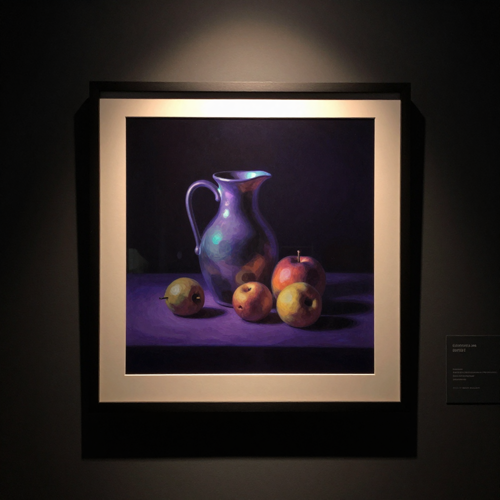
Arrangements with one clear hero object and a calm background survive physical size far better than busy scenes. Generate with the final crop in mind, upscale before sending anything to a press, and keep the palette tight so the piece still reads from across a room.
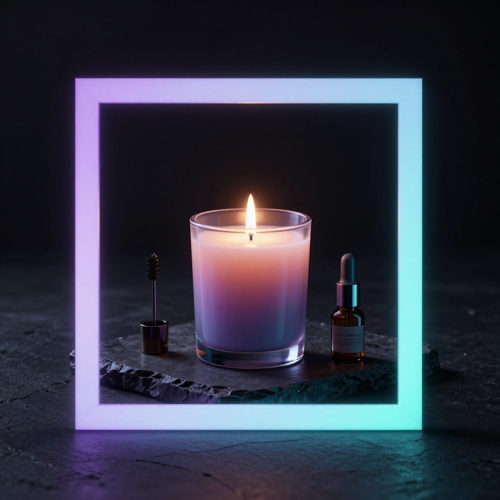
A square frame with the product centred, one or two props and a clean contact shadow is what a marketplace grid rewards. True reflections and honest material colour matter more than painterly mood, because a shopper is measuring the image against whatever arrives in the parcel.
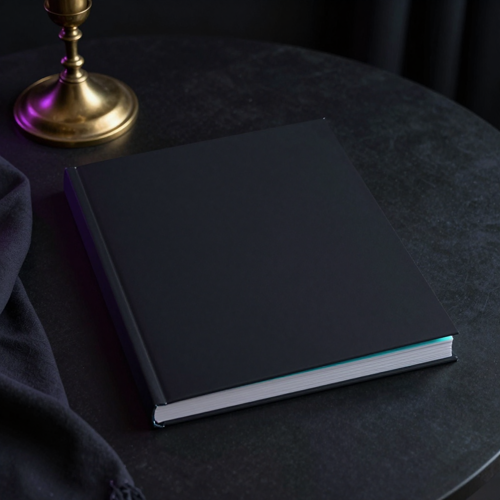
Covers need open space for a title and a composition that survives being shrunk to a thumbnail. Generate with the negative space reserved on one side, place the type as a layer afterwards, and the same still life generator frame can be re-cut for a jacket, a playlist tile and a poster.
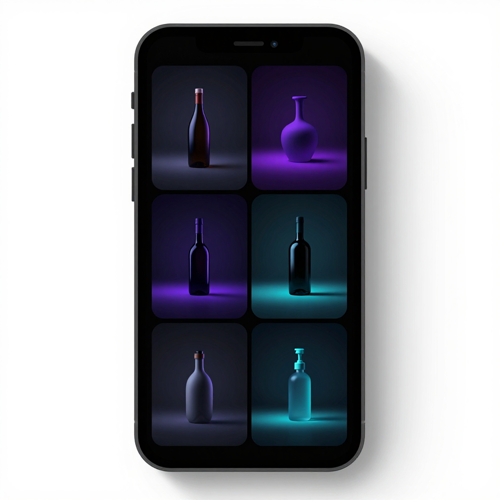
A feed built from one arrangement re-lit and re-surfaced looks deliberate in a way that unrelated images never do. Hold the light direction and the palette steady across the set, vary only the props, and a batch of still life generator frames reads as a campaign instead of a mood board.
FAQ
These are the questions that come up before the first render rather than after it: what to write, how many objects to include, how to get the dark painterly look, and what you are allowed to do with the result.
A still life generator turns a written description into a composed image of arranged objects. You name what sits on the surface, what it stands on and how it is lit, and the tool renders the arrangement with shadows, reflections and depth. People use the output both as finished artwork and as reference material for painting, drawing and product photography.
A general image generator reads a subject, while a still life generator reads an arrangement. That distinction matters because composition, light direction, surface material and negative space are the real subject of a still life, and a generic prompt leaves all four to chance. Dedicated controls let you swap the surface or move the key light without re-rolling the entire scene.
Lead with the hero object, add two to four supporting props, then name the surface, the light source with its direction, the camera angle and one mood tag. A single material cue — condensation, glaze, brushed metal, velvet — usually does more for realism than any adjective you could add. Three to five focal elements is the practical ceiling before a frame starts to read as clutter.
Three to five focal elements works for most frames. Fewer than three tends to read as a product shot rather than a composition, and more than five starts to look like clutter because the eye has nowhere to settle. If an arrangement feels crowded, remove a prop instead of adding more detail to the prompt.
Yes. Ask for a single soft key from one side, deep shadow filling the background and warm ground tones, and the frame takes on the Old Master look. The painterly depth comes from light falling off into darkness, not from naming a painter or a period, so asking only for dramatic lighting usually returns a flat, evenly lit image.
Yes. Uploading a photo of objects you already own gives the render your arrangement to work from while it replaces the surface, light and material treatment. Lower the transformation strength to keep the original objects recognisable, or raise it to have the scene reimagined. It is the shortest route from something on your table to something on a wall.
The tool renders high-resolution raster output, and the exact formats and dimensions on offer are shown at download time. When a destination needs more pixels than the render provides — large-format print, for instance — upscale the frame with HD Photo Converter on Textideo rather than stretching it in an editor, which softens the material detail that makes a still life worth printing.
Usage rights depend on the terms of the platform you generate on and on the law where you sell, and the two do not always agree. In the United States, purely AI-generated images are not currently eligible for copyright protection, although many platforms grant commercial use contractually. Read the terms attached to your own account before putting a render on a product.
Generic prompts return generic frames, which is why so many generated still lifes look interchangeable. Naming a specific surface, a specific light direction and one unusual material is what makes the same subject yours. Two people asking for fruit in a bowl get similar images; two people specifying the surface and the light do not.
Reach for a product photo generator when the item itself has to stay accurate against a real catalogue entry, and for a still life generator when the composition is the point — atmosphere, print art, or a scene built from nothing. Plenty of sellers run both: the still life generator for campaign and lifestyle frames, the product tool for the listings themselves.
Testimonials
Three people who came to a still life generator from different directions: a painter who needed reference, a seller who needed listing images, and a designer who needed a set rather than a single frame.
I used to lose the first hour of every session arranging pears and a jug, and half the time the light moved before I finished. Now I generate three lit arrangements, pick the one with the best value structure and draw from that. I get more drawing done in a week than I used to get in a month.
Our listing photos were cutouts on white, which looked cheap next to the brands we compete with. Putting each product among two or three props under window light changed the whole grid. The thing I check now is whether the label is still legible, because that is what customers complain about.
My problem was never one design, it was making twelve that looked like a set. Fixing the light direction and the palette and only swapping the props gave me a collection instead of a pile of unrelated frames. Before that I was reordering photoshoots for every new drop.
Explore more
A generated arrangement is rarely the last step. These are the tools people run next to a still life generator: upscaling for print, restaging a product, and re-cutting the frame for another channel.
Read more
Two longer reads for the parts a still life generator prompt cannot answer for you: how the workspace fits together, and what generating costs you in credits.
Get started
Set the arrangement once, then re-light it, move it to another surface and re-crop it as often as the idea needs. Compare a dozen variations before you commit, and export only the frame you would actually hang, list or print. Start from a single sentence and let the still life generator do the assembling.