damon salvatore ai names a one-photo entrance format: a front-facing portrait placed into a short walk-in clip where only the lead is swapped. The camera path, lighting, blocking and pacing stay as the reference sets them, with everyone else left alone. Add a rhythm track, captions and a visible AI-generated label, then export a 9:16 vertical short on Textideo.
Rated here by checks any viewer can make: the walk, the light and the camera hold stay put, and the lead still matches the portrait you supplied. Bring a photo you own - no crew or location - one clear label on export - nothing to install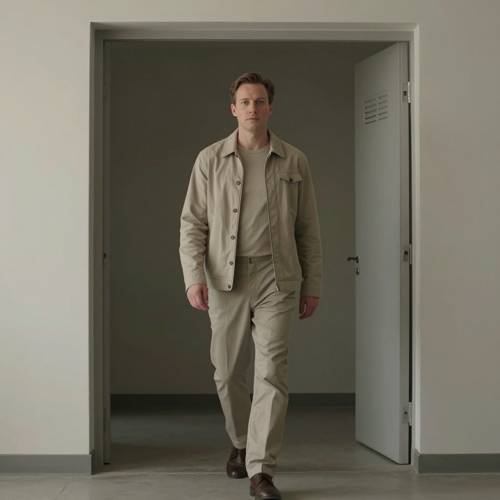
A damon salvatore ai walk-in is a compact format: one still portrait supplies the lead, a short reference supplies the movement, and the render keeps everything else in place. That split is why a single image can carry a whole clip, and why the choice of that image matters more than any setting you describe afterwards.
Create your entrance clipA one-photo walk-in falls apart in three predictable places.
Three moves cover the whole damon salvatore ai workflow; the middle one names what must stay fixed.
Start with one front-facing snapshot you are allowed to use: a single person, both eyes open, even light, nothing covering the face. Trim bystanders out of the frame and skip heavily filtered shots, since the model reads the face it is given. This one image fixes the lead for the whole damon salvatore ai clip.
Pick a short walk-in motion as your reference, then paste a plain action line: "one person walks through a doorway into a warm-lit hall, camera holds, only the lead is replaced, keep original face shape, 9:16 vertical". Name the moving subject and nothing else; the reference already supplies the light, the cut order, the blocking and the pace.
Render, then watch the entrance end to end to confirm the face stays steady in the tight shot. Once it holds, export the vertical file and keep the original beside it for a before-and-after check.
Three capabilities behind an intentional one-photo walk-in.
Three lighting treatments on the same one-photo walk-in, kept deliberately narrow. The camera hold, the blocking and the rhythm do not change between them; only the light, the grade and the pace move, so the difference you see is the lighting itself.
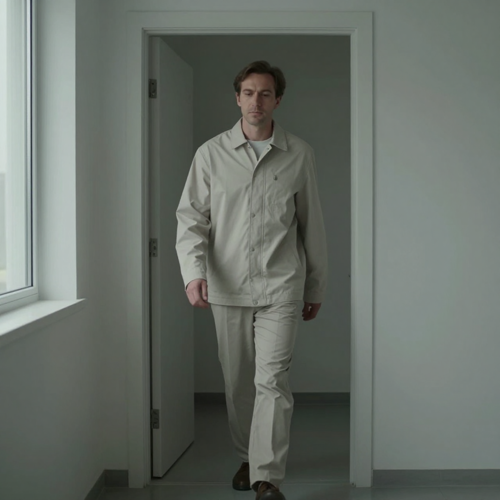
Even, cool window light, a locked camera at chest height, an unhurried step. Gentle tones suit a calm first post or a profile reveal.
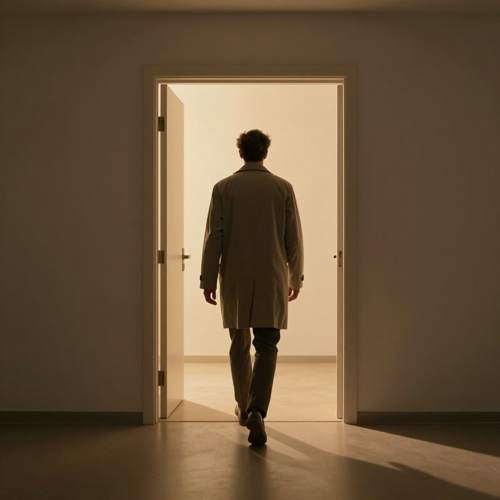
Warm low light rakes in at one side as the camera drifts behind the lead. Long shadows and a slower pace fit an evening post.
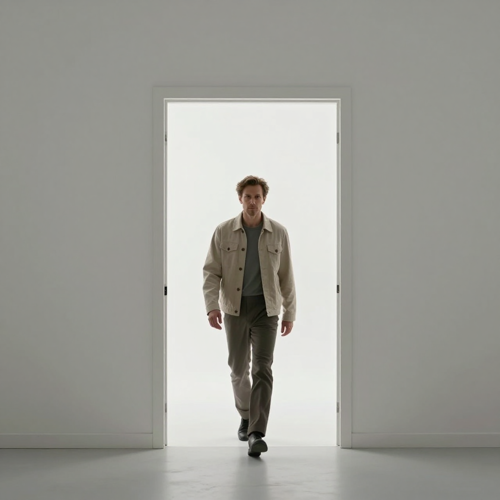
Clean, even light on a fixed wide frame, doorway centered, a crisp quick walk. Nothing moves but the lead, ideal for comparisons and tutorials.
Four inputs; the last keeps it honest.
Four situations where hand-editing costs more.
Posting several times a week needs an entrance that looks the same without a shoot. One approved portrait and a fixed reference give a clip to re-light.
A two-person shop rarely has someone to cut a multi-shot walk-in. Naming what stays fixed beats rebuilding the camera path.
Anyone who wants their own face to carry a cinematic entrance can use one photo they already have, with no crew or protected footage.
A set of related clips is easier when the walk, camera and lead stay constant and only lighting changes.
Six checks that make a one-photo entrance believable.
A plain filter recolors a still frame; this keeps the camera move, cut order and walk rhythm while substituting only the lead.
Face shape, hair and proportions stay tied to the single portrait even in the tightest frame, so the lead does not drift.
One clear front-facing image and one short motion reference; no crew, no location, no second take. The format stays repeatable.
The download arrives without sound on purpose, so the musical bed stays your call. That empty track leaves room for a beat you own rather than a clip borrowed from someone else.
Use only your own portrait or one you have permission for; never map a public figure, a well-known face or any real recognizable person. Label it AI-generated, never pass the result off as real event footage, skip footage you have no rights to, and get a guardian's consent for minors.
The same portrait can walk into a daylight hall, a golden-hour frame or a studio-lit doorway, turning one photo into a small set.
“I stopped rebuilding the same walk by hand. One portrait and a fixed reference now give me a clip that holds its pacing.”
“Keeping the camera path sold me. I only had to name what should not change, and the close-up matched my photo.”
“One approved portrait now covers a whole set. Same walk, different light, and every export carries its AI label.”
How the format spread, what the phrase means, which inputs matter and where consent lines sit.
Short-form tutorial posts started it in mid-October 2026. Guides in several languages spread through late October, one vertical clip passed a million plays, and independent one-photo entrance tools appeared by November; each keeps a reference walk-in and swaps only the lead.
It points to a one-photo cinematic entrance: a front-facing portrait in a walk-in clip where only the lead is swapped, while the camera, lighting, blocking and pacing stay as the reference sets them. The 'ai' is the identity lock, so the damon salvatore ai phrase names a reusable format.
A waist-up shot wins over a distant one because the face then fills enough pixels to hold a close-up. Even light and an unobstructed outline matter more than a dramatic angle; a soft filter smears the very detail the render needs to keep.
Yes, and a short typed line is usually cleaner than a long one. Paste one action beat naming the lead and the doorway, then let the reference carry the camera and the timing. Writing a whole scene back into the prompt is what pulls the render away from the motion you chose.
No. A filter changes the head and slips at the edges, while this keeps the camera path, walk rhythm and surrounding people as it swaps one lead. Hand-cutting rebuilds the pacing instead of preserving it, so a damon salvatore ai clip is a full entrance short, not a pasted head.
A 9:16 vertical video file with the picture complete and the audio left open. Put a licensed beat, captions and an AI-generated tag on it, then share it as a short-form post.
Only your own portrait or one you have explicit permission for. Never map a public figure, a well-known face or any real recognizable person; get a guardian's consent for a minor, label it AI-generated, never pass it off as real event footage, and avoid protected screen footage without the rights.
Yes. Keep the same walk, camera and lead, then change only the lighting treatment, such as soft daylight, golden hour or clean studio light. The fixed motion reference makes the entries read as one coherent group.
Only if you bring inputs you are entitled to use. The portrait must be yours or authorized, the motion reference one you own or may reuse, and the output never passed off as genuine event imagery.
Without a motion reference and an identity lock, a general model reshapes the face toward its training data, and the tight final frame shows it first. A sharper portrait and an explicit keep-original-face-shape line usually fix it.
Bring one clear photo you own, set the entrance with a plain prompt line, and render a labeled 9:16 short on Textideo. Hold the camera path and the pacing steady, and keep the rights to every input you add.
Bring a photo you own - no crew or location - one clear label on export - nothing to install