tidal wave ai is a one-photo or multi-photo seafront wave-surprise short, not a tides explainer. One to three clear front-facing adult portraits are recast at a waterfront railing as a wave breaks behind them and foam floods the lens. The same people then rise laughing in one fixed vertical shot.
Rated on face continuity across the splash, a camera that never moves, and a cast that stays fully consented Only your own authorized adult photos - label every export as AI-generated - keep the original track low when you swap audio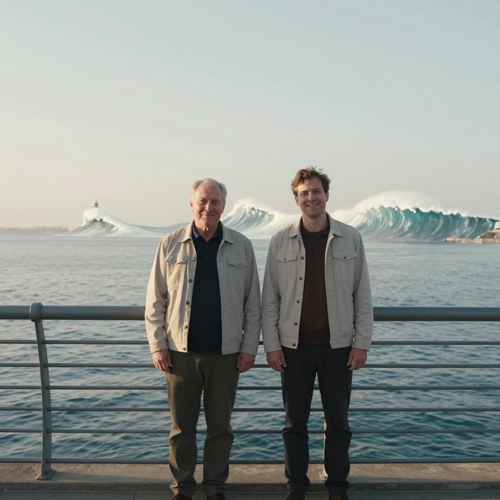
Pick a solo, duo, group or pet cast and add one clear front-facing adult portrait per person; tidal wave ai keeps the railing, wave and final walk steady as it swaps in faces you may use.
Build a Wave RemakeThree shortcuts look easy and quietly break the fixed-camera illusion.
Each pass settles one thing: which portraits go in, what the shot holds, and how the render is checked.
Select a solo, duo, group or pet version and add one clear front-facing adult photo per person: good light, no sunglasses or heavy retouching. Use only your own face or one you may animate.
Keep the frame vertical at 9:16, the viewpoint fixed, a railing and water behind the group. Render a wave that rises, breaks over the wall and clears to the same cast laughing.
Scrub through and compare face shape, standing order, splash direction and the rise; regenerate on any drift. Export the MP4, add an AI-generated label, and fade the clip's own track if a platform swaps in audio.
A tidal wave ai short stands on who is on screen, how the water moves, and what you may publish.
One portrait batch drives several tidal wave ai looks; variants change light, camera pace and foam timing, not the people.
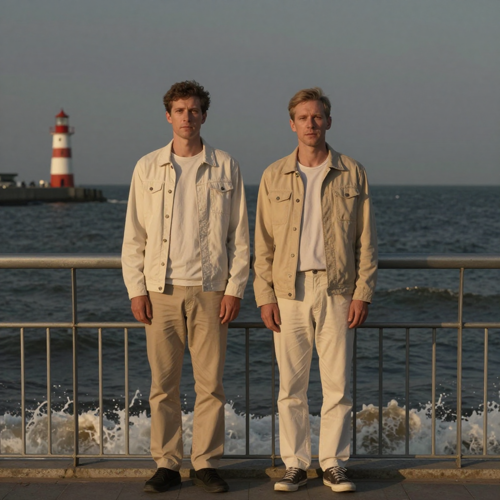
Low warm light on a waterfront railing, the group small in frame. Foam swallows the lens, then clears to the same people laughing; fixed camera throughout. Best for an evening reveal.
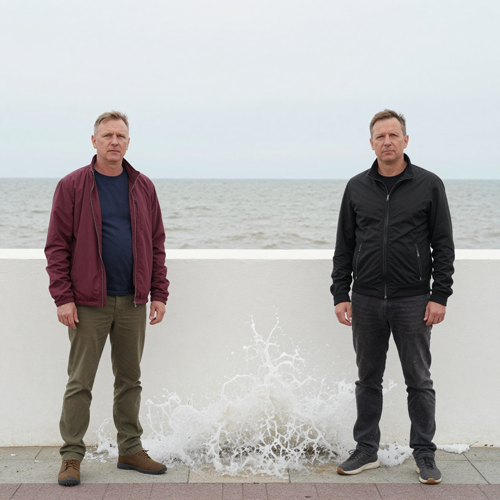
Even overhead sun, a pale seawall, readable outfits. The water wall shows early and faces stay easy to check once the foam clears. Best where colors must stay obvious.
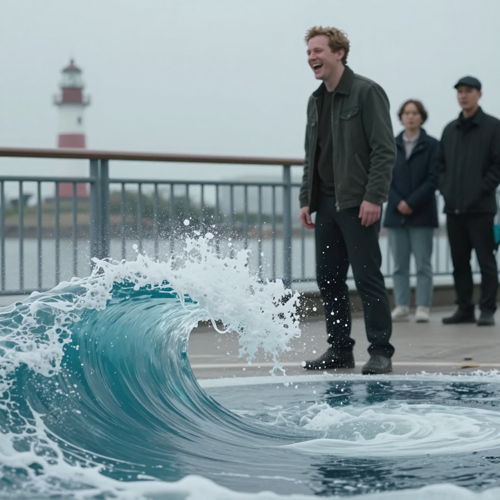
The crash stretched so curl, impact and rolling foam each get a moment before the group rises. Cool flat light keeps splash direction legible. Best for a punchline edit.
The tidal wave ai result is only as consistent as its portraits: a lead, a cast, a pet and a starting frame.
The tidal wave ai format suits anyone with authorized adult portraits and a taste for a staged surprise.
A friend group with a standing joke about posed photos can turn one portrait set into solo, duo and group versions; each adult consents first.
Makers reuse the same authorized faces across a night railing, bright seawall and slowed foam reveal, so each tidal wave ai variant is easy to judge.
Anyone holding a full-body daylight photo of their own animal can cast it into the wave beat, with no borrowed image.
Teams that must label AI-generated work fit this format: one approved portrait set, one fixed camera, a documented consent check.
Six checks separate a clean remake from a shortcut that fails at the reveal.
Face shape, hairstyle, outfit and standing order hold across the crash and recovery, so those who rise are the ones who posed. A tidal wave ai remake stands on that.
Hand-cut foam and reactions drift in lighting and face shape every frame. One generated take ties pose, wave and walk to a locked viewpoint.
A tint layer adds color but no story; here a water wall builds, breaks and thins back to the same laughing cast, giving the shot cause and payoff.
A stormy-night group pose knocked flat by a wave appeared as a vertical short on 2026-11-13 and spread widely the next day. Photo-to-wave-remake templates went live between 11-15 and 11-17, and by 11-17 trackers listed solo, duo, group and pet variants.
Only cleared faces keep the reveal honest: your own adult portrait or one you may animate. A borrowed celebrity or stranger breaks the joke and the rights, and minors need a guardian's consent.
Before posting, tag the clip as AI-generated, use only audio you have rights to, and fade the built-in track if a platform swaps the sound. Platform AI rules apply.
“I lined up three front-facing portraits, and the same three faces came back out of the foam. That continuity is the whole joke.”
“A flat wave layer never sold the surprise; a locked camera with the foam clearing on cue finally did.”
“We only cast people who said yes, tagged the clip as generated, and turned the borrowed track down before posting.”
What the phrase means, how it spread, and which portraits hold up.
No. tidal wave is the comic water wall dropping behind a posed group, not a science term; ai means one to three adult portraits recast into that fixed-camera crash with faces locked.
Yes, near-names for one effect: a group at a railing, a wave behind, foam over the lens, then the same people standing up. tidal wave ai is the phrase for putting your own portraits into that beat.
It began as one fixed-camera vertical short of a posed group knocked flat by a wave; as reposts spread, photo-to-wave templates and cast variants followed within days.
One sharp, well-lit face-on shot of each adult, eyes visible, no sunglasses or heavy filters. Every person needs consent; a pet version needs your own full-body daylight photo.
Copy the one in the feature section: it fixes pose, wave, foam and reveal in order. Writing your own, keep the camera fixed, request vertical 9:16 and consistent faces, and ban text or logos.
A vertical 9:16 MP4 ending with the same cast laughing. It ships with its own track; if a publishing app swaps in audio, duck the original, and never attach a protected recording without the rights.
Only your own adult face or a portrait you are cleared to animate; never a celebrity, actor, public figure or stranger. A pet needs your own full-body daylight shot, and a minor a guardian's consent.
It should not be. Mark it as AI-generated, describe it as a fictional scene, follow your platform's synthetic-media rules, and avoid captions implying a real storm recording.
A flat overlay only tints; a face swap loses the fixed framing and recovery beat; hand-cut foam drifts in lighting and shape. One generated take ties all three to a single camera and timeline.
Yes. One authorized portrait set can span a solo, duo, group and pet cut, or switch between a night railing and bright daylight. Hold the cast steady and the clips read as one running gag.
Line up the adult portraits you are cleared to use and build a seafront wave-surprise short on Textideo, then check every frame and label the export before you post it.
Only your own authorized adult photos - label every export as AI-generated - keep the original track low when you swap audio