
Flamingo Floatie AI: Drift Off The Edge Of The Viral Rooftop Pool
Flamingo Floatie AI is the November 2026 trend that puts you on a giant pink floatie in a rooftop infinity pool, phone in hand, drifting toward the glass edge until a helping hand interrupts. One clear photo is all the input the Flamingo Floatie AI effect needs on Textideo. The pool, the skyline and the drift come ready-made, so you never have to rent a rooftop.
Rated on the two things that decide a floatie clip: whether the rider still reads as you, and whether the drift lands after the hand. No credit card required - no sign-up - one photo is the whole input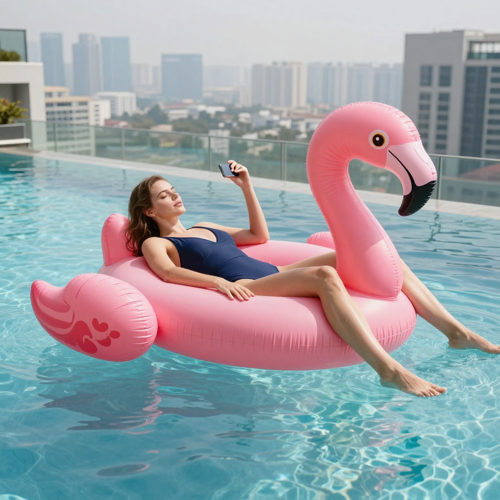
Where The Flamingo Floatie AI Trend Began
The flamingo floatie trend broke out in November 2026. The first AI clip of a rider sliding over the edge of a rooftop pool appeared on 29 October 2026, and on 2 November a rooftop version above a city skyline passed millions of plays in its first days. By 3 November, CapCut template tutorials were appearing every few hours, and within a week dozens of creators had posted Flamingo Floatie AI cuts, all made the same way: one photo in, a built rooftop scene out.
Try The Flamingo Floatie AI EffectThe Hard Part With Flamingo Floatie AI Is Not The Float
The drift looks effortless. Staging it by hand is not.
Make The Flamingo Floatie AI Clip In Three Steps
The whole workflow is three moves: pick the photo, run the scene, post the drift.
Upload One Clear Photo
Pick a daylight photo of one adult, face visible and eyes open, waist-up or head-to-toe. Your outfit carries over to the floatie, so choose one you like.
Pick The Flamingo Floatie AI Scene
Select the effect on Textideo. The rooftop pool, the pink floatie, the skyline, the helping hand and the drift are all preset, so there is no prompt to write.
Review, Add The Sound, Share
Check the rider's face, the hand contact and the final drift before exporting, and do not cut the ending short. Swap in the platform's own audio when you post, and leave the AI-generated tag where viewers can see it.
What The Flamingo Floatie AI Effect Gives You
The effect is a scene transplant: your photo supplies the rider, and the template supplies everything else.
Three Rooftop Endings Worth A Second Video
The rooftop drift is the original, but one workflow powers a family of endings. Every Flamingo Floatie AI cut starts with one sharp photo of the rider.
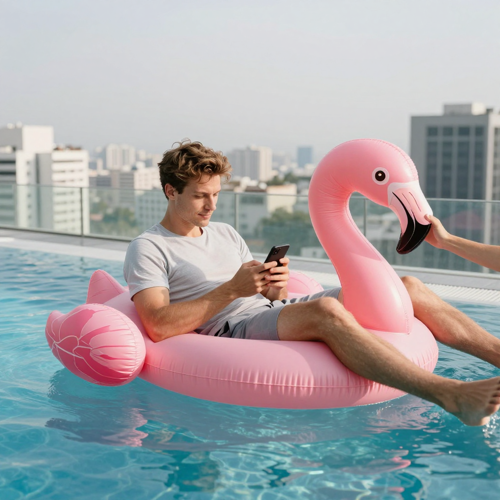
The Original Flamingo Floatie AI Drift
The classic cut: you lie on the pink floatie at the pool edge, scrolling your phone, until the hand reaches in and the float drifts across the water to a tiny dot against the towers.
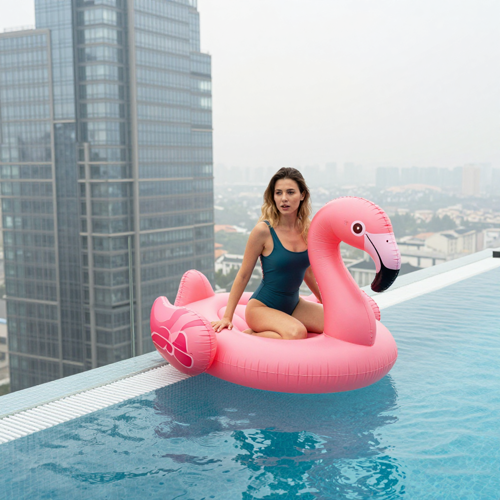
The Over-The-Edge Version
The bolder ending: the floatie slips off the glass edge and floats down past the skyline. The landing is always soft, never a crash.
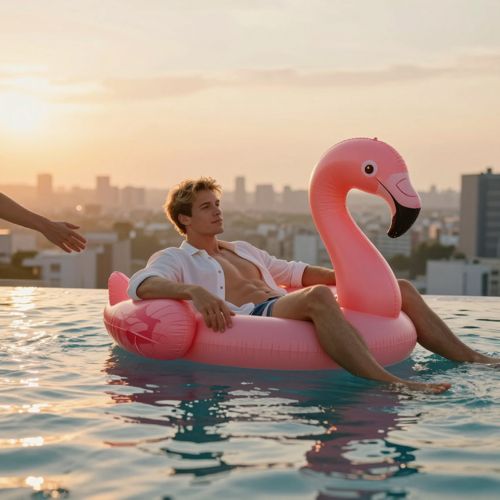
The Sunset Rooftop Cut
The same drift in golden light: a warm skyline, long reflections and the same helping hand, for posts that want a softer mood.
The Photo Rules That Make Or Break The Clip
The scene is fixed, so the input photo decides how well the rider reads. These are the four setups the Flamingo Floatie AI effect handles best.
Who Struggles To Film A Flamingo Floatie AI Video The Old Way
If you have ever tried to stage a pool joke with a phone camera, this effect was built for your situation.
People With A Camera Roll And No Rooftop
You already own the only input the trend needs: one decent photo of yourself, and the Flamingo Floatie AI scene builds the rooftop on Textideo.
Group-Chat Comedians
A ready-made visual reply: post it for 'me ignoring everyone while the plans change' and let the drift carry the joke.
Travel And Lifestyle Posters
A rooftop-pool mood shot without a shoot, a flight or a pool. Post it before a trip as your pool-day energy.
Anyone Who Avoids Dangerous Stunts
The one joke nobody should copy in real life is floating a pool toy to a rooftop edge. The Flamingo Floatie AI clip gets the view without the drop.
Flamingo Floatie AI At A Glance
- TikTok
- YouTube Shorts
- Instagram Reels
- CapCut
- Threads
Why One Photo Beats A Rooftop Film Crew
The joke is already in the scene. Your job is one good photo, and the Flamingo Floatie AI template does the rest on Textideo.
No Filming, No Stunts, No Location Scout
Real rooftop pools above skylines are rare, and the edge is not a toy. The scene replaces all of it with one upload.
You Stay Recognizably You
The effect carries your face, hairstyle and outfit over from your photo, so the rider reads as you, not a stock stranger.
The Flamingo Floatie AI Beat Is Already Loaded
The lounge, the interrupt and the drift are built into the scene, so the result lands in a format audiences already know.
Fresh Cuts, Not One Shared Template
A CapCut template gives everyone the same clip. The Flamingo Floatie AI effect builds a new cut around your photo each time.
Sound Slots Included
The clip lines up with the trend's audio, so you swap in the original sound from the platform library at post time.
Built-In Boundaries
Use your own photo or a consenting adult friend's, keep the AI label on when you post, and the trend stays trouble-free.
What Creators Say About Flamingo Floatie AI
“The drift is what sold me. I uploaded one waist-up photo in a t-shirt and the rooftop did everything else, and my face held through the whole float.”
“I made the push-back cut, then the over-the-edge one from the same photo. Two posts, one upload, and the caption did the rest.”
“My friends send it instead of a reply now. One push mid-scroll and it still lands every time.”
Frequently Asked Questions About Flamingo Floatie AI
Straight answers on the rooftop drift, its origin, and how to make a clip.
What is the Flamingo Floatie AI trend, and where did it come from?
Flamingo Floatie AI is the rooftop pool video trend that took over short-form feeds in early November 2026. The first AI clip of a rider sliding over the edge of a rooftop pool appeared on 29 October 2026, a rooftop version passed millions of plays from 2 November, and CapCut template tutorials followed on 3 November.
What do 'floatie' and 'ai' mean in the Flamingo Floatie AI name?
'Floatie' names the prop the scene is built on: a giant inflatable pool float shaped like a pink flamingo. The 'ai' part is the honest label for how the clips are made: a video generator carries your face and outfit from one photo onto the floatie, so the pool, the skyline and the drift come from the machine. The trend also travels as flamingo float, sky pool float, rooftop infinity pool float and the Hey Bro Thank You Bro trend, after its audio.
How do I make a Flamingo Floatie AI video of my own?
Any sharp daylight shot of a single adult works: face visible, eyes open, framed waist-up or head-to-toe. Choose the Flamingo Floatie AI effect on Textideo, generate the clip, then review the rider's face, the hand contact and the final drift before exporting. Add the trend's original sound from the TikTok or Instagram library, and keep the AI-generated label on.
What does the flamingo floatie clip sound like?
The trend's audio is a short exchange: a voice off camera calls, the rider answers, and the float drifts. Some generators mix in their own tune and voiced lines, which is neither the trend's original audio nor a music licence, so swap in the original sound from the platform's library at upload time.
Is the Flamingo Floatie AI video real footage?
No. Every version is generated: a real photo was placed into a built scene, and nobody floated a pool toy to the edge of a skyscraper. The over-the-edge cuts always land softly far below, never as a crash, and posts should carry the AI-generated label rather than pass as recorded video.
Is there a prompt I can copy for the flamingo floatie scene?
Yes. Copy this scene description: 'One person lies on a giant pink flamingo floatie in a rooftop infinity pool high above a city skyline, scrolling their phone. A hand reaches into frame and interrupts, the rider waves back, and the float drifts slowly across the water toward the far edge, growing smaller against the towers, in one unbroken shot.' Here the scene is pre-built, so your photo is the only input you gather.
Which photo works best for a Flamingo Floatie AI clip?
One adult, face clearly visible, eyes open, in good light, waist-up or head-to-toe, because you lie on the floatie from head to toe and your outfit carries over. Skip group photos, tight selfies with no body, masks, and dark or heavily filtered shots; they weaken the transplant and make the rider drift toward a generic person.
Can I put a friend or a pet on the floatie?
A photo of an adult friend who agreed is fair input, and the joke lands better when the group chat recognizes them. Photos of public figures and strangers are off-limits. Some spins put pets on the floatie; whether that works depends on the generator, so try one and judge the drift.
Why does the rider look different from my photo?
Almost always the photo. A blurry face, heavy shadow or a filter gives the model less to work with, so the rider drifts toward a generic person instead of you. Switch to a sharper daylight photo with the face toward the camera, and the rider will read as you.
Is there a free Flamingo Floatie AI generator online?
The CapCut template route is free to start and runs inside the app, but every post from it is the same clip. One-photo Flamingo Floatie AI generators run in the browser and build a fresh cut around your photo, charging credits per video as a one-time purchase rather than a subscription, with the exact cost shown before you generate.
Your Floatie Is Waiting
One photo of you, the Flamingo Floatie AI effect on Textideo, and the rooftop pool does the rest. Keep the AI label on, keep the ending soft, and let the drift make the joke.
No credit card required - no sign-up - one photo is the whole input