
A 2016 photo filter that reads as a decade, not a preset
A 2016 photo filter rebuilds the hazy pink, grainy look of mid-2010s phone photos on a shot you took today. Pick one image you have the rights to edit, set the cast and border, then compare the result with the original. Keep the face real, and label the edit as a recreation rather than a recovered archive.
Rated on whether a 2016 photo filter keeps the hazy pink cast and lifted blacks without turning every face the same orange. No credit card required - no sign-up - no archive digging - label the edit as recreated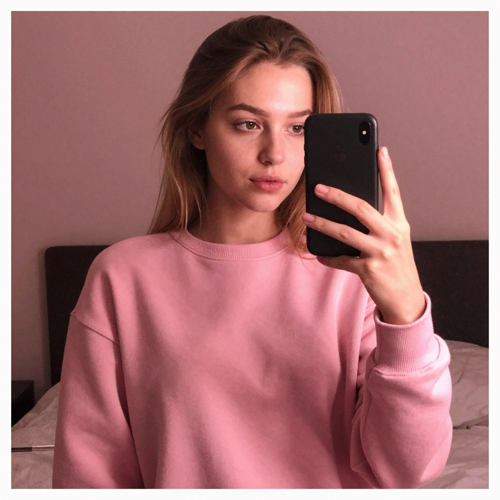
Start with one photo, not a decade-old archive
A 2016 photo filter on Textideo starts from one photo you own. Pick hazy rose, direct flash or a sticker accent, then set the intensity so the face reads as yours. No archive digging, no borrowed picture.
Make my 2016 photoThe hard part with a 2016 photo filter is the year, not the tint
Three places where a throwback edit quietly stops looking like a memory.
Three steps that keep the face intact
A 2016 photo filter is made in three plain moves. None asks you to rebuild a decade by hand, and each leaves something to check.
Pick one photo you own
Choose a clear selfie, group shot or street frame you have the rights to edit. Front-facing portraits suit sticker accents; outdoor frames suit color and flash.
Shape the 2016 grade
Apply the preset, then set a hazy pink or warm tone, pushed saturation, fine grain, a white border and slight soft-focus blur. Ease off if skin turns orange.
Compare, label and export
Read the original and the edit side by side; confirm the face, room and crop still match. Mark it as a recreated, AI-assisted edit, then download.
What a 2016 photo filter actually changes in a photo
Three things separate a usable grade from a flat tint: separable controls, a preview that protects the face, and a reproducible brief.
Three looks a 2016 photo filter can rebuild
A 2016 photo filter should match the post. Some want one hazy portrait; others want a then-and-now pair or a carousel. Three shapes one photo can take on Textideo.
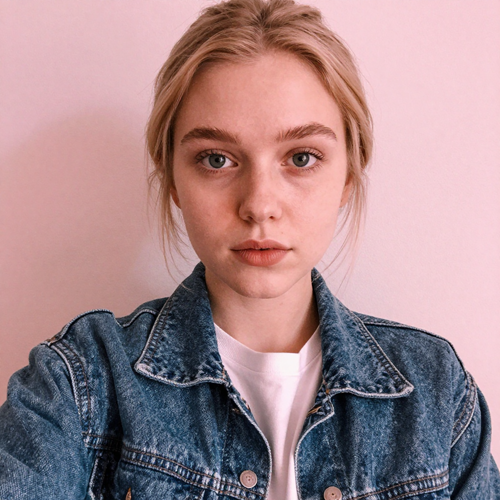
The 2016 photo filter selfie, kept recognizable
A soft rose cast, lifted shadows and faint grain over a front-facing shot. Eyes and room stay put; only color and texture move.
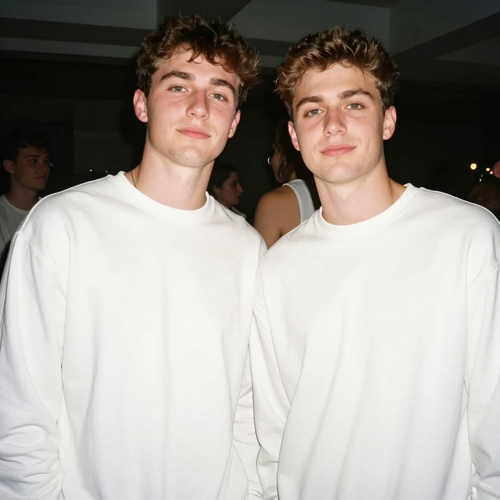
A direct-flash night frame
Brighter faces against a darker room, compact-camera noise and a warm white balance. It reads as an unplanned party snapshot.
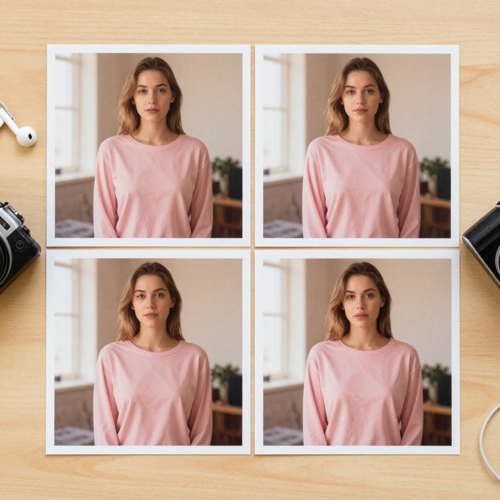
A warm faded photo-dump set
Four to six frames graded with one cast and crop, so a carousel reads as one feed. Vary the flash or grain, hold the warmth steady.
The materials that make a throwback read real
A 2016 photo filter is only as convincing as its input. These are the four materials people bring most.
Who struggles most with getting the year right
People reaching for a 2016 photo filter lack certainty, not nostalgia. Each arrives with a different job, and the grade follows it.
People rebuilding a photo dump from today
One weekend of new shots, and they want the set to read as a decade-old feed. One cast across every frame beats a dramatic filter.
Creators who dislike over-polished edits
Modern high-resolution portraits feel too clean. Lifted blacks, fine grain and slight softness restore the casual texture without a new face.
Social managers running a nostalgia week
A themed post needs a look that survives different lighting. Adjustable intensity keeps a bright outdoor frame and a dim indoor one together.
Anyone wary of borrowed memories
They want the aesthetic without restyling a stranger's old photo. Starting from an image they own, and labeling it, keeps the throwback honest.
A 2016 photo filter in four honest numbers
- Short-video platforms
- Photo-sharing apps
- Mobile camera rolls
- Retro editing apps
- Social carousels
Why a 2016 photo filter beats a plain vintage preset
Most retro grades stop at film decades. A 2016 photo filter targets one year of phone photos, and on Textideo the cast, grain and border stay separate.
A 2016 photo filter you can audit
Every grade is reversible, so a rose cast that flattens skin eases off without redoing grain or border. You check against the original.
One brief, several decade-correct looks
One photo supports hazy rose, direct flash or a sticker accent depending on the brief - three moods of one year.
Skin that stays believable
Warmth is capped before whites turn orange, and the face is never smoothed into a new person. A neutral white wall is the check.
A copy-paste brief instead of guesswork
A named cast, border and keep-the-face instruction beat a one-word request. The prompt is written out above.
Labels and rights kept honest
The edit is marked as a recreation, AI steps are declared, and commercial reuse follows platform terms. Nothing is an official preset or a found archive.
A set that hangs together
One crop and one cast across four to six frames turn separate shots into a photo dump. Consistency makes a carousel read as 2016.
What three editors noticed about a 2016 photo filter
“The pink cast was right, but pulling the warmth back before skin turned orange is what made the set believable.”
“I kept restyling old shots I had no rights to; using one photo I own and labeling it ended the problem.”
“A flat vintage tint dated every frame to the wrong decade; separate grain and border controls fixed that.”
Questions people ask before trusting a 2016 photo filter
Straight answers on where the look came from, what the year means, and how to post one honestly.
What is a 2016 photo filter, and where did the trend come from?
It recreates the look of mid-2010s phone photos. The trend began as a late-2025 in-joke against low-effort AI filler and engagement bait - a "meme reset" that became a slogan reading the present year as a past one. In the first week of January 2026 a major short-video platform shipped a dedicated in-app preset under that name and searches spiked; by mid-January interest peaked as people reopened decade-old camera rolls. Within a week it was a reusable recipe and a tag.
What does the "2016" in this filter actually mean?
"2016" is a year, not a camera model or filter number. It names a visual grammar of oversaturated pink and warm tones, hazy softness, low-res grain, white borders, direct-flash mirror selfies, sticker decorations and a looser pre-algorithm sharing mood.
How do I make this look step by step?
Choose a photo you own, apply a 2016 photo filter preset, then dial in hazy pink or warm tone, saturation, grain, a white border and slight blur. Compare with the original, ease off if skin turns orange, then export.
Is there a copy-paste prompt I can reuse?
Yes - the feature section above has a full brief to paste as-is. Name the colors, border and the face to preserve, one mood per pass.
What photos work best as input?
A clear selfie, group shot, mirror photo or sunlit outdoor frame works best, with a sharp subject and visible face. Front-facing close-ups suit sticker overlays; everyday scenes suit color-and-flash grades.
2016 photo filter vs vintage filter: what is the difference?
A vintage filter mimics film of earlier decades with muted color and soft analog grain; a 2016 photo filter targets one year of phone photography. Saturation goes up rather than down and the cast leans rose-pink, so the two date a photo differently.
Is this the same as a CCD or digicam filter?
No. A CCD or digicam look copies early compact cameras with cooler tones and harder flash; a 2016 photo filter is warmer and hazier with lifted blacks. Both use flash, but different hardware and decades.
Can I apply it to a photo that is not mine?
Only with the owner's and every subject's consent. Do not restyle a stranger's old photo, pass off someone else's archive as your memory, or imply the edit is an official platform preset. Label AI-assisted edits and follow platform terms before commercial use.
What audio and props go with a throwback post?
A photo dump or carousel of four to six casual frames beats one polished hero shot, paired with a mid-2010s pop mood rather than any named song. Wired earbuds, a mirror selfie and sticker accents read as period props; shoot portrait and attach no unlicensed track.
What can I export after the edit?
You get a side-by-side preview plus an export for a post or carousel. Keep the crop consistent so a photo dump reads as one feed, vary only the flash or grain, and label the set as recreated.
Make a 2016 photo filter you can post honestly
One photo, one grade, a result you can check. A 2016 photo filter on Textideo keeps the cast, grain and border adjustable, and leaves the face in the frame unchanged. Compare the before and after, label the edit as recreated, and post a throwback that is honestly yours.
No credit card required - no sign-up - no archive digging - label the edit as recreated