
A Twitch Banner Generator That Keeps Your Channel Name Readable at Every Window Width
A twitch banner generator should start with the 1200×480 profile banner, not a blank 16:9 frame that gets stretched. Name the channel, niche, palette and one schedule line, then hold the lettering on the left where the avatar cannot bury it. Preview on desktop and a phone before uploading through Textideo.
Rated on what a header lives by: a readable name on the left, a quiet right half, lettering that holds on a phone No design software needed - no card required - preview before upload
A Channel Header Should Be Read Before It Is Admired
The profile banner sits behind your channel info; the offline image belongs to the video player at 1920×1080. A twitch banner generator keeps those slots apart, so a 5:2 header is never mistaken for a 16:9 thumbnail. Check both widths first.
Build My BannerThe Hard Part With a twitch banner generator Is the Crop
A twitch banner generator earns its place only when the name survives the real placements.
A twitch banner generator Only Needs Three Decisions
Three steps cover the job: write a brief, lock the composition, then preview and upload. A twitch banner generator keeps all three inside one 1200×480 layout.
Write the Channel Brief, Not a Decorative Wishlist
Name the channel, niche, palette, schedule and visual direction. Copy this prompt, changing only the invented name and colors: 'Twitch profile banner, ultra-wide 5:2. Neon esports scene for NOVA RUSH: deep navy field, cyan and magenta light streaks, a low skyline to the right. Put NOVA RUSH in bold capitals on the left third, with LIVE MON WED FRI 8PM beneath it. Keep the right half calm, no other readable text, no extra words, no logos.'
Lock the 5:2 Composition and the Left-Side Safe Zone
Set 1200×480 as the target, keep lettering in the left-center band and leave the edges as decoration. A second prompt to copy: 'Twitch profile banner, ultra-wide 5:2, cozy illustrated style for MOSS & MUGS. Cream, forest green and amber, an illustrated mug and fern leaves. Set MOSS & MUGS in a rounded hand-lettered font on the left third, add only COZY GAMES, JUST CHATTING beneath it. Keep the right half open, no extra readable text, no logos.'
Preview Both Widths, Then Upload to the Brand Tab
Read the name back, check desktop and a 375px phone, and fix wording without regenerating the scene. Export PNG for sharp text or JPG for a photo background, stay under 10MB, then upload under Creator Dashboard, Settings, Channel, Brand, Profile Banner, Update.
What a twitch banner generator Gives You Beyond a Pretty Frame
Three habits separate a handsome preview from a header that holds up on a live page. A twitch banner generator treats each as a placement decision.
Style Directions That Survive a 5:2 Crop
Style is easy; the 5:2 crop decides what survives. A twitch banner generator starts each direction with a fictional name and a quiet right half.
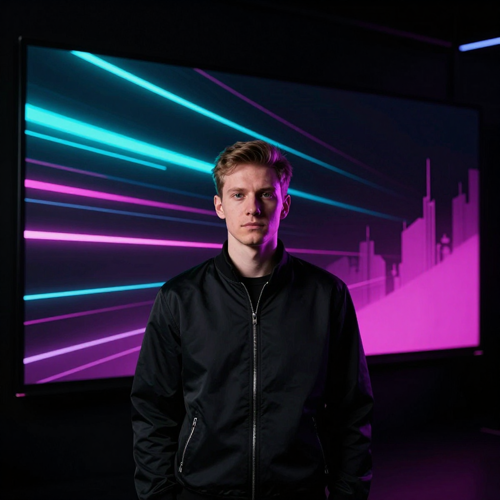
Neon Esports, Anchored on the Left Third
Electric cyan and magenta streaks over a dark field, one angular name on the left and a low skyline to the right. A short schedule line sits beneath it.
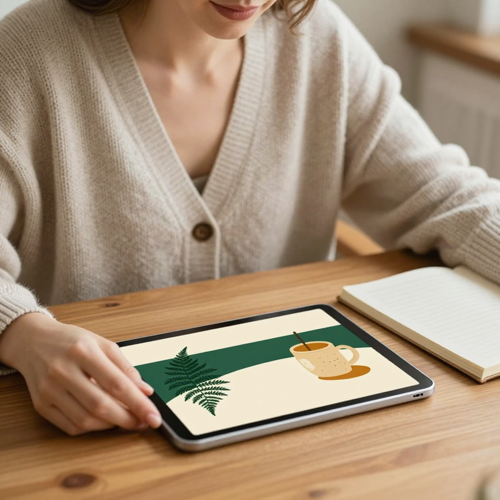
Cozy Just-Chatting, Warm and Sparse
Cream, forest green and amber, an illustrated mug and a rounded hand-lettered name. The right half stays open so a phone screen reads the words first.
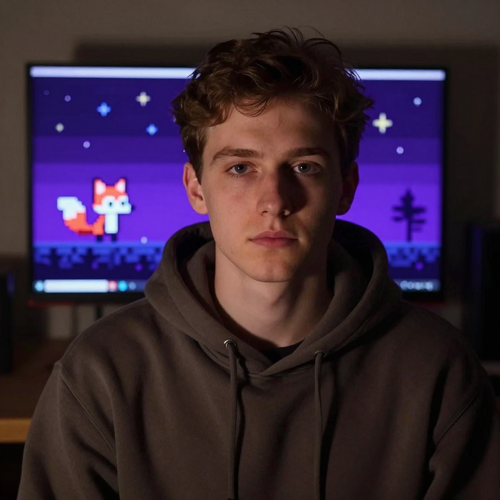
Retro Pixel and VTuber Sets With a twitch banner generator
A limited pixel palette or an original starlit mascot can carry an identity when the same fonts reach the panels and offline image.
Placement Decides Whether the Banner Works
The same artwork behaves differently in each slot, so a twitch banner generator is judged by placement, not the full rectangle.
Who Struggles Most Without a twitch banner generator
The people who lose the most time lack a brief that already knows the placement. That is where a twitch banner generator earns its keep.
New Streamers Setting Up a Channel
A first channel often arrives with a 16:9 photo and a name near an edge. Starting at 1200×480 with a clear left band avoids the upload-and-regret loop.
Variety Streamers Who Change Games Weekly
When the game rotates, the schedule and tagline rotate too. A prompt that can be edited and re-checked at two widths suits a restless channel.
Cozy and Art Channels Using a twitch banner generator
Soft palettes and hand-lettered names are easy to overcrowd. A sparse brief keeps one readable name, one small line and a calm right half.
Small Teams Doing Their Own Branding
With no designer on call, one person owns the header, offline image and panels. One shared palette keeps every surface consistent.
What a twitch banner generator Actually Hands You
- YouTube
- Discord
- Kick
- X
Why a twitch banner generator Beats an Empty Rectangle
A generic image editor decorates first and worries about the crop later; a twitch banner generator works backward from the 5:2 placement.
A twitch banner generator Starts at 1200×480
Dimensions come first because a 16:9 file gets sliced to fill a 5:2 header. The right ratio removes the most common reason a name looks wrong.
Text Lives Where the Overlay Cannot Reach
The header is scaled to 480px high and pulled wider with the browser, while the avatar covers the lower-left corner. A left-center band avoids both.
A twitch banner generator Reads Best With Sparse Text
On a 375px phone the strip shrinks to a narrow band. One large name and a line like 'Live Mon Wed Fri 8PM' beat a paragraph nobody can read.
A Written Brief Outruns Template Tweaking
Template editors start from a fixed layout, prompt-based generation starts from your channel, and a local cropper only rescales owned artwork. Only a written brief moves the name first.
One Identity Across Every Surface
Treat the header as the first tile in a series. Reusing its palette, typeface and mascot on panels, overlays and thumbnails makes a channel recognizable.
Rights Stay With Assets You Actually Own
Bring only assets you can legally use: an avatar you made, a licensed font and artwork you own. Leave protected characters and platform marks out.
How a twitch banner generator Reads in Real Channels
“16:9 thumbnails sliced my name; a 1200×480 brief with a clear left band fixed it.”
“Three fonts across our panels looked scattered; one palette pulled it together.”
“The schedule lived only in the bio; one line under the name stopped the timing questions.”
Questions Streamers Ask Before They Hit Update
Size, safe zones, formats and rights are what a real channel page tests. A twitch banner generator is only as good as its answers.
What size should a twitch banner generator aim for?
Aim for 1200×480 pixels, a 5:2 ratio. The offline image is a separate 1920×1080, 16:9 asset, so starting right avoids a stretched name on upload.
Where should the channel name sit so the avatar does not cover it?
Keep it in the left-center band, away from the outer edges. The avatar covers the lower-left corner and the header stretches as the browser widens, so edge text drifts out of view.
Why does my banner stretch or get cut off on some screens?
Because the header is scaled to a fixed height and pulled wider with the browser window. A 16:9 thumbnail reused as a 5:2 banner is the usual cause of a sliced name.
Where do I upload a twitch banner generator result on the channel?
Open the Creator Dashboard, then Settings, Channel, Brand, Profile Banner and Update. The offline image sits on the same Brand tab but needs its own 1920×1080 file.
Should I export PNG or JPG, and what about fonts and artwork rights?
Use PNG for sharp lettering and JPG for a photographic background, under 10MB. Stick to an avatar you drew, a licensed typeface and artwork you may legally reuse, and skip badges you do not own.
Can a twitch banner generator put my stream schedule on the banner?
Yes, one short line is enough. A line such as 'Live Mon Wed Fri 8PM' under the channel name tells visitors when to come back without a wall of small text.
Will the text still be readable on a 375px phone screen?
Only if you plan for it. The strip shrinks into a narrow band, so one large name plus one short line beats several small captions on a phone.
Should the profile banner match my offline image and panels?
Yes, consistency is the point of a channel identity. Carry one palette, typeface and mascot across the profile banner, offline image, About panels, overlays and thumbnails.
Is a twitch banner generator the same as a twitch banner maker, or is a profile banner an offline image?
They are near-neighbors, not the same thing. A banner maker is a template editor with fixed elements, while a twitch banner generator starts from a written prompt. Separately, the 1200×480 profile banner is not the 1920×1080 offline image in the video player.
How is this different from a template editor or a local cropper, and can I change the words later?
Template editors start from a preset layout, a local cropper only rescales owned artwork, and a twitch banner generator starts from a brief that moves the name before anything is drawn. Edit the wording later without regenerating the scene.
Put a twitch banner generator to Work on Your Channel
A twitch banner generator earns its keep when a 1200×480 brief holds the name on the left. Build the header on Textideo, preview on desktop and a phone, then upload under the Brand tab. No card is needed.
No design software needed - no card required - preview before upload