
GTA 6 AI Photo Generator: Turn One Selfie Into Loading-Screen Poster Art
A GTA 6 AI Photo Generator rebuilds one portrait as hand-painted game poster art with ink outlines and a neon seaside skyline. You keep your face and outfit while the scene turns fictional and sunny, then caption the poster yourself, all in one browser tab.
Rated on whether your face survives the ink lines, and whether the poster stays a fan tribute instead of borrowing official assets. No credit card required - no sign-up - fan-style poster, not affiliated with the trademark holder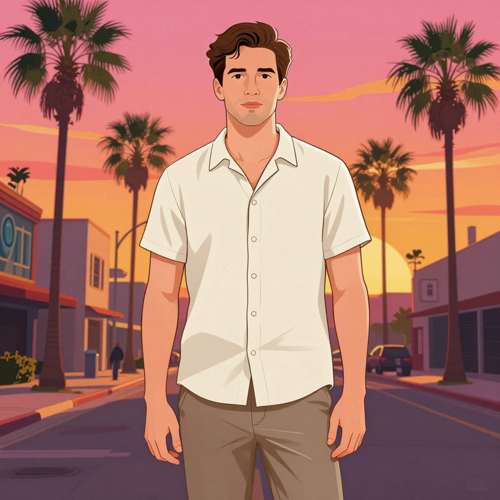
Why the GTA 6 AI Photo Generator Trend Took Over Every Feed in One Week
When the long-awaited crime-game sequel arrived in November 2026, painted portraits filled feeds within hours. A GTA 6 AI Photo Generator turns one selfie into poster art with ink outlines, a neon coastal skyline, and a fictional beach-city sunset. Available on Textideo.
Make Your GTA 6 PhotoWhy a GTA 6 AI Photo Generator Is Harder Than It Looks
The trend looks effortless because the good posts hide the work.
Make a GTA 6 Style Poster in Three Steps
The whole flow fits one sitting. The middle step is where most first attempts go wrong, so read it twice.
Upload One Sharp Portrait
Waist-up, face clear, even light, no heavy filter on the original. The illustration inherits whatever condition your photo is in.
Pick a GTA 6 AI Photo Generator Look First
Choose the format first: loading screen portrait, sunset walkout, or paired frame. Then anchor the scene with two physical details, fix the hour, and close with the exclusion line: no text, no logos, no game title.
Generate, Compare, Download
Make one frame, change exactly one thing, make a second, and compare the faces first. When the likeness holds and the light agrees, download it.
What a GTA 6 AI Photo Generator Gives You
Three capabilities decide whether a poster joins the trend or gets scrolled past.
Three Poster Looks That Fit the Trend
The same portrait lands in very different poster formats, and each reads differently on a feed. A GTA 6 AI Photo Generator works best when you pick the format first and keep everything else steady.
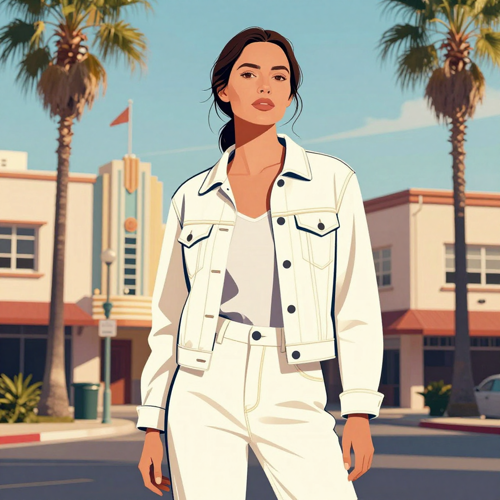
GTA 6 AI Photo Generator Loading Screen Portrait
The format that started the wave: your upper body as painted key art, ink lines around the jaw, flat cel shading, and a coastal strip of palms and art deco rooftops behind. Keep the pose frontal.
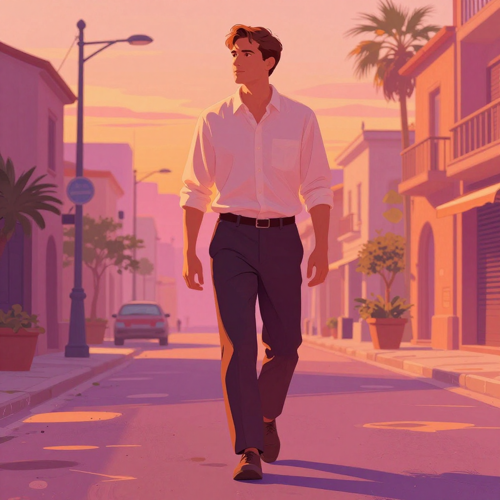
Neon Sunset Walkout
A full-body walking pose at golden hour, magenta and orange light washing the frame, a low angle that reads as a poster hero. Softer painted edges suit a quieter reference.
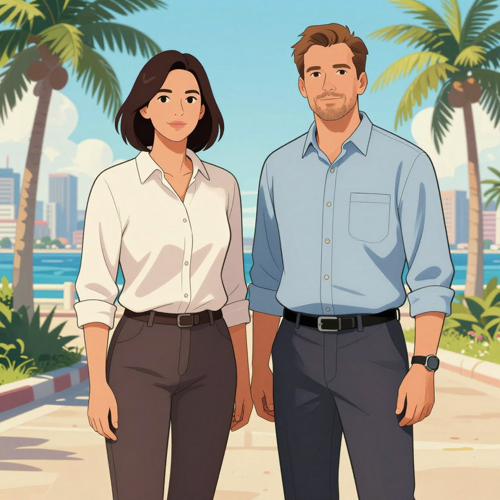
Two-Person Back-to-Back
One shared photo becomes a paired poster, both faces kept, shoulders squared to the camera. Even light and a clear gap between them matter, because the illustration flattens depth.
What a GTA 6 AI Photo Generator Works Best With
A GTA 6 AI Photo Generator is only as good as its input. These four starting points cover nearly every post in the trend.
Who Needs a GTA 6 AI Photo Generator to Join In
The trend looks effortless from outside, but most failed attempts come from the same four places.
Fans Without Console or Editing Skills
People want in on a launch-week moment without a console or an editing timeline. A GTA 6 AI Photo Generator collapses the whole thing to one upload, which is why the format spread beyond players.
Creators Racing a Trend Clock
Launch-week formats have a shelf life measured in weeks. Creators need a poster in minutes and a look consistent across several posts.
Couples Who Want One Shared Frame
Paired posts dominate, and merging two real faces into one illustrated poster is what fails most often. Holding both likenesses in one painted frame is the job of a dedicated tool.
Small Brands Borrowing the Moment
Local shops and community pages posted launch-week art because their audiences expected it. They need a result that nods to the style while staying a fan tribute.
GTA 6 AI Photo Generator by the Numbers
- TikTok
- CapCut
- YouTube
Why Choose Textideo for a GTA 6 AI Photo Generator
Every GTA 6 AI Photo Generator in this trend can paint a poster; they differ in whether the face survives and whether the result stays inside the fan-tribute lane.
A GTA 6 AI Photo Generator That Holds Your Actual Face
The whole joke collapses if the poster shows a stranger. Identity stays anchored to the uploaded portrait, so the illustration reads as you wearing the style.
Style Elements Without Official Assets
Ink outlines, cel shading, sunset grading, and a coastal skyline are style ingredients, not copied assets. No logos, official typography, screenshots, or character likenesses enter a frame.
One Consistent Light Direction
A painted poster still obeys one sun. When the face, the street, and the sky disagree about the hour, the frame reads as a collage.
Repeatable Looks for a Whole Feed Run
Naming the look once and reusing it means launch week can be a series instead of a one-off. The same framing reads as deliberate.
A Browser Tab, Not an Editing Timeline
No template hunting, no keyframe work, no export settings. Upload, pick a look, generate, download in one short sitting.
Honest Boundaries Built In
A fan poster should say what it is. Label the result as generated, keep it clearly a style tribute, and use only photos you have the right to edit.
What People Post After One Evening With a GTA 6 AI Photo Generator
“My whole feed was launch-week posters and mine kept coming back with a stranger's jawline. Locking the prompt to one look and one hour finally made it read as me.”
“We wanted the paired poster for our anniversary post. Getting both faces to hold in one painted frame was the part every free tool flubbed; one upload with even light fixed it.”
“Our community page needed launch art that would not borrow anything official. Style only, clean frame, honest caption: the post got shared more than our usual content.”
Questions About the GTA 6 AI Photo Generator Trend
Straight answers to what people search before their first upload, including where the trend came from and where its legal edges sit.
What is a GTA 6 AI photo generator?
A browser tool that redraws one real portrait as painted game poster art: bold ink outlines, cel shading, and a sunny fictional coastal city behind the subject. GTA is shorthand for a long-running open-world crime game series, VI is the Roman numeral for six, and a loading screen is the illustrated artwork a game shows while it loads. That painted style is what the trend borrows.
Where did the loading screen photo trend come from?
It stacked up over a year. A ChatGPT prompt tutorial for game loading screen portraits spread in mid-2025. A CapCut template called Your GTA 6 loading screen appeared in late August 2026, and the first post to catch fire followed in late September. Posts crossed a hundred thousand views in early November, tutorials paired the format with a country ballad from the launch trailer's radio lineup, and the game's November 2026 release made it a feed-wide format.
How realistic does the result look?
The style is deliberately illustrative, so the goal is a convincing poster, not a fake photograph. Faces stay recognizably yours while outlines flatten everything else.
What should a good style prompt include?
Name the art treatment, two or three scene anchors, the hour, and an exclusion line. Anchors like palm-lined boulevard or art deco rooftops give a GTA 6 AI Photo Generator physical things to place; no text, no logos, no game title keeps the frame free of borrowed assets.
How is a GTA 6 AI photo generator different from a CapCut template?
A CapCut template wipes your photo into a preset poster inside an editor account. A GTA 6 AI Photo Generator keeps your portrait as the source of truth, gives prompt control over pose and hour, and produces a clean still you can take anywhere. Templates win on the preset look; a generator wins on variations that match your face.
Can two people share one poster?
Yes. Start with one photo containing both people, faces evenly lit from the same side, with a small gap so the flattened style keeps two silhouettes. Both people should agree to the edit before it goes up.
Is it legal to post a GTA 6 style photo?
A personally made poster in a game-inspired art style is generally fan tribute, but the safe lane has rules the industry learned in 2026 when the rights holder began enforcing its marks against AI content. Keep logos, official typography, character likenesses, and screenshots out, label the post as generated fan art, and never present it as official.
What audio do people pair with the trend?
Short-video posts ride the template sounds that carried the format, including a country ballad from the launch trailer's radio lineup, and add a fake loading bar in the platform editor. The audio lives in the video layer, not the poster.
What photo works best as the input?
A waist-up portrait in soft even daylight, face unobstructed, wearing the outfit you want in the poster. Avoid sunglasses and harsh flash.
Do I need to play the game to make one?
No. The trend exists because most participants never touch a console. Everything it needs is a photo, a style, and a caption.
Join the Loading Screen Trend, Then Label It Honestly
Your face, one painted skyline, and a caption that says what it is. Make a GTA 6 AI Photo Generator poster on Textideo, change one variable at a time, and post a fan tribute you can stand behind. No sign-up, no borrowed assets, no console required.
No credit card required - no sign-up - fan-style poster, not affiliated with the trademark holder